Introduction
Welcome to the user manual for your Microdos MD-1900 Multi-Input Bluetooth Speaker. This guide provides essential information for safe operation, proper setup, and effective maintenance of your device. Please read this manual thoroughly before using the speaker to ensure optimal performance and longevity.
Safety Information
- Read all instructions carefully before operating the speaker.
- Keep the speaker away from water, moisture, and any liquids to prevent electric shock or damage.
- Do not expose the device to extreme temperatures, direct sunlight, or high humidity.
- Do not attempt to disassemble, repair, or modify the speaker. Refer all servicing to qualified personnel.
- Use only the specified charging cables and power adapters provided or recommended by the manufacturer.
- Dispose of batteries responsibly according to local regulations.
Package Contents
Please check the package for the following items:
- Microdos MD-1900 Bluetooth Speaker (1 unit)
- Charging Cable
- User Manual (this document)
Product Overview
Familiarize yourself with the physical components and controls of your Microdos MD-1900 speaker.
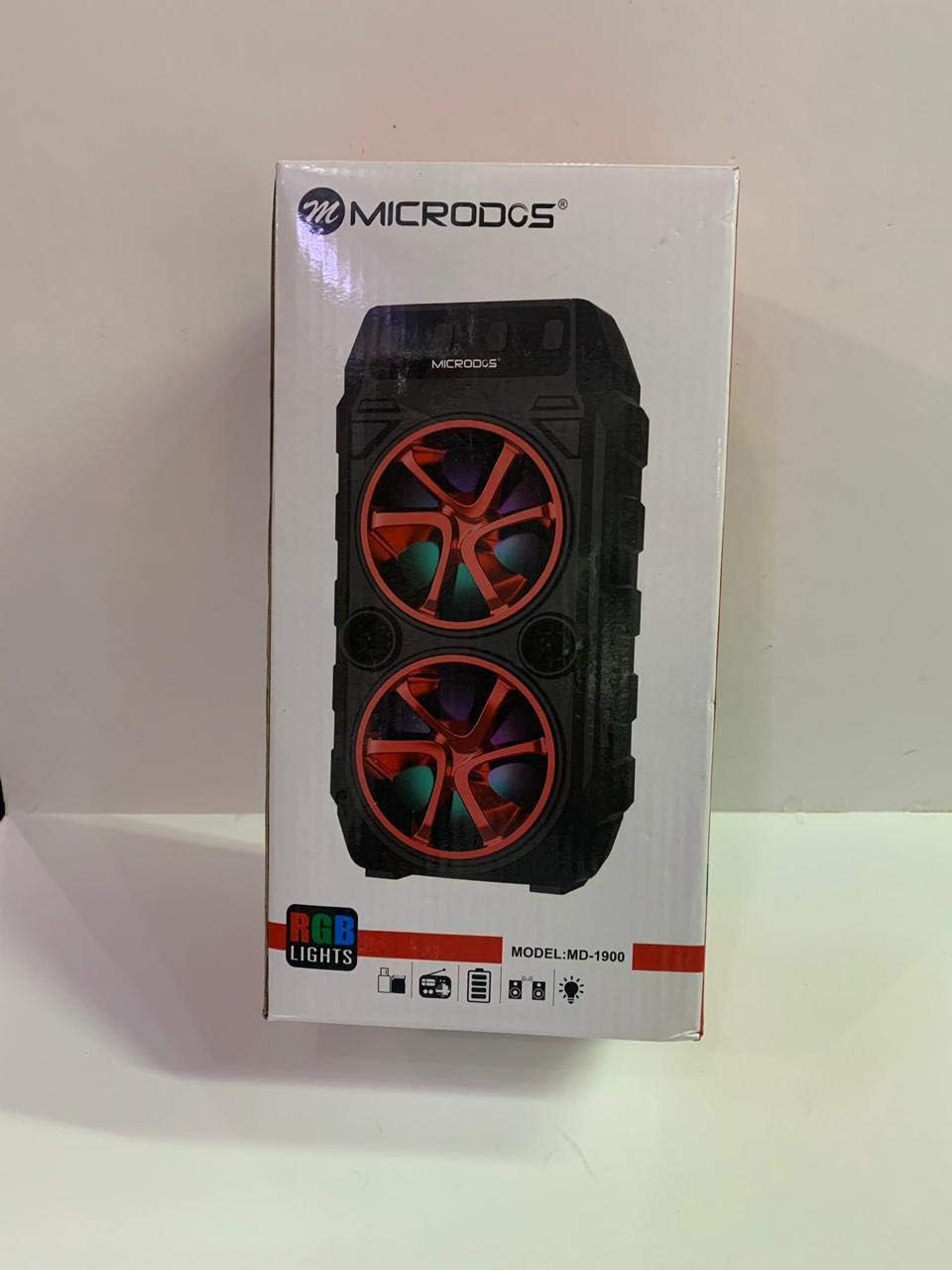
Image: The Microdos MD-1900 Bluetooth Speaker, black with prominent red accents on the speaker cones, featuring dynamic RGB lights. The front panel clearly displays the Microdos brand logo and the MD-1900 model number.
Controls and Ports
- Power Button: Press and hold to turn the speaker ON or OFF.
- Mode Button: Short press to cycle through input modes (Bluetooth, AUX, USB, TF/SD Card).
- Play/Pause Button: Press to play or pause audio playback.
- Volume Up / Next Track Button: Short press to increase volume. Long press to skip to the next track.
- Volume Down / Previous Track Button: Short press to decrease volume. Long press to go to the previous track.
- USB Port: For connecting USB flash drives for audio playback.
- TF/SD Card Slot: For inserting TF (MicroSD) or SD memory cards for audio playback.
- AUX Input: 3.5mm audio jack for wired connection to external devices.
- Charging Port: For connecting the charging cable to power the speaker.
Setup
Charging the Speaker
Before using your MD-1900 speaker for the first time, it is recommended to fully charge its internal battery. Connect the provided charging cable to the speaker's charging port and the other end to a compatible USB power source, such as a wall adapter (not included) or a computer's USB port. The charging indicator light will illuminate to show the charging status and turn off or change color when fully charged.
Powering On/Off
To turn the speaker ON, press and hold the Power button for approximately 3 seconds until you hear an audible prompt or see the indicator lights activate. To turn the speaker OFF, press and hold the Power button again for 3 seconds.
Operating Instructions
Bluetooth Mode
- Turn on the speaker. It will automatically enter Bluetooth pairing mode, indicated by a flashing LED light and an audible prompt.
- On your mobile device (smartphone, tablet, etc.), enable Bluetooth and search for available devices.
- Select "MD-1900" from the list of found devices to initiate pairing.
- Once successfully paired, the speaker will confirm with an audible prompt, and the LED indicator will stop flashing. You can now play audio wirelessly from your device.
AUX Mode
Connect one end of a 3.5mm audio cable (not included) to the speaker's AUX input port and the other end to the audio output jack of your external device (e.g., MP3 player, computer). The speaker may automatically switch to AUX mode, or you may need to press the Mode button to select it.
USB / TF Card Mode
Insert a USB flash drive or a TF/SD memory card (containing MP3 audio files) into the corresponding port on the speaker. The speaker will automatically detect the storage device and begin playing music. Use the Play/Pause and Volume/Track buttons to control playback.
Adjusting Volume
Press the Volume Up (+) button to increase the playback volume. Press the Volume Down (-) button to decrease the playback volume.
Controlling Playback
- Press the Play/Pause button to pause the current track. Press it again to resume playback.
- Long press the Volume Up (+) button to skip to the next track.
- Long press the Volume Down (-) button to go back to the previous track.
RGB Lights
The Microdos MD-1900 speaker features integrated RGB lights that enhance the audio experience. Specific controls for changing light modes, if available, may be found on the device itself or in supplementary documentation.
Maintenance
- Clean the speaker's exterior with a soft, dry, lint-free cloth. Do not use abrasive cleaners, solvents, or strong chemicals.
- Store the speaker in a cool, dry place away from direct sunlight and extreme temperatures when not in use for extended periods.
- Avoid dropping the speaker or subjecting it to strong impacts, as this can damage internal components.
- Keep ports and openings free of dust and debris.
Troubleshooting
If you encounter any issues with your Microdos MD-1900 speaker, please refer to the following common problems and solutions:
| Problem | Solution |
|---|---|
| Speaker does not turn on. | Ensure the battery is sufficiently charged. Connect the speaker to a power source and try again. |
| Cannot pair via Bluetooth. | Ensure the speaker is in Bluetooth pairing mode. Turn off and on your device's Bluetooth. Move your device closer to the speaker (within 10 meters). |
| No sound from the speaker. | Check the volume levels on both the speaker and your connected device. Ensure the correct input mode (Bluetooth, AUX, USB, TF/SD) is selected. |
| USB drive or TF/SD card not playing. | Ensure audio files are in a compatible format (e.g., MP3). Reinsert the USB drive or TF/SD card. Try a different drive or card to rule out media issues. |
Specifications
Detailed technical specifications for the Microdos MD-1900 speaker:
| Feature | Detail |
|---|---|
| Brand | Microdos |
| Model Number | MD-1900 |
| Connectivity Technology | Bluetooth, Wireless, Wired |
| Input Type | Multi (Bluetooth, AUX, USB, TF/SD Card) |
| Speaker Type | Bluetooth Speaker |
| Product Weight | 1 kg |
| Compatible Devices | Smartphones, Tablets, Digital Video Game Consoles, Computers, Televisions, Music Players |
| Output Power | 5 - 10 Watts |
| Special Feature | Wireless, Bluetooth |
| Control Type | Remote Control |
| Mounting Type | Tabletop |
Warranty and Support
For information regarding product warranty, technical support, or service inquiries, please refer to the warranty card or documentation included with your purchase. Alternatively, you may visit the official Microdos website or contact their customer service department directly. Please retain your proof of purchase for any warranty claims.


