
1. Introduction and Overview
The Zelotes C18 Wired Gaming Mouse is an advanced ergonomic vertical mouse designed for comfort and high performance. It features a unique 5-direction joystick, 11 programmable buttons, adjustable DPI settings up to 10000, and vibrant RGB lighting. This manual provides detailed instructions for setting up, operating, maintaining, and troubleshooting your C18 mouse to ensure optimal performance and user experience.
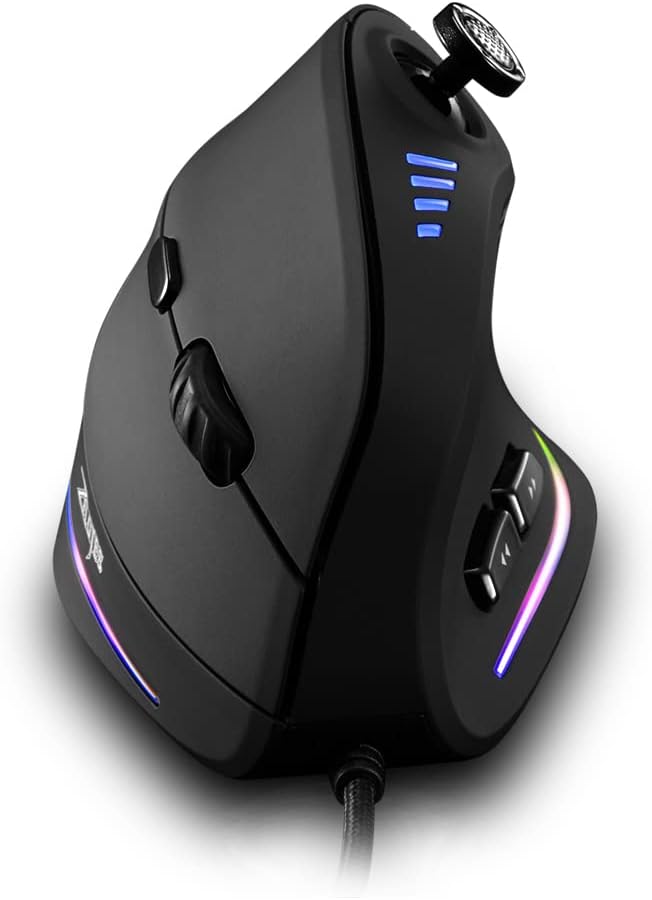
Figure 1: Front-side view of the Zelotes C18 Wired Gaming Mouse, showcasing its ergonomic design and RGB lighting.
2. Package Contents
Please verify that all items are present in your package:
- Zelotes Ergonomic Vertical Mouse
- User Manual (this document)
3. Setup Guide
3.1 Connecting the Mouse
- Locate an available USB port on your computer (PC, Laptop, or Mac).
- Insert the USB connector of the Zelotes C18 mouse into the USB port.
- The operating system will automatically detect and install the necessary drivers. This process may take a few moments.
- Once installed, the mouse will be ready for use.
3.2 Software Installation (Optional for Customization)
For full customization of the 11 programmable buttons, DPI settings, and RGB lighting, it is recommended to install the Zelotes customization software. The software is typically provided on a mini-CD or can be downloaded from the official Zelotes website. Note: Programming software is not fully available for Mac.
- If using the mini-CD, insert it into your computer's CD drive and follow the on-screen instructions to install the software.
- If downloading, visit the official Zelotes support website, locate the software for model C18, download, and run the installer.
- Follow the prompts to complete the installation.
- Launch the software to configure your mouse settings.
4. Key Features and Operation
4.1 5-Direction Joystick
The Zelotes C18 features a thumb-controlled 5-direction joystick, allowing for