
Introduction
This manual provides detailed instructions for the setup, operation, and maintenance of your Boncoo Touch Control Table Lamp. Designed for convenience and modern living, this 3-way dimmable lamp features a sleek silver metal base and a white lampshade, perfect for bedrooms, offices, and dorms. An A19 9W 3000K bulb is included for immediate use.
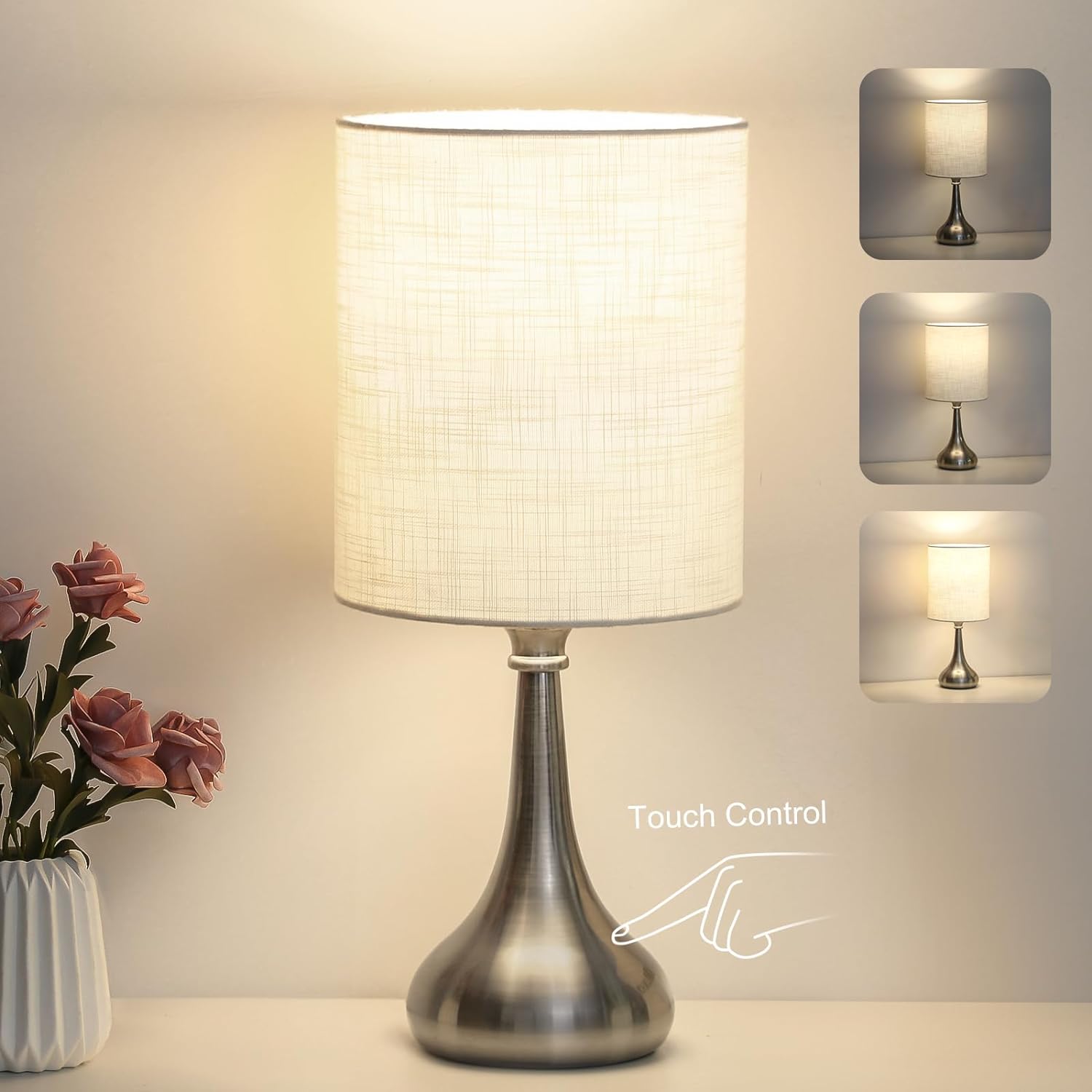
Figure 1: Boncoo Touch Control Table Lamp showcasing its 3-way dimmable feature.
What's in the Box
Upon unboxing, please ensure all components listed below are present and undamaged:
- Lamp Base (Silver Metal)
- Lamp Shade (White TC-Cloth)
- A19 9W 3000K LED Bulb

Figure 2: Included components: A19 Bulb, White Fabric Shade, US Standard Plug, and E26 Lamp Holder.
Setup Instructions
Follow these steps to assemble your Boncoo Touch Control Table Lamp:
- Unscrew the Fixing Ring: Carefully unscrew the fixing ring from the lamp holder on the lamp base.
- Place the Lampshade: Position the lampshade onto the lamp base holder.
- Secure the Lampshade: Screw the fixing ring back onto the lamp holder to firmly secure the lampshade in place.
- Install the Bulb: Screw the provided A19 9W 3000K LED bulb into the E26 lamp holder.
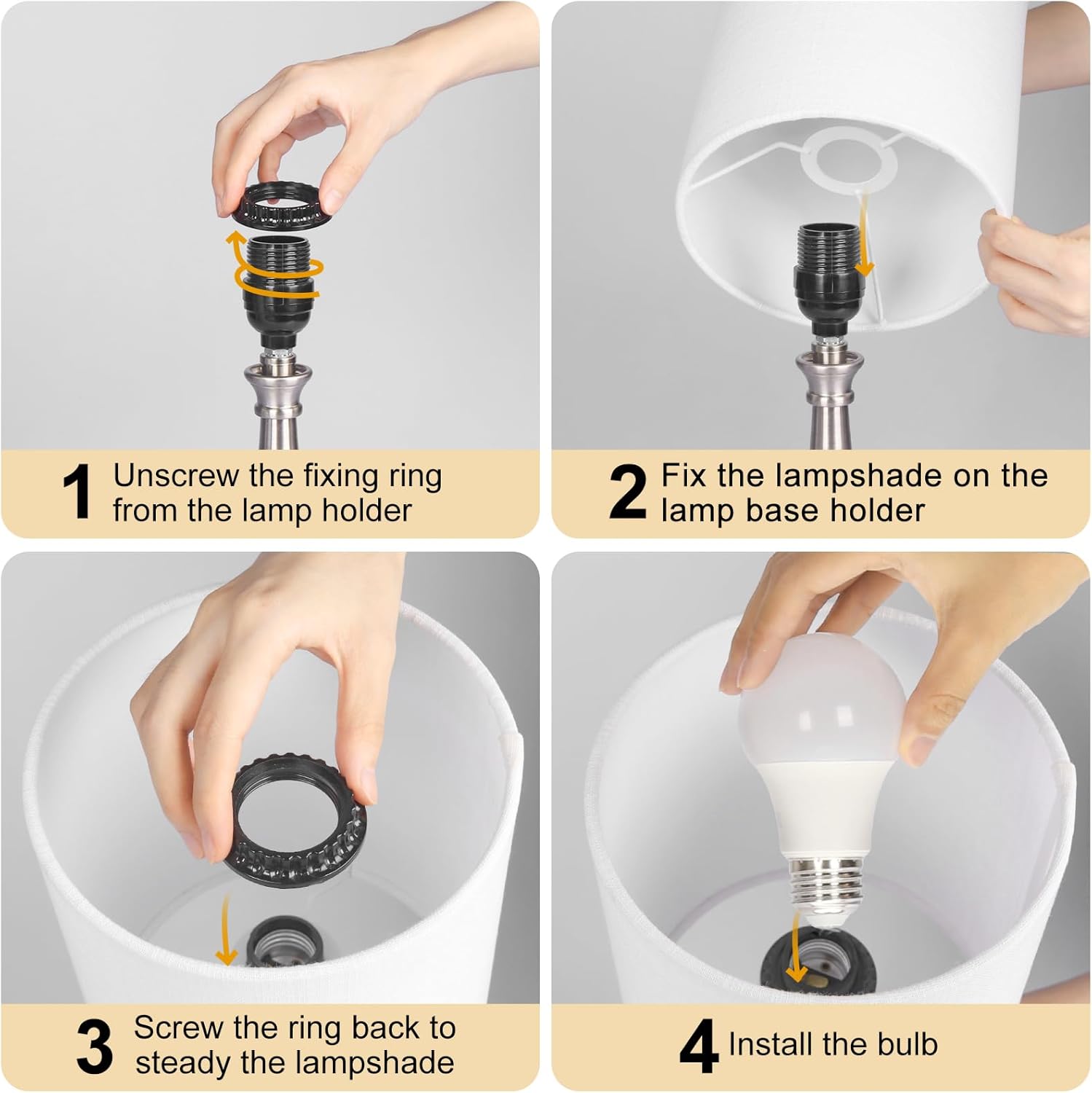
Figure 3: Visual guide for lamp assembly, showing steps to attach the lampshade and install the bulb.
Video 1: Official Boncoo video demonstrating the assembly process and touch control features of the lamp.
Operating Instructions
Your Boncoo Touch Control Table Lamp is designed for intuitive operation:
- Touch Control: The lamp features a highly responsive touch sensor. Simply touch any part of the metal base to turn the lamp on or off.
- 3-Way Dimmable: The lamp offers three brightness levels (low, medium, high). Each subsequent touch on the metal base will cycle through these brightness settings.
- Low: Ideal for a soft night light or ambient glow.
- Medium: Suitable for general relaxation or background lighting.
- High: Provides bright illumination for reading or working.
- Quiet Operation: The touch control eliminates the need for physical switches, ensuring a quiet and relaxing lighting experience without toggling noise.

Figure 4: Demonstrates the three dimmable light settings (Low, Medium, High) and the touch control functionality.

Figure 5: Examples of the lamp's versatile use in different rooms and settings.
Maintenance
To ensure the longevity and optimal performance of your Boncoo Touch Control Table Lamp, follow these simple maintenance guidelines:
- Cleaning:
- Always unplug the lamp before cleaning.
- Wipe the metal base with a soft, dry cloth. Avoid abrasive cleaners or solvents that could damage the finish.
- For the fabric lampshade, gently dust with a soft brush or a lint roller. Do not use wet cloths or liquid cleaners on the shade.
- Bulb Replacement:
- Ensure the lamp is unplugged and the bulb has cooled down before attempting replacement.
- Unscrew the old bulb and replace it with a new E26 base LED bulb, up to a maximum of 60 watts.
- Handling: Always handle the lamp by its base to prevent damage to the shade or electrical components.
Troubleshooting
If you encounter any issues with your Boncoo Touch Control Table Lamp, please refer to the following common solutions:
| Problem | Possible Cause | Solution |
|---|---|---|
| Lamp does not turn on. |
|
|
| Touch control is unresponsive or erratic. |
|
|
| Lamp flickers or dims unexpectedly. |
|
|
Specifications
Detailed technical specifications for your Boncoo Touch Control Table Lamp:
| Feature | Detail |
|---|---|
| Brand | Boncoo |
| Model Number | 13047 |
| Lamp Type | Table Lamp |
| Control Method | Touch |
| Dimmable | 3-Way Dimmable |
| Light Source Type | LED |
| Bulb Included | Yes (A19 9W 3000K) |
| Bulb Base | E26 |
| Maximum Compatible Wattage | 60 Watts |
| Base Material | Metal |
| Shade Material | Fabric (TC-Cloth) |
| Color | Silver, White |
| Product Dimensions | 4.5"D x 7.1"W x 16"H |
| Item Weight | 1.87 Pounds |
| Power Source | Corded Electric |
| Voltage | 120 Volts |
| Indoor/Outdoor Usage | Indoor Use Only |

Figure 6: Detailed dimensions of the Boncoo Touch Control Table Lamp.
Warranty and Support
Boncoo products are manufactured with high-quality materials and craftsmanship. For any warranty claims, technical support, or inquiries, please contact Boncoo customer service through the retailer's platform or the official Boncoo website.
Please retain your proof of purchase for warranty purposes.