
MERCUSYS MU6H
Mercusys AC650 High Gain Wireless Dual Band USB Adapter
Model: MU6H
Introduction
This user manual provides comprehensive instructions for the installation, operation, and maintenance of your Mercusys AC650 High Gain Wireless Dual Band USB Adapter. Please read this manual thoroughly before using the device to ensure proper functionality and safety.
The Mercusys AC650 is designed to provide high-speed Wi-Fi connectivity for your desktop or laptop computer, supporting both 2.4 GHz and 5 GHz bands for flexible and reliable wireless performance.
Safety Information
- Do not expose the device to water or excessive humidity.
- Do not attempt to disassemble or repair the device yourself. Refer all servicing to qualified personnel.
- Keep the device away from heat sources and direct sunlight.
- Use only with compatible USB ports.
- Dispose of the device responsibly according to local regulations.
Package Contents
Verify that all items are present in your package:
- Mercusys AC650 High Gain Wireless Dual Band USB Adapter (MU6H)
- Quick Installation Guide (typically included in packaging)

Image: The retail packaging for the Mercusys AC650 USB Adapter, showing the adapter and its key features.
Setup
System Requirements
- An available USB port (USB 2.0 or higher recommended).
- Operating System: Windows 11/10/8.1/8/7/XP.

Image: Visual representation of the Mercusys AC650 USB Adapter's compatibility with various Windows operating systems, including Windows 10, 8.1, 8, 7, and XP.
Installation Steps
- Insert the Adapter: Carefully insert the Mercusys AC650 USB Adapter into an available USB port on your computer.
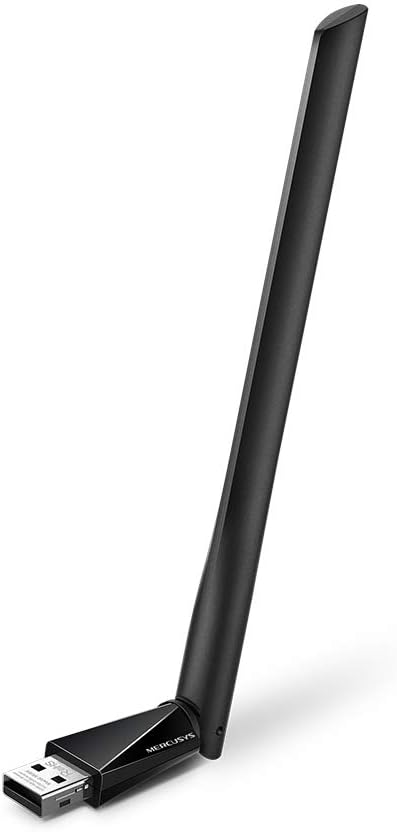
Image: The Mercusys AC650 USB Adapter shown from an angled perspective, highlighting its USB connector and the main body with the antenna.
- Driver Installation: The adapter features an in-built virtual CD with a driver installer.
- On most Windows systems, a new drive will appear in "This PC" or "My Computer". Open this drive.
- Locate and run the setup file (e.g., "Setup.exe" or "Autorun.exe").
- Follow the on-screen instructions to complete the driver installation.
- If the virtual CD does not auto-run, you may need to manually browse to the virtual drive and launch the installer.
Note: An internet connection is typically not required for the initial driver installation as the driver is embedded.
- Adjust Antenna: Once installed, you can adjust the high-gain antenna for optimal signal reception. The antenna is designed to be flexible.

Image: The Mercusys AC650 USB Adapter shown with its antenna folded down, illustrating its compact form factor when not in use or for storage.
Operating the Adapter
After successful driver installation, your computer should recognize the Mercusys AC650 as a wireless network adapter.
Connecting to a Wi-Fi Network
- Click on the Wi-Fi icon in your system tray (usually in the bottom-right corner of your screen).
- A list of available wireless networks will appear.
- Select your desired network (SSID) and click "Connect".
- If prompted, enter the network security key (password) and click "Next" or "OK".
- Your computer should now be connected to the Wi-Fi network.
Dual Band Functionality (2.4 GHz and 5 GHz)
The AC650 adapter supports both 2.4 GHz and 5 GHz Wi-Fi bands. The 2.4 GHz band offers wider coverage, while the 5 GHz band provides faster speeds and less interference, ideal for streaming and gaming.
- Your adapter will automatically detect and connect to networks on either band.
- If your router broadcasts separate SSIDs for 2.4 GHz and 5 GHz (e.g., "MyWiFi_2.4G" and "MyWiFi_5G"), you can manually choose which band to connect to.
- For optimal performance, connect to the 5 GHz network if available and within range.
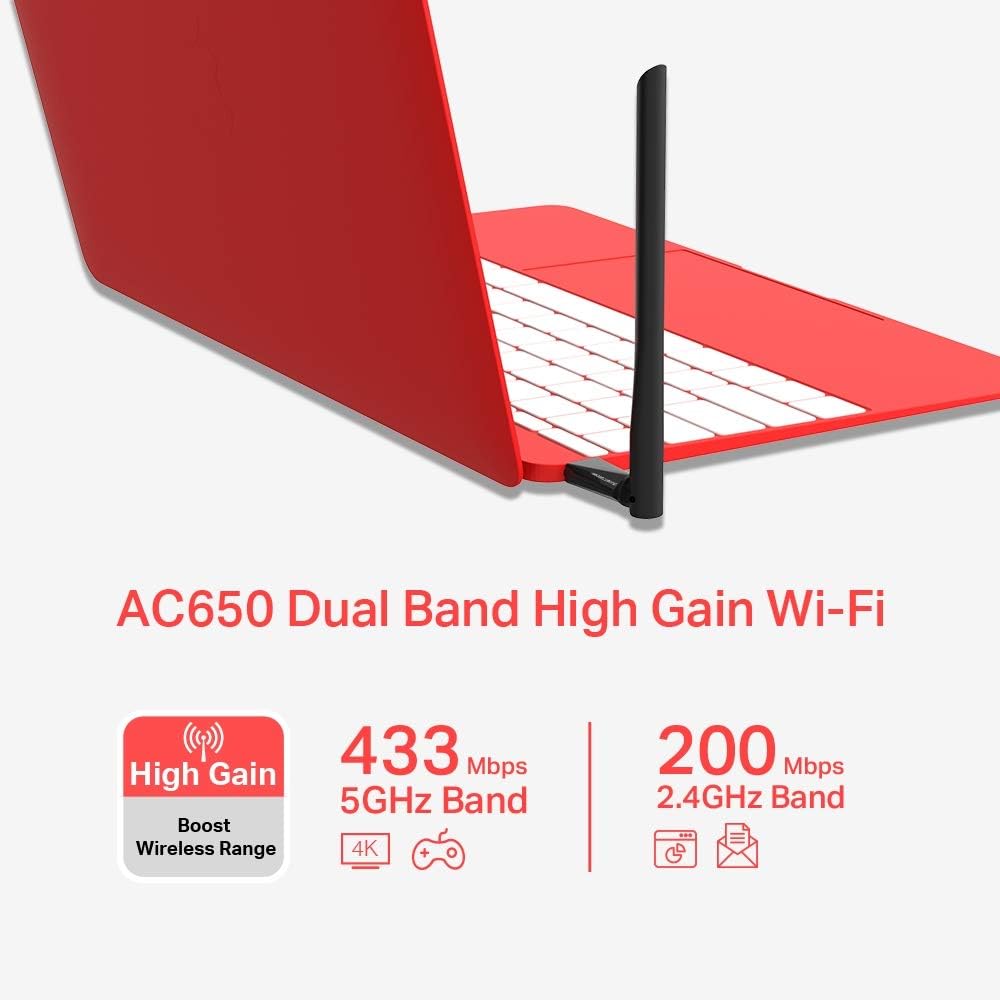
Image: An infographic detailing the Mercusys AC650's dual-band capabilities, showing 433 Mbps for 5GHz band and 200 Mbps for 2.4GHz band, along with its high-gain antenna feature.
Maintenance
- Keep the adapter clean and free from dust. Use a soft, dry cloth for cleaning.
- Avoid bending or twisting the antenna excessively.
- Store the adapter in a cool, dry place when not in use.
- Ensure your operating system and adapter drivers are up to date for best performance and security.
Troubleshooting
| Problem | Possible Solution |
|---|---|
| Adapter not detected by computer. |
|
| Cannot connect to Wi-Fi network. |
|
| Slow Wi-Fi speed or frequent disconnections. |
|
Specifications
| Feature | Detail |
|---|---|
| Model | MU6H |
| Wireless Type | 802.11ac |
| Data Transfer Rate | Up to 650 Mbps (433 Mbps on 5 GHz, 200 Mbps on 2.4 GHz) |
| Frequency Bands | 2.4 GHz and 5 GHz (Dual Band) |
| Antenna Type | High Gain, 5 dBi |
| Interface | USB |
| Compatible Devices | Desktop, Laptop |
| Operating Systems | Windows 11/10/8.1/8/7/XP |
| Dimensions (LxWxH) | 0.67 x 2.28 x 6.81 inches (approx.) |
| Weight | 0.705 ounces (approx.) |
| Color | Black |
Warranty and Support
The Mercusys AC650 High Gain Wireless Dual Band USB Adapter comes with a three-year warranty against factory defects. Please retain your proof of purchase for warranty claims.
For technical support, driver updates, or further assistance, please visit the official Mercusys website or contact their customer support. Refer to the product packaging or Mercusys' official website for the most current support contact information.
Official Website: www.mercusys.com
Related documentsMU6H


Ask a question about this manual
Ask about setup, troubleshooting, compatibility, parts, safety, or missing instructions. Manuals+ will review the question and use this page’s manual context to help answer it.