
1. Introduction
This manual provides essential information for the safe and efficient operation, maintenance, and troubleshooting of your Briggs & Stratton P2400 PowerSmart Series Inverter Generator. Please read this manual thoroughly before operating the generator and retain it for future reference.
The Briggs & Stratton P2400 PowerSmart Series inverter generator is designed to provide reliable portable power for various applications, including camping and recreational activities. It features Quiet Power Technology for reduced noise and CO Guard carbon monoxide shutdown technology for enhanced safety.
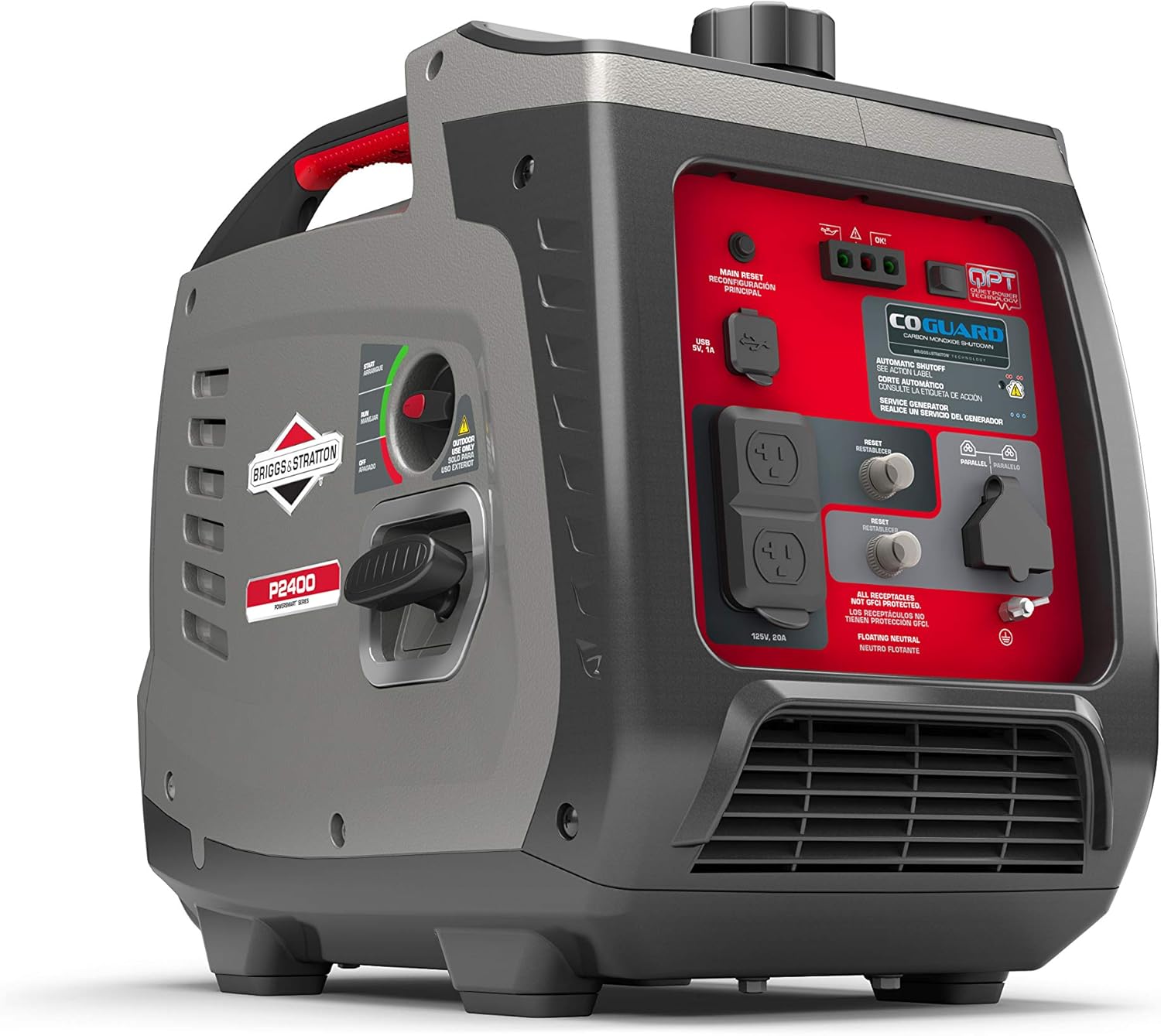
Figure 1.1: Briggs & Stratton P2400 PowerSmart Series Inverter Generator, showing its compact design and control panel.
2. Safety Information
WARNING: Carbon Monoxide Hazard. Using a generator indoors CAN KILL YOU IN MINUTES. Generator exhaust contains carbon monoxide (CO), a poisonous gas you cannot see or smell. NEVER use in an enclosed area or partially enclosed area. Always use outdoors and far away from windows, doors, and vents.
- CO Guard Technology: This generator is equipped with CO Guard carbon monoxide shutdown technology, which automatically shuts down the generator if harmful levels of CO accumulate in the operating area. Do not disable or bypass this safety feature.
- Fuel Safety: Gasoline is highly flammable. Always refuel in a well-ventilated area with the engine off and cool. Avoid spilling fuel. Store gasoline in approved containers away from ignition sources.
- Electrical Safety: Do not operate the generator in wet conditions. Ensure all electrical connections are secure and dry. Do not overload the generator.
- Hot Surfaces: The generator's engine and muffler become very hot during operation and remain hot for a period after shutdown. Avoid contact with hot surfaces to prevent burns.
- Ventilation: Ensure adequate clearance around the generator for proper ventilation during operation.
3. Components Overview
Familiarize yourself with the key components of your generator:

Figure 3.1: Front panel of the P2400 Inverter Generator, highlighting outlets and controls.
- Fuel Cap: For adding gasoline.
- Recoil Starter: For manual engine starting.
- Control Panel: Includes outlets, reset buttons, and indicator lights.
- 120V, 20A Outlets (x2): Standard household outlets.
- USB Ports: For charging sensitive electronics.
- Parallel Port: For connecting two units (kit sold separately).
- CO Guard Indicator: Alerts to carbon monoxide levels.
- Low Oil/Overload Indicators: LED lights for system monitoring.
- Quiet Power Switch: Engages technology for reduced noise.
4. Setup
4.1 Unpacking and Placement
- Remove the generator from its packaging.
- Place the generator on a firm, level surface outdoors, away from windows, doors, and vents. Ensure at least 5 feet (1.5 meters) of clearance on all sides.
4.2 Adding Engine Oil
The generator is shipped without engine oil. You must add the correct amount and type of oil before first use.
- Locate the oil fill cap/dipstick.
- Remove the cap and carefully add the recommended engine oil (typically 10W-30 for general use) up to the full mark on the dipstick. Refer to the specifications section for exact oil capacity.
- Replace the oil fill cap securely.
4.3 Adding Fuel
Use clean, fresh unleaded gasoline with an octane rating of 87 or higher. Ethanol content should not exceed 10% (E10). For optimal engine longevity and to prevent fuel degradation, consider using ethanol-free fuel or a fuel stabilizer if the generator will be stored for extended periods.
- Ensure the generator is off and cool.
- Unscrew the fuel cap.
- Carefully pour gasoline into the fuel tank, avoiding overfilling. Leave a small air gap at the top.
- Securely replace the fuel cap.
5. Operation
5.1 Starting the Generator
- Ensure the generator is on a level surface and all electrical loads are disconnected.
- Turn the fuel valve to the 'ON' position.
- Move the choke lever to the 'CHOKE' position (if the engine is cold).
- Pull the recoil starter handle firmly and smoothly until the engine starts.
- Once the engine starts, gradually move the choke lever to the 'RUN' position.
5.2 Connecting Electrical Devices

Figure 5.1: Detailed view of the control panel, showing the 120V AC outlets, USB ports, and parallel port.
- Plug your 120V AC devices into the 20A outlets.
- Connect USB-powered devices to the USB ports.
- Ensure the total wattage of connected devices does not exceed the generator's running wattage (1800 Watts).
- The inverter technology produces smooth power, making it safe for sensitive electronics like laptops and phones.
5.3 Quiet Power Technology
Engage the Quiet Power switch to minimize noise output. This technology adjusts engine speed to match the load, reducing fuel consumption and noise when less power is required.
5.4 Parallel Operation
For increased power output, two Briggs & Stratton P2400 inverter generators can be connected in parallel using a separately sold parallel connector kit. Follow the instructions provided with the parallel kit for safe connection and operation.
6. Maintenance
Regular maintenance ensures the longevity and reliable operation of your generator.
6.1 Engine Oil Change
Change the engine oil after the first 5 hours of operation, and then every 50 hours or annually, whichever comes first. Refer to the engine manual for detailed instructions on draining and refilling oil.
6.2 Air Filter Inspection/Cleaning
Inspect the air filter regularly and clean or replace it as needed, especially when operating in dusty conditions. A dirty air filter can reduce engine performance and fuel efficiency.
6.3 Spark Plug Inspection
Inspect the spark plug annually or every 100 hours. Clean or replace if necessary, ensuring the correct gap is maintained.
6.4 Fuel System
If storing the generator for more than 30 days, drain the fuel tank and carburetor or use a fuel stabilizer to prevent gum deposits from forming. Ethanol in fuel can attract water and cause corrosion over time.
7. Troubleshooting
This section addresses common issues you might encounter with your generator.
- Generator Will Not Start:
- Check fuel level.
- Ensure engine oil is at the correct level.
- Verify the fuel valve is open and the choke is set correctly for a cold start.
- Check the spark plug.
- No Power Output:
- Check for tripped circuit breakers on the control panel and press the reset button.
- Ensure the generator is not overloaded (reduce connected devices).
- Check for low oil shutdown (LED indicator).
- Engine Runs Poorly/Stalls:
- Check fuel quality and freshness.
- Inspect the air filter for clogging.
- Ensure proper ventilation.
- CO Guard Shutdown: If the CO Guard indicator illuminates and the generator shuts down, move the generator to an open-air location with better ventilation. Do not restart until the area is clear of carbon monoxide.
8. Specifications
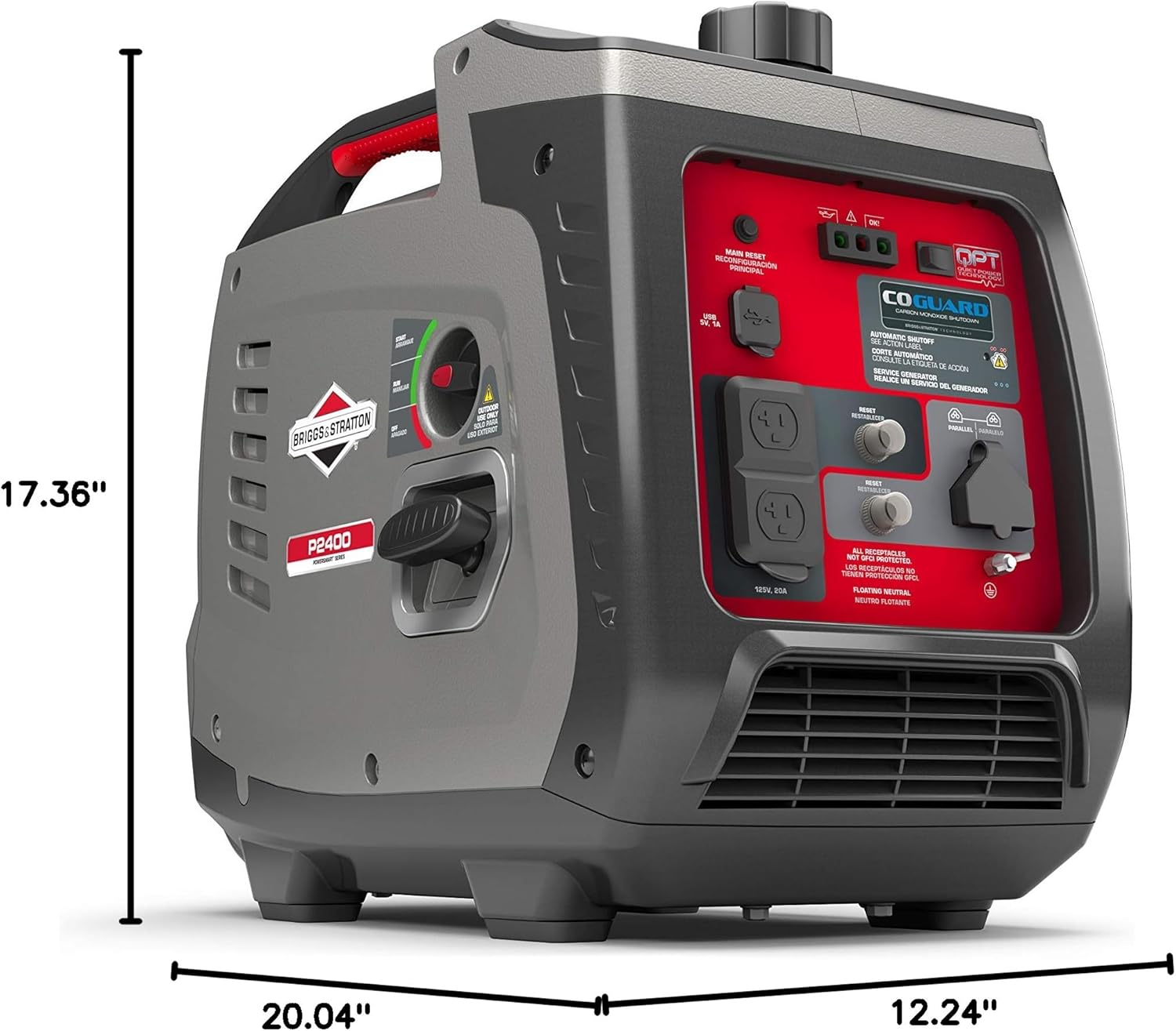
Figure 8.1: Dimensions of the Briggs & Stratton P2400 Inverter Generator.
| Feature | Specification |
|---|---|
| Brand | Briggs & Stratton |
| Model Name | Briggs & Stratton 030758 |
| Starting Wattage | 2400 Watts |
| Running Wattage | 1800 Watts |
| Voltage | 120 Volts |
| Fuel Type | Gasoline |
| Engine Type | 4 Stroke |
| Engine Displacement | 79 Cubic Centimeters |
| Tank Volume | 5 Gallons (Note: This value seems incorrect based on typical inverter generator tank sizes and runtime. Please refer to product label for accurate tank volume.) |
| Item Weight | 50.4 Pounds |
| Product Dimensions (L x W x H) | 20.04" x 12.24" x 17.36" |
| Special Features | Lightweight, Super Quiet, USB Port, CO Guard |
| Total Power Outlets | 3 (2x 120V/20A, 1x USB) |
9. Warranty and Support
9.1 Warranty Information
This Briggs & Stratton P2400 PowerSmart Series Inverter Generator comes with a 3 Year Limited Consumer Warranty. This warranty covers defects in materials and workmanship under normal use. Please retain your proof of purchase for warranty claims. For full details, refer to the warranty statement included with your product or visit the official Briggs & Stratton website.
9.2 Customer Support
For technical assistance, parts, or service, please contact Briggs & Stratton customer support. Contact information can typically be found on the product or their official website. When contacting support, please have your model number (030758) and serial number ready.