
1. Product Overview
The Godox LC500R is an RGB LED Light Stick designed for versatile lighting applications in photography and videography. It offers adjustable color temperature, full RGB color control, and various special effects modes.

Image 1.1: Godox LC500R RGB LED Light Stick. This image displays the light stick and its primary features including maximum LED power, CRI, TLCI, maximum illuminance, wireless remote control, CCT mode, RGB mode, and dimming capabilities.
2. What's in the Box
Verify that all components are present upon unboxing:
- LED Light (LC500R) x1
- Two-way Barndoors x1
- Portable Bag x1
- RC-R9 Remote Control x1
- Charger (16.8V/1.2A) x1
- Instruction Manual x1
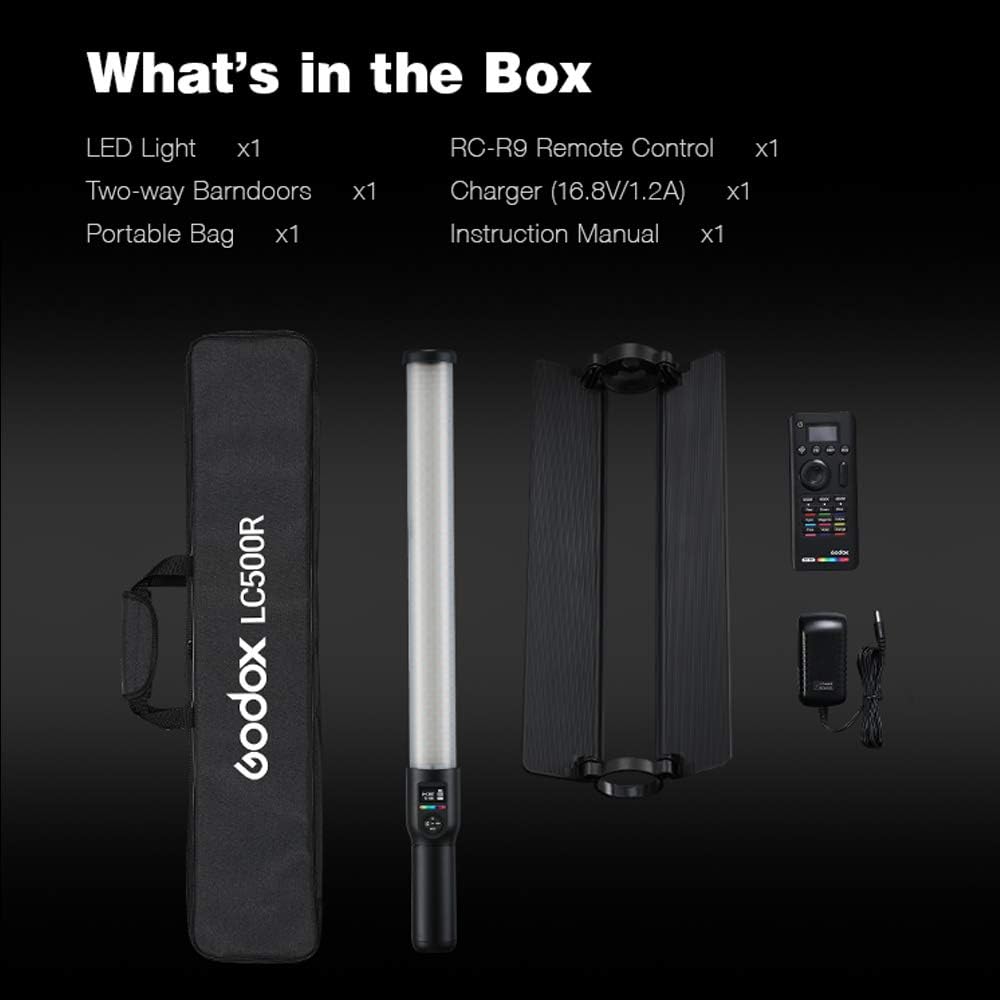
Image 2.1: Included accessories with the Godox LC500R. This image shows the LED light stick, two-way barndoors, portable bag, RC-R9 remote control, and charger.
3. Setup
3.1 Initial Charging
Before first use, fully charge the integrated Lithium-Ion battery using the provided 16.8V/1.2A charger. The charging indicator on the device will provide status updates.
3.2 Flexible Light Placement
The LC500R is designed for both handheld use and mounting on various supports. It features a 1/4-20 nut for attachment to tripods, tilter brackets, or light stands, allowing for flexible positioning in diverse shooting environments.

Image 3.1: The 1/4-20 mounting nut located at the base of the light stick, enabling attachment to various photographic accessories.
4. Operating Instructions
4.1 Power On/Off
Locate the power button on the handle of the light stick. Press and hold to power on or off the device.
4.2 CCT Mode (Color Temperature)
In CCT mode, adjust the color temperature from 2500K (warm) to 8500K (cool) to match ambient light or achieve desired creative effects. The light features a CRI rating of 96 and TLCI of 98 for accurate color reproduction.
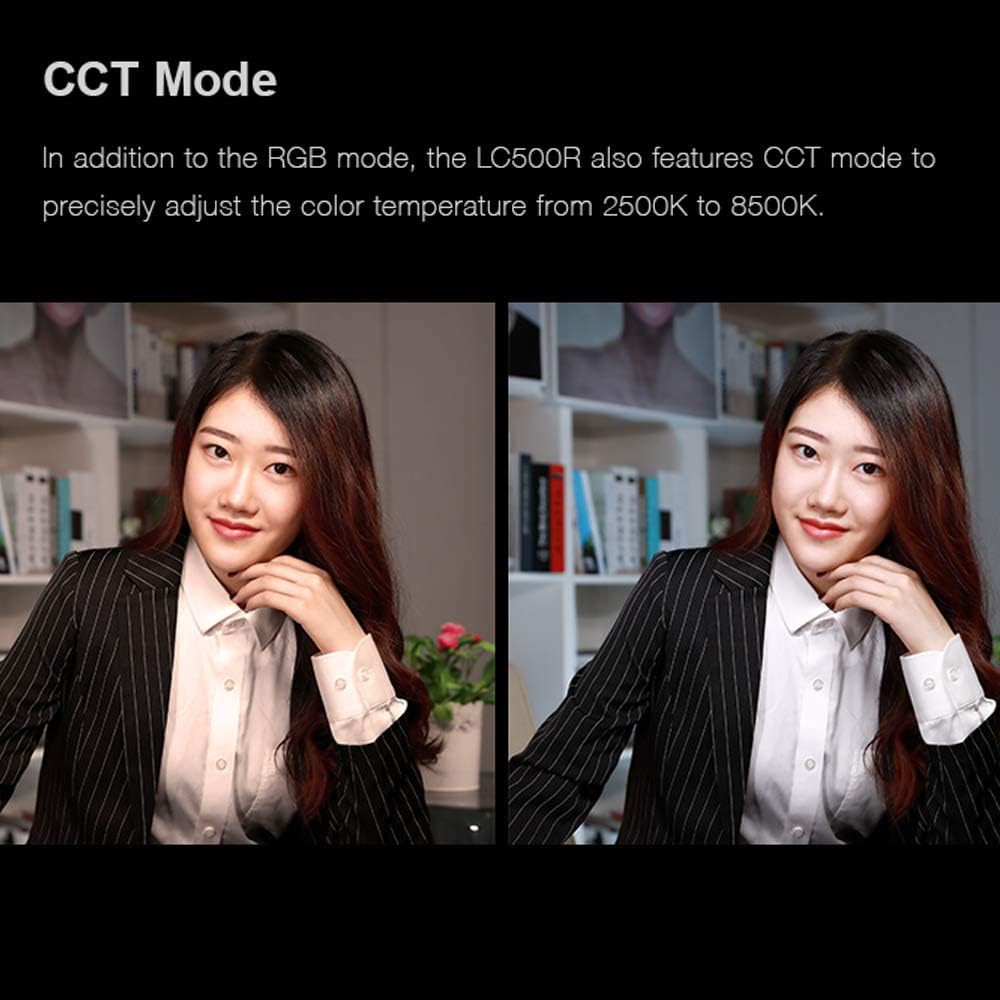
Image 4.1: Demonstrates the adjustable color temperature in CCT mode, showing the difference between warm and cold lighting on a subject.
4.3 RGB Mode (Full Color)
Utilize RGB mode for full control over hue and saturation, providing 360 selectable colors. Brightness is dimmable from 0% to 100% in this mode.
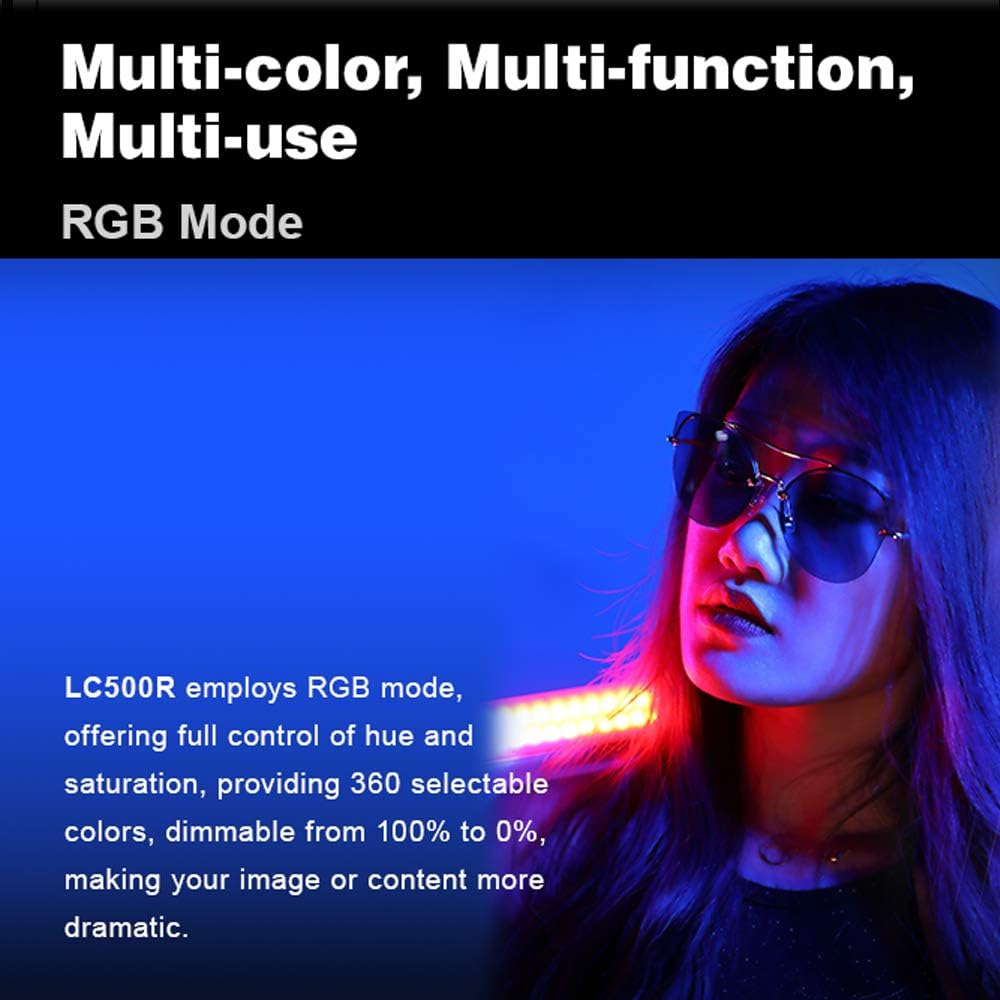
Image 4.2: A model is lit by the LC500R in RGB mode, demonstrating the range of colors available.
4.4 FX Lighting Effects Mode
The LC500R includes 14 types of built-in FX lighting effects, with 39 various presets. These effects are suitable for creative film and photography applications, including vlogging.
- RGB Cycle
- Flash
- Laser
- Lightning
- Broken Bulb
- TV
- Candle
- Fire
- Fireworks
- Cop Car
- Fire Engine
- Ambulance
- Music
- SOS
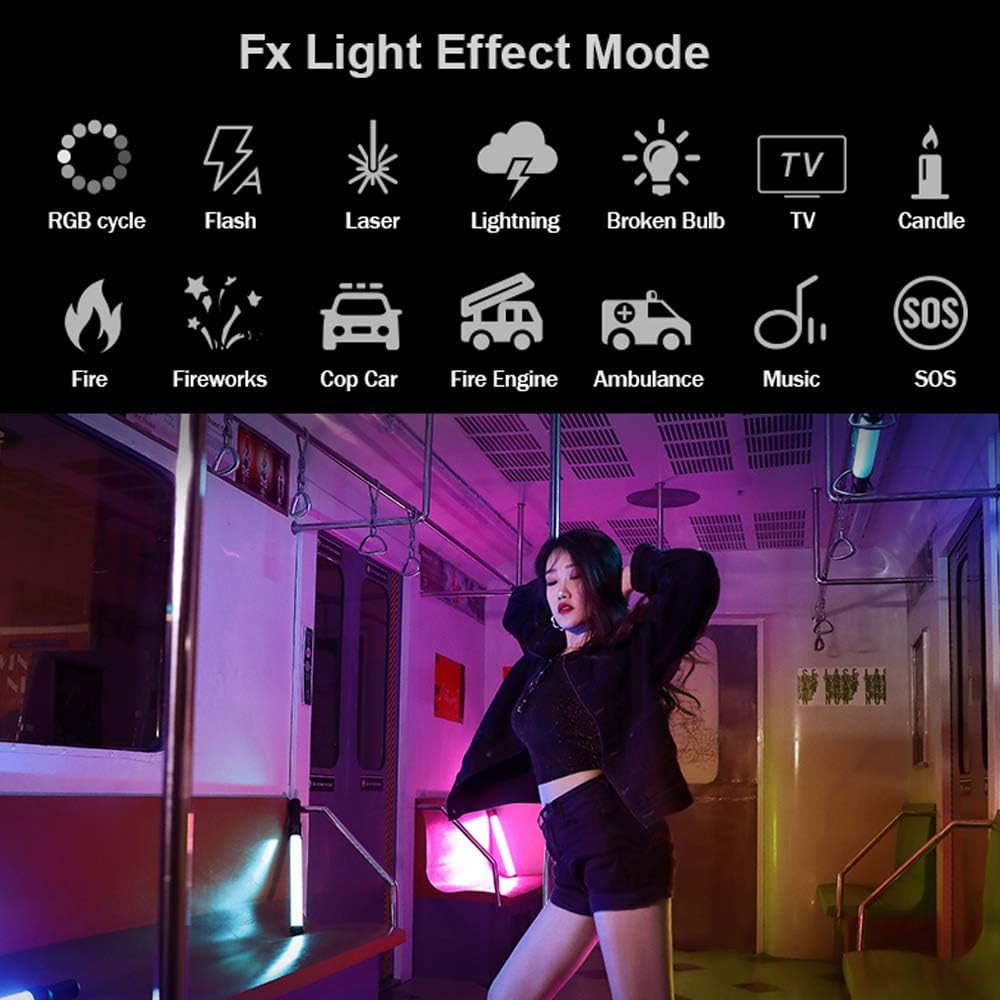
Image 4.3: Visual representation of the various FX lighting effects, such as RGB cycle, flash, laser, lightning, and more.
4.5 Creative Music Mode
With the built-in microphone, the Creative Music Mode allows the light to dynamically change its color and brightness in response to music beats, creating a synchronized lighting experience.

Image 4.4: The LC500R's display indicating the activation of Music Mode, which synchronizes light changes with audio input.
4.6 Wireless Remote Control
The LC500R can be controlled wirelessly using the optional RC-R9 remote control (sold separately). This remote allows control of up to 6 groups across 32 channels, providing comprehensive adjustment of HSI, CCT, and FX functions.
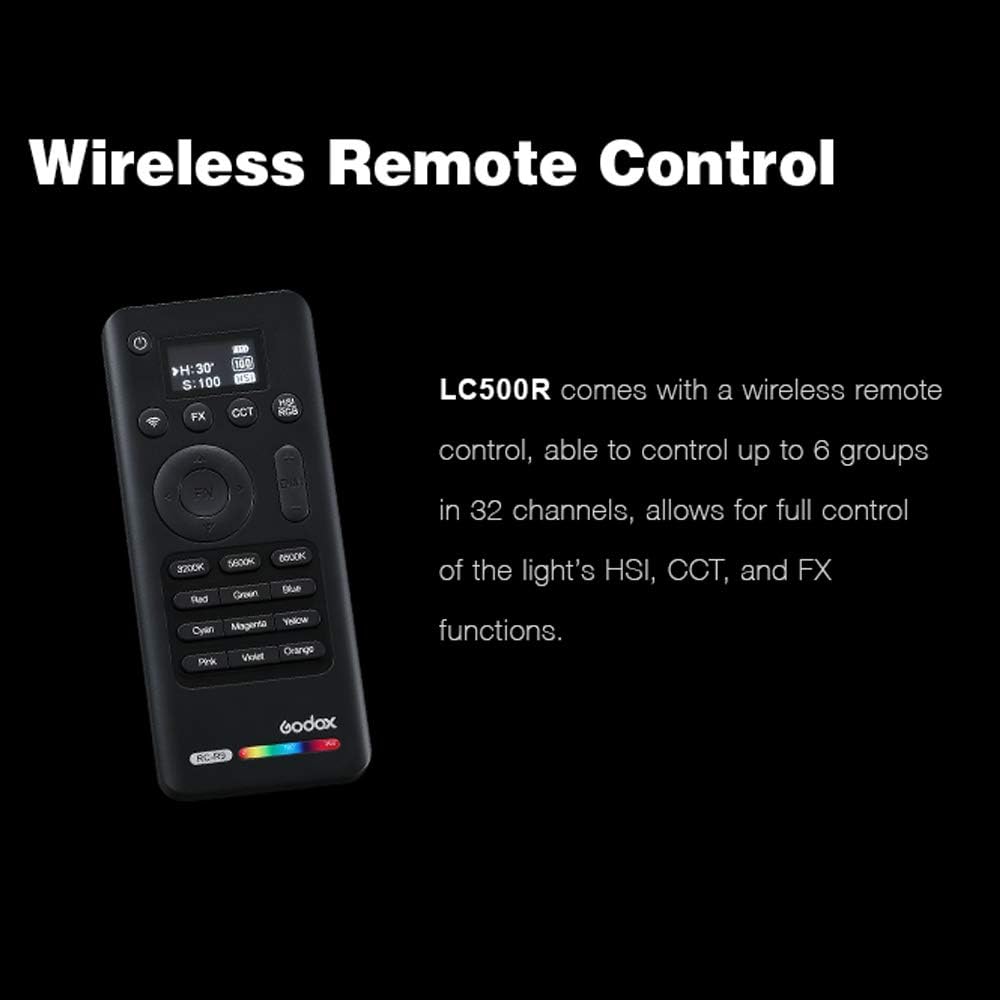
Image 4.5: The RC-R9 wireless remote control, used to adjust various settings of the LC500R from a distance.
4.7 Barndoor Usage
The included two-way barndoors attach to the light stick, allowing users to shape and direct the light beam precisely. This helps in controlling light spill and creating specific lighting patterns.
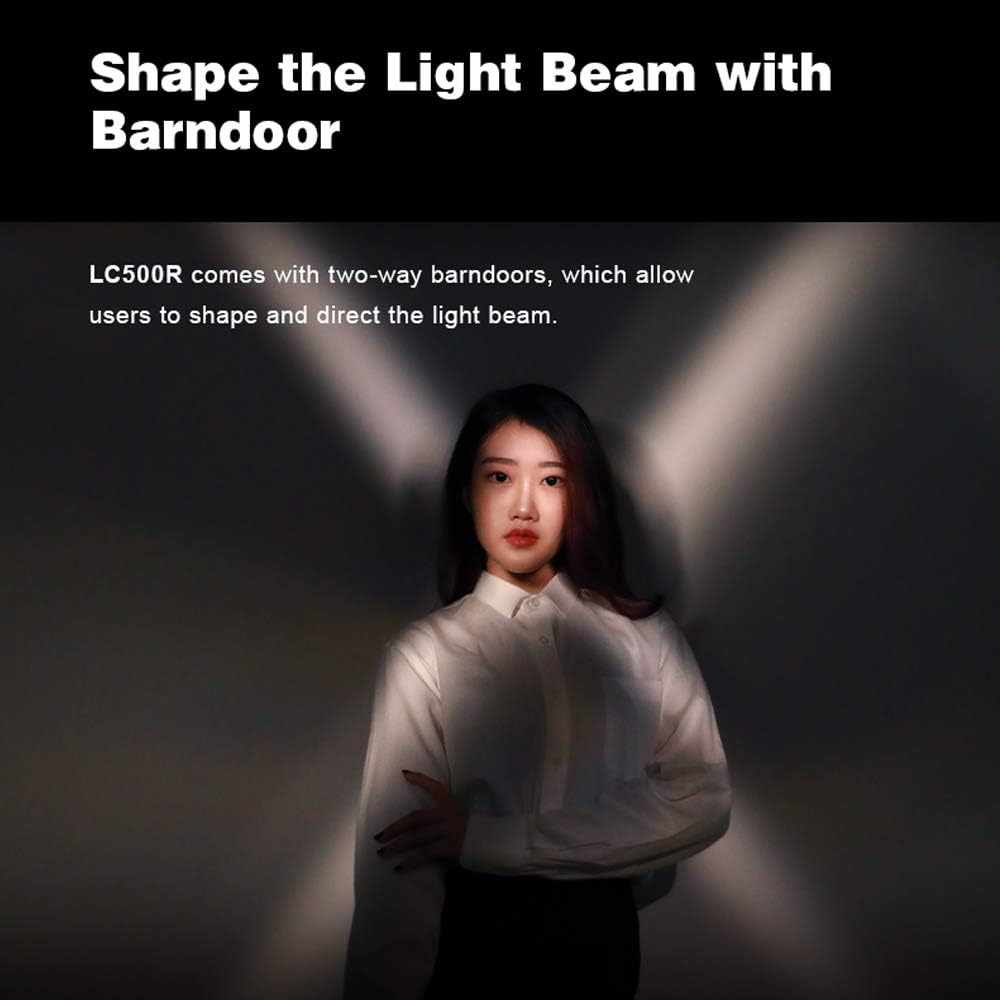
Image 4.6: The LC500R with its two-way barndoors, illustrating how they can be used to control and direct the light output.
5. Maintenance
5.1 Cleaning
To clean the light stick, use a soft, dry cloth. Avoid using abrasive cleaners or solvents that could damage the surface or internal components. Ensure the device is powered off and disconnected from any power source before cleaning.
5.2 Battery Care
For optimal battery life, avoid fully discharging the unit frequently. Store the device in a cool, dry place when not in use for extended periods. Recharge the battery periodically if stored for a long time to prevent deep discharge.
6. Troubleshooting
6.1 Light Not Turning On
- Ensure the battery is sufficiently charged. Connect the charger and allow it to charge for at least 30 minutes before attempting to power on again.
- Verify that the power button is pressed and held for the required duration.
6.2 Remote Control Not Responding
- Check the batteries in the remote control and replace if necessary.
- Ensure the remote control and the light stick are set to the same channel and group. Refer to the remote control's specific manual for pairing instructions.
- Confirm there are no obstructions between the remote and the light stick.
6.3 Inconsistent Light Output
- Check the battery level; low battery can affect performance.
- Ensure the light stick is not overheating. Allow it to cool down if it has been in continuous use at high power.
7. Specifications
| Feature | Specification |
|---|---|
| Product Dimensions | 24.25 x 2.2 x 24.25 inches |
| Item Weight | 4.59 pounds |
| Item Model Number | LC500R |
| Batteries | 1 Lithium Ion battery required |
| Battery Life | 1.5 Hours |
| Brand | GODOX |
| Manufacturer | Godox |
| Connectivity Technology | Radio Frequency |
| Date First Available | May 21, 2020 |
8. Warranty and Support
8.1 Warranty Information
For detailed warranty information, please refer to the warranty card included with your product or visit the official Godox website. Warranty terms typically cover manufacturing defects for a specified period from the date of purchase.
8.2 Customer Support
If you encounter any issues or have questions regarding your Godox LC500R, please contact Godox customer support through their official website or the contact information provided in the product packaging. Have your product model and purchase date ready when contacting support.