1. Introduction
The veicomtech Ionic Detox Foot Bath Machine is designed to facilitate a foot spa experience through an electrolytic reaction. This process aims to produce ions that interact with water, contributing to a foot bath session. The device is pre-programmed for a 30-minute session, offering ease of use with a one-key ON/OFF function.
This manual provides essential information for the safe and effective operation, setup, maintenance, and troubleshooting of your Ionic Detox Foot Bath Machine. Please read it thoroughly before first use.
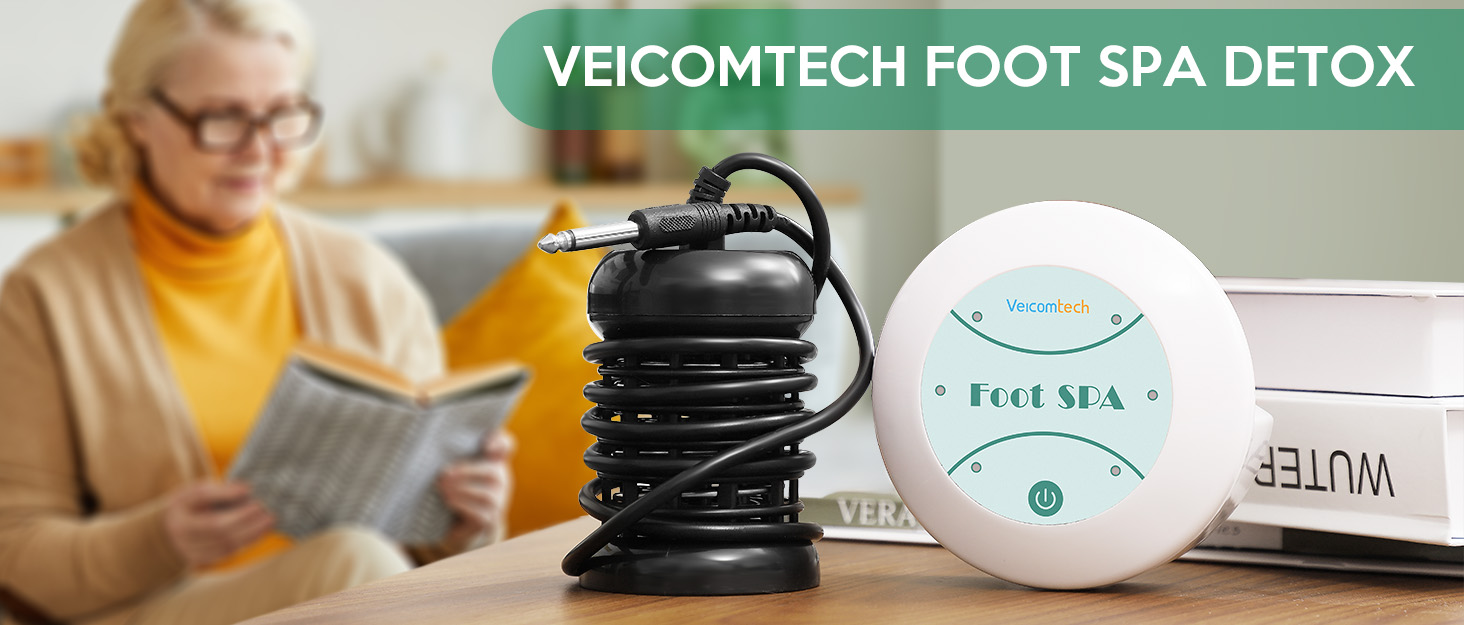
Image 1.1: The veicomtech Ionic Detox Foot Bath Machine setup.
2. Important Safety Information
WARNING: Please read and understand all safety instructions before operating this device. Failure to do so may result in injury or damage to the product.
- Do not immerse the control unit in water. Only the array is designed for water immersion.
- Keep the device out of reach of children and pets.
- Use only the provided power supply.
- Do not use the device if any part is damaged or appears to be malfunctioning. Contact customer support for assistance.
- Ensure the power cord is not pinched or placed under heavy objects.
- Unplug the device from the power outlet when not in use or before cleaning.
- This device is intended for personal or salon use as described in this manual. Do not use for any other purpose.
- Statements regarding dietary supplements and health benefits have not been evaluated by the FDA and are not intended to diagnose, treat, cure, or prevent any disease or health condition. Consult with a healthcare professional before using this device, especially if you have pre-existing medical conditions, are pregnant, or are taking medication.
3. Package Contents
Verify that all items are present and in good condition upon opening the package:
- 1 x Controller Unit
- 1 x Array (Ionizer)
- 1 x Instruction Manual
- 1 x Spoon
- 1 x Power Supply
- 5 x Liners

Image 3.1: Main components included in the package.
4. Product Overview
The veicomtech Ionic Detox Foot Bath Machine consists of two primary components: the Controller Unit and the Array.
4.1 Controller Unit
The white, circular controller unit houses the electronic circuitry and user interface. It features a central power button and indicator lights that signify the operational status and timer progression.

Image 4.1: The Controller Unit.
4.2 Array (Ionizer)
The black, cylindrical array is the component that is submerged in water. It contains the electrodes responsible for the electrolytic process, generating ions during the foot bath session.

Image 4.2: The Array submerged in water during operation.
5. Setup Instructions
Follow these steps to set up your Ionic Detox Foot Bath Machine:
- Prepare the Foot Basin: Place a foot basin (not included) on a flat, stable surface.
- Insert Liner: Place one of the provided liners into the foot basin. This helps with hygiene and easy cleanup.
- Add Water: Fill the foot basin with warm water, ensuring it is enough to cover your feet and the array.
- Connect Array: Plug the array's cable into the designated port on the controller unit.
- Place Array: Carefully place the array into the water within the foot basin. Ensure it is fully submerged but not touching the bottom or sides of the basin.
- Connect Power: Plug the power supply into the controller unit, then plug the power supply into a standard electrical outlet.
6. Operating Instructions
Once set up, operating the device is straightforward:
- Power On: Press the central power button on the controller unit to turn on the device. The indicator lights will illuminate.
- Begin Session: The device is pre-programmed for a 30-minute session. Once powered on, the session will automatically begin.
- Monitor Timer: The indicator lights on the controller unit will show the progress of the 30-minute session. Each light typically represents a 5-minute interval.
- Observe Water Color Change: During the session, the water in the basin may change color. This is a normal result of the electrolytic process and the interaction of the array with the water, and does not necessarily indicate toxins from the body.
- Session Completion: The device will automatically turn off after 30 minutes.
- Power Off: If you wish to end the session early, press the power button again.
- Disconnect: Unplug the power supply from the outlet, then disconnect the array from the controller unit.

Image 6.1: Activating the device with a single touch.

Image 6.2: The 30-minute timer progression indicated by lights.

Image 6.3: Visual representation of water color changes during a session.

Image 6.4: Explanation of water color changes during the ionic foot bath process.
7. Maintenance and Cleaning
Proper maintenance ensures the longevity and performance of your device:
- After Each Use:
- Discard the used liner and water.
- Rinse the array thoroughly with clean water to remove any residue.
- Wipe the array dry with a soft cloth. Ensure it is completely dry before storage to prevent rust.
- Wipe the controller unit with a damp cloth. Do not submerge it in water.
- Storage: Store the device in a cool, dry place away from direct sunlight and moisture.
- Array Lifespan: The array is a consumable part and its lifespan depends on usage and water quality. Replace the array when you notice a significant decrease in performance or visible wear.
8. Troubleshooting
If you encounter issues with your device, refer to the following common problems and solutions:
| Problem | Possible Cause | Solution |
|---|---|---|
| Device does not power on. | No power, loose connection, faulty power supply. | Ensure power supply is securely plugged into the unit and outlet. Try a different outlet. If problem persists, contact support. |
| Water does not change color. | Array not properly submerged, array worn out, water quality. | Ensure array is fully submerged. If array is old, consider replacing it. Water with very low mineral content might show less color change. |
| Array shows signs of rust. | Improper drying after use, natural wear. | Ensure array is thoroughly rinsed and dried after each use. Rusting is a natural process for metal in water; replace array if performance is affected. |
| Device stops mid-session. | Power interruption, internal fault. | Check power connection. If power is stable and issue persists, contact customer support. |
If you experience a problem not listed here, or if the suggested solutions do not resolve the issue, please contact veicomtech customer support.
9. Specifications
| Feature | Detail |
|---|---|
| Model Number | A10201301-V2-LEBP |
| Product Dimensions | 10 x 4 x 4 inches |
| Item Weight | 1.7 Pounds (0.77 Kilograms) |
| Manufacturer | veicomtech |
| Material | Plastic (for main unit) |
| Session Duration | 30 Minutes (pre-programmed) |

Image 9.1: Dimensions of the controller unit.
10. Warranty and Support
For any product-related problems, questions, or support needs, please reach out to veicomtech customer service via the platform where you purchased the product (e.g., Amazon). Please have your model number (A10201301-V2-LEBP) and purchase details ready when contacting support.


