
Hisense 65A7100FTUK
Hisense 65A7100FTUK 65-inch 4K UHD HDR Smart TV User Manual
Model: 65A7100FTUK
Introduction
This manual provides essential information for the safe and efficient operation of your Hisense 65A7100FTUK 65-inch 4K UHD HDR Smart TV. Please read this manual thoroughly before using your television and retain it for future reference.
The Hisense 65A7100FTUK offers stunning 4K Ultra HD resolution, High Dynamic Range (HDR) for enhanced detail, and DTS Studio Sound for an immersive audio experience. Its VIDAA U Smart TV platform provides access to popular streaming services and Freeview Play, with Alexa Built-in for convenient voice control.

Figure 1: Hisense 65A7100FTUK Smart TV in a living room environment.
Safety Information
Always observe the following safety precautions to avoid electric shock, fire, or damage to the television.
- Do not expose the TV to rain or moisture.
- Do not open the TV casing; refer all servicing to qualified personnel.
- Ensure proper ventilation around the TV.
- Do not place the TV on unstable surfaces.
- Unplug the TV during lightning storms or when unused for long periods.
- Keep batteries out of reach of children.
What's in the Box
Upon unpacking, please ensure all the following items are present:
- Hisense 65A7100FTUK 65-inch 4K UHD HDR Smart TV
- Remote Control (requires 2 AAA batteries, included)
- Power Cable
- Stand components
- User Manual (this document)
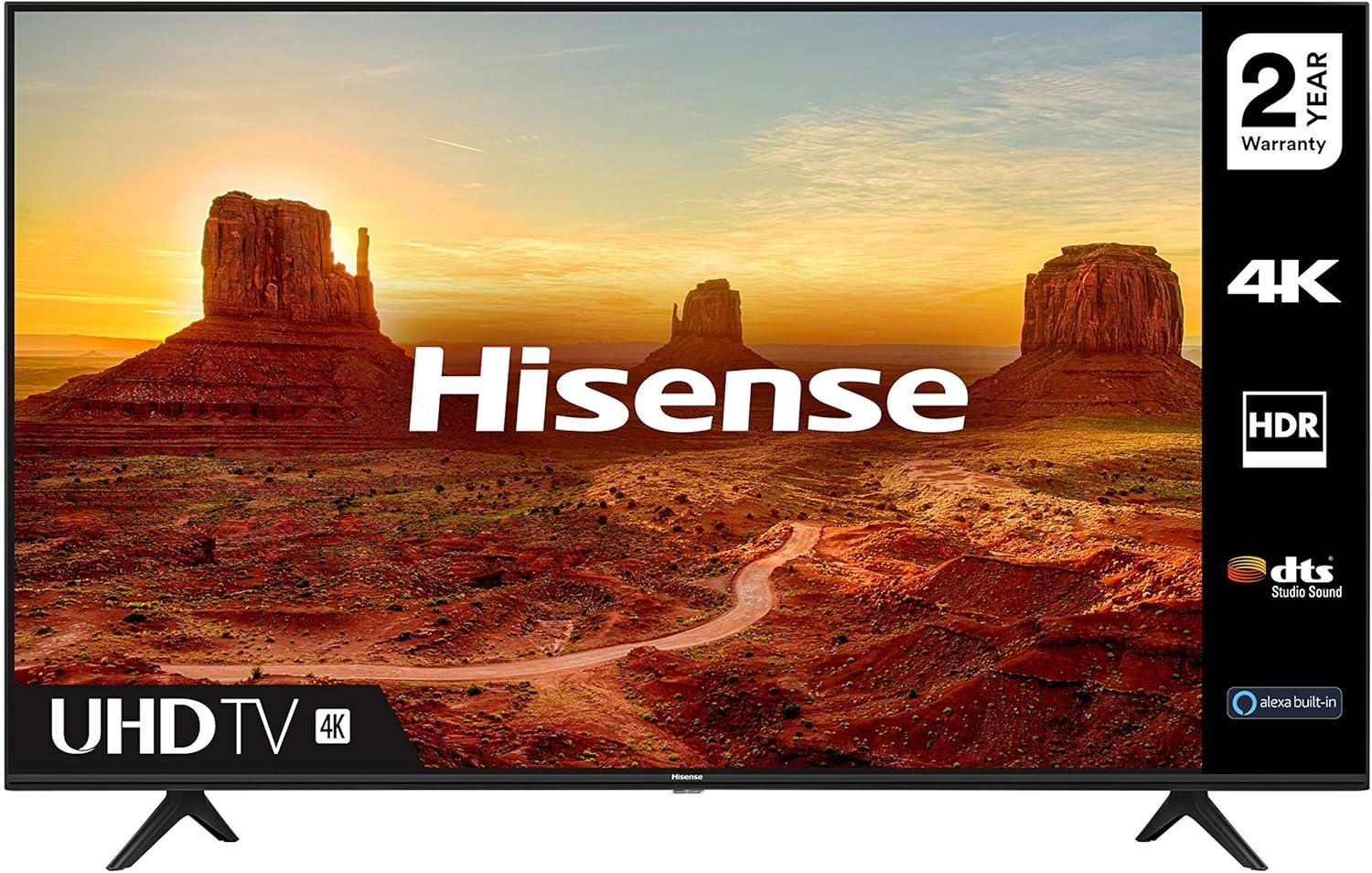
Figure 2: Front view of the Hisense 65A7100FTUK Smart TV.
Setup
Attaching the Stand
Carefully place the TV face down on a soft, clean surface. Align the stand components with the designated slots on the bottom of the TV. Secure the stand using the provided screws. The TV features variable feet positions, allowing you to adjust the width of the stand to accommodate different TV cabinets or soundbars.

Figure 3: Close-up of the TV stand attachment.
Connecting Power
Connect the power cable to the TV's power input and then to a wall outlet. Ensure the connection is secure.
Connecting External Devices
Your Hisense TV offers various connectivity options:
- HDMI: For high-definition audio and video devices like Blu-ray players, game consoles, and set-top boxes. The TV has multiple HDMI ports.
- USB: For connecting USB storage devices to play media files.
- Ethernet (LAN): For a wired internet connection.
- Antenna/Cable: For connecting an aerial or cable TV signal.
- Digital Audio Out (Optical): For connecting to external audio systems.
- Wireless (Wi-Fi): For connecting to your home network wirelessly.
- Bluetooth: For connecting compatible wireless accessories.

Figure 4: Rear view showing connectivity ports.
Initial Setup Wizard
Upon first power-on, the TV will guide you through an initial setup wizard. This includes selecting your language, country, network connection (Wi-Fi or Ethernet), and scanning for TV channels. Follow the on-screen prompts to complete the setup.
Operating Your TV
Basic Functions
- Power On/Off: Press the power button on the remote control or on the TV.
- Volume Control: Use the Volume Up/Down buttons on the remote.
- Channel Selection: Use the Channel Up/Down buttons or enter channel numbers directly.
- Input Source: Press the "Input" or "Source" button to switch between connected devices (HDMI, USB, TV).
Smart TV Features (VIDAA U)
Your Hisense TV runs on the VIDAA U Smart TV operating system, providing quick access to a variety of applications and services. The remote control includes dedicated buttons for popular apps like Netflix, Prime Video, YouTube, Freeview Play, and Rakuten TV.

Figure 5: VIDAA U Smart TV interface.
- Freeview Play: Catch up on the last 7 days of TV from BBC iPlayer, ITV Hub, All 4, Demand 5, and UKTV Play.
- Alexa Built-in: Use voice commands for various functions. Ensure your TV is connected to the internet and linked to your Amazon account for this feature.
Picture and Sound Enhancements
- 4K Resolution: Experience stunningly realistic picture quality with four times the pixels of Full HD.
- HDR Technology: High Dynamic Range dramatically enhances detail by maximizing contrast and color accuracy, providing more true-to-life colors and clarity.
- DTS Studio Sound: Enjoy an immersive sound experience. Volume Levelling intelligently smooths transitions between different inputs and when changing channels.

Figure 6: HDR technology enhances picture detail and color.
Maintenance
- Cleaning the Screen: Gently wipe the screen with a soft, lint-free cloth. For stubborn marks, use a screen cleaner specifically designed for TVs, applied to the cloth, not directly to the screen.
- Cleaning the Casing: Use a soft, dry cloth to wipe the TV casing. Do not use abrasive cleaners or solvents.
- Remote Control: Replace batteries (2 x AAA) when the remote's response becomes sluggish.
Troubleshooting
| Problem | Possible Cause / Solution |
|---|---|
| No power | Check if the power cable is securely connected to the TV and the wall outlet. Ensure the wall outlet has power. |
| No picture, but sound is present | Check the input source. Ensure the external device is powered on and connected correctly. |
| No sound, but picture is present | Check the volume level. Ensure Mute is not activated. Check audio cables for external devices. |
| Remote control not working | Check and replace the batteries (2 x AAA). Ensure there are no obstructions between the remote and the TV's IR sensor. |
| Smart TV apps not loading/connecting | Check your internet connection (wired or Wi-Fi). Restart the TV and your router. |
Specifications
| Feature | Detail |
|---|---|
| Model Number | 65A7100FTUK |
| Screen Size | 65 Inches (166 cm visible diagonal) |
| Display Technology | LED |
| Resolution | 4K (3840 x 2160 pixels) |
| Refresh Rate | 60 Hz |
| Special Features | Freeview Play, HDR, DTS Studio Sound, Alexa Built-in |
| Connectivity | Wireless (Wi-Fi), Bluetooth, USB, Ethernet, HDMI |
| Product Dimensions (WxDxH) | 144.8 cm x 29 cm x 89.4 cm |
| Power Consumption (SDR) | 58 W (Energy Class G) |
| Power Consumption (HDR) | 68 W (Energy Class G) |
| Batteries Required | 2 x AAA (for remote control, included) |
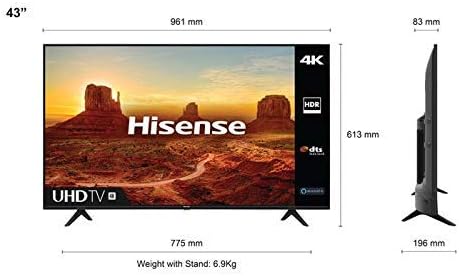
Figure 7: Energy Efficiency Label. For more details, visit the EPREL database.

Figure 8: Product dimensions diagram (representative).
Warranty and Support
Your Hisense 65A7100FTUK Smart TV comes with a 2-year warranty from the date of purchase, covering manufacturing defects. Please retain your proof of purchase for warranty claims.

Figure 9: 2-Year Warranty.
For technical support, troubleshooting assistance, or warranty service, please contact Hisense customer support. Refer to the Hisense official website for the most up-to-date contact information.
Minimum guaranteed software updates until: 31 December 2030.
Minimum guaranteed availability of spare parts until: 31 December 2029.
Ask a question about this manual
Ask about setup, troubleshooting, compatibility, parts, safety, or missing instructions. Manuals+ will review the question and use this page’s manual context to help answer it.