
1. Introduction
This manual provides instructions for the Yunir YKR-F/06 Replacement Remote Control, designed for compatible AUX air conditioner units. Please read this manual carefully before use to ensure proper operation and longevity of your device.
2. Product Overview
The Yunir YKR-F/06 is a durable replacement remote control constructed from ABS material, ensuring wear resistance and a long service life. It offers a reliable operating distance of up to 10 meters (33 feet).

Image showing the Yunir YKR-F/06 remote control, highlighting its durable ABS material construction.

Image of the Yunir YKR-F/06 remote control with text indicating a remote control distance of up to 10 meters (33 feet).
3. Setup
3.1 Battery Installation
The remote control requires two AAA batteries (not included).
- Locate the battery compartment cover on the back of the remote control.
- Slide the cover downwards or press the latch to open it.
- Insert two AAA batteries, ensuring correct polarity (+ and -) as indicated inside the compartment.
- Replace the battery compartment cover until it clicks securely into place.

Image illustrating the battery compartment of the Yunir YKR-F/06 remote control, showing where to insert two AAA batteries.
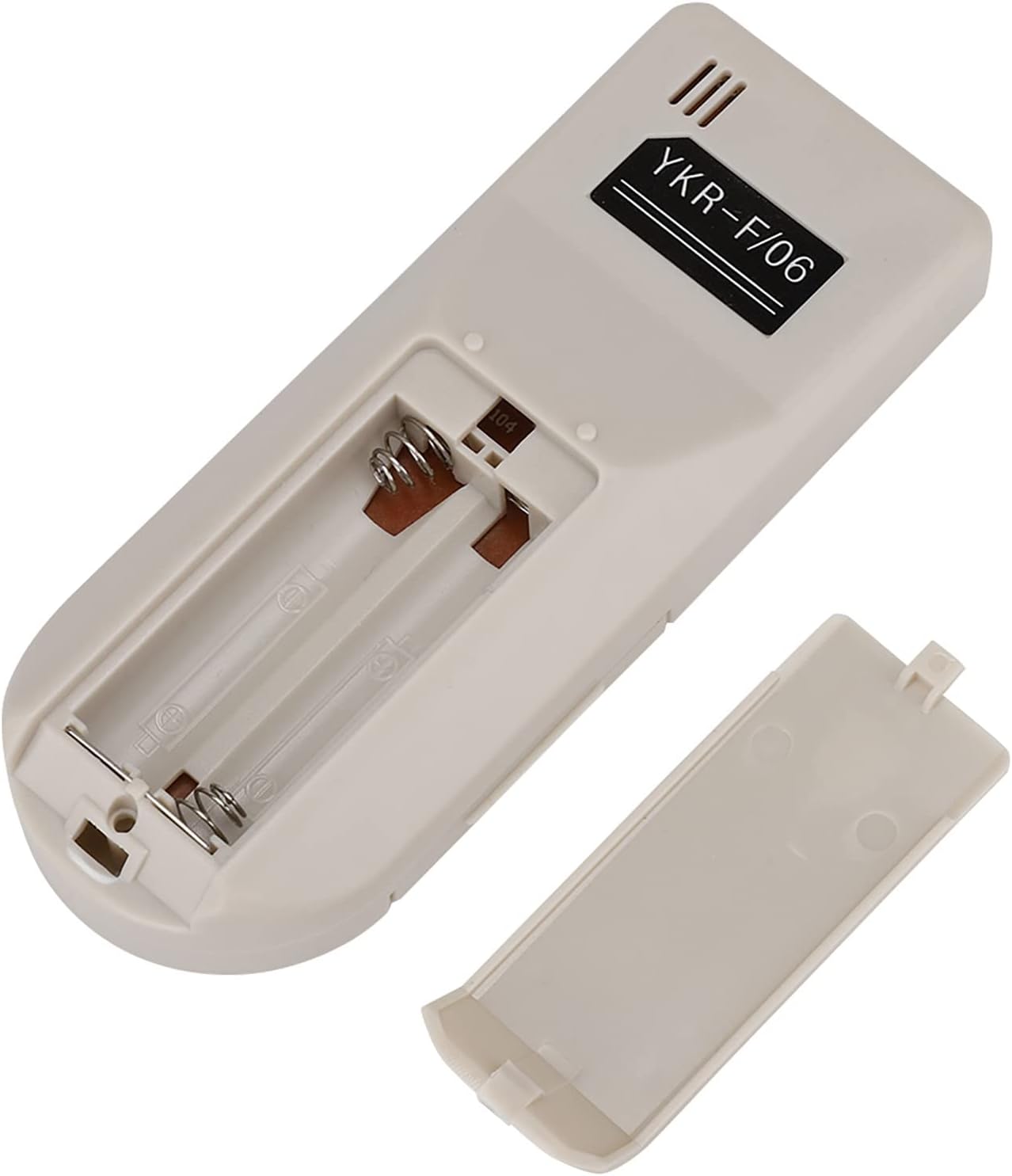
Close-up image of the Yunir YKR-F/06 remote control's open battery compartment, showing the terminals for AAA batteries.
4. Operating Instructions
This remote control is designed to function similarly to your original AUX air conditioner remote. Point the remote control directly at the air conditioner unit's receiver.
4.1 Basic Functions
- Power Button: Press the red power button to turn the air conditioner ON or OFF.
- Mode Button: Press the "MODE" button to cycle through available operating modes (e.g., Cool, Heat, Fan, Dry, Auto).
- Fan Button: Press the "FAN" button to adjust the fan speed.
- Swing Button: Press the "SWING" button to activate or deactivate the louver swing function.
- Temperature Adjustment: Use the up and down arrow buttons (usually located near the display) to increase or decrease the desired temperature.

Front view of the Yunir YKR-F/06 remote control, showing the display and main control buttons including Power, Mode, Fan, Swing, and temperature adjustment arrows.
5. Compatibility
This replacement remote control is compatible with various AUX air conditioner models, including:
- YKR-F/001
- YKR-F/09R
- YKR-F/010
- F/06
The actual remote control distance may vary depending on the specific air conditioner unit model and environmental factors.

Image showing the Yunir YKR-F/06 remote control positioned in front of a white air conditioner indoor unit, illustrating its intended use.
6. Maintenance
- Cleaning: Wipe the remote control with a soft, dry cloth. Do not use liquid cleaners or abrasive materials.
- Battery Replacement: Replace batteries when the remote control's range decreases or it stops responding. Always replace both batteries at the same time with new ones of the same type.
- Storage: If the remote control will not be used for an extended period, remove the batteries to prevent leakage and damage.
- Avoid Exposure: Keep the remote control away from direct sunlight, high temperatures, and moisture.
7. Troubleshooting
| Problem | Possible Cause | Solution |
|---|---|---|
| Remote control not working | Batteries are dead or incorrectly inserted. | Replace batteries, ensuring correct polarity. |
| Remote control range is poor | Weak batteries; Obstruction between remote and AC unit; Interference. | Replace batteries. Ensure a clear line of sight to the AC unit. Remove any obstacles. |
| Air conditioner not responding to commands | Remote control not compatible; AC unit receiver blocked or faulty. | Verify compatibility with your AC model. Ensure AC unit receiver is not blocked. Consult AC unit manual if issue persists. |
8. Specifications
- Model: YKR-F/06
- Brand: Yunir
- Material: ABS
- Remote Distance: Up to 10 meters (33 feet)
- Battery Type: 2 x AAA (not included)
- Weight: Approximately 50 grams
- Compatible Air Conditioner Models: AUX YKR-F/001, YKR-F/09R, YKR-F/010, F/06

Side view of the Yunir YKR-F/06 remote control, showing its ergonomic design.

Angled front view of the Yunir YKR-F/06 remote control, showcasing its overall form factor.
9. Warranty and Support
For warranty information or technical support, please refer to the documentation provided with your purchase or contact the retailer.
This product is a replacement part and typically carries a standard limited warranty against manufacturing defects. Keep your purchase receipt for warranty claims.