
1. Introduction
Thank you for choosing the Novopal 1500 watt Pure Sine Wave Power Inverter. This device is designed to convert 12V DC power from your battery into stable 110V/120V AC household power, suitable for a wide range of electronic devices and appliances. Featuring a continuous output of 1500 Watts and a surge capability of 3000 Watts, it includes 4 AC receptacles, a 2.1A USB port, high-current DC terminals, a wired remote control, and a digital LCD display for comprehensive monitoring. This manual provides essential information for safe installation, operation, and maintenance of your inverter.

Figure 1.1: Novopal 1500W Pure Sine Wave Power Inverter with included accessories.
2. Key Features
- Pure Sine Wave Output: Delivers ultra-clean AC power, identical to utility-supplied electricity, making it ideal for sensitive electronics and improving equipment performance through low interference technology (L.I.T).
- High Power Capability: Provides 1500 Watts of continuous power with a 3000 Watts surge capacity, suitable for various household and professional tools.
- Digital LCD Display: A smart screen displays real-time information including battery power supply, battery input voltage, AC output voltage, output load, frequency, temperature, and provides overload/short circuit warnings.
- Multiple Output Ports: Equipped with four standard AC receptacles and one 2.1A USB port for charging mobile devices.
- Remote Control: Includes a 16.4 feet (5 meters) wired remote control for convenient power management from a distance.
- Comprehensive Safety Protections: Features over-temperature shutdown, automatic overload protection, over-voltage and under-voltage protection, low voltage audible alarm, and short circuit protection. New designed DC terminals offer high current DC input for secure connections with thicker cables.

Figure 2.1: Real-time intelligent LCD display providing operational insights.
3. Package Contents
Upon opening your Novopal 1500W Pure Sine Wave Power Inverter package, please ensure all the following items are present:
- 1 x Novopal 1500W Pure Sine Wave Inverter (Model: RS1500)
- 1 Set of Battery Cables (1x Red for positive, 1x Black for negative)
- 1 x Wired Remote Control (16.4 feet)
- 1 x User Manual (this document)
- Built-in Fuses (no need for separate installation)

Figure 3.1: Contents of the Novopal 1500W inverter package.
4. Safety Information
WARNING: Failure to follow these safety instructions may result in serious injury or damage to the inverter and connected devices.
- Ventilation: Ensure adequate ventilation around the inverter. Do not block ventilation openings.
- Environment: Do not expose the inverter to water, rain, snow, or spray. Do not operate in areas with flammable fumes or gases.
- Connections: Always connect the inverter to a 12V DC power source. Ensure all connections are tight and secure to prevent overheating and arcing. Use the provided cables or equivalent heavy-gauge wiring.
- Grounding: The inverter has an AC ground terminal. Ensure proper grounding according to local electrical codes.
- Load Capacity: Do not exceed the inverter's continuous power rating (1500W) or surge rating (3000W). Overloading can cause damage and trigger safety protections.
- Battery Compatibility: Compatible with various battery types including Li, FLD, GEL, SLD, and AGM. Ensure your battery system can provide sufficient current for the inverter's operation.
- Children: Keep the inverter out of reach of children.
5. Installation Guide
Follow these steps for proper installation of your Novopal power inverter:
- Choose a Location: Select a dry, well-ventilated area away from direct sunlight, heat sources, and moisture. Ensure there is enough space around the inverter for air circulation.
- Prepare Cables: Use the provided battery cables. Connect the red cable to the positive (+) terminal of the inverter and the black cable to the negative (-) terminal. Ensure connections are secure and tight.
- Connect to Battery: Connect the other end of the red cable to the positive (+) terminal of your 12V DC battery and the black cable to the negative (-) terminal. It is recommended to connect the negative cable last to minimize sparking.
- Grounding: Connect a ground wire from the inverter's ground terminal to a suitable chassis ground or earth ground point.
- Remote Control Connection: Plug the remote control cable into the designated 'REMOTE' port on the inverter.
- Initial Check: Before turning on, double-check all connections for tightness and correct polarity.

Figure 5.1: Inverter connections and components.
6. Operating Instructions
- Power On: Once all connections are secure, switch the main power button on the inverter to the 'ON' position. Alternatively, use the remote control's power button. The LCD display will illuminate.
- Monitor LCD Display: The digital LCD display provides critical operational data:
- DC IN: Shows the input voltage from your 12V battery.
- BATTERY: Indicates the battery charge level.
- AC OUT: Displays the output AC voltage (110V/120V).
- FREQUENCY: Shows the output frequency (60Hz).
- LOAD: Indicates the percentage of load on the inverter.
- TEMPERATURE: Displays the internal temperature of the inverter.
- ERROR: Shows error codes or warnings if any issues occur.
- HOURS OF SERVICE: Tracks the total operating time.
- Connect Devices: Plug your AC appliances into the 4 AC receptacles. For USB-powered devices, use the 2.1A USB port.
- Display Switch: A separate display switch located under the USB port allows you to turn the LCD display light on or off for better monitoring or to conserve power.
- Power Off: When finished, switch the main power button to 'OFF' or use the remote control to power down the inverter. Disconnect appliances before disconnecting the inverter from the battery.
7. Applications
The Novopal 1500W Pure Sine Wave Power Inverter is versatile and can power a wide range of devices, making it suitable for various scenarios including emergency backup, camping, RV use, and remote work. Its pure sine wave output ensures compatibility with sensitive electronics.
Common Applications:
- Household Appliances: Televisions, audio systems, blenders, toasters, small refrigerators, printers, sweepers.
- Consumer Electronics: Laptops, cameras, drones, tablets, smartphones.
- Power Tools: Variable speed tools, drills, angle grinders, chainsaws (ensure total wattage does not exceed 1500W).
- Emergency & Outdoor: Ideal for power outages, camping trips, RVs, and cars to power essential devices.
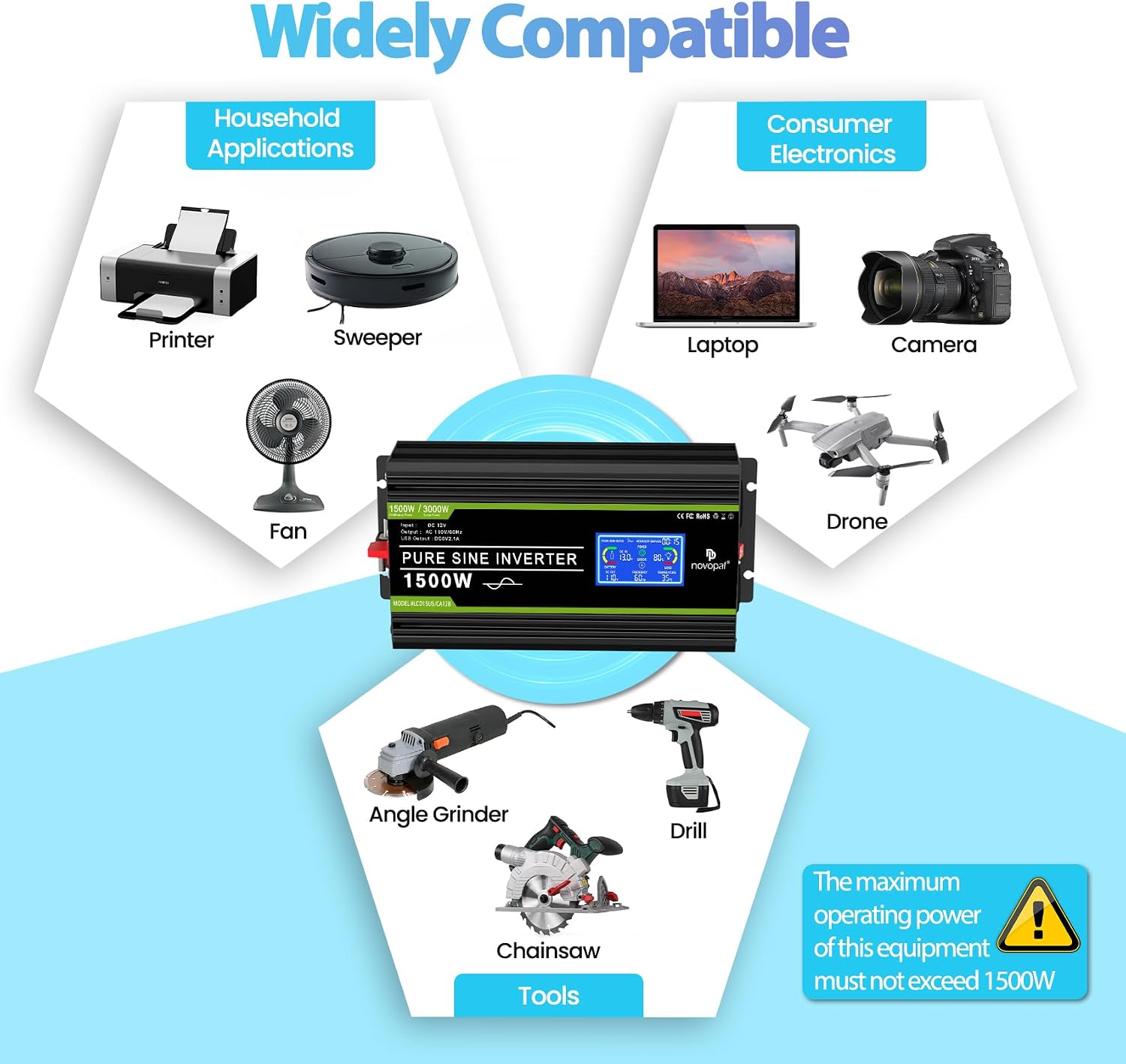
Figure 7.1: Widely compatible applications for the Novopal inverter.

Figure 7.2: The inverter is designed for use in RVs, camping, and cars.
8. Maintenance
Regular maintenance ensures the longevity and optimal performance of your Novopal inverter:
- Cleaning: Keep the inverter clean and free from dust and debris. Use a dry cloth to wipe the exterior. Do not use liquid cleaners.
- Ventilation: Periodically check that the cooling fans and ventilation openings are not obstructed. Ensure proper airflow around the unit.
- Connections: Regularly inspect battery cable connections to ensure they remain tight and free from corrosion. Loose connections can lead to overheating and power loss.
- Storage: If storing the inverter for an extended period, disconnect it from the battery and store it in a cool, dry place.
9. Troubleshooting
This section addresses common issues you might encounter with your Novopal inverter.
| Problem | Possible Cause | Solution |
|---|---|---|
| No power output / Inverter not turning on | Loose battery connections; Low battery voltage; Blown fuse; Inverter switch off. | Check and tighten all battery connections; Recharge or replace battery; The inverter has built-in fuses, if issues persist, contact support; Ensure inverter switch is ON. |
| Overload warning on LCD | Connected appliance(s) exceed 1500W continuous power. | Reduce the total wattage of connected appliances. Disconnect high-power devices. |
| Over-temperature warning | Inverter is overheating due to poor ventilation or excessive load. | Ensure adequate ventilation around the inverter; Reduce load; Allow inverter to cool down. |
| Low/High Voltage warning | Battery voltage is outside the acceptable operating range (e.g., below 10.5V or above 15V for 12V system). | Check battery voltage and charge level; Ensure battery is healthy; Verify charging system if connected to a vehicle. |
| Short circuit warning | Short circuit detected in the output. | Immediately disconnect all appliances; Check appliance cables for damage; Reconnect one by one to identify faulty device. |
10. Technical Specifications
| Model Name | LCD15US12B |
| Continuous Power Output | 1500 Watts |
| Peak Power Output | 3000 Watts |
| Input Voltage | DC 12V |
| Output Voltage | AC 110V / 120V |
| Output Frequency | 60Hz |
| USB Output | DC 5V, 2.1A |
| Efficiency | >92% |
| Total Harmonic Distortion (THD) | <3% |
| Noise Level | <52dB (fan on); <20dB (fan off) |
| Product Dimensions (L x W x H) | 11.4 x 6.48 x 3.93 inches |
| Item Weight | 9.83 pounds |
| Power Source | Solar and Battery Powered |
11. Warranty and Support
Novopal stands behind the quality of its products. Your Novopal 1500W Pure Sine Wave Power Inverter comes with a 12-month warranty from the date of purchase.
This warranty covers manufacturing defects and workmanship. It does not cover damage caused by misuse, improper installation, accidents, unauthorized repairs, or natural disasters.
For technical support, warranty claims, or any questions regarding your inverter, please contact Novopal customer service. You can typically find contact information on the product packaging or the official Novopal website. Please have your model number (LCD15US12B) and purchase details ready when contacting support.
Additionally, a detailed User Guide in PDF format may be available for download at https://manuals.plus/m/501049a3515d7d4a514a9066c64f90162eaae380b4029bfa42cbf98186b2df7c.