1. Introduction
This manual provides detailed instructions for the assembly, operation, and maintenance of your HOOBRO BF59DN01 Computer Desk. Please read this manual thoroughly before assembly and use to ensure proper function and safety.

Image 1.1: The HOOBRO BF59DN01 Computer Desk, showcasing its rustic brown surface, black metal frame, and integrated shelving. A laptop and office chair are positioned for use, with a matching tall bookshelf to the left.
2. Important Safety Information
- Assembly Required: This desk requires assembly. Follow all instructions carefully.
- Secure Fasteners: Ensure all screws, bolts, and connectors are securely fastened before and during use. Periodically check and tighten fasteners.
- Weight Limit: Do not exceed the maximum weight limit of 20 kg (44 lbs) on the desktop or shelves to maintain stability and prevent accidents.
- Level Surface: Place the desk on a flat, level surface to prevent wobbling and ensure stability.
- Avoid Moisture: Keep the desk away from excessive moisture or direct sunlight to prevent damage to the materials.
- Children and Pets: Keep small parts away from children and pets during assembly.
3. Package Contents
Before beginning assembly, verify that all components listed in your product's packaging insert are present and undamaged. If any parts are missing or damaged, please contact customer support.
4. Setup and Assembly
Assembly of the HOOBRO BF59DN01 Computer Desk is designed to be straightforward. A screwdriver is recommended for assembly. Follow the step-by-step instructions provided in your package. Key features during assembly include:
- Adjustable Shelf Placement: The integrated shelves can be installed on either the left or right side of the desk to suit your preference and room layout.
- Secure Connections: Ensure all frame connections are tight to provide a sturdy structure.
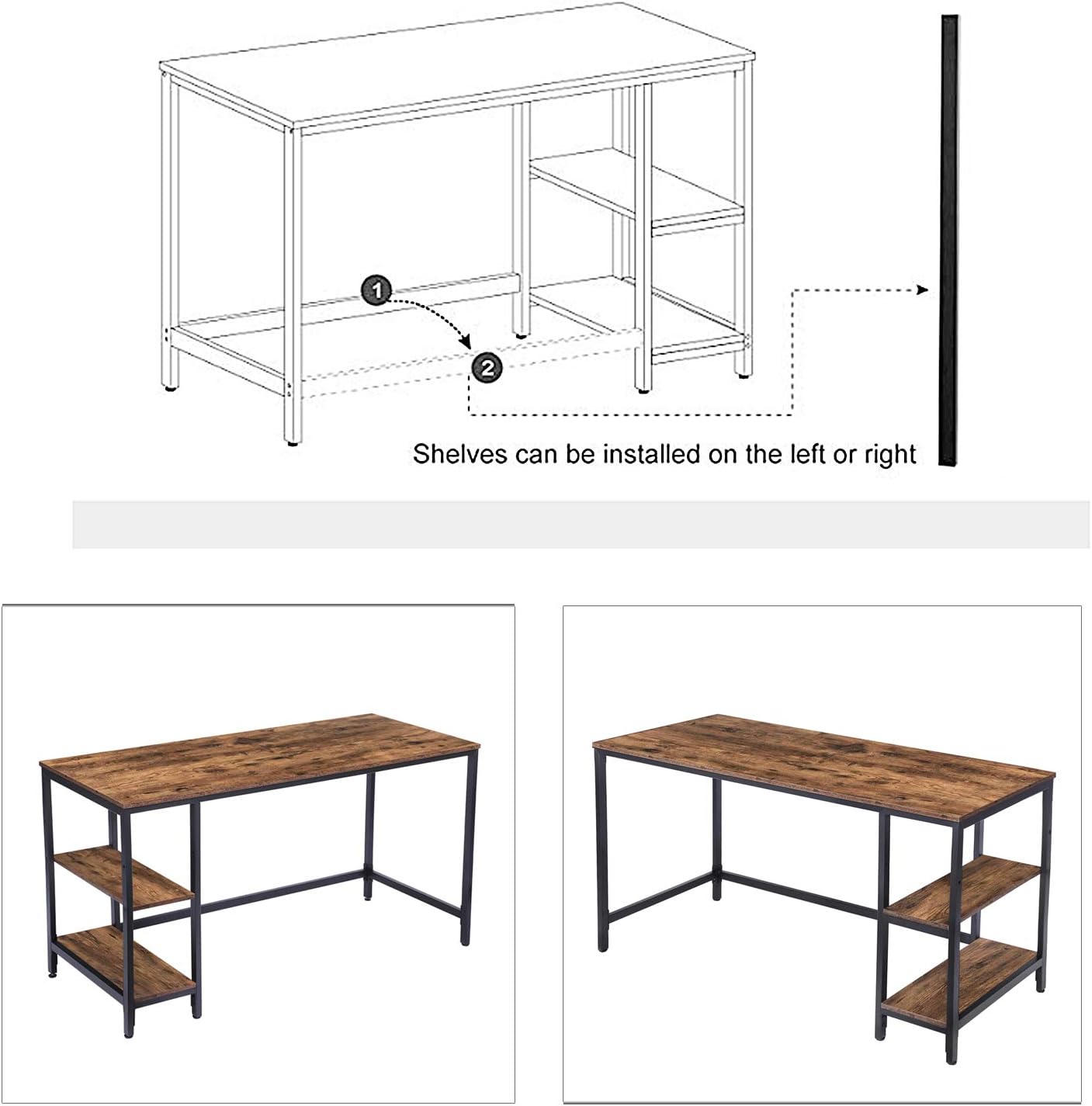
Image 4.1: An assembly diagram illustrating the flexibility of installing the desk's shelves on either the left or right side of the main frame, indicated by dashed lines and numbered steps.

Image 4.2: A detailed view of the adjustable shelf feature, highlighting the mechanism that allows users to modify the shelf's vertical position within the desk frame.
5. Operating Instructions
The HOOBRO BF59DN01 Computer Desk is designed for versatile use in home offices, studies, or other living spaces. Once assembled, ensure the desk is placed in its desired location on a stable surface.
- Desktop Use: Utilize the spacious 47.2-inch desktop for your laptop, monitor, keyboard, and other work essentials.
- Shelf Utilization: The integrated shelves provide convenient storage for books, office supplies, or decorative items. Remember to adhere to the maximum weight limit for each shelf.
- Adjustable Shelf: If you opted for the adjustable shelf configuration, you can modify its height to accommodate different items or preferences. Refer to the assembly instructions for details on adjusting shelf height.
6. Care and Maintenance
To ensure the longevity and appearance of your HOOBRO Computer Desk, follow these maintenance guidelines:
- Cleaning: Wipe surfaces with a soft, damp cloth. Avoid abrasive cleaners or harsh chemicals that may damage the finish.
- Spills: Clean up spills immediately to prevent staining or water damage.
- Heat Protection: Use coasters or protective pads under hot items to prevent heat marks on the desktop.
- Fastener Checks: Periodically check all screws and bolts and tighten them as needed to maintain structural integrity.
7. Troubleshooting
| Problem | Possible Cause | Solution |
|---|---|---|
| Desk is wobbly | Loose fasteners; Uneven floor | Tighten all screws and bolts. Adjust floor levelers if present, or place shims under legs. |
| Parts do not fit | Incorrect orientation; Wrong parts used | Refer to the assembly diagram to ensure parts are oriented correctly. Verify part numbers. |
| Missing parts | Packaging error | Contact HOOBRO customer support with your model number and a list of missing components. |
8. Product Specifications

Image 8.1: A visual representation of the HOOBRO BF59DN01 Computer Desk's dimensions, including overall width (47.2"), depth (23.6"), height (30.1"), and internal shelf spacing (11.6" and 10" between shelves, 4.5" from floor to bottom shelf).
| Feature | Detail |
|---|---|
| Model Number | BF59DN01 |
| Brand | HOOBRO |
| Product Dimensions (D x W x H) | 23.62" x 47.24" x 30.12" (60cm x 120cm x 76.5cm) |
| Item Weight | 20 Kilograms (44 lbs) |
| Maximum Weight Capacity | 20 kg (44 lbs) |
| Material | Engineered Wood, Metal Frame |
| Color | Rustic Brown and Black |
| Special Feature | Adjustable Shelf (Left or Right Installation) |
| Assembly Required | Yes |
| Tools Recommended for Assembly | Screwdriver |
9. Warranty Information
This HOOBRO product comes with a limited warranty. For specific details regarding warranty coverage, terms, and conditions, please refer to the warranty card included in your product packaging or visit the official HOOBRO website.
10. Customer Support
If you have any questions, require assistance with assembly, or need to report missing/damaged parts, please contact HOOBRO customer support. You can typically find contact information on the HOOBRO brand store on Amazon or through their official website.
For further assistance, please visit: HOOBRO Amazon Store


