1. Introduction
This manual provides essential information for the proper installation, operation, and maintenance of your MAG M27BS Moving Magnetic Cartridge with Diamond Stylus. This cartridge is designed to deliver high-quality audio reproduction and is compatible with various Panasonic turntable models, including SL H401, SL H203, SL H302, SL H205, and SL H303.
Please read this manual thoroughly before attempting installation or use to ensure optimal performance and longevity of your product.
2. Safety Information
- Always handle the cartridge and stylus with care to prevent damage.
- Keep the stylus away from children and pets.
- Disconnect power to your turntable before installing or removing the cartridge.
- Avoid touching the stylus tip directly with your fingers.
- Use appropriate tools for installation to prevent damage to the cartridge or tonearm.
3. Package Contents
Verify that all items are present in your package:
- 1 x MAG M27BS Moving Magnetic Cartridge with Diamond Stylus
- 2 x Mounting Screws
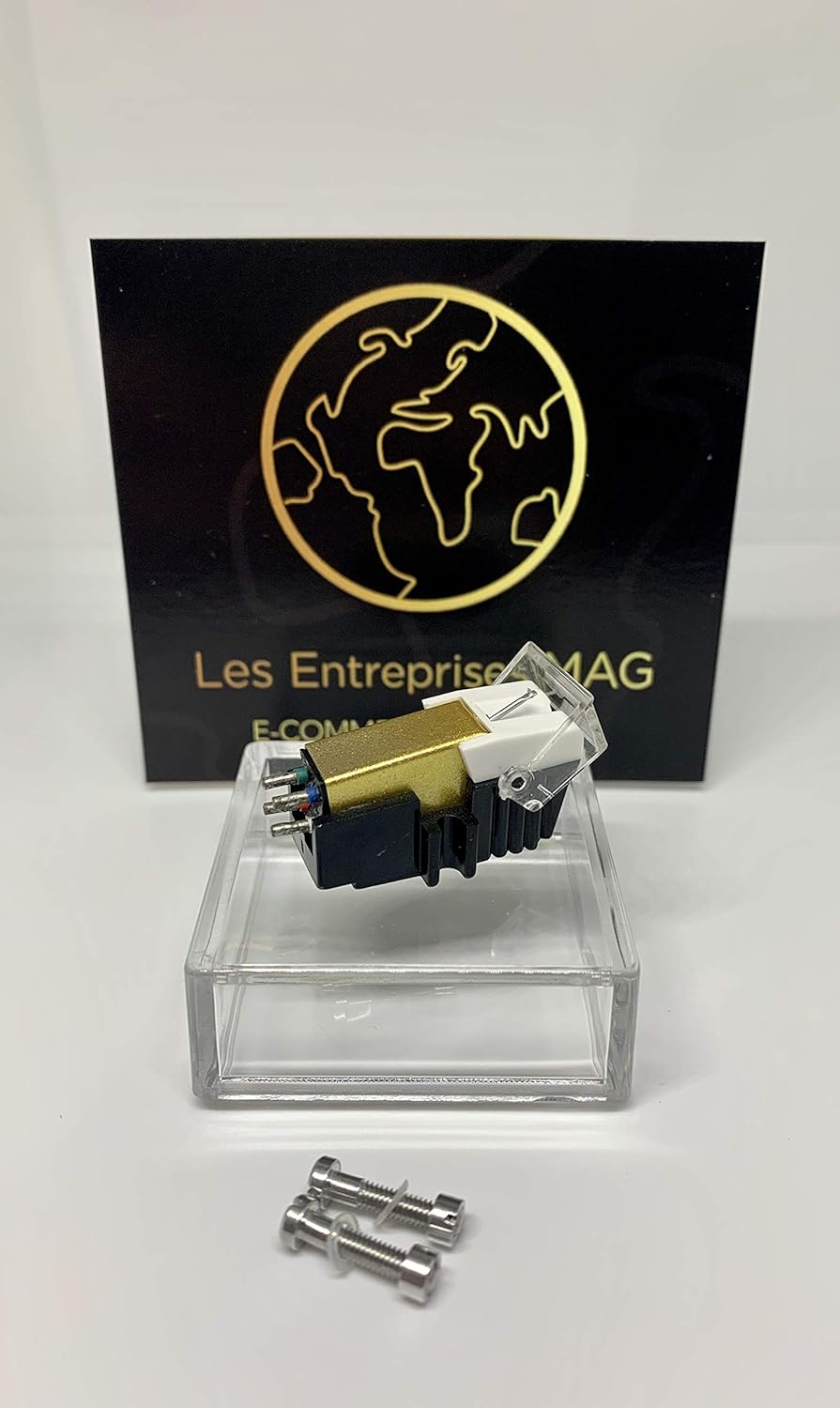
Image 3.1: The MAG M27BS cartridge, including the diamond stylus, shown with two mounting screws. A MAG branded card is visible in the background.
4. Setup and Installation
4.1 Preparing for Installation
- Ensure your turntable is powered off and unplugged from the mains.
- If replacing an existing cartridge, carefully remove it from the tonearm headshell. Note the wiring connections.
- Prepare a clean, well-lit workspace.
4.2 Cartridge Mounting Steps
- Connect Wires: Carefully connect the four color-coded wires from your tonearm headshell to the corresponding pins on the back of the MAG M27BS cartridge. The standard color code is:
- Red (R+): Right channel positive
- Green (R-): Right channel ground
- White (L+): Left channel positive
- Blue (L-): Left channel ground

Image 4.1: Rear view of the MAG M27BS cartridge, illustrating the four connection pins for the tonearm wires.
- Mount to Headshell: Align the cartridge with the mounting holes on your turntable's headshell. Use the provided mounting screws to secure the cartridge. Do not overtighten; ensure it is snug but allows for minor adjustments.
- Stylus Guard: Ensure the stylus guard is in place during mounting to protect the diamond tip.
- Alignment (Crucial): Proper cartridge alignment is critical for optimal sound quality and to prevent record wear. Refer to your turntable's manual for specific alignment instructions, which typically involve adjusting overhang and azimuth. Tools like an alignment protractor may be necessary.
- Tracking Force: Set the tracking force on your tonearm to 3.0 grams. The acceptable range is 2.5 to 3.5 grams. Use a stylus force gauge for accurate measurement.
- Anti-Skate: Adjust the anti-skate setting on your tonearm according to your turntable's manual, typically matching the tracking force value.

Image 4.2: Side view of the MAG M27BS cartridge, clearly showing the diamond stylus tip and its protective guard.
5. Operating Instructions
Once the MAG M27BS cartridge is correctly installed and aligned, you can begin playing records. Always ensure your records are clean and free of dust before playback.
- Gently lower the tonearm onto the record using the cueing lever to prevent damage to the stylus or record.
- Avoid dropping the tonearm onto the record.
- When playback is complete, use the cueing lever to lift the tonearm and return it to its rest.
6. Maintenance
6.1 Stylus Cleaning
- Regularly clean the stylus tip to remove dust and debris, which can degrade sound quality and damage records.
- Use a soft stylus brush, brushing gently from back to front (in the direction of play).
- For stubborn dirt, a specialized stylus cleaning fluid can be used sparingly.
6.2 Cartridge Handling
- Always use the stylus guard when the turntable is not in use or when handling the cartridge.
- Avoid exposing the cartridge to extreme temperatures or direct sunlight.
7. Troubleshooting
| Problem | Possible Cause | Solution |
|---|---|---|
| No sound or weak sound | Incorrect wiring connections; Damaged stylus; Incorrect amplifier input selected | Check all wire connections to the cartridge and amplifier. Inspect stylus for damage. Ensure amplifier is set to 'Phono' input. |
| Distorted sound | Dirty stylus; Incorrect tracking force; Improper alignment; Worn stylus | Clean stylus. Verify tracking force is set to 3.0g. Re-check cartridge alignment. Consider stylus replacement if worn. |
| Skipping or jumping | Incorrect tracking force; Incorrect anti-skate; Damaged record; Damaged stylus | Adjust tracking force and anti-skate. Inspect record for damage. Inspect stylus for damage. |
| Humming noise | Grounding issue; Proximity to electrical interference | Ensure turntable is properly grounded to the amplifier. Move turntable away from other electronic devices. |
8. Specifications
| Feature | Specification |
|---|---|
| Cartridge Type | Moving Magnetic (MM) |
| Model | M27BS |
| Stylus Tip | Stereo Spherical Diamond Tip |
| Output Voltage (at 1kHz, 5 cm/sec) | 5.5 mV ± 3dB |
| Channel Balance (at 1kHz) | Below 1 dB |
| Channel Separation (at 1kHz) | More than 15 dB |
| Frequency Response | 20 ~ 20,000 Hz |
| Tracking Force | 3.0g (Recommended range: 2.5 ~ 3.5g) |
| Compatibility | Panasonic SL H401, SL H203, SL H302, SL H205, SL H303, MCS 683 2700 |
9. Warranty and Support
9.1 Warranty Information
This MAG M27BS cartridge comes with a 6-month warranty against manufacturing defects. Additionally, a 14-day 'any reason' return policy is offered from the date of purchase. Please retain your proof of purchase for warranty claims.
9.2 Customer Support
For further assistance, technical support, or warranty inquiries, please refer to the contact information provided by your retailer or the MAG brand's official support channels. When contacting support, please have your product model (M27BS) and purchase details ready.


