
Sanus SLF226-B2
Sanus Simplicity 37–90” TV Wall Mount
Model: SLF226-B2 User Manual
1. Introduction
This user manual provides detailed instructions for the safe and effective installation, operation, and maintenance of your Sanus Simplicity SLF226-B2 Full-Motion TV Wall Mount. Please read this manual thoroughly before beginning installation and keep it for future reference.
The Sanus Simplicity SLF226-B2 is designed to securely mount flat-panel and curved televisions ranging from 37 inches to 90 inches, with a maximum weight capacity of 61 kg (135 lbs). Its full-motion capabilities allow for extension, tilt, and swivel adjustments to achieve optimal viewing angles.
Safety Information
WARNING: Failure to read and follow all instructions in this manual can result in personal injury or property damage. If you have any questions, please contact customer support.
- Ensure the wall structure can support the combined weight of the mount and the television.
- Do not exceed the maximum weight capacity of 61 kg (135 lbs).
- Use appropriate mounting hardware for your specific wall type (wood studs, concrete, brick).
- Always use a stud finder to locate wood studs accurately.
- Two people are recommended for installation to ensure safety.
- Keep children and pets away during installation.
2. Setup and Installation
Proper installation is crucial for the safety and performance of your TV mount. Follow these steps carefully.
Pre-Installation Checklist
- Verify your TV's weight and VESA pattern are within the mount's specifications.
- Identify the wall type where the mount will be installed (wood stud, concrete, brick).
- Gather all necessary tools (e.g., drill, stud finder, level, tape measure, screwdriver).
Mounting the Wall Plate
Locate the desired mounting position on your wall. Use a stud finder to identify the center of two adjacent wood studs. Mark the drill holes for the wall plate. Ensure the wall plate is level before drilling pilot holes and securing it to the wall using the provided lag bolts.

Figure 2.1: Front view of the Sanus Simplicity SLF226-B2 TV Wall Mount, showing the wall plate and TV bracket components.
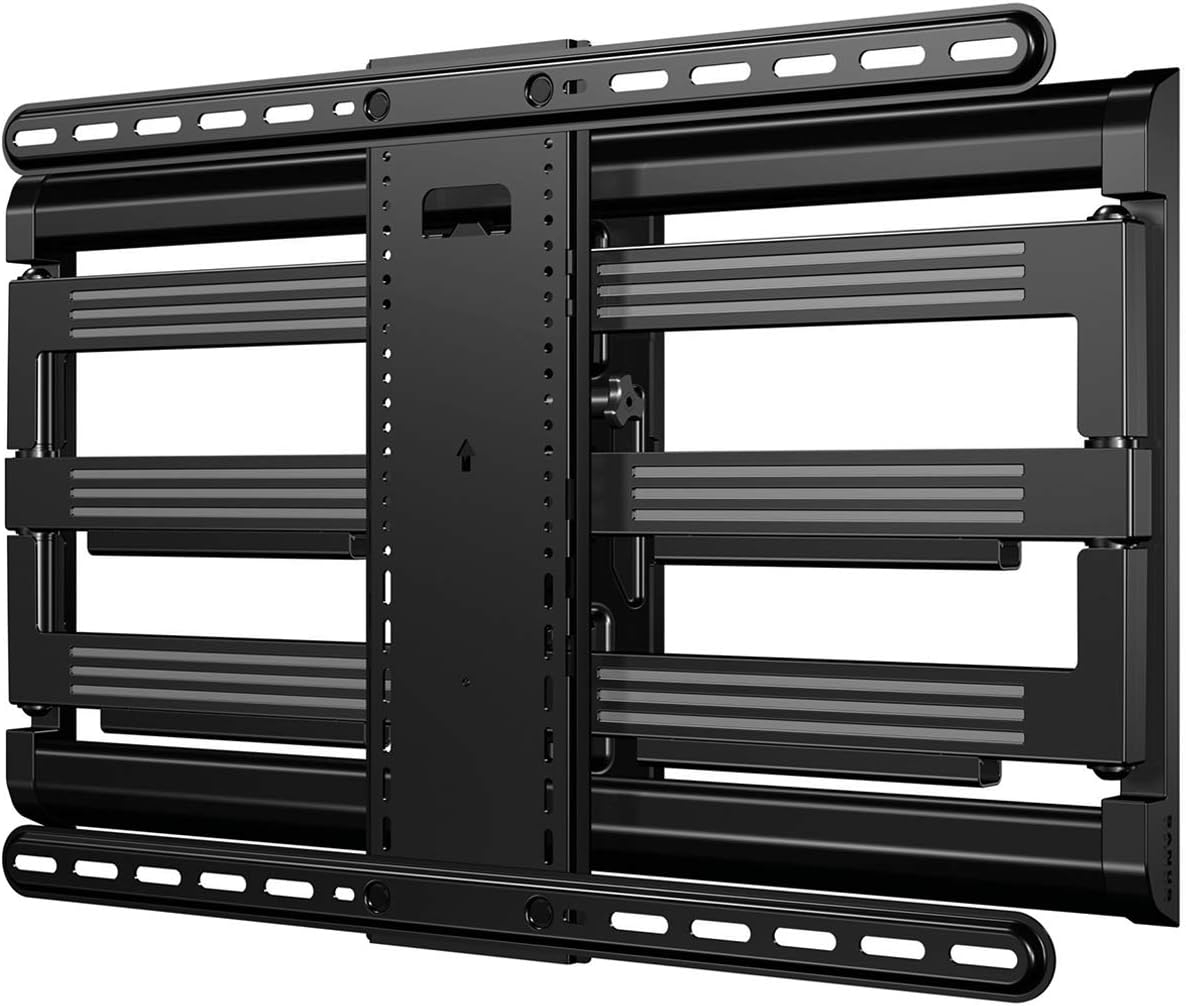
Figure 2.2: Rear view of the Sanus Simplicity SLF226-B2 TV Wall Mount, illustrating the compact, folded position against the wall.
Attaching Brackets to TV
Attach the vertical TV brackets to the back of your television using the appropriate screws and spacers for your TV's VESA pattern. Ensure the brackets are securely fastened and centered on the TV.
Mounting TV to Wall Plate
With assistance, carefully lift the television and hook the TV brackets onto the wall plate. Secure the TV to the mount using the locking mechanisms. Perform a final check to ensure the TV is level and securely attached.
3. Operating the Mount
The SLF226-B2 mount offers flexible adjustments to optimize your viewing experience.
Extension and Swivel
Gently pull the television away from the wall to extend the articulating arms. The mount allows for extension up to 66 cm (26 inches) from the wall. Once extended, you can swivel the TV up to 90 degrees left or right to achieve your desired viewing angle. The "air glide technology" ensures smooth movement.

Figure 3.1: The Sanus Simplicity SLF226-B2 TV Wall Mount fully extended, demonstrating its range of motion and integrated cable management channels.
Tilt Adjustment
The mount features exclusive tilting technology, allowing for effortless tilt motion with a touch of a finger. You can tilt the TV from +4 degrees to -15 degrees to reduce glare or optimize viewing from different heights.
Post-Installation Level and Shift
After installation, fine-tune the TV's position using the post-install level and shift adjustments to ensure it is perfectly horizontal and centered.
Cable Management
Utilize the integrated cable management channels along the mount arms to secure and conceal loose cables, providing a clean and organized appearance.
4. Maintenance
Regular maintenance ensures the longevity and safe operation of your TV mount.
- Cleaning: Dust the mount periodically with a soft, dry cloth. For stubborn marks, use a slightly damp cloth with mild soap, then wipe dry. Avoid abrasive cleaners or solvents.
- Periodic Checks: Annually, inspect all mounting hardware and connections to ensure they remain tight and secure. Check for any signs of wear or damage to the articulating arms or joints.
- Lubrication: The mount's joints are designed for smooth operation and typically do not require lubrication. If movement becomes stiff, consult customer support.
5. Troubleshooting
If you encounter issues with your Sanus Simplicity SLF226-B2 mount, refer to the following common problems and solutions.
Common Issues and Solutions
| Problem | Possible Cause | Solution |
|---|---|---|
| TV is not level after installation. | Wall plate not perfectly level, or post-installation adjustment needed. | Use the post-install level adjustment feature to fine-tune the TV's horizontal position. |
| Difficulty extending or swiveling the TV. | Mount arms are stiff or cables are snagged. | Ensure cables are properly routed through management channels. Gently apply force; if stiffness persists, contact support. |
| TV feels unstable on the mount. | Mounting screws loose, or TV not properly seated on brackets. | Verify all wall plate and TV bracket screws are tightened. Ensure TV is fully engaged with the locking mechanisms on the wall plate. |
| Mount does not hold tilt position. | Tilt mechanism requires adjustment. | Refer to the specific tilt adjustment instructions in the installation guide or contact customer support for assistance. |
If the problem persists after attempting these solutions, please contact Sanus customer support.
6. Specifications
Detailed technical specifications for the Sanus Simplicity SLF226-B2 TV Wall Mount.
| Model Code | SLF226-B2 |
| TV Size Range | 37" - 90" (93.98cm - 228.60cm) |
| Maximum TV Weight | 135 lbs (61.23 kg) |
| Supported VESA Patterns | 100 x 100 through 600 x 400i |
| Tilt Range | +4° / -15° |
| Roll Adjustment | +5° / -5° |
| Swivel Range | +90° / -90° |
| Profile Depth (min) | 2.70" (6.86 cm) |
| Extension (max) | 26.00" (66.04 cm) |
| Product Width | 27.60" (70.10 cm) |
| Product Height | 17.70" (44.96 cm) |
| Material | Metal |
| Item Weight | 28.7 pounds |
| UPC Code | 793795532138 |
7. Warranty and Support
For warranty information, please refer to the documentation included with your product packaging or visit the official Sanus website. Sanus provides dedicated customer support to assist with any questions or issues you may have regarding your SLF226-B2 TV Wall Mount.
Online Support: For frequently asked questions, product registration, and additional resources, please visit the Sanus Official Website.
Contact Support: Contact information for technical support and customer service can typically be found on the Sanus website or in your product's original packaging.
Ask a question about this manual
Ask about setup, troubleshooting, compatibility, parts, safety, or missing instructions. Manuals+ will review the question and use this page’s manual context to help answer it.