
Moukey MAMX2
Moukey 6-Channel Audio Mixer
Model: MAMX2 - Instruction Manual
Introduction
Thank you for choosing the Moukey MAMX2 6-Channel Audio Mixer. This compact and versatile line mixer is designed for various audio applications, offering ultra-low noise operation and easy setup. This manual provides detailed instructions on how to set up, operate, and maintain your mixer to ensure optimal performance.
1. Setup
Before using your Moukey MAMX2 mixer, please follow these steps for proper setup:
- Unpacking: Carefully remove the mixer from its packaging and ensure all components are present.
- Power Connection: The mixer operates on DC 5V power. Connect the provided USB power cable to the DC 5V input port on the mixer. For best performance and to minimize noise, it is recommended to connect the USB cable to a dedicated power adapter (not included) rather than directly to a computer's USB port.
- Input Connections: The mixer features six 1/4-inch (6.35mm) input jacks. You can connect various audio sources such as microphones, guitars, basses, keyboards, or other line-level devices. Use 1/4-inch TRS stereo audio cables for stereo input or TS mono audio cables for mono input.
- Output Connection: Connect your amplifier, powered speakers, or recording device to the 1/4-inch (6.35mm) OUTPUT jack using a suitable audio cable.
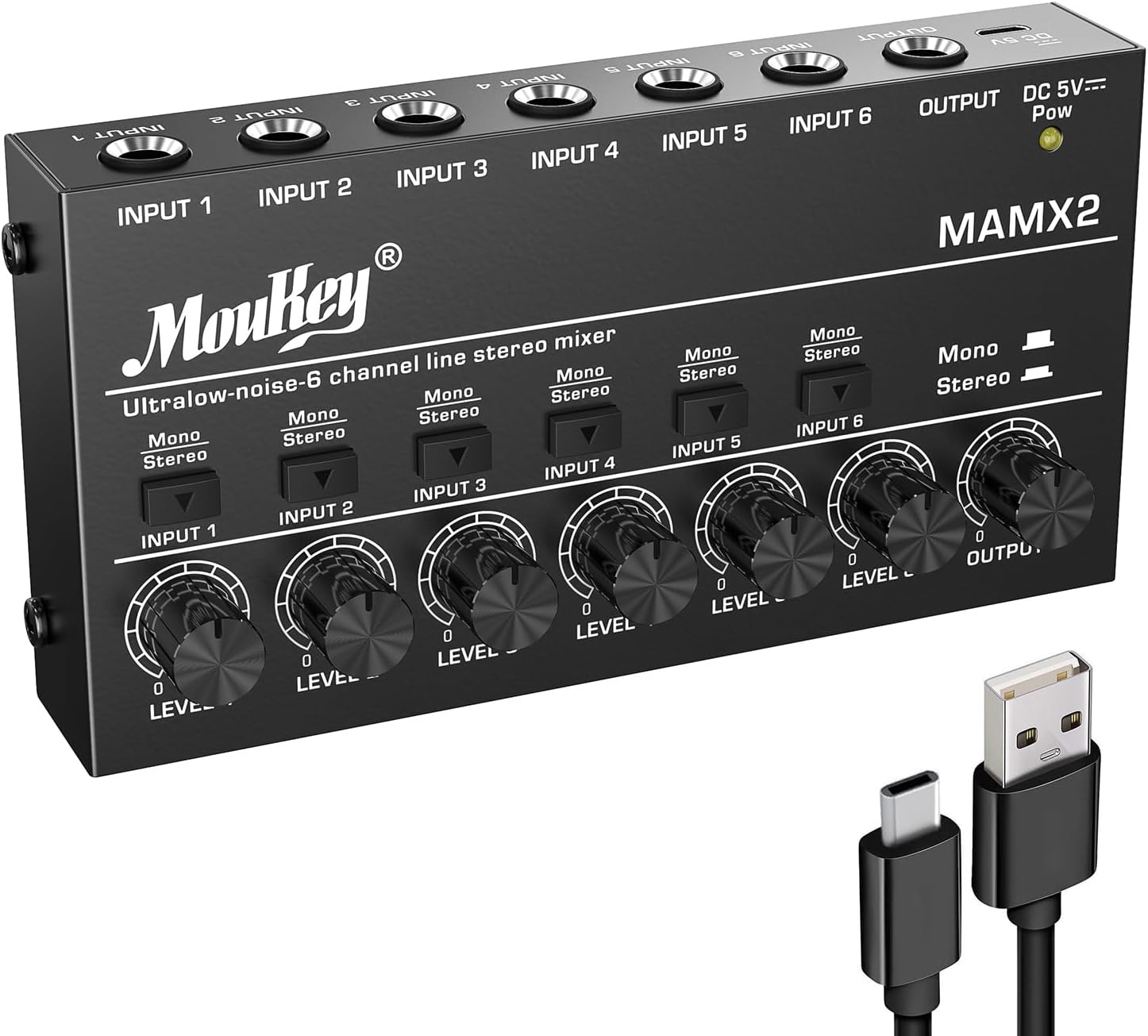
Image 1.1: Front view of the Moukey MAMX2 mixer with its USB power cable.

Image 1.2: Illustration of TRS (stereo) and TS (mono) cable connections for inputs and outputs.
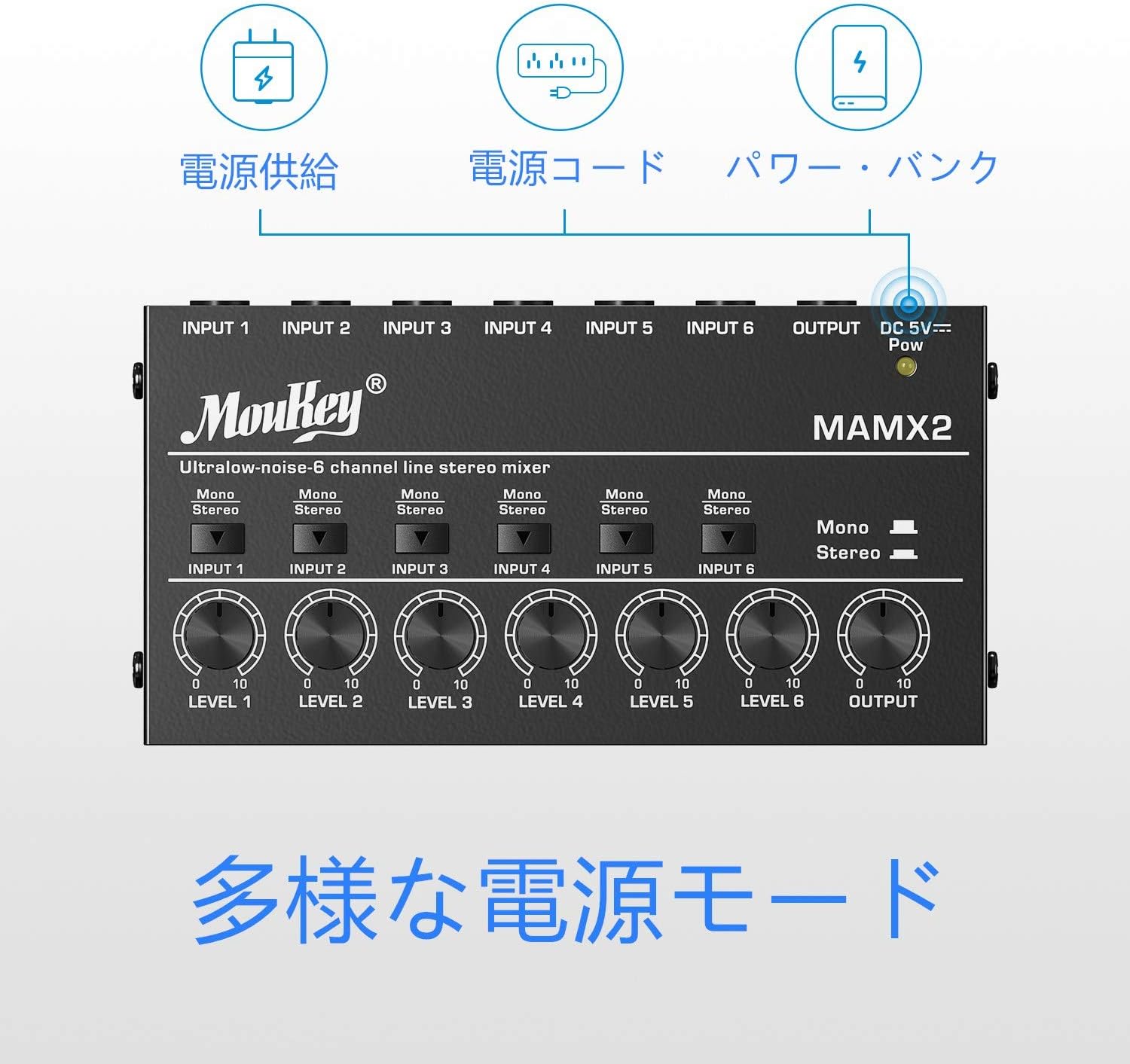
Image 1.3: Different power supply modes for the Moukey MAMX2, including power bank and power cord.
2. Operating Instructions
The Moukey MAMX2 mixer is designed for straightforward operation:
- Power On: Once connected to a DC 5V power source, the power indicator light will illuminate, indicating the unit is on.
- Individual Channel Volume Control: Each of the six input channels has an independent volume knob (LEVEL 1-6). Rotate these knobs clockwise to increase the volume of the corresponding input source and counter-clockwise to decrease it.
- Stereo/Mono Switching: Each input channel features a switch to toggle between Mono and Stereo modes.
- In Stereo mode, the input will be treated as a stereo signal, requiring a TRS cable.
- In Mono mode, the input will be treated as a mono signal, suitable for TS cables or summing stereo inputs to mono.
- Master Output Volume: The 'OUTPUT' knob controls the overall master volume of the mixed signal. Adjust this to control the final output level sent to your connected amplifier or recording device.
- Mixing: Adjust the individual channel volume knobs to achieve the desired balance between all connected audio sources. The mixer will combine these signals into a single output.
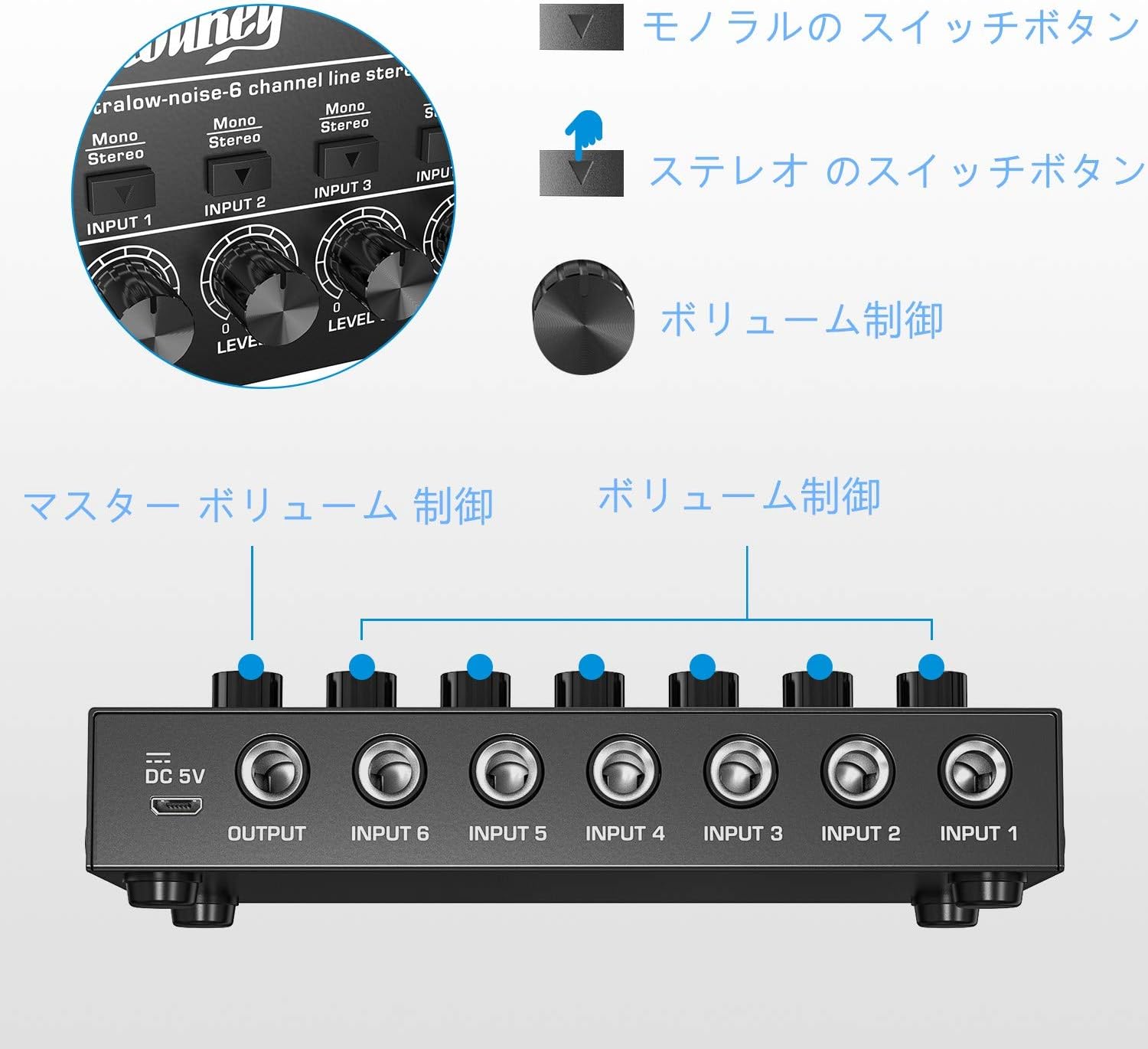
Image 2.1: Overview of the mixer's controls, including individual channel volume knobs and stereo/mono switches.

Image 2.2: The Moukey MAMX2 mixer integrated into a typical audio setup, demonstrating its practical use.
3. Maintenance
Proper maintenance will extend the life of your Moukey MAMX2 mixer:
- Cleaning: Use a soft, dry cloth to clean the exterior of the mixer. Do not use liquid cleaners or aerosols, as they may damage the unit.
- Storage: When not in use, store the mixer in a cool, dry place away from direct sunlight and extreme temperatures.
- Handling: Avoid dropping or subjecting the mixer to strong impacts.
- Ventilation: Ensure the mixer has adequate ventilation to prevent overheating.

Image 3.1: The robust metal casing of the Moukey MAMX2, designed for durability.
4. Troubleshooting
If you encounter issues with your Moukey MAMX2 mixer, refer to the following common problems and solutions:
- No Sound Output:
- Check all cable connections to ensure they are securely plugged into the correct input and output jacks.
- Verify that the mixer is receiving power (power indicator light is on).
- Ensure all individual channel volume knobs and the master OUTPUT knob are turned up sufficiently.
- Check the volume levels of your connected audio sources and the receiving device (amplifier, speakers).
- Excessive Noise/Hum:
- Ensure you are using a stable DC 5V power supply. Connecting the mixer to a wall outlet via a USB power adapter (not included) is often more effective at reducing noise compared to powering it directly from a computer's USB port.
- Check for ground loops. Try connecting all audio equipment to the same power strip.
- Ensure all cables are in good condition and properly shielded.
- Distorted Sound:
- Reduce the input volume of the source device.
- Lower the individual channel volume knobs or the master OUTPUT knob on the mixer.
- Ensure the connected amplifier or speakers are not overdriven.
5. Specifications
| Feature | Description |
|---|---|
| Model Number | MAMX2 |
| Number of Channels | 6 |
| Power Supply | DC 5V (USB Power Cord Type) |
| Voltage | 5 Volts |
| Connectivity Technology | USB |
| Product Dimensions (L x W x H) | 7.5 cm x 14.5 cm x 2.5 cm (approx. 2.95 x 5.7 x 0.95 inches) |

Image 5.1: The compact and lightweight design of the Moukey MAMX2 mixer.
6. Warranty and Support
For information regarding product warranty, technical support, or service, please refer to the warranty card included with your purchase or visit the official Moukey website. Contact details for customer support are typically provided on the manufacturer's official channels.
Related documentsMAMX2


Ask a question about this manual
Ask about setup, troubleshooting, compatibility, parts, safety, or missing instructions. Manuals+ will review the question and use this page’s manual context to help answer it.