Introduction
The Youshiko YC9441 Wireless Weather Station provides comprehensive weather information for your home. This official UK version features a Radio Controlled Clock (MSF UK & Ireland), indoor and outdoor temperature and humidity readings, barometric pressure, and a weather forecast display. Designed for ease of use, it also includes a USB charging port and can be wall-mounted or placed on a table.
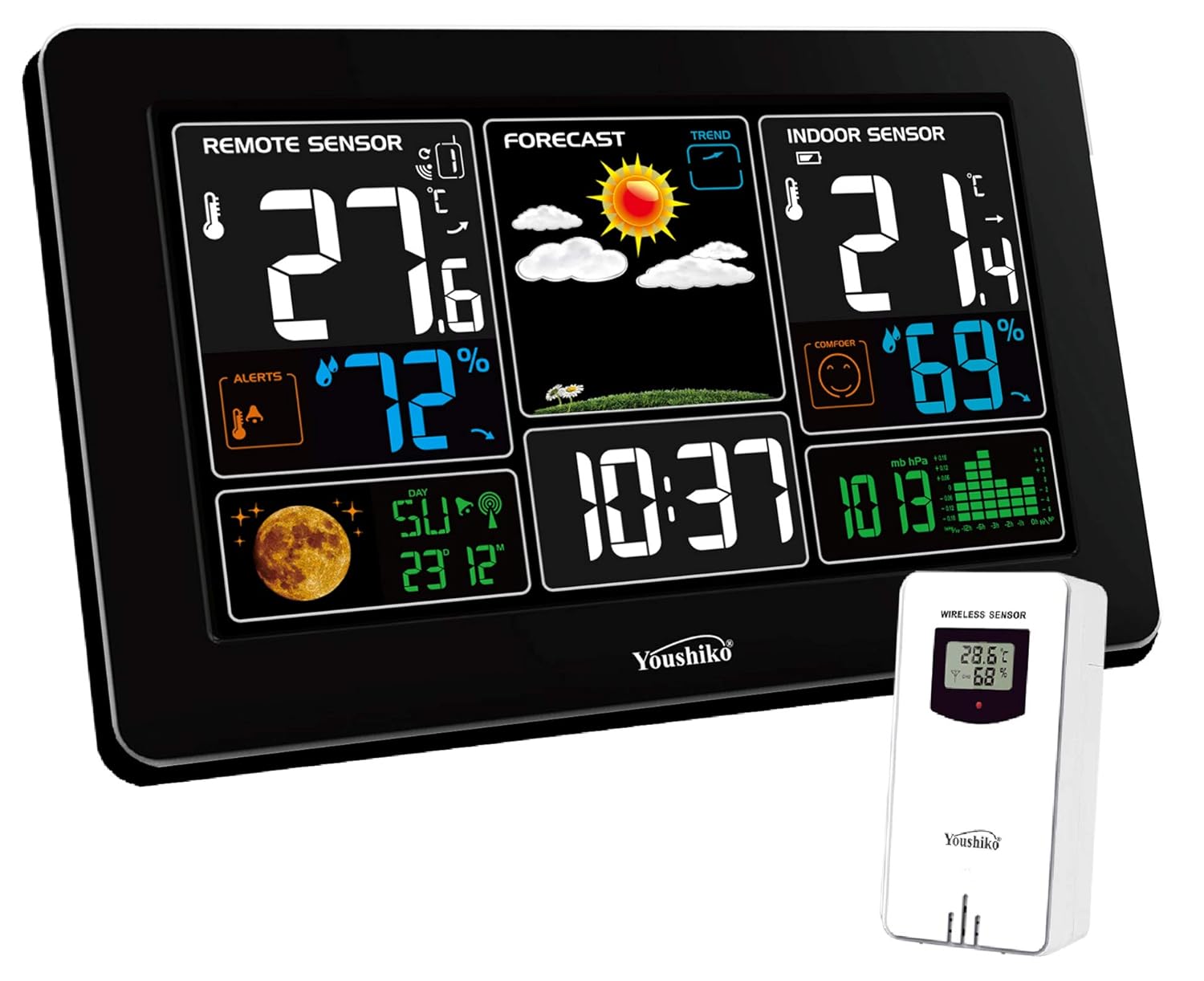
Image: The Youshiko YC9441 main display unit with its remote wireless sensor.
What's in the Box
- 1 x Main Display Unit (Console)
- 1 x Wireless Outdoor Sensor
- 1 x UK Power Supply
- 1 x Instruction Manual
Key Features
- Multi-colour section display for time and weather information.
- Large digit indoor and outdoor temperature (°C/°F) and humidity readings.
- Radio Controlled Clock (MSF - UK Version and Ireland) with automatic time change.
- Weather forecast with animated display of weather trends.
- Barometric pressure display.
- Indoor comfort level indicator.
- Outdoor temperature alert function.
- USB port for charging external devices (e.g., phone, iPad).
- Buzzer alarm clock with ice pre-alert function.
- Moon phase and calendar display.
- Supports up to 3 remote sensors (one included, additional sensors sold separately).
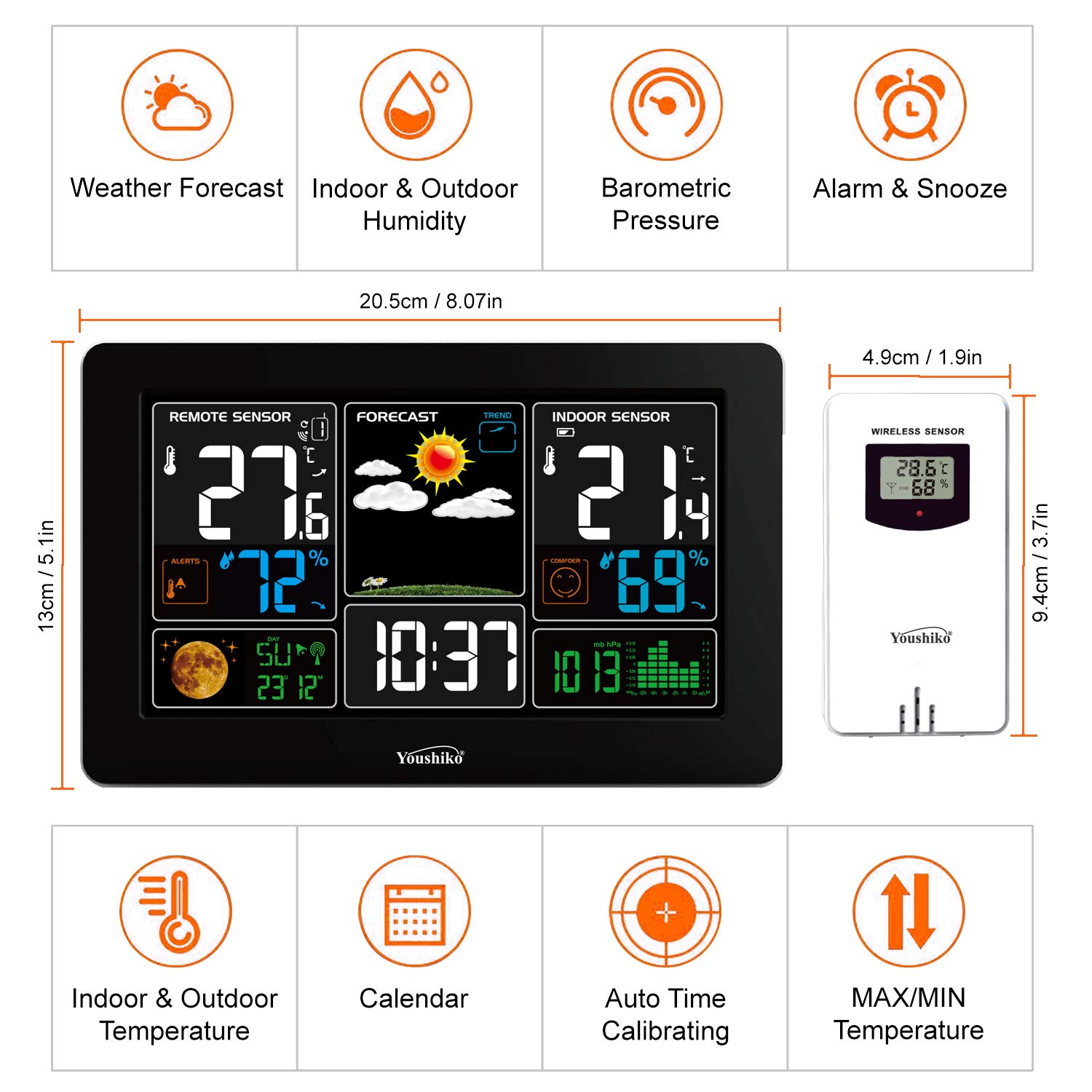
Image: Overview of the weather station's key features and dimensions.
Setup Guide
1. Powering the Main Unit
The main display unit can be powered by the included UK power supply or by 4 x AA batteries (not supplied) for backup. For continuous display and full functionality, it is recommended to use the mains power supply.
- Insert 4 x AA batteries into the battery compartment on the back of the main unit, observing polarity.
- Connect the included UK power supply to the DC 5V 1.2A input port on the back of the main unit and plug it into a wall socket.

Image: Rear view of the main unit showing power input and battery slots, alongside the remote sensor's battery compartment and power adapter.
2. Setting Up the Wireless Outdoor Sensor
The wireless sensor requires 2 x AA batteries (not supplied).
- Open the battery compartment on the back of the wireless sensor.
- Insert 2 x AA batteries, observing polarity.
- Select a channel (1, 2, or 3) using the switch inside the battery compartment. Ensure this matches the channel selected on the main unit if manually setting.
- Close the battery compartment.
- Place the sensor in a sheltered outdoor location, away from direct sunlight and rain, to ensure accurate readings and prolong its lifespan. The transmission range is up to 60m.
3. Radio Controlled Clock (RCC) Synchronization
The weather station automatically synchronizes its time via the MSF radio signal for UK and Ireland. This ensures accurate timekeeping, including automatic adjustments for Daylight Saving Time (Spring & Autumn).
- After powering on, the unit will automatically begin searching for the MSF signal. This process may take several minutes to a few hours depending on signal strength and location.
- Ensure the weather station is placed in a location with good reception, away from electronic interference.
- Once synchronized, the time will be displayed accurately.

Image: Diagram explaining the MSF radio signal for UK and Ireland, and DCF-77 for the rest of Europe, for time synchronization.
Operating Instructions
Display Brightness Modes
The main display unit offers multiple brightness levels and an option to turn the display off to suit your preference and environment.

Image: Visual representation of the four brightness modes and the display-off option.
Reading Temperature and Humidity
The display shows both indoor and outdoor temperature and humidity readings. The outdoor readings are transmitted wirelessly from the remote sensor.
Weather Forecast
The weather station provides a forecast for the next 24 hours based on changes in temperature, humidity, and barometric pressure. The forecast is displayed with animated icons.
Barometric Pressure
The barometric pressure is displayed, often with a trend indicator, helping to predict short-term weather changes.
Indoor Comfort Level
The indoor comfort level is calculated based on the indoor temperature and humidity, indicating whether the environment is too dry, comfortable, or too humid.

Image: The indoor comfort level indicator on the weather station display, showing different facial expressions for comfort levels.
Outdoor Temperature Alert & Ice Alert
You can set high and low temperature alerts for the outdoor sensor. When the outdoor temperature exceeds or falls below the set limits, an alarm will sound, and the corresponding icon will flash. An ice alert symbol appears and flashes when the outdoor temperature is between -1°C to +1°C (30.2°F to 37.1°F).

Image: The outdoor temperature alert icon and its function, showing an alarm bell and HI/LO indicators.

Image: A collage illustrating various features including Ice Alert, Indoor Comfort Level, Outdoor Temperature Alert, and the animated Weather Forecast display.
USB Charging Port
The main unit includes a USB port (Output: DC5V 1A) on its side, allowing you to charge your smartphone, tablet, or other USB-powered devices directly from the weather station.

Image: The USB charging port located on the side of the main display unit, demonstrating its use for charging a mobile phone.
Alarm Clock Function
The weather station features a buzzer alarm clock with a snooze function. Refer to the detailed instruction manual for setting the alarm time.
Maximum/Minimum Temperature and Humidity
The unit records and displays the maximum and minimum indoor and outdoor temperature and humidity values for the past 24 hours. These values reset automatically at midnight.
Maintenance
- Cleaning: Wipe the display unit and sensor with a soft, dry cloth. Do not use abrasive cleaners or solvents.
- Battery Replacement: Replace batteries in both the main unit (if used for backup) and the outdoor sensor when the low battery indicator appears on the display. Ensure correct polarity.
- Sensor Placement: Periodically check the outdoor sensor's placement to ensure it remains sheltered from direct weather elements for optimal performance and longevity.
Troubleshooting
| Problem | Possible Cause | Solution |
|---|---|---|
| No outdoor temperature/humidity reading. | Sensor batteries low or dead; sensor out of range; interference; sensor not paired. | Replace sensor batteries. Move sensor closer to the main unit. Avoid placing near large metal objects or electronics. Re-pair the sensor by removing batteries from both units, then reinserting them first in the sensor, then the main unit. |
| Time not synchronizing (RCC). | Weak MSF signal; interference; incorrect location. | Place the main unit near a window, away from electronic devices. Allow several hours for synchronization. Ensure you are within the MSF signal range (UK & Ireland). |
| Inaccurate temperature/humidity readings. | Sensor exposed to direct sunlight/rain; unit placed near heat/cold sources. | Relocate the outdoor sensor to a shaded, sheltered area. Ensure the main unit is not near vents, windows, or appliances that generate heat/cold. |
| Display is dim or off when on batteries. | Power saving mode; low batteries. | Connect to mains power for continuous bright display. Replace batteries if they are low. |
Specifications
| Feature | Detail |
|---|---|
| Model Number | YC9441 |
| Power Source (Main Unit) | UK Power Supply (Included) & 4 x AA Batteries (Not Included) |
| Power Source (Sensor) | 2 x AA Batteries (Not Included) |
| Wireless Transmission Range | Up to 60m (open area) |
| Temperature Accuracy | +/- 1°C |
| Clock Type | Radio Controlled (MSF UK & Ireland) |
| Display Style | LCD with Multi-colour sections |
| USB Output | DC5V 1A |
| Material | Plastic |
| Dimensions (Main Unit) | Approx. 20.5 cm (W) x 13 cm (H) x 2.5 cm (D) |
| Dimensions (Sensor) | Approx. 4.9 cm (W) x 9.4 cm (H) x 2.5 cm (D) |
| Item Weight | 530 g (Main Unit) |
Warranty and Support
This Youshiko YC9441 Weather Station comes with a UK Warranty and dedicated after-sales support from a UK-based company.
For further assistance, additional sensors (YC9312), or to explore other Youshiko products, please visit the official Youshiko store on Amazon:


