Introduction
This manual provides comprehensive instructions for the installation, operation, maintenance, and troubleshooting of your MAG M27BS Moving Magnet Cartridge with Diamond Stylus. Designed for optimal audio performance, this cartridge is compatible with various Gemini turntable models, including XLDD50, TT2000, XLBD10, GL101, and XLBD40. Please read these instructions carefully before proceeding with installation or use.
Package Contents
- MAG M27BS Moving Magnet Cartridge with Diamond Stylus
- Mounting Screws (typically two)
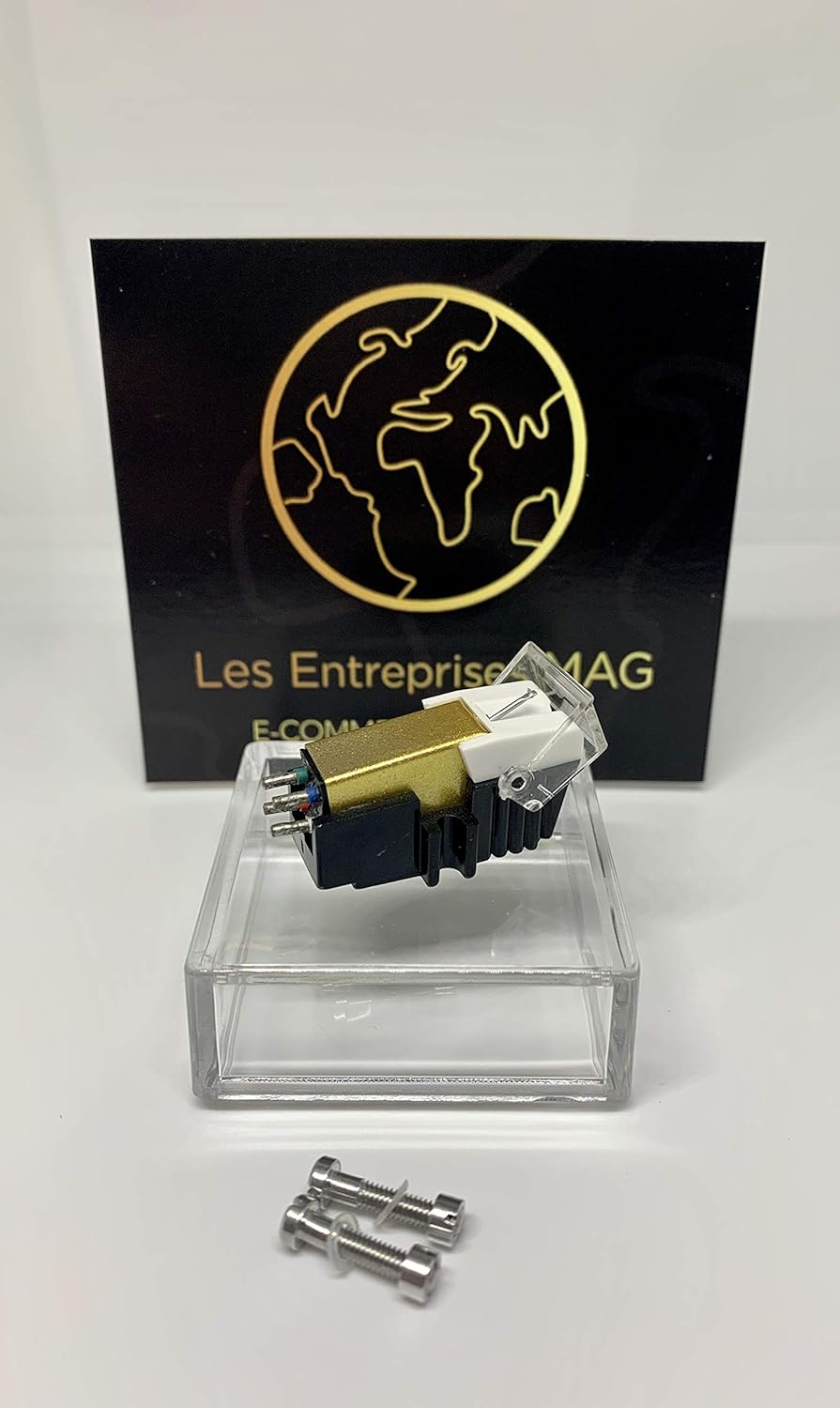
Image 1: The MAG M27BS Moving Magnet Cartridge with its diamond stylus and included mounting screws. The cartridge features a gold-colored body and a clear stylus guard.
Setup and Installation
Proper installation is crucial for optimal sound quality and to prevent damage to your records and stylus. If you require fitting advice, please contact support.
Tools Required:
- Small screwdriver (appropriate for cartridge screws)
- Needle-nose pliers or tweezers (optional, for connecting wires)
- Stylus force gauge (recommended for precise tracking force adjustment)
Installation Steps:
- Power Off: Ensure your turntable is powered off and unplugged from the mains electricity before beginning installation.
- Remove Old Cartridge (if applicable): Carefully disconnect the four small wires from the pins of the old cartridge. Note the color coding (typically Red, Green, White, Blue). Unscrew the old cartridge from the headshell.
- Attach New Cartridge: Align the MAG M27BS cartridge with the mounting holes on your turntable's headshell. Use the provided mounting screws to secure the cartridge. Do not overtighten; ensure it is snug but allows for minor adjustments.
- Connect Wires: Carefully connect the four color-coded wires from the tonearm to the corresponding pins on the back of the MAG M27BS cartridge.
- Red: Right Channel Signal (R+)
- Green: Right Channel Ground (RG-)
- White: Left Channel Signal (L+)
- Blue: Left Channel Ground (LG-)
- Stylus Guard: Keep the clear stylus guard on during initial handling to protect the diamond tip.
- Alignment: Proper cartridge alignment (overhang and azimuth) is critical for sound quality and record preservation. Refer to your turntable's specific manual for headshell alignment instructions. A protractor tool is often used for this step.
- Tracking Force Adjustment: The recommended tracking force for the MAG M27BS is 3.0g, with a range of 2.5g to 3.5g. Use your turntable's counterweight to set the tracking force. A stylus force gauge is highly recommended for accuracy.
- Anti-Skate Adjustment: Set the anti-skate control on your turntable to match the tracking force. This helps prevent the tonearm from pulling inwards or outwards across the record.

Image 2: Rear view of the MAG M27BS cartridge, illustrating the four pin connections for the audio wires. Each pin is designed for a specific channel signal or ground connection.
Operating Instructions
Once installed and properly adjusted, your MAG M27BS cartridge is ready for use. Always handle your turntable and records with care.
- Remove Stylus Guard: Gently remove the clear stylus guard before playing a record. Store it in a safe place.
- Place Record: Place your record on the turntable platter.
- Lower Tonearm: Use the tonearm lift lever to gently lower the stylus onto the lead-in groove of the record. Avoid dropping the tonearm directly onto the record.
- Playback: The cartridge will now track the grooves, converting vibrations into electrical signals for your amplifier.
- End of Record: At the end of the record, use the tonearm lift lever to raise the tonearm and return it to its rest. Replace the stylus guard when finished listening.
Maintenance
Regular maintenance ensures the longevity of your cartridge and stylus, and preserves sound quality.
- Stylus Cleaning: The diamond stylus can accumulate dust and debris, affecting sound quality and potentially damaging records. Use a soft stylus brush, specifically designed for cartridges, to gently brush the stylus from back to front (never side-to-side or front-to-back). Do this before or after each listening session.
- Record Cleaning: Clean your records regularly to prevent dust transfer to the stylus.
- Cartridge Body Cleaning: Use a soft, dry, lint-free cloth to wipe the body of the cartridge if it becomes dusty. Avoid using liquids near the stylus.
- Stylus Replacement: A diamond stylus has a finite lifespan, typically between 500 and 1000 hours of play, depending on care and record condition. A worn stylus can damage records and degrade sound. If you notice distorted sound, skipping, or excessive record wear, it may be time to replace the stylus. Contact MAG support for replacement stylus options.

Image 3: A close-up view of the MAG M27BS cartridge, highlighting the diamond stylus tip protected by a clear guard. This image emphasizes the delicate nature of the stylus.
Troubleshooting
If you encounter issues, refer to the following common problems and solutions.
| Problem | Possible Cause | Solution |
|---|---|---|
| No Sound or Weak Sound | Incorrect wiring connections; Amplifier/receiver input not selected; Damaged stylus. | Check all wire connections to the cartridge and amplifier. Ensure the correct input (Phono) is selected on your amplifier. Inspect stylus for damage. |
| Distorted Sound | Incorrect tracking force; Dirty stylus; Worn stylus; Improper alignment. | Verify tracking force is set to 3.0g. Clean the stylus. Consider stylus replacement if worn. Re-check cartridge alignment. |
| Skipping or Jumping | Incorrect tracking force; Insufficient anti-skate; Dirty record; Damaged record; Turntable not level. | Increase tracking force slightly within the recommended range (up to 3.5g). Adjust anti-skate. Clean the record. Ensure turntable is on a level surface. |
| Humming or Buzzing Noise | Grounding issue; Interference from other electronics; Loose connections. | Ensure the turntable's ground wire is properly connected to your amplifier. Move turntable away from other electronic devices. Check all audio cable connections. |
If problems persist, please contact MAG customer support for further assistance.
Specifications
Technical specifications for the MAG M27BS Moving Magnet Cartridge:
- Type: Moving Magnetic Cartridge
- Model: M27BS
- Stylus Tip: Stereo Spherical Diamond Tip
- Output Voltage (at 1kHz, 5 cm/sec): 5.5 mV ± 3dB
- Channel Balance (at 1kHz): Below 1 dB
- Channel Separation (at 1kHz): More than 15 dB
- Frequency Response: 20 ~ 20,000 Hz
- Tracking Force: 3.0g (Recommended range: 2.5g ~ 3.5g)
- Compatibility: Gemini Turntable Models XLDD50, TT2000, XLBD10, GL101, XLBD40
Warranty and Support
Your MAG M27BS cartridge comes with a 6-month warranty from the date of purchase, covering manufacturing defects. Additionally, a 14-day "any reason" return policy is offered. For warranty claims, technical assistance, or fitting advice, please contact MAG customer support through your retailer or the official MAG website.
For further assistance, please visit: My Needle Store Intl (Seller Support)


