
UGREEN CD224
Contents
UGREEN 65W USB C Charger Instruction Manual
Model: CD224
Brand: UGREEN
Product Overview
The UGREEN 65W USB C Charger is a versatile power adapter designed to efficiently charge multiple devices simultaneously. Featuring advanced GaN technology, it offers high-speed charging in a compact and lightweight form factor, making it ideal for various applications from daily use to travel.
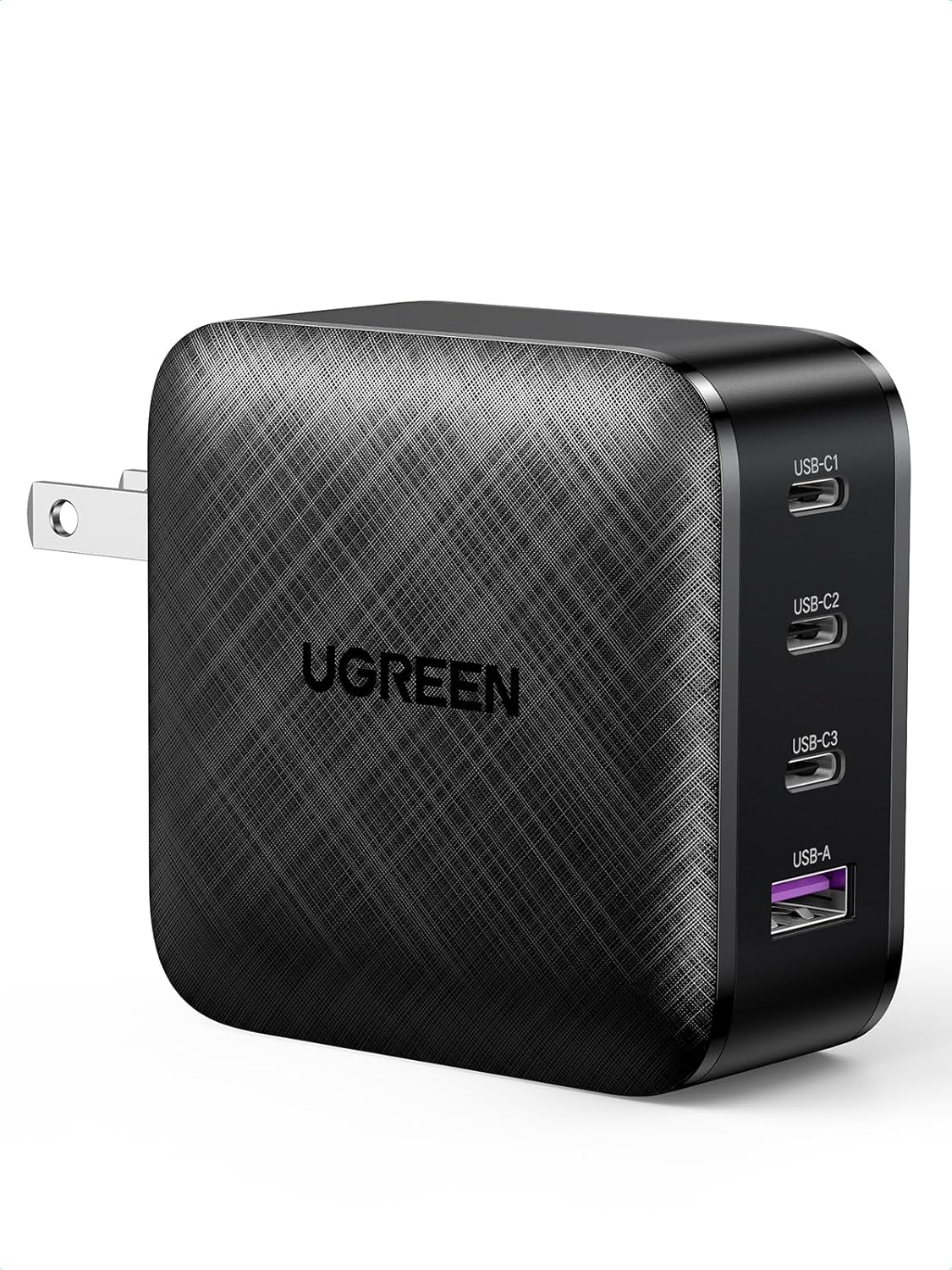
Image: UGREEN 65W USB C Charger, showcasing its compact design and four charging ports (3 USB-C, 1 USB-A).
Key Features:
- 4-in-1 Multi-Device Charging: Equipped with three USB-C ports and one standard USB-A port, allowing simultaneous charging of up to four devices including phones, tablets, and laptops.
- High-Speed Power Delivery: Supports PD3.0/QC 4.0/PPS/AFC/5V3A/BC1.2 charging protocols. Delivers a maximum 65W charge to a single device, capable of charging a MacBook Air M2 to 51% in just 30 minutes.
- Compact GaN Design: Utilizes GaN (Gallium Nitride) technology, resulting in a charger that is approximately 50% smaller than conventional laptop chargers (2.56 x 2.56 x 1.3 inches). The foldable pins enhance portability.
- Efficient and Cool Operation: Advanced GaN chips ensure high performance and efficiency while minimizing heat generation during operation.
- Broad Compatibility: Compatible with a wide range of devices including MacBook Pro/Air, Dell XPS, iPad Pro/Air, iPhone 16/15/14 series, Samsung Galaxy S24/S23 series, Nintendo Switch, and Steam Deck.
Package Contents
The UGREEN 65W USB C Charger package includes:
- 1 x UGREEN 65W USB C Charger (Model: CD224) with foldable pins
Setup Instructions
- Unpack the Charger: Carefully remove the UGREEN 65W USB C Charger from its packaging.
- Unfold the Pins: If the AC pins are folded, gently unfold them until they click into place, ready to be inserted into a wall outlet.
- Connect to Power Outlet: Insert the charger into a standard 110V AC wall outlet. Ensure the connection is secure.
- Prepare Devices: Obtain appropriate USB-C to USB-C or USB-A to USB-C/Lightning cables for your devices. Ensure cables are rated for the power output required by your devices for optimal charging.
Operating Instructions
The UGREEN 65W USB C Charger allows you to charge up to four devices simultaneously. The power distribution among the ports adjusts dynamically based on the connected devices to provide optimal charging speeds.
Charging Your Devices:
- Connect Your Device: Plug one end of your charging cable into the appropriate USB-C or USB-A port on the UGREEN charger.
- Connect to Device: Plug the other end of the charging cable into your device's charging port.
- Verify Charging: Confirm that your device indicates it is charging. The charger will automatically detect the device and deliver the appropriate power.
- Multiple Devices: To charge multiple devices, connect additional cables to the available ports. The charger's intelligent power distribution will manage the output.

Image: The UGREEN 65W charger connected to four different devices (tablet, phone, laptop, earbuds case), demonstrating its multi-device charging capability.
Understanding Power Distribution:
The charger intelligently distributes its 65W total output across the connected ports. The maximum output for individual ports or combinations will vary. Refer to the following guide for typical power distribution scenarios:
Image: Charging guide illustrating power output when one device is connected to a USB-C port (PD 65W) or USB-A port (SCP 22.5W/QC 18W).
Image: Charging guide illustrating power output when two devices are connected, showing various combinations like PD 45W + PD 18W or PD 45W + 5V 3A.
Image: Charging guide illustrating power output when three or four devices are connected, detailing how the 65W is distributed across all active ports.
Note: When a new device is plugged in or an existing device is unplugged, the charger may briefly pause charging on other connected devices to re-negotiate power distribution. This is normal behavior to ensure optimal and safe charging for all devices.
Safety Features and Precautions
The UGREEN 65W USB C Charger is built with multiple protection mechanisms to ensure safe and reliable charging for your devices.
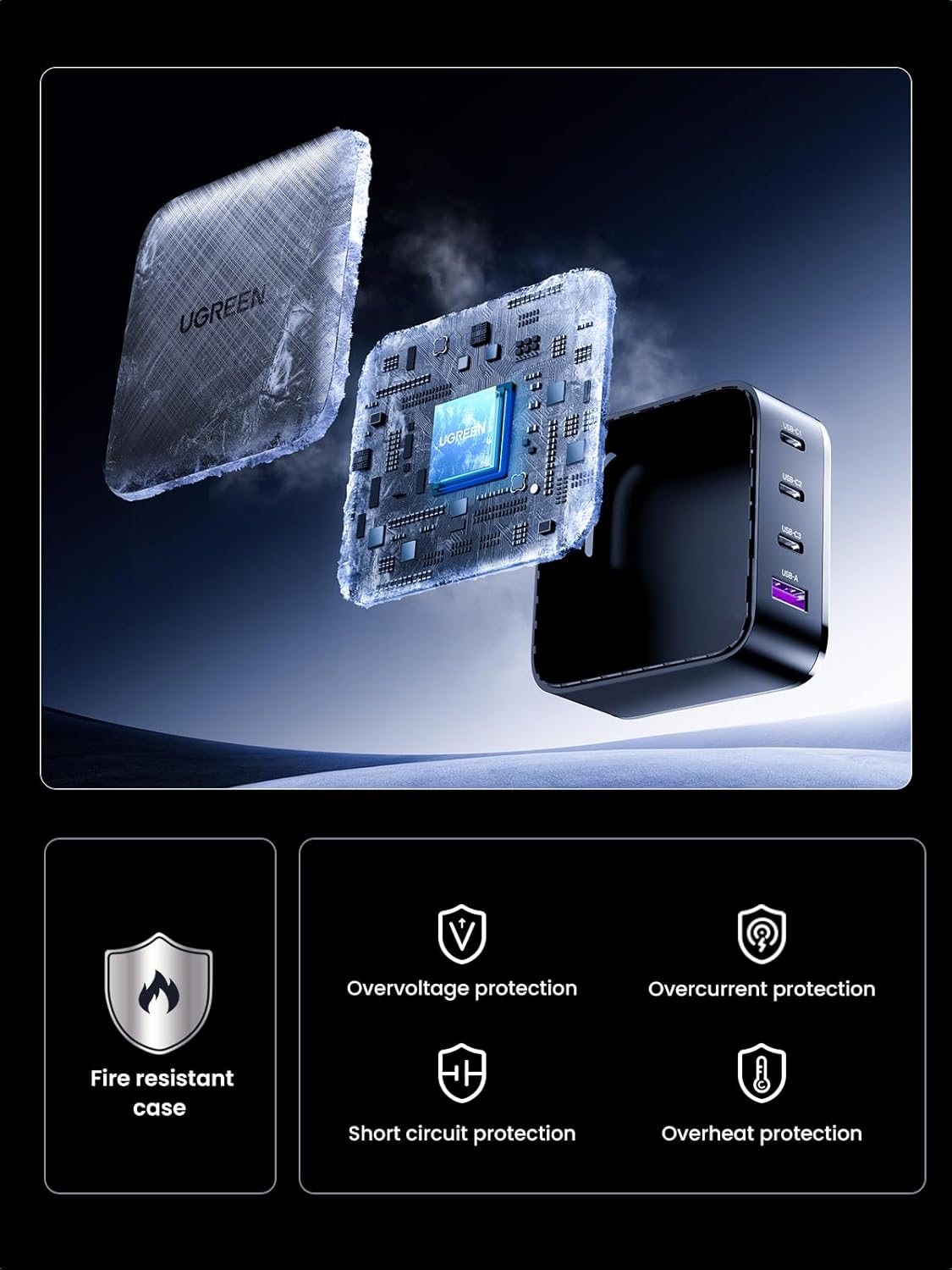
Image: Visual representation of the charger's internal safety mechanisms, including a fire-resistant case and various electronic protections.
- Fire Resistant Case: Constructed with materials designed to resist fire.
- Overvoltage Protection: Prevents damage from excessive voltage input.
- Overcurrent Protection: Safeguards against damage from excessive current output.
- Short Circuit Protection: Automatically cuts power in case of a short circuit.
- Overheat Protection: Monitors internal temperature and prevents overheating.
General Safety Precautions:
- Do not expose the charger to liquids, extreme temperatures, or direct sunlight.
- Avoid dropping or subjecting the charger to strong impacts.
- Do not attempt to disassemble, repair, or modify the charger.
- Use only certified and compatible charging cables.
- Keep out of reach of children.
Product Specifications
| Attribute | Detail |
|---|---|
| Model Number | CD224 |
| Brand | UGREEN |
| Product Dimensions | 2.56 x 2.56 x 1.3 inches |
| Item Weight | 8.8 ounces |
| Connector Type | USB Type C (x3), USB Type A (x1) |
| Total USB Ports | 4 |
| Input Voltage | 110 Volts |
| Amperage | 1.8 Amps |
| Special Feature | 65W Fast Charging, Compact, Portable, GaN Technology |
| Compatible Devices | Tablet, Laptop, Cell phone, Headphone, Smart Watch, Switch, Steam Deck |
| Manufacturer | UGREEN GROUP LIMITED |
| Date First Available | May 11, 2020 |
Troubleshooting
- Device not charging or charging slowly:
- Ensure the charger is securely plugged into a working wall outlet.
- Check if the charging cable is properly connected to both the charger and your device.
- Try using a different charging cable, as faulty cables can prevent proper charging.
- Verify that your device and cable support the fast charging protocols (e.g., PD, QC) for optimal speed.
- If multiple devices are connected, the power output per port may be reduced. Try charging a single device to see if the speed improves.
- Ensure your device's charging port is clean and free of debris.
- Charger feels warm during use:
- It is normal for the charger to become warm during operation, especially during high-power charging or when multiple devices are connected.
- If the charger becomes excessively hot to touch, disconnect it from the power outlet and all devices immediately. Allow it to cool down before attempting to use it again. If the issue persists, contact customer support.
- Ensure adequate ventilation around the charger; do not cover it or place it in an enclosed space while in use.
- Charging pauses briefly when a new device is connected:
- This is a normal function of intelligent power distribution. The charger briefly pauses to re-negotiate power output for all connected devices to ensure optimal and safe charging.
Warranty and Support
UGREEN products are designed for reliability and performance. For any issues or inquiries, please refer to the following information:
Warranty Information:
This product typically comes with a manufacturer's warranty. Please refer to the warranty card included with your purchase or visit the official UGREEN website for detailed warranty terms and conditions.
Optional protection plans may be available for extended coverage:
- 2-Year Protection Plan (additional purchase)
- 3-Year Protection Plan (additional purchase)
- Complete Protect (monthly subscription, covers multiple eligible purchases)
Return Policy:
Products purchased from Amazon.com typically have a 30-day return window for refund or replacement. Please check your purchase details for specific return eligibility.
Customer Support:
For technical support, troubleshooting assistance, or warranty claims, please contact UGREEN customer service through their official website or the retailer where the product was purchased.
You can visit the official UGREEN Store on Amazon for more information and support: UGREEN Amazon Store
Ask a question about this manual
Ask about setup, troubleshooting, compatibility, parts, safety, or missing instructions. Manuals+ will review the question and use this page’s manual context to help answer it.