
Introduction
Thank you for choosing the Victiv T70 72-inch Tripod. This manual provides detailed instructions for the proper setup, operation, and maintenance of your tripod to ensure optimal performance and longevity. Designed for versatility, the T70 tripod is suitable for various photography and video applications with cameras, DSLRs, and smartphones.
Package Contents
Please verify that all items listed below are included in your package:
- Victiv T70 Tripod
- Tripod Carry Case
- Phone Holder
- Additional 1/4 inch Quick Release Plate (Total of 2 included)
- Instruction Manual (this document)
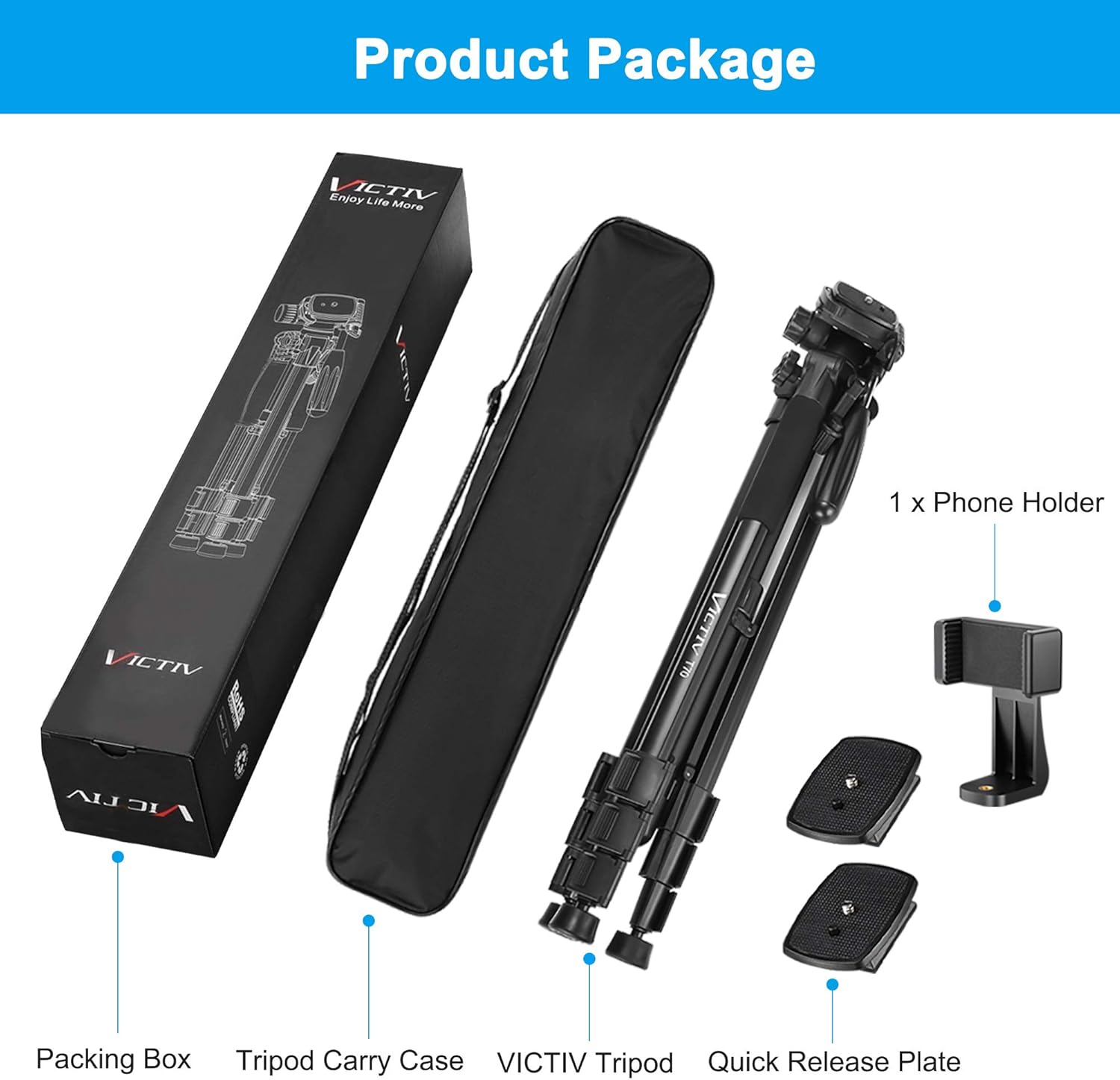
Figure 1: Victiv T70 Tripod package showing the packing box, tripod carry case, Victiv tripod, phone holder, and two quick release plates.
Setup
1. Extending the Tripod Legs
Unlock the leg section clips on each of the three tripod legs. Extend the legs to your desired height. Ensure all clips are securely fastened after adjustment to maintain stability.
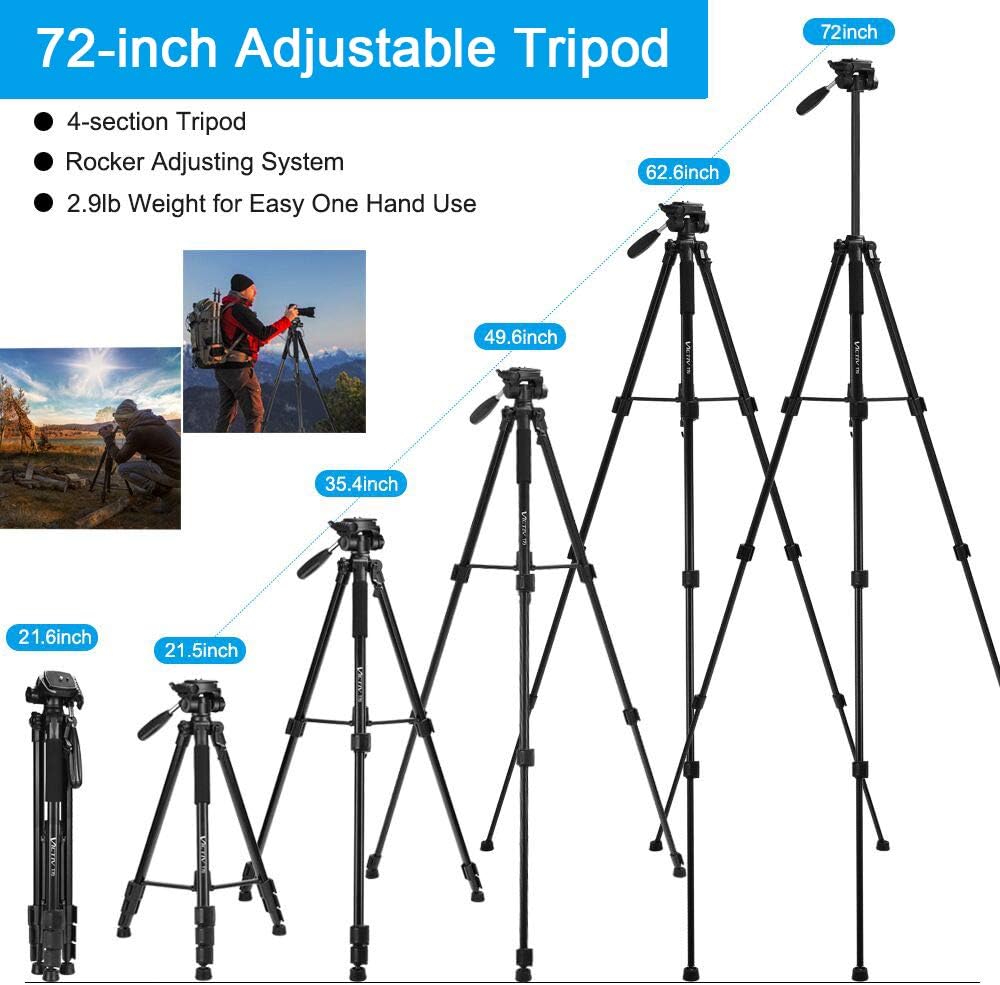
Figure 2: The Victiv T70 tripod demonstrating its adjustable height capabilities, ranging from 21.5 inches to 72 inches, with a 4-section tripod leg design and rocker adjusting system.
2. Attaching Your Device
The tripod comes with a quick release plate for cameras and a phone holder for smartphones.
- For Cameras: Attach the quick release plate to the bottom of your camera by screwing the 1/4-inch screw into the camera's tripod mount. Slide the plate with the camera onto the tripod head until it clicks securely into place.
- For Smartphones: Attach the phone holder to the quick release plate. Secure your smartphone within the expandable clips of the phone holder. Then, slide the quick release plate with the phone holder onto the tripod head.

Figure 3: Various accessories for the Victiv T70 tripod, including the 1+1 extra quick release plate, 360° rotating handle, rotary knob, soft sponge grip, non-slip rubber mats, and retractable bracket.
3. Ensuring Stability
For enhanced stability, especially in windy conditions or with heavier equipment, utilize the counterweight hook located at the bottom of the center column. You can hang a bag or other weight from this hook. The flexible non-slip rubber feet pads adapt to various terrains, providing a stable base.

Figure 4: The Victiv T70 tripod highlighting its ultra-stability features, including premium anodized aluminum construction, a counterweight hook, and center support stems, capable of supporting up to 11.6 lbs.

Figure 5: Close-up of the flexible non-slip rubber feet pads on the Victiv T70 tripod, designed for stability on various surfaces like grass, beach, mountain, and snow.
Operating the Tripod
1. Adjusting the Pan Head
The 3-way pan head allows for smooth adjustments. Use the long handle to pan (horizontal movement) and tilt (vertical movement) your device. Loosen the corresponding knobs to adjust, then tighten to secure the position.
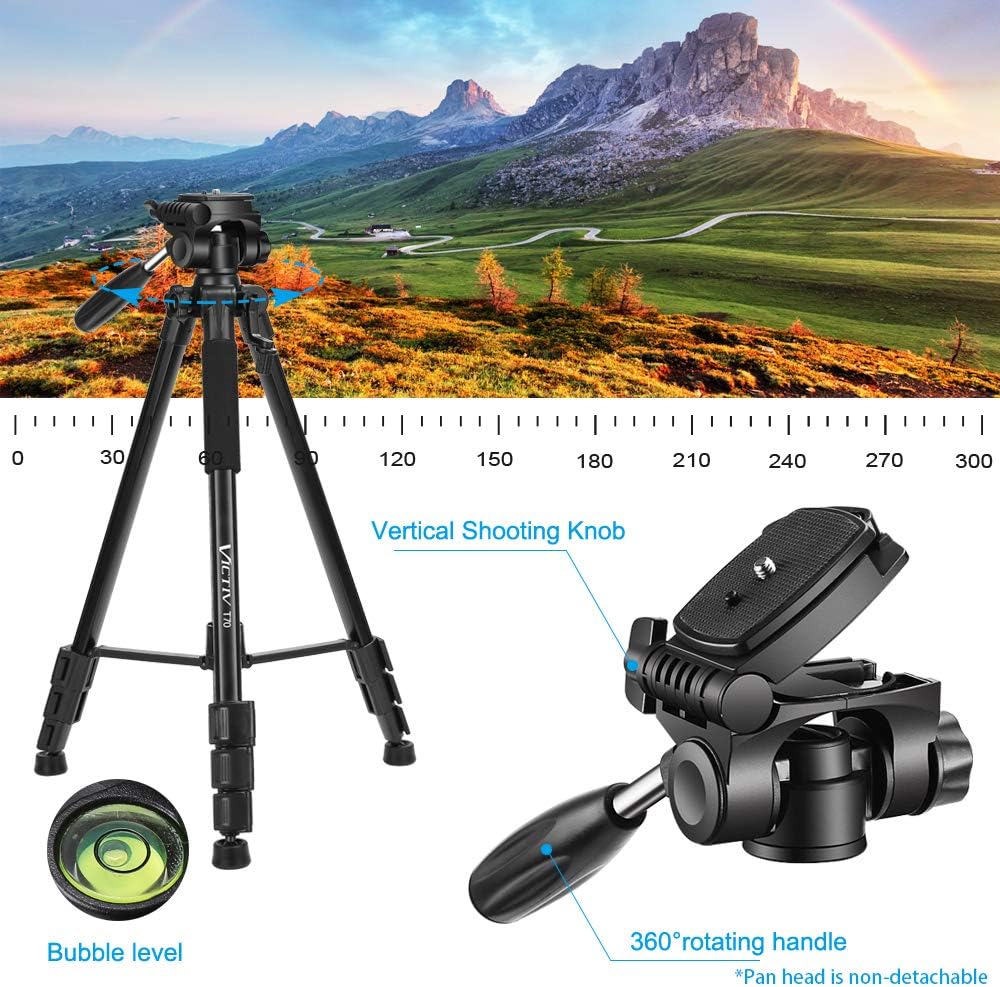
Figure 6: The Victiv T70 tripod's pan head with a 360° rotating handle and vertical shooting knob, alongside a bubble level for precise leveling. Note: The pan head is non-detachable.
2. Vertical Shooting (Portrait Mode)
To switch to vertical shooting mode, loosen the knob on the side of the pan head that allows for 90-degree tilt. Adjust your camera or phone to the desired vertical orientation and then tighten the knob to secure it.
3. Using the Bubble Level
A built-in bubble level on the tripod head helps ensure your setup is perfectly horizontal, which is crucial for landscape photography and panoramic shots.
Maintenance
- Clean the tripod regularly with a soft, dry cloth.
- Avoid exposing the tripod to extreme temperatures or harsh chemicals.
- Ensure all locking mechanisms are free of dirt and debris for smooth operation.
- Store the tripod in its carry case when not in use to protect it from dust and scratches.
Troubleshooting
1. Tripod is unstable:
Ensure all leg section clips are fully locked. Extend the legs evenly. Use the counterweight hook if necessary. Verify the rubber feet are properly seated on the surface.
2. Pan head movement is stiff:
Check if the pan and tilt knobs are sufficiently loosened. Clean any debris from the moving parts. Do not force adjustments.
3. Quick release plate not securing:
Ensure the plate is correctly aligned with the tripod head's slot and pushed in until it clicks. Verify the locking lever is engaged.
Specifications
| Feature | Detail |
|---|---|
| Model Number | T70 |
| Maximum Height | 72 inches (approx. 183 cm) |
| Minimum Height | 21.5 inches (approx. 55 cm) |
| Weight Limit | 11.6 Pounds (approx. 5.26 kg) |
| Item Weight | 1 Pounds (approx. 0.45 kg) |
| Material | Aluminum, Rubber |
| Tripod Head Type | 3-Way Pan Head |
| Number of Leg Sections | 4 |
| Compatible Devices | Camera, iPhone 11, iPhone 11 Pro, iPhone 8 Plus, iPhone X, iPhone XR, iPhone XS, DSLR |
Warranty and Support
For warranty information or technical support, please refer to the contact details provided with your purchase or visit the official Victiv website. Keep your purchase receipt as proof of purchase for any warranty claims.
