
Introduction
Thank you for choosing the TUREWELL FC1591 Portable Oral Irrigator. This device is designed to provide effective oral hygiene through a powerful water jet, reaching areas traditional brushing and flossing may miss. Please read this manual thoroughly before first use to ensure proper operation and maintenance.
Product Overview
The TUREWELL FC1591 oral irrigator features a compact, portable design with multiple cleaning modes and interchangeable nozzles to suit various oral care needs. It is equipped with a 300ml water tank and a long-lasting rechargeable battery.

Image: TUREWELL FC1591 Oral Irrigator, showing the device, its packaging, and the included set of nozzles.
Package Contents
- TUREWELL FC1591 Portable Oral Irrigator
- 5 x Interchangeable Nozzles (Standard, Periodontal Pocket, Orthodontic, Tongue Cleaner, Plaque Brush)
- USB Charging Cable (Adapter not included)
- User Manual

Image: The TUREWELL FC1591 oral irrigator, its charging cable, and the various nozzles included in the package.
Safety Information
- Do not immerse the main unit in water for extended periods. The device is IPX7 waterproof, suitable for shower use, but not for full submersion.
- Ensure the charging port cover is securely sealed before use, especially when exposed to water.
- Keep out of reach of children.
- Do not direct the water jet directly into the eyes, nose, or ears.
- If you have sensitive teeth or gums, start with the Soft mode. Consult a dentist if you experience discomfort or bleeding.
- Use only clean water or dentist-recommended oral rinse solutions.
- Do not disassemble or attempt to repair the device yourself.
Setup
1. Charging the Device
Before first use, fully charge the oral irrigator. Connect the USB charging cable to the device and a compatible USB power source (e.g., power adapter, computer, power bank). The indicator light will show charging status. A full charge takes approximately 4 hours and provides up to 21 days of continuous use.

Image: The oral irrigator being charged via a USB cable, demonstrating its portability and compatibility with various charging methods like power banks and laptops.

Image: Illustrations showing different USB charging options: power adapter, car charger, power bank, and notebook.
2. Attaching a Nozzle
Select the desired nozzle. Insert the nozzle into the hole at the top of the irrigator until it clicks into place. To remove, press the nozzle release button and pull the nozzle out.

Image: The oral irrigator displaying its 6 replacement nozzles, including periodontal pocket tip, standard jet tips, orthodontic tip, plaque brush tip, and tongue cleaner tip.

Image: The oral irrigator highlighting the 5 included nozzles and the 360-degree rotatable tip for comprehensive cleaning.
3. Filling the Water Tank
The 300ml water tank can be filled in two ways:
- Method 1 (Easy Fill): Open the small cap on the side of the water tank and pour water directly into the opening.
- Method 2 (Deep Clean): Hold the water tank and twist it 15 degrees clockwise to detach it from the main unit. Fill the tank, then reattach by twisting counter-clockwise until secure.
Ensure the tank is securely attached before use to prevent leaks.

Image: The oral irrigator demonstrating the two methods for filling the 300ml water tank: direct pouring and detaching the tank for filling.

Image: Diagram illustrating two methods for filling the water tank: directly pouring into the opening or detaching the tank for filling.
Operating Instructions
1. Power On/Off
Press the "ON/OFF" button to turn the device on or off.
2. Selecting a Mode
Press the "MODE" button to cycle through the three cleaning modes: Normal, Soft, and Pulse. The device has a memory function and will start in the last used mode.

Image: The oral irrigator illustrating its three cleaning modes: Normal for deep cleaning, Soft for sensitive users, and Pulse for gum massage.

Image: Visual representation of the three cleaning modes (Normal, Soft, Pulse) and their respective water jet patterns.
3. Using the Oral Irrigator
- Lean over a sink and place the nozzle tip into your mouth.
- Close your lips slightly to prevent splashing, but allow water to flow from your mouth into the sink.
- Aim the water jet at the gumline at a 90-degree angle.
- Start with your back teeth and work your way to the front, pausing briefly between teeth.
- Follow the gumline and clean both the inside and outside surfaces of your teeth.
- The device features an auto-timer that will stop operation automatically after two minutes.

Image: Diagram illustrating the 2-minute automatic timer feature of the oral irrigator, indicating a recommended cleaning duration.
Cleaning Modes Explained
- Normal Mode: Provides a strong, consistent water pressure (30-100 PSI) for deep cleaning and removal of food debris and plaque. Recommended for experienced users.
- Soft Mode: Offers a gentle water pressure, ideal for first-time users, children, and individuals with sensitive teeth or gums.
- Pulse Mode: Delivers pulsating water jets for gum massage and stimulation, improving gum health.
Maintenance
1. Cleaning the Water Tank
To prevent mineral buildup and ensure hygiene, regularly clean the water tank. Detach the tank by twisting it 15 degrees clockwise. Rinse it thoroughly with warm water. For deeper cleaning, use a mild soap and rinse completely.
2. Cleaning the Nozzles
After each use, rinse the nozzle under running water. For thorough cleaning, soak nozzles in a solution of 2 parts water and 1 part white vinegar for 5-10 minutes, then rinse well.
3. Cleaning the Main Unit
Wipe the main unit with a soft, damp cloth. Do not use abrasive cleaners or immerse the main unit in water.
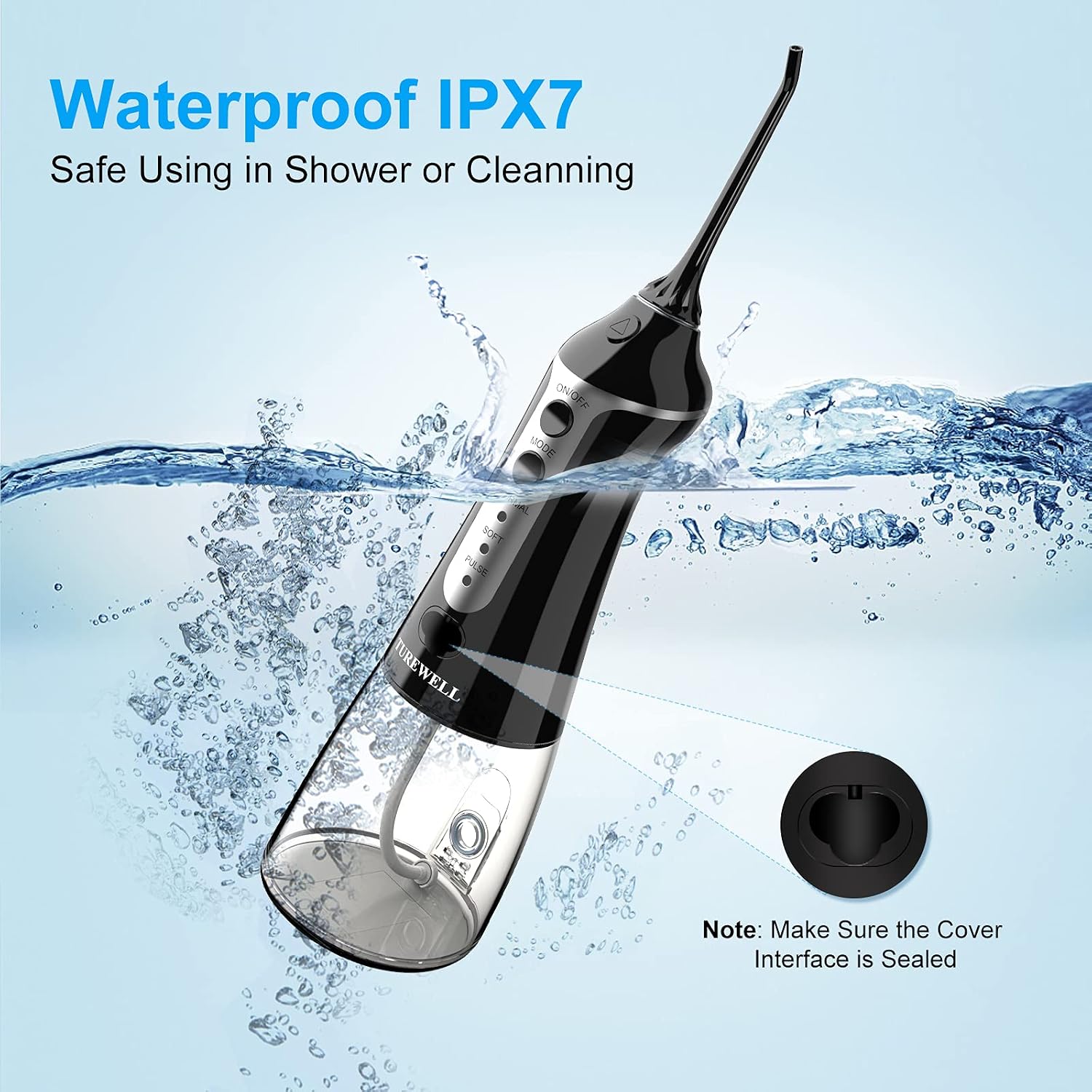
Image: The oral irrigator being splashed with water, highlighting its IPX7 waterproof rating for safe use in wet environments. A note reminds to seal the charging port cover.

Image: Close-up of the oral irrigator emphasizing its IPX7 waterproof design, suitable for use in the shower or for easy cleaning.
Troubleshooting
| Problem | Possible Cause | Solution |
|---|---|---|
| Device does not turn on. | Low battery. | Charge the device fully (approx. 4 hours). |
| Weak water pressure. | Low battery or clogged nozzle. | Charge the device. Clean or replace the nozzle. Ensure water tank is full. |
| Water leaks from the device. | Water tank not properly attached or charging port cover not sealed. | Ensure the water tank is securely twisted into place. Verify the charging port cover is tightly sealed. |
Specifications
- Model: FC1591
- Water Tank Capacity: 300 ml
- Pressure Range: 30-100 PSI
- Pulse Frequency: 1800 times/min
- Battery: 1400mAh Lithium-ion (rechargeable)
- Charging Time: Approx. 4 hours
- Operating Time: Up to 21 days (based on 2 minutes/day)
- Waterproof Rating: IPX7
- Dimensions: 8 x 7 x 20 cm
- Weight: 400 grams
- Power Source: Battery Powered (USB rechargeable)
Warranty and Support
For warranty information or technical support, please refer to the contact details provided with your purchase or visit the official TUREWELL website. Keep your purchase receipt as proof of purchase.


