
1. Introduction
Thank you for purchasing the COMLIFE Portable Mini Waist Fan. This manual provides detailed instructions for the safe and efficient operation, maintenance, and troubleshooting of your new device. Please read this manual thoroughly before use and retain it for future reference.
2. Product Features
- 3-in-1 Versatility: Designed with dual clips for waist attachment and includes a necklace strap for hands-free portability. Can be clipped to waist, hung around the neck, or held by hand.
- Extended Working Time: Equipped with a 6000mAh Polymer battery, offering up to 23 hours of cooling on a single charge at low speed.
- Powerful & Quiet Operation: Features 3 adjustable speeds with a maximum speed of 5100 RPM, while maintaining a low noise level (less than 57dB). Utilizes a safer turbo design for efficient airflow.
- Durable & Wide Application: Constructed from heavy-duty plastic, suitable for various outdoor activities such as work, gardening, farming, hiking, fishing, cycling, and shopping. Can also be used for drying eyelash glue or nail polish.
3. Package Contents
- 1 x COMLIFE Portable Mini Waist Fan
- 1 x USB Charging Cable
- 1 x Neck Strap
- 1 x User Manual
4. Product Overview
Familiarize yourself with the components of your COMLIFE Portable Mini Waist Fan.

Figure 4.1: Front and Side View of the Fan with Key Components
- 1. Air Outlet: Where the cool air is expelled.
- 2. Charging Port: USB-C port for recharging the fan.
- 3. Hole for Rope: Attachment point for the neck strap.
- 4. Switch Button: Controls power and fan speed.
- Air Inlet: Located on the back, where air is drawn into the fan.
5. Setup and Charging
5.1 Initial Charge
Before first use, fully charge the fan. The fan supports 2A fast charging and can be fully charged in approximately 3-4 hours.
- Connect the provided USB charging cable to the fan's charging port (2).
- Connect the other end of the USB cable to a compatible power source (e.g., wall charger, power bank, laptop, car charger).
- The charging indicator light will illuminate during charging and turn off when fully charged.

Figure 5.1: Charging the Fan with Various USB Power Sources
6. Operating Instructions
6.1 Power On/Off and Speed Adjustment
The fan features three speed settings: Low, Medium, and High.
- Power On: Press the Switch Button (4) once to turn on the fan at Low speed.
- Adjust Speed: Press the Switch Button (4) repeatedly to cycle through speeds: Low → Medium → High.
- Power Off: After High speed, press the Switch Button (4) one more time to turn off the fan.
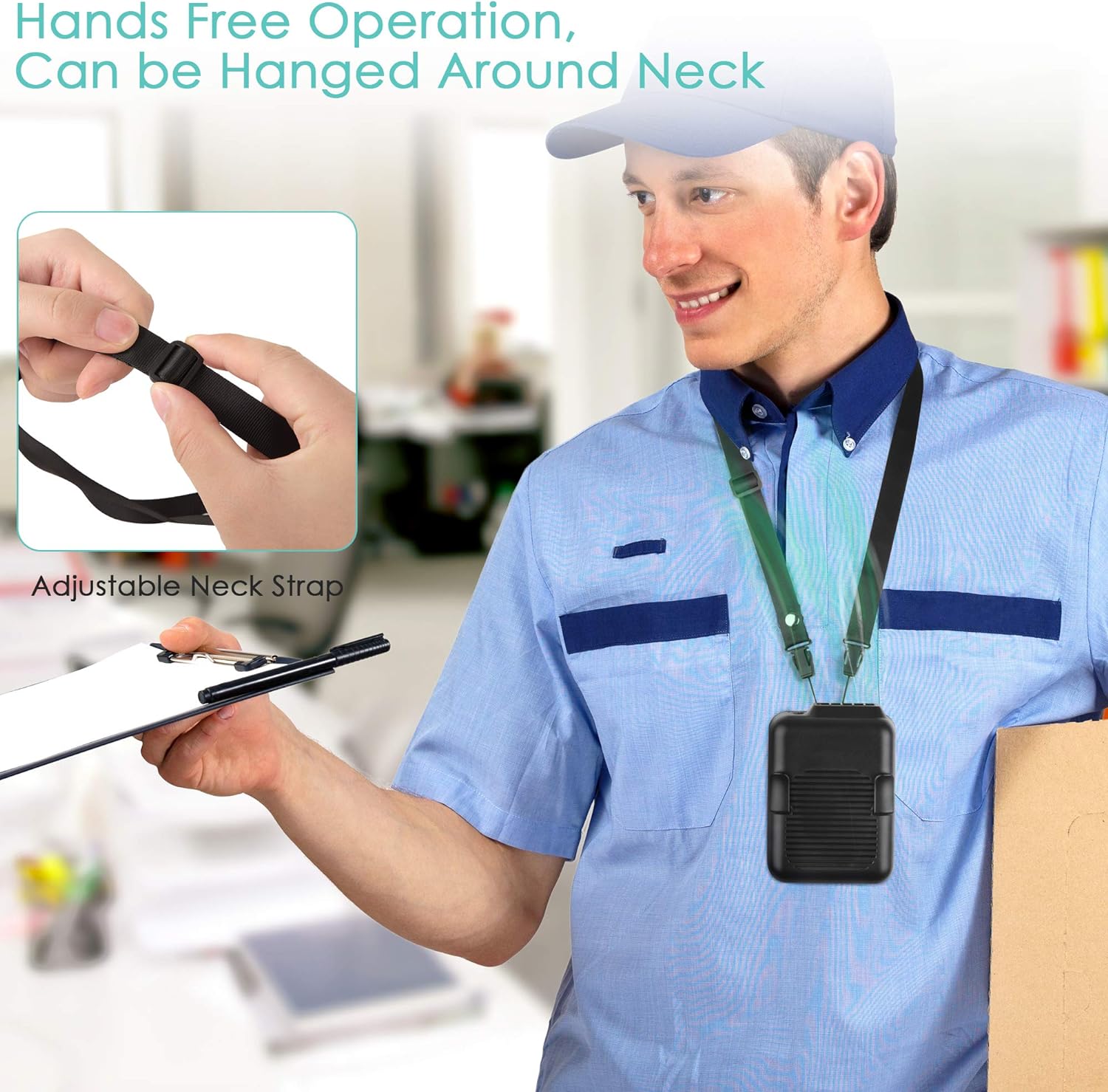
Figure 6.1: Fan Speed Settings and Battery Life
6.2 Wearing Options
The COMLIFE Portable Mini Waist Fan offers multiple ways to wear it for optimal cooling.
- Waist Clip: Use the larger clip on the back to attach the fan to your belt or pants. The smaller clips on the front can be used to secure the corner of your shirt, ensuring airflow is directed inside your clothing for maximum cooling.
- Neck Strap: Attach the included neck strap to the designated hole (3) on the fan. Hang the fan around your neck for hands-free cooling, ideal for light activities.
- Handheld: Simply hold the fan in your hand and direct the airflow as needed.

Figure 6.2: Dual-Sided Clip for Waist and Clothing Attachment

Figure 6.3: Applicable for Various Occasions
7. Maintenance
- Cleaning: Regularly wipe the exterior of the fan with a soft, dry cloth. Ensure the air inlet and outlet are free from dust and debris to maintain optimal airflow. Do not use harsh chemicals or abrasive cleaners.
- Storage: When not in use for extended periods, store the fan in a cool, dry place away from direct sunlight and extreme temperatures. Ensure the battery is partially charged (around 50%) before storage to prolong battery life.
- Battery Care: To maximize battery lifespan, avoid completely draining the battery frequently. Recharge the fan when the power is low.
8. Troubleshooting
| Problem | Possible Cause | Solution |
|---|---|---|
| Fan does not turn on. | Low battery; Power button not pressed correctly. | Charge the fan fully. Press and hold the power button for a few seconds. |
| Weak airflow. | Low battery; Air inlet/outlet blocked; Fan speed too low. | Recharge the fan. Clear any obstructions. Increase fan speed. |
| Fan makes unusual noise. | Debris inside; Internal component issue. | Turn off and gently shake to dislodge debris. If problem persists, contact customer support. |
| Fan does not charge. | Faulty cable/adapter; Charging port damaged. | Try a different USB cable and power adapter. Ensure the charging port is clean and undamaged. |
9. Specifications
| Feature | Detail |
|---|---|
| Brand | COMLIFE |
| Model Number | 68508b67-24fc-4079-8488-90131c531037 |
| Color | Black |
| Power Source | Battery Powered (6000mAh Lithium Polymer) |
| Working Time | Up to 23 hours (Low speed) |
| Speeds | 3 (Low, Medium, High) |
| Max RPM | 5100 RPM |
| Noise Level | Less than 57dB |
| Charging Time | Approx. 3-4 hours (2A fast charging) |
| Product Dimensions | 1.6"D x 3"W x 4.3"H |
| Item Weight | 11.28 Ounces |
| Material | Heavy duty plastic |
10. Official Product Videos
Watch these official videos from COMLIFE USA for more insights into your Portable Mini Waist Fan.
Video 10.1: Portable Mini Waist Fan Overview by COMLIFE USA. This video demonstrates the fan's features and usage scenarios.
11. Warranty and Support
COMLIFE products are designed for durability and performance. For warranty information, technical support, or any inquiries regarding your Portable Mini Waist Fan, please refer to the contact information provided on the product packaging or visit the official COMLIFE website. Please retain your proof of purchase for warranty claims.