
BLACK+DECKER BDEMS200C
BLACK+DECKER MOUSE BDEMS200C Electric Detail Sander User Manual
Introduction
This manual provides essential instructions for the safe and effective operation, maintenance, and care of your BLACK+DECKER MOUSE BDEMS200C Electric Detail Sander. Please read this manual thoroughly before using the tool and retain it for future reference.
General Safety Information
Always wear appropriate personal protective equipment, including safety glasses, a dust mask, and hearing protection, when operating power tools. Ensure your work area is well-lit and free from obstructions. Keep children and bystanders away from the operating area. Disconnect the tool from the power source before making any adjustments, changing accessories, or performing maintenance.
Included Components
Your BLACK+DECKER MOUSE BDEMS200C Electric Detail Sander package includes the following items:
- (1) BDEMS200C MOUSE Electric Detail Sander
- (3) Sanding Sheets
- (1) Detail Finger Attachment

Image: The BLACK+DECKER MOUSE BDEMS200C Electric Detail Sander with its compact design.
Setup
1. Attaching Sandpaper
The sander uses hook-and-loop sanding sheets for quick attachment and removal.
- Ensure the sander is unplugged.
- Align the holes on the sanding sheet with the holes on the sanding pad.
- Press the sanding sheet firmly onto the pad to secure it.
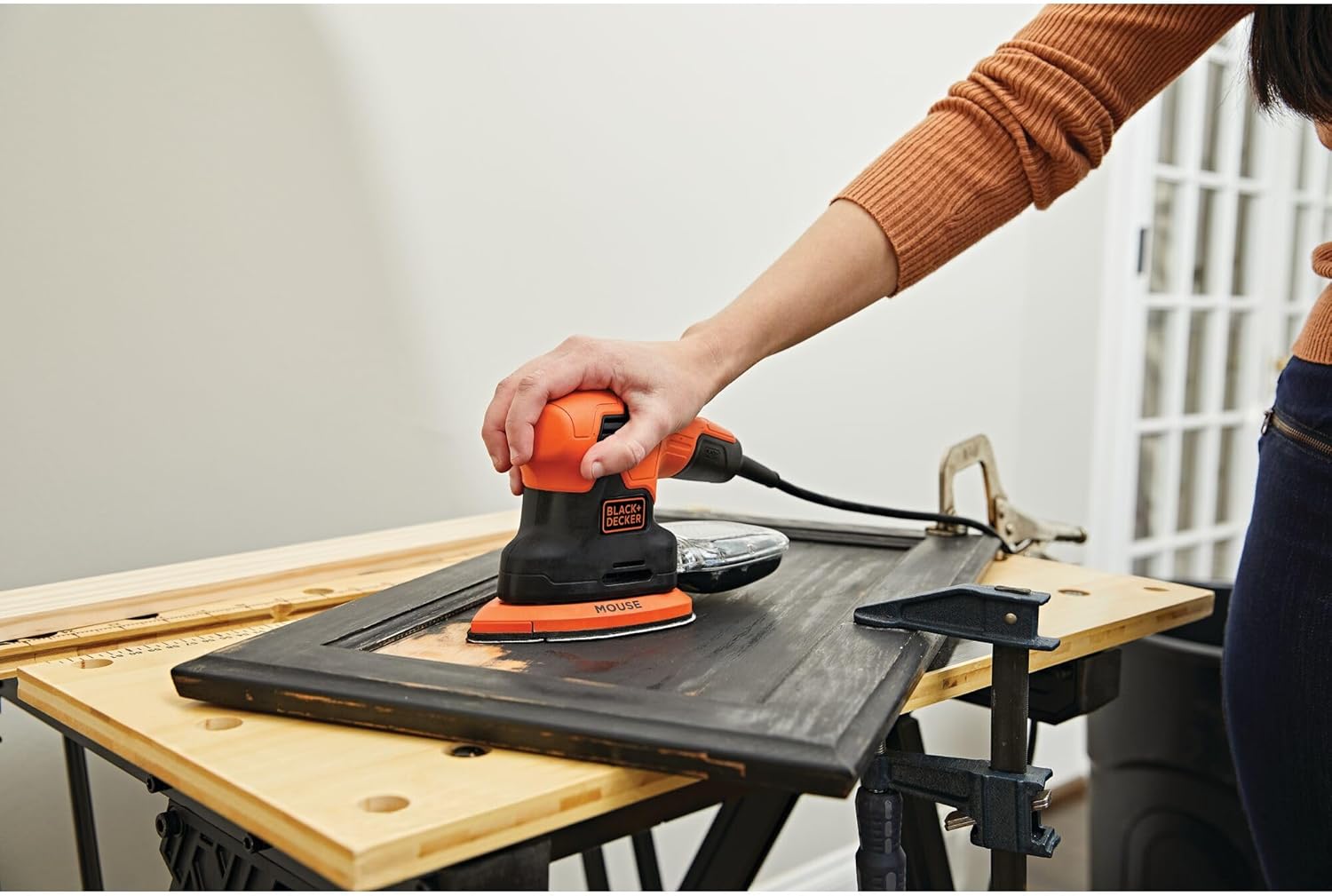
Image: A user attaching a sanding sheet to the sander's pad.
2. Attaching the Detail Finger Attachment
For intricate work and hard-to-reach areas, attach the detail finger attachment.
- Ensure the sander is unplugged.
- Slide the detail finger attachment onto the front of the sanding pad until it clicks securely into place.
- Attach a small sanding sheet to the detail finger attachment.

Image: The detail finger attachment being used to sand a chair spindle.
3. Dust Collection Canister
The integrated dust collection canister helps maintain a clean work environment.
- Ensure the canister is securely attached to the sander's dust port.
- Empty the canister regularly to maintain optimal dust collection efficiency.

Image: Close-up view of the built-in dust collection canister on the sander.
Operating Instructions
1. Power Connection
Connect the sander's power cord to a standard 120V AC electrical outlet.
2. Switching On/Off
The sander features a dust-sealed switch for durability.
- To turn on, slide the power switch to the "ON" position.
- To turn off, slide the power switch to the "OFF" position.

Image: The sander highlighting the comfort grip, dust-sealed switch, and dust canister.
3. Sanding Techniques
Hold the sander firmly with both hands, utilizing the comfort grip for control.
- General Sanding: Apply light, even pressure and move the sander in overlapping strokes across the surface. Avoid excessive pressure, which can reduce efficiency and damage the workpiece.
- Detail Sanding: Use the detail finger attachment for precise work in corners, edges, and intricate designs.

Image: A user demonstrating the comfort grip while operating the sander on a cabinet door.

Image: The sander in action, illustrating its 14,000 OPM speed for efficient material removal.
Maintenance
1. Cleaning the Dust Canister
Regularly empty the dust collection canister to maintain optimal performance and prevent clogging.
- Disconnect the sander from the power source.
- Remove the dust canister by sliding it off the dust port.
- Empty the collected dust into a waste receptacle.
- Reattach the canister securely.

Image: A user emptying the dust collection canister, showing the collected sawdust.
2. Replacing Sanding Sheets
Replace sanding sheets when they become worn or lose their abrasive quality.
- Ensure the sander is unplugged.
- Peel off the old sanding sheet from the hook-and-loop pad.
- Attach a new sanding sheet as described in the "Setup" section.
3. General Cleaning and Storage
Wipe down the tool with a damp cloth. Do not use harsh chemicals. Store the sander in a dry, secure location out of reach of children.
Troubleshooting
| Problem | Possible Cause | Solution |
|---|---|---|
| Sander does not start. | No power supply. | Check power cord connection and electrical outlet. Ensure the switch is in the "ON" position. |
| Poor sanding performance. | Worn sanding sheet. | Replace with a new sanding sheet. |
| Excessive dust in work area. | Dust canister full or improperly attached. | Empty and securely reattach the dust canister. Ensure sanding sheet holes align with pad holes. |
| Excessive vibration. | Sanding sheet improperly attached or damaged. | Realign or replace the sanding sheet. Inspect the pad for damage. |
Specifications
| Feature | Detail |
|---|---|
| Model Number | BDEMS200C |
| Brand | BLACK+DECKER |
| Power Source | Corded Electric |
| Voltage | 120 Volts |
| AC Adapter Current | 1.2 Amps |
| Maximum Rotational Speed | 14,000 OPM (Orbits Per Minute) |
| Item Weight | 2.5 Pounds |
| Product Dimensions | 10.12 x 5.51 x 4.61 inches |
| Grit Type (Included) | Fine (180 Grit) |
Warranty Information
This BLACK+DECKER MOUSE BDEMS200C Electric Detail Sander is covered by a 2 Year Limited Warranty. For specific terms and conditions, please refer to the warranty card included with your product or visit the official BLACK+DECKER website.
Customer Support
For technical assistance, replacement parts, or warranty claims, please contact BLACK+DECKER customer service. You can find contact information on the official BLACK+DECKER website or through the documentation provided with your product.
Website: www.blackanddecker.com
Related documentsBDEMS200C


Ask a question about this manual
Ask about setup, troubleshooting, compatibility, parts, safety, or missing instructions. Manuals+ will review the question and use this page’s manual context to help answer it.