1. Introduction
This manual provides detailed instructions for the installation, operation, and maintenance of your DollaTek F540 V2 3300KV Waterproof Brushless Sensorless Motor. Designed for 1/10 scale RC vehicles, this motor offers high performance and durability. Please read this manual thoroughly before use to ensure proper function and safety.
2. Safety Instructions
- Always disconnect the battery before performing any maintenance or installation.
- Ensure all connections are secure and properly insulated to prevent short circuits.
- Operate the motor within its specified voltage and current limits to avoid damage.
- Keep hands and loose clothing away from rotating parts during operation.
- The motor can become hot during use. Allow it to cool before handling.
- This product is not a toy. Keep out of reach of children.
- Refer to your Electronic Speed Controller (ESC) manual for compatible settings and wiring.
3. Package Contents
Upon opening the package, verify that all items are present and in good condition:
- 1 x DollaTek F540 V2 3300KV Brushless Sensorless Motor

Image 1: DollaTek F540 V2 3300KV Brushless Sensorless Motor. This image shows the overall view of the motor with its three gold-plated connectors.
4. Product Overview and Features
The DollaTek F540 V2 motor is engineered for optimal performance in 1/10 scale RC applications. Key features include:
- High Torque Design: 4-pole, 12-slot high-torque motor design.
- Durable Casing: CNC machined 6061 T6 aluminum heatsink can.
- High Efficiency: High purity copper windings maximize efficiency.
- Precision Bearings: High RPM ABEC5 oversized bearings.
- Universal Fit: Suitable for all 1/10 brushless RC cars with multiple mounting system for M3 screws.
- Balanced Rotor: Precision balanced rotor for smoothness, reliability, and maximum RPM.
- Optimized Stator: Super thin (0.35mm) stator laminations.
- Serviceable Design: Removable/replaceable rotor.
- Waterproof Design: Enhanced protection against water and dust.
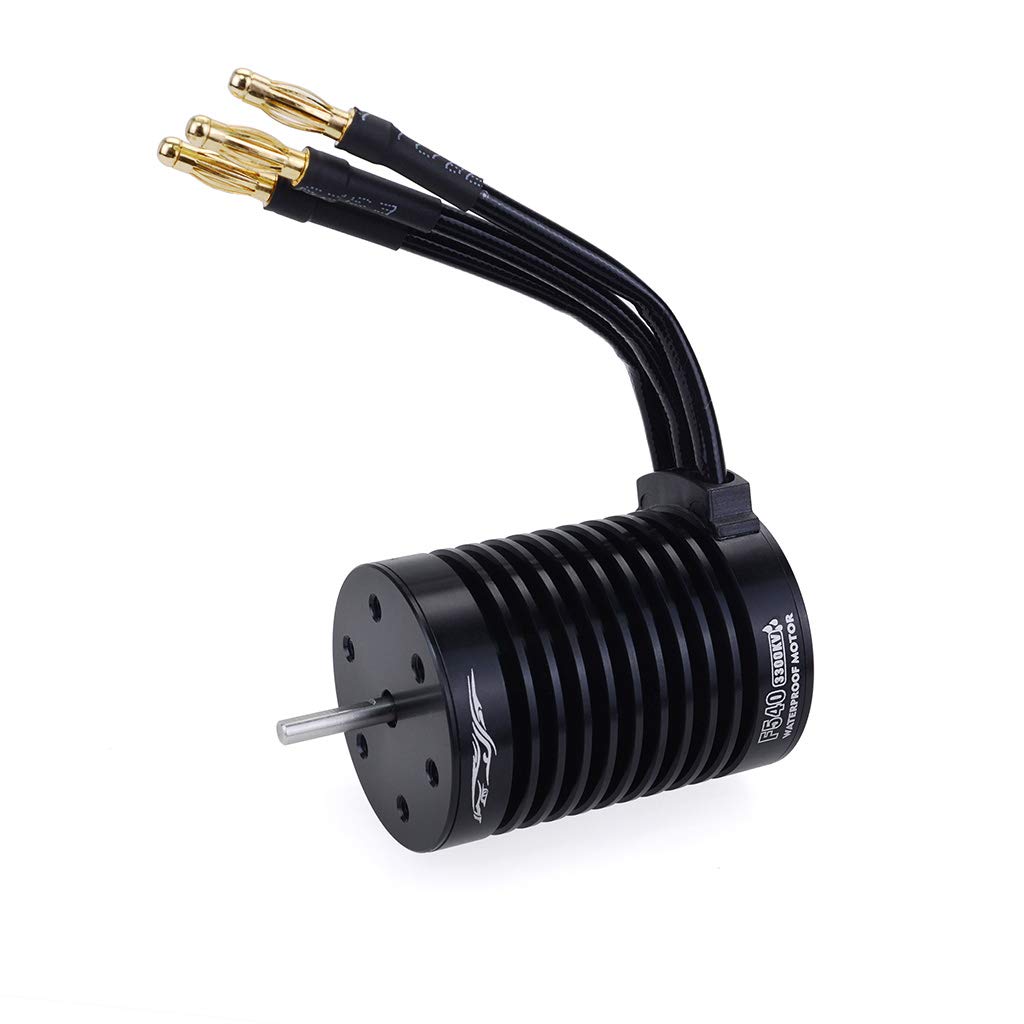
Image 2: Side view of the DollaTek F540 V2 motor, highlighting the three gold-plated bullet connectors for ESC connection.
5. Specifications
| Parameter | Value |
|---|---|
| Item Number | F540 V2 12T |
| KV Rating | 3300KV |
| Watts | 800W |
| Max Voltage | <17V |
| Max Amps | 47A |
| Rotor Poles | 4 |
| IO (No-load Current) | 1.9A |
| Resistance | 0.0285 Ohms |
| Max RPM | 50000 RPM |
| Connector Type | 4.0mm Gold Bullet |
| Motor Length | 50 mm |
| Motor Diameter | 36 mm |
| Shaft Diameter | 3.175 mm |
| Extended Shaft Length | 15 mm |
| Weight | Approx. 125g |
| Material | Metal and Plastic |
| Color | Black |
| Compatibility | 1/10 Scale Brushless RC Cars |

Image 3: Top view of the DollaTek F540 V2 motor, showing the output shaft and mounting screw holes.
6. Setup and Installation
- Mounting the Motor: Securely mount the motor to your RC vehicle's motor mount using appropriate M3 screws. Ensure the motor is aligned correctly with the pinion gear.
- Pinion Gear Installation: Install the pinion gear onto the motor shaft. Ensure it is properly meshed with the spur gear, allowing for a small amount of play (backlash) to prevent binding.
- ESC Connection: Connect the three motor wires to your Electronic Speed Controller (ESC). For sensorless motors, the order of connection typically does not matter for initial setup, but if the motor spins in the wrong direction, swap any two of the three wires.
- Battery Connection: Connect your battery to the ESC. Ensure the battery's voltage is within the motor's specified maximum voltage (<17V).
- Calibration: Follow your ESC's instructions for calibration with the motor. This typically involves setting throttle endpoints.

Image 4: Side view of the DollaTek F540 V2 motor, showing the ribbed heatsink design for efficient cooling.
7. Operating Instructions
- Initial Test: After installation, perform a low-speed test to ensure the motor spins smoothly and in the correct direction. Adjust wiring if necessary.
- Temperature Monitoring: Regularly monitor the motor's temperature during operation. Excessive heat can damage the motor and ESC. If the motor becomes too hot to touch (over 80°C or 176°F), reduce gearing or adjust ESC settings.
- Waterproof Feature: While the motor is waterproof, it is recommended to avoid prolonged submersion or exposure to corrosive liquids. Always dry the motor thoroughly after wet use.
- ESC Settings: Optimize your ESC settings (e.g., timing, punch, drag brake) for the best performance and efficiency with this motor. Refer to your ESC manual for guidance.
8. Maintenance
- Cleaning: Periodically clean the motor exterior to remove dirt, dust, and debris. Use a soft brush or compressed air.
- Inspection: Regularly inspect the motor wires and connectors for any signs of wear, fraying, or corrosion.
- Bearing Check: Check the motor bearings for smooth operation. If they feel rough or noisy, they may need replacement. The rotor is removable/replaceable for servicing.
- Shaft Condition: Ensure the motor shaft is straight and free from bends or damage.

Image 5: Bottom view of the DollaTek F540 V2 motor, showing the mounting screw pattern.
9. Troubleshooting
| Problem | Possible Cause | Solution |
|---|---|---|
| Motor not spinning or stuttering | Loose wire connections, incorrect ESC calibration, damaged ESC, damaged motor. | Check all wire connections. Recalibrate ESC. Test with a different ESC or motor if possible. |
| Motor spins in wrong direction | Incorrect motor wire connection to ESC. | Swap any two of the three motor wires connected to the ESC. |
| Motor overheating | Overgeared, excessive load, incorrect ESC timing, insufficient cooling. | Reduce pinion gear size or increase spur gear size. Reduce vehicle load. Adjust ESC timing. Ensure adequate airflow. |
| Loss of power or inconsistent performance | Low battery voltage, damaged battery, loose connections, motor or ESC damage. | Charge or replace battery. Check all connections. Inspect motor and ESC for visible damage. |
10. Warranty and Support
DollaTek products are manufactured to high-quality standards. This product comes with a limited warranty. Please refer to the product packaging or the retailer's website for specific warranty terms and conditions.
For technical support or inquiries, please contact your point of purchase or visit the official DollaTek website for contact information.