
Introduction
This manual provides detailed instructions for the installation, operation, and maintenance of your Thermaltake S100 TG Mini Tower PC Case. The S100 TG is designed for compact builds, offering high expandability and efficient cooling within a sleek form factor. It features a tempered glass swing door panel for easy access and component visibility.
Product Features
- Tempered Glass Swing Door Panel: The left side panel is made of durable tempered glass and features a swing door design for convenient access to internal components.
- Compact Design with High Expandability: Despite its mini-tower form factor, the S100 TG supports graphics cards up to 330mm in length and CPU coolers up to 165mm in height.
- Versatile Storage Options: Equipped with drive bays supporting two 3.5-inch drives and two 2.5-inch drives.
- Efficient Cooling Support: Capable of accommodating up to a 280mm liquid cooling radiator at the front, ensuring optimal thermal performance.
- Comprehensive Dust Protection: Features removable dust filters on the top and bottom to prevent dust accumulation and maintain system longevity.
- Convenient I/O Ports: Front I/O panel includes one USB 3.0 port, two USB 2.0 ports, and audio jacks for easy peripheral connectivity.
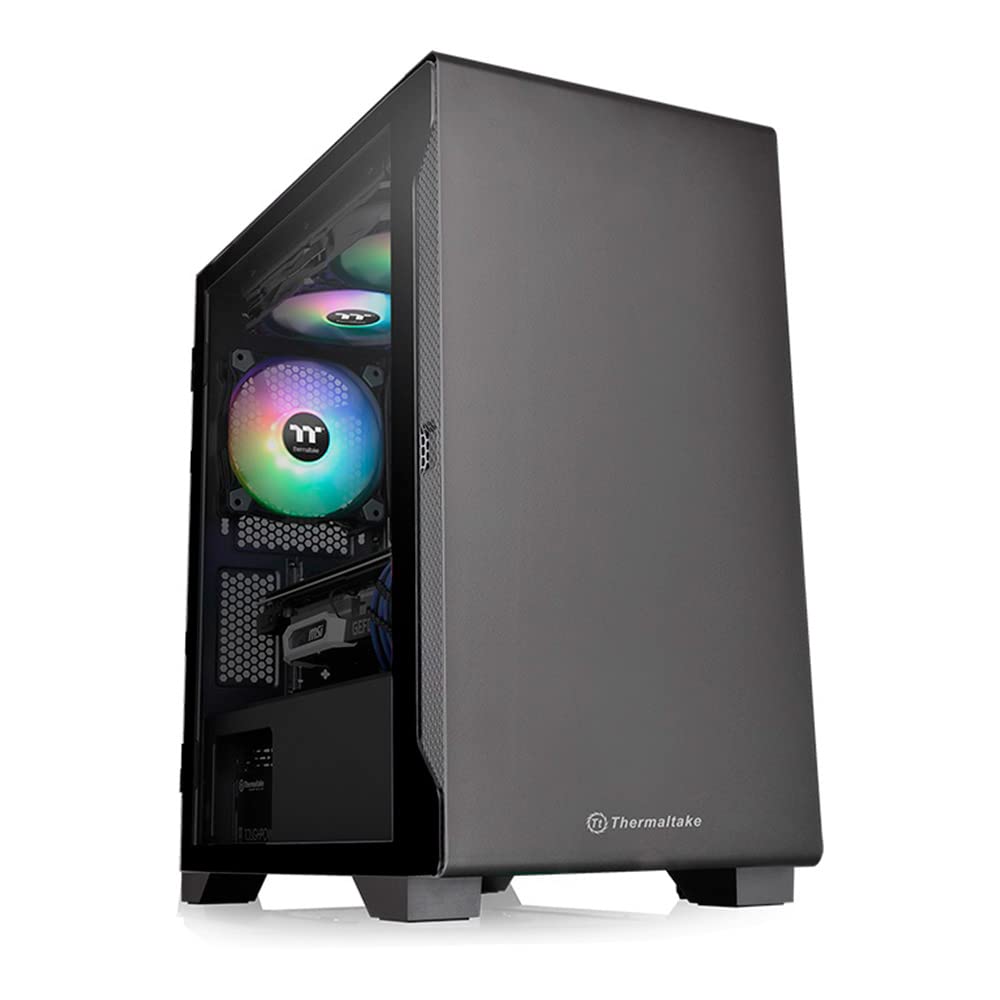
Image: Front and side view of the Thermaltake S100 TG Mini Tower PC Case, showcasing its tempered glass panel.
Specifications
| Brand | Thermaltake |
| Model Name | S100 TG (CA-1Q9-00S1WN-00) |
| Case Type | Mini Tower |
| Motherboard Compatibility | Micro ATX, Mini-ITX |
| Material | Tempered Glass, Steel |
| Color | Black |
| Product Dimensions (D x W x H) | 41.1 cm x 22 cm x 41.1 cm |
| Product Weight | 6.1 kg |
| Expansion Slots | 4 |
| Internal Drive Bays | 2 x 3.5-inch, 2 x 2.5-inch |
| Front I/O Ports | 1 x USB 3.0, 2 x USB 2.0, Audio Jacks |
| Included Fans | 1 x 120mm Rear Fan |
| Max CPU Cooler Height | 165 mm |
| Max GPU Length | 330 mm |
| Max PSU Length | 160 mm (with HDD Rack), 200 mm (without HDD Rack) |
| Radiator Support (Front) | Up to 280mm |
| Origin | China |

Image: Detailed dimensions and component clearance for the S100 TG case, including CPU cooler height and GPU length.
Setup and Installation
Before beginning installation, ensure you have all necessary components and tools.
- Prepare the Case: Place the case on a stable, flat surface. Open the tempered glass swing door panel by gently pulling it open.
- Install Motherboard: Secure your Micro ATX or Mini-ITX motherboard onto the standoffs provided inside the case. Ensure all screws are tightened appropriately.
- Install CPU Cooler: If using an air cooler, install it before or after the motherboard, depending on its design. Ensure it does not exceed the maximum height of 165mm. For liquid cooling, install the radiator (up to 280mm) at the front of the case.
- Install Graphics Card: Insert your graphics card into the appropriate PCIe slot. The case supports cards up to 330mm in length. Secure it with screws.
- Install Storage Drives: Mount your 3.5-inch and 2.5-inch drives into the designated drive bays.
- Install Power Supply Unit (PSU): Install the PSU at the rear bottom of the case. Ensure proper cable management for optimal airflow.
- Connect Cables: Connect all power cables from the PSU to your components (motherboard, GPU, drives). Connect front panel I/O cables (USB, audio, power/reset switches) to the motherboard.
- Cable Management: Utilize the cable routing options behind the motherboard tray to keep cables tidy and improve airflow.
- Close Case: Once all components are installed and cables are managed, close the tempered glass swing door panel.
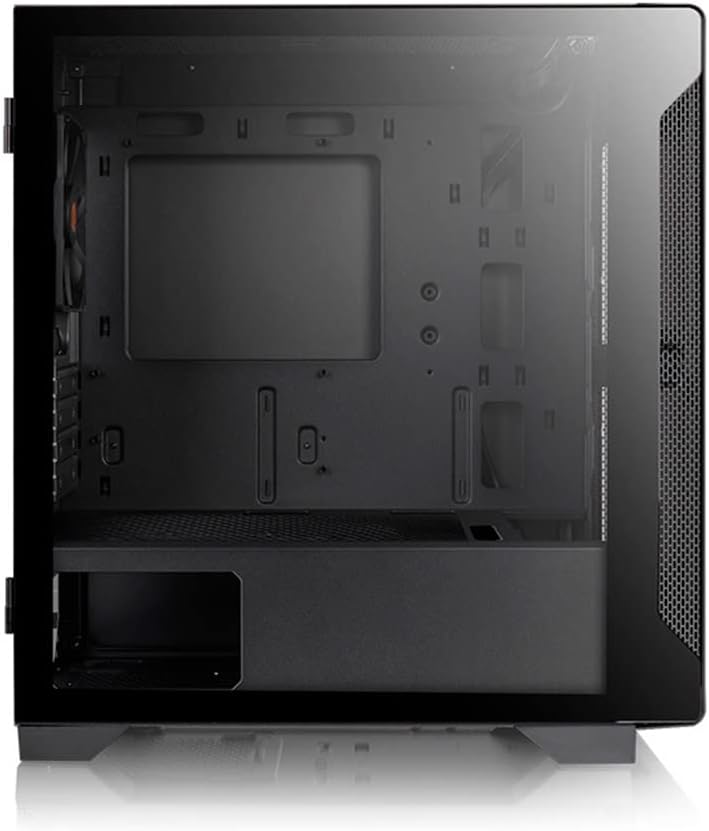
Image: Internal layout of the S100 TG case, illustrating space for motherboard, GPU, and drive bays.
Operating Instructions
The Thermaltake S100 TG PC case is designed for straightforward operation.
- Power On/Off: Use the power button located on the top front panel to turn your system on or off.
- USB Connectivity: Connect USB devices to the front panel USB 3.0 and USB 2.0 ports.
- Audio Connectivity: Use the front panel audio jacks for headphones and microphones.
- Airflow: Ensure the case has adequate clearance around its intake and exhaust vents for optimal airflow. Avoid blocking the front, top, or rear fan areas.
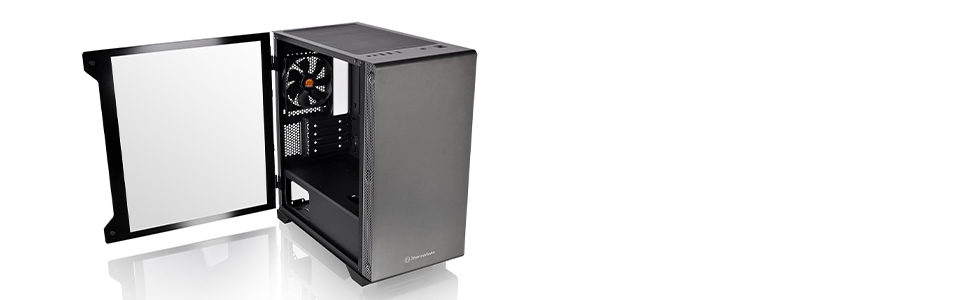
Image: Front view highlighting the I/O ports and the compact, simple design of the S100 TG case.
Maintenance
Regular maintenance helps ensure the longevity and optimal performance of your PC components.
- Dust Filter Cleaning: The S100 TG is equipped with removable dust filters on the top and bottom. Regularly remove and clean these filters to prevent dust buildup, which can impede airflow and cause overheating.
- Interior Cleaning: Periodically open the tempered glass panel and use compressed air to remove dust from internal components such as fans, heatsinks, and graphics cards. Ensure the system is powered off and unplugged before cleaning.
- Exterior Cleaning: Wipe the exterior surfaces of the case with a soft, damp cloth. Avoid using harsh chemicals or abrasive materials that could damage the finish or tempered glass.

Image: Illustration of the removable dust filters located on the top and bottom of the S100 TG case for easy cleaning.
Troubleshooting
If you encounter issues with your PC case, consider the following common solutions:
- System Not Powering On:
- Check all power connections from the PSU to the motherboard and components.
- Ensure the front panel power switch cable is correctly connected to the motherboard.
- Verify the PSU is switched on.
- Overheating Issues:
- Clean dust filters and internal components as described in the Maintenance section.
- Ensure all case fans are properly installed and functioning.
- Verify that there is adequate airflow around the case.
- Front Panel Ports Not Working:
- Check that the USB and audio cables from the front panel are securely connected to the correct headers on your motherboard.
- Noise from Case Fans:
- Ensure fan screws are tightened.
- Check for any cables obstructing fan blades.
- Consider replacing noisy fans if they are old or damaged.
Warranty and Support
The Thermaltake S100 TG PC Case comes with a 2-year warranty from the date of delivery. To claim warranty service, the delivery note is required. Please note that the warranty is limited to use within Japan. For further support or inquiries, please visit the official Thermaltake website or contact your local retailer.
Product Video Overview
Video: An overview of the Thermaltake S100 TG Mini Tower PC Case, highlighting its compact size, I/O ports, cooling capabilities, and dust protection features.


