
Walfront TS-TP40-B
Walfront Digital Meat Thermometer TS-TP40 User Manual
Model: TS-TP40-B
Introduction
Thank you for purchasing the Walfront Digital Meat Thermometer TS-TP40. This advanced cooking thermometer is designed to help you achieve perfect cooking results every time, whether you're grilling, baking, or roasting. Featuring a large LCD display, four color-coded probes, and a wireless range of up to 100m, it provides precise temperature monitoring for multiple food items simultaneously. This manual provides detailed instructions for setup, operation, maintenance, and troubleshooting to ensure optimal performance and longevity of your device.
Package Contents
Please check the package contents upon unboxing to ensure all components are present:
- 1 x Main Machine (Receiver)
- 1 x Auxiliary Machine (Transmitter)
- 4 x Temperature Probes (color-coded)
- 2 x Probe Clips
- 1 x User Manual

Image: All components of the Walfront Digital Meat Thermometer TS-TP40, including the main receiver unit, the auxiliary transmitter unit, four distinct color-coded temperature probes, and two metal probe clips.
Specifications
| Brand | Walfront |
| Model Name | TS-TP40 |
| Item Model Number | TS-TP40-B |
| Temperature Detection Range | -20℃ to 300℃ (-4℉ to 572℉) |
| Wireless Distance | Up to 100m / 328.1ft |
| Display Type | LCD |
| Power Supply (Main Machine) | 2 x AAA Battery (Not Included) |
| Power Supply (Auxiliary Machine) | 2 x AAA Battery (Not Included) |
| Main Machine Size | Approx. 124 x 71 x 25 mm / 4.9 x 2.8 x 1 in |
| Auxiliary Machine Size | Approx. 90 x 72 x 25 mm / 3.5 x 2.8 x 1 in |
| Probe Length | Approx. 62mm / 2.4in |
| Total Line Length (with Probe) | Approx. 1170mm / 46.1in |
| Weight | Approx. 382g / 13.5oz |
| Material | ABS + Stainless Steel |

Image: Detailed dimensions of both the main receiver unit and the auxiliary transmitter unit of the thermometer, showing height, width, and thickness.
Setup
1. Battery Installation
Both the Main Machine (receiver) and Auxiliary Machine (transmitter) require 2 x AAA batteries each. Batteries are not included.
- Locate the battery compartment on the back of both units.
- Open the battery cover.
- Insert 2 x AAA batteries into each unit, ensuring correct polarity (+/-).
- Close the battery cover securely.

Image: The rear view of both the main and auxiliary thermometer units, highlighting the battery compartments and integrated kickstands for tabletop use.
2. Probe Connection
Connect the temperature probes to the Auxiliary Machine (transmitter).
- The Auxiliary Machine has four ports for the probes.
- Insert each probe's jack firmly into an available port. The probes are color-coded for easy identification.
3. Initial Power On
Press the LIGHT/O button on the Auxiliary Machine to power it on. The Main Machine will automatically connect to the Auxiliary Machine.
Operating Instructions
1. Temperature Unit Switching (℃/℉)
To switch between Celsius (℃) and Fahrenheit (℉) temperature units:
- On the Main Machine, press the ℃/℉ button.
- The display will toggle between the two units.

Image: The main display unit showing the temperature readings, demonstrating the ability to switch between Celsius and Fahrenheit units.
2. Setting Target Temperature and Food Type
The thermometer allows you to set specific target temperatures and select pre-programmed food types for each probe.
- Press the MEAT button to cycle through different meat types (e.g., Beef, Poultry, Fish).
- Press the TASTE/O button to select the desired doneness level (e.g., Well, Medium, Rare).
- Alternatively, you can manually set a target temperature using the MODE button to select a probe, then use the SEC/▼ and MIN/▲ buttons to adjust the target temperature.
3. Using the Timer/Countdown Function
The device includes a timer function for convenience.
- Press the MODE button until the timer icon appears on the display.
- Use the SEC/▼ and MIN/▲ buttons to set the desired countdown time.
- Press START/STOP to begin or pause the countdown.
- Press CLEAR to reset the timer.

Image: The main display unit illustrating the timing and countdown features, showing how to set and monitor cooking durations.
4. Backlight Operation
The LCD display features a backlight for improved visibility in low-light conditions.
- Press the LIGHT/O button on the Main Machine to activate the blue backlight.
- The backlight will turn orange when the target temperature is reached or an alarm condition is met.

Image: The main display unit demonstrating the two backlight colors: a normal blue backlight for general viewing and an orange backlight that illuminates when an alarm condition (e.g., target temperature reached) is triggered.
5. Placement Options
Both units are designed for versatile placement.
- Magnetic Back: The units have magnets on the back, allowing them to be attached to metallic surfaces like refrigerators or oven doors.
- Integrated Stand: A foldable bracket on the back allows the units to stand upright on a countertop or table.
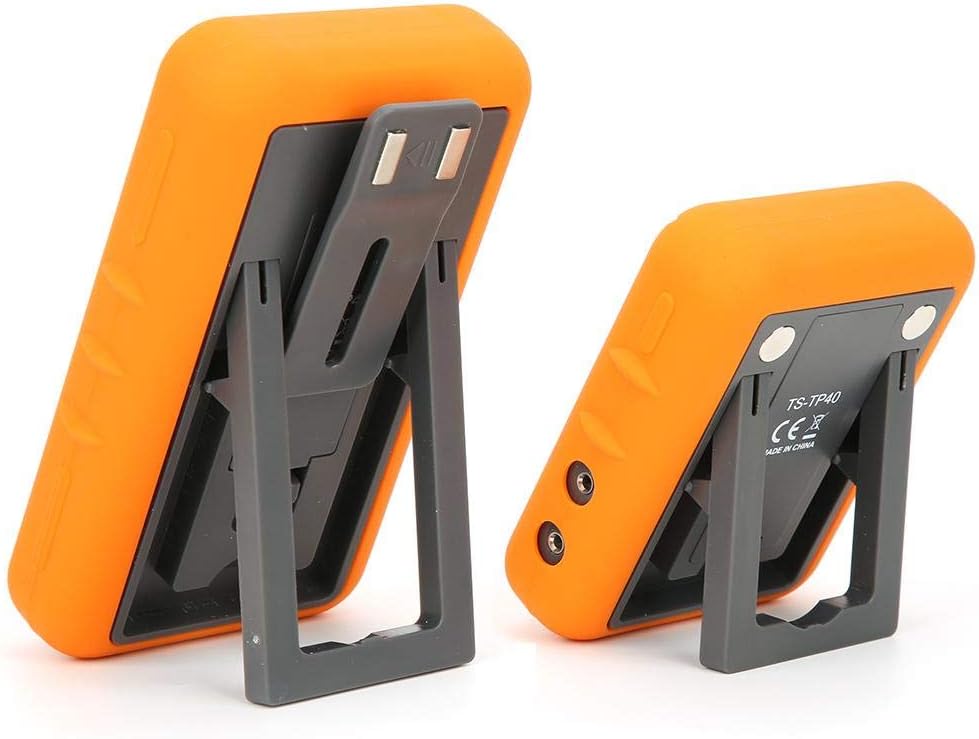
Image: The main and auxiliary thermometer units shown with their integrated kickstands extended, demonstrating their ability to stand independently on a flat surface.
Maintenance
Cleaning
- Wipe the thermometer units with a damp cloth. Do not immerse the units in water.
- The probes can be cleaned with warm soapy water. Ensure the probe connectors are dry before re-inserting them into the unit.
- Do not use abrasive cleaners or scouring pads, as this may damage the surface.
Storage
- Store the thermometer and probes in a clean, dry place when not in use.
- Remove batteries if the device will not be used for an extended period to prevent leakage.
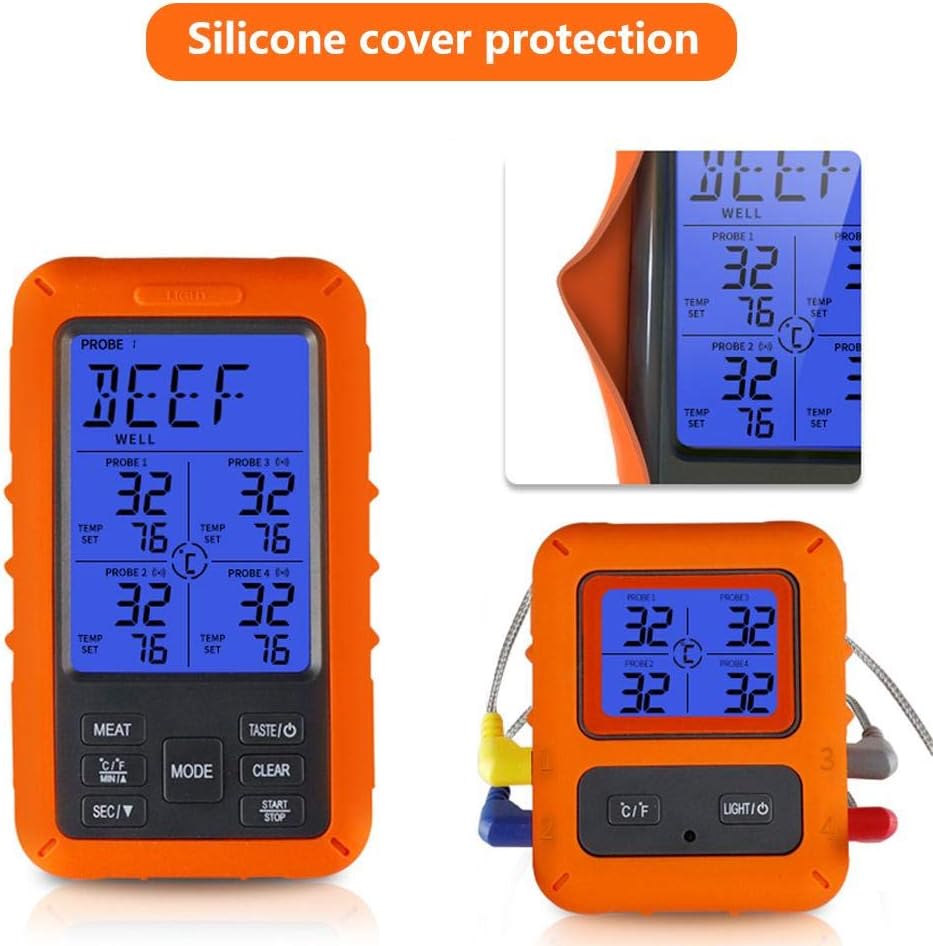
Image: The main display unit encased in its protective silicone cover, highlighting the durable design that aids in maintenance and longevity.
Troubleshooting
| Problem | Possible Cause | Solution |
|---|---|---|
| No display/Unit won't turn on. | Batteries are dead or incorrectly inserted. | Replace batteries with new ones, ensuring correct polarity. |
| Inaccurate temperature readings. | Probe not fully inserted; probe damaged; probe tip not in the center of the thickest part of the meat. | Ensure probe is fully inserted. Check probe for visible damage. Re-insert probe into the correct part of the food. |
| No connection between Main and Auxiliary Unit. | Units are out of range; interference; low batteries. | Move units closer together. Avoid placing near strong electromagnetic sources. Replace batteries in both units. |
| Alarm not sounding. | Volume too low or muted; target temperature not set. | Check device settings for alarm volume. Ensure a target temperature is set for the active probe. |
Warranty and Support
Walfront products are manufactured to high-quality standards. For warranty information or technical support, please refer to the contact details provided with your purchase or visit the official Walfront website. Please retain your proof of purchase for warranty claims.
For further assistance, you may contact Walfront customer service through their official channels.
Ask a question about this manual
Ask about setup, troubleshooting, compatibility, parts, safety, or missing instructions. Manuals+ will review the question and use this page’s manual context to help answer it.