
1. Introduction
Thank you for choosing the PERLESMITH Universal Swivel TV Stand. This stand is designed to provide a stable, height-adjustable, and swiveling solution for your television, enhancing your viewing experience. This manual provides detailed instructions for assembly, operation, maintenance, and troubleshooting to ensure safe and optimal use of your new TV stand.
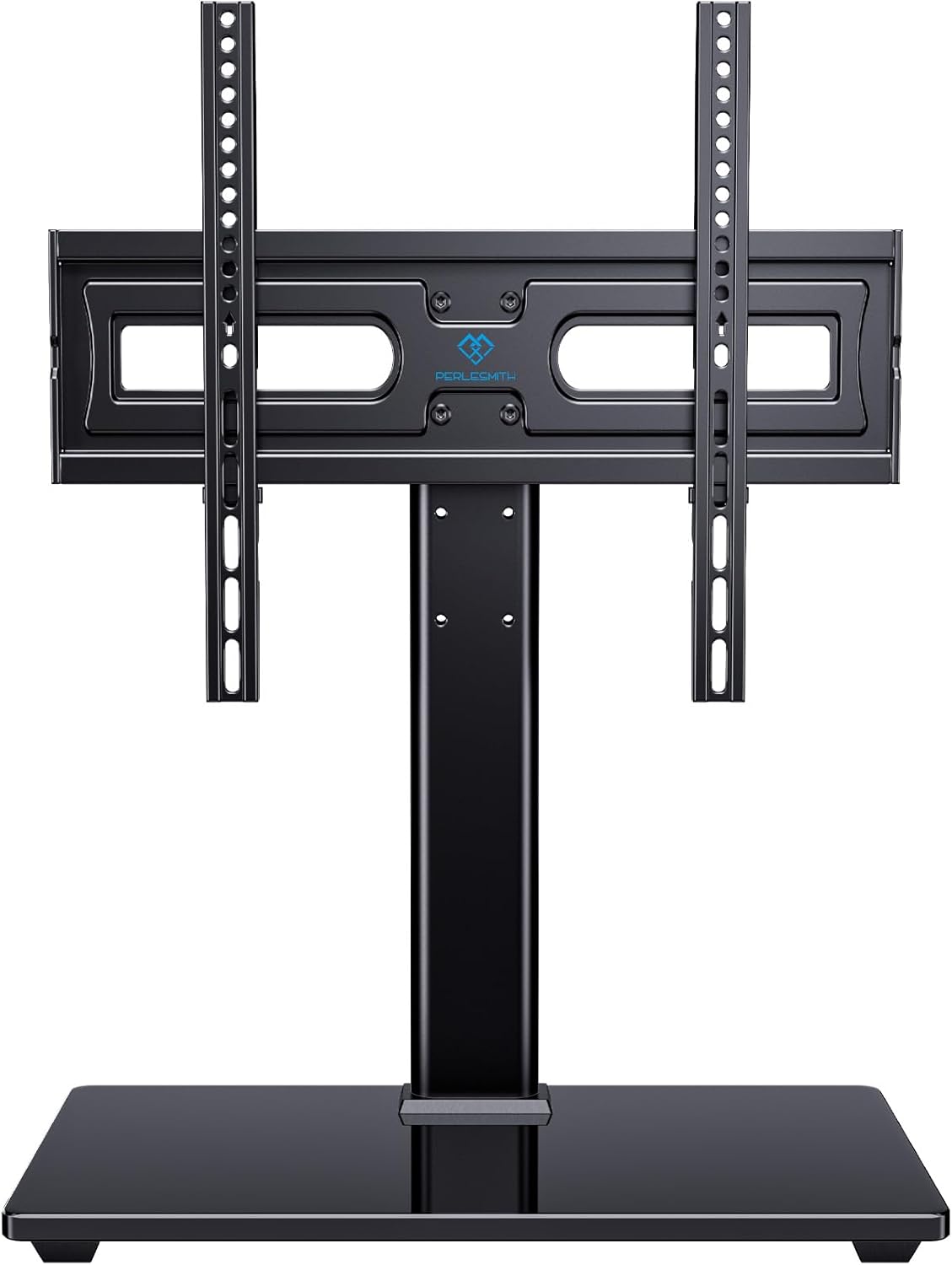
This tabletop TV stand offers a robust alternative to traditional TV feet, providing enhanced stability and the ability to adjust viewing angles and height. It is suitable for a wide range of flat-screen TVs.

2. Safety Information
Please read all instructions carefully before assembly and installation. If you do not understand these instructions or have doubts about the safety of the installation, please contact a qualified installer or PERLESMITH customer support.
- Weight Capacity: Do not exceed the maximum weight capacity of 88 lbs (40 kg). This stand is intended for use with the maximum weights indicated. Use with products heavier than the maximum weights indicated may result in instability causing possible injury.
- TV Size: This stand is compatible with TVs from 32 to 65 inches. Ensure your TV falls within this range.
- VESA Compatibility: Verify your TV's VESA pattern is between 100x100mm and 400x400mm.
- Component Check: Ensure all components are present and undamaged before assembly. Do not use damaged parts.
- Proper Use: Use this product only for its intended purpose as described in this manual.
- Children: Keep children away from the assembly area. Small parts may be a choking hazard.
- Stability: Always ensure the stand is placed on a stable, level surface.
3. Compatibility and Dimensions
Before assembly, it is crucial to confirm that your television is compatible with this stand and that the stand will fit your intended location.
3.1 TV Size and Weight
This stand is designed to accommodate most LCD, LED, OLED, and flat-screen TVs ranging from 32 to 65 inches. The maximum weight capacity is 88 lbs (40 kg).

3.2 VESA Pattern Compatibility
The VESA pattern refers to the spacing of the mounting holes on the back of your TV. This stand supports VESA patterns from 100x100mm (4"x4") up to 400x400mm (16"x16").

To find your TV's VESA pattern, measure the horizontal and vertical distance between the mounting holes on the back of your TV (in millimeters).
3.3 Stand Dimensions
Ensure the stand's dimensions fit your desired placement area. The base measures approximately 15.75 inches (width) by 9.45 inches (depth). The overall height is adjustable from 20.9 inches to 26.8 inches.

4. Assembly and Installation
The PERLESMITH TV stand is designed for easy assembly. All necessary hardware and a detailed instruction manual are included. No drilling into walls is required.

For detailed, step-by-step assembly instructions, please refer to the official Installation Manual PDF: Download Installation Manual (PDF)
Key Assembly Steps (Summary):
- Unpack all components and verify against the parts list in the manual.
- Assemble the tempered glass base and the main support column.
- Attach the TV mounting brackets to the back of your television, ensuring correct screw length and spacers are used for your specific TV model.
- Mount the TV (with attached brackets) onto the main support column. Secure the TV using the provided safety screws.
- Adjust the height of the TV as desired (see Section 5.2).
5. Operating Instructions
Once assembled, your PERLESMITH TV stand offers convenient features for optimal viewing.
5.1 Swivel Function
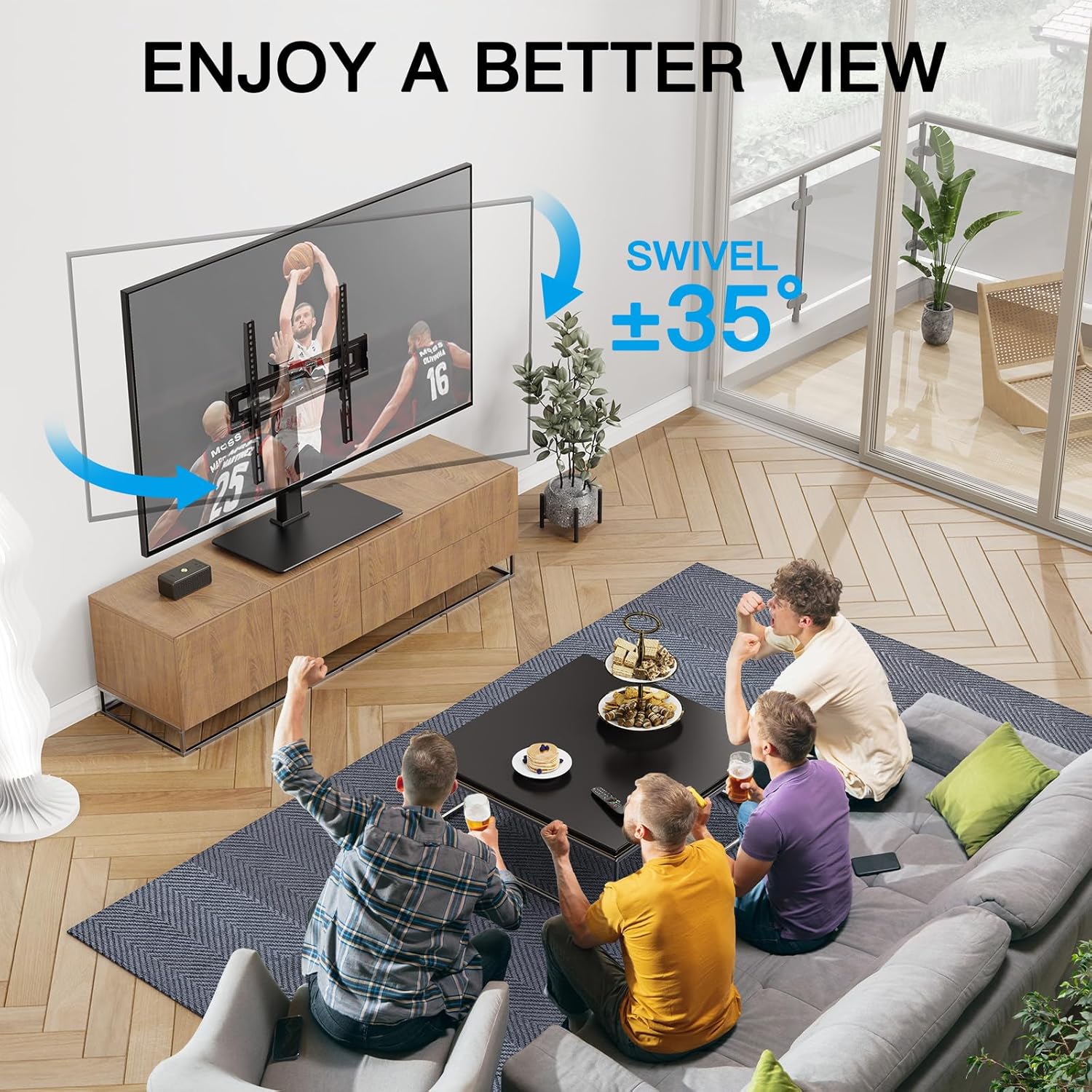
The stand allows for a 70-degree swivel range, 35 degrees left and 35 degrees right. This feature enables you to easily adjust the viewing angle to suit different seating positions or room layouts.

5.2 Height Adjustment
The TV stand offers multiple height adjustment options to position your TV at the ideal viewing level or to accommodate a soundbar underneath. There are 3 height adjustment positions for the TV plate, and the TV brackets themselves offer 2 height adjustment options, 2.17 inches apart, providing a total of 6 height options.


5.3 Cable Management
The stand features integrated cable management clips on the back of the main column. Use these clips to route and organize your TV and device cables, maintaining a neat and tidy appearance.

6. Maintenance
Regular maintenance will help ensure the longevity and continued safe operation of your TV stand.
- Cleaning: Use a soft, damp cloth to clean the stand. Avoid harsh chemicals or abrasive cleaners, which can damage the finish or tempered glass.
- Fastener Check: Periodically check all screws and bolts to ensure they remain tight. Re-tighten if necessary, but do not overtighten.
- Glass Care: The tempered glass base is durable but can be scratched or chipped if subjected to sharp impacts. Handle with care.
7. Troubleshooting
If you encounter any issues with your PERLESMITH TV stand, refer to the following common problems and solutions:
| Problem | Possible Cause | Solution |
|---|---|---|
| Stand is wobbly or unstable. | Loose fasteners; uneven surface; TV weight exceeds capacity. | Ensure all screws are tightened. Place stand on a level surface. Verify TV weight is within 88 lbs. |
| TV does not fit the mounting brackets. | Incorrect VESA pattern; wrong screw size. | Check your TV's VESA pattern (100x100mm to 400x400mm). Use the correct screws and spacers provided for your TV model. |
| Difficulty swiveling the TV. | Friction; obstruction. | Ensure no cables or objects are obstructing the swivel mechanism. The swivel is designed to be smooth but firm. |
| Missing parts during assembly. | Packaging error. | Contact PERLESMITH customer support immediately for replacement parts. |
If you experience issues not listed here, or if the suggested solutions do not resolve the problem, please contact PERLESMITH customer support for assistance.
8. Specifications
Detailed technical specifications for the PERLESMITH Universal Swivel TV Stand.
| Specification | Detail |
|---|---|
| Model Number | PSTVS17 |
| Compatible TV Sizes | 32 - 65 inches |
| Maximum Weight Capacity | 88 lbs (40 kg) |
| VESA Compatibility | 100x100mm to 400x400mm |
| Swivel Range | ±35 degrees (70 degrees total) |
| Height Adjustment | Multiple positions (approx. 12.05" to 15.98" to TV plate, 2.17" bracket options) |
| Base Material | Heavy-Duty Tempered Glass |
| Column Material | Alloy Steel |
| Color | Black |
| Item Weight | 8.69 pounds |
| Package Dimensions | 17.6 x 11.02 x 2.32 inches |
9. Warranty and Support
PERLESMITH is committed to providing high-quality products and excellent customer service.
This product comes with a standard manufacturer's warranty. For specific warranty details, please refer to the documentation included with your purchase or visit the official PERLESMITH website.
If you have any questions, require assistance with assembly, or need to report a missing/damaged part, please do not hesitate to contact our US-based customer support team. Our team is ready to help you.
Contact Information: Please refer to the contact details provided on the PERLESMITH official website or your product packaging for the most up-to-date support channels.


