
Introduction
Thank you for choosing the RAMPOW 60W USB C to USB C Cable. This cable is designed for efficient power delivery and data transfer between compatible USB-C devices. Featuring a durable braided design and support for up to 60W Power Delivery, it ensures reliable performance for your charging and syncing needs.
Please read this manual carefully to understand the proper use and care of your cable.
Package Contents
- 1 x RAMPOW 60W USB C to USB C Cable (6.6ft / 2m)
Setup
Setting up your RAMPOW USB C to USB C cable is straightforward. No software installation is required.
- Identify Ports: Ensure both your charging adapter and device have USB-C ports.
- Connect to Power Source: Insert one end of the RAMPOW USB C cable into a compatible USB-C power adapter (e.g., a wall charger or power bank).
- Connect to Device: Insert the other end of the cable into the USB-C port of your device (e.g., laptop, smartphone, tablet).
- Verify Connection: Confirm that the cable is securely inserted into both ports. Your device should indicate that it is charging or connected for data transfer.

Figure 1: Connecting the USB-C cable to a laptop and power adapter for charging.
Operating Instructions
Charging Your Device
This cable supports Power Delivery (PD) up to 60W, enabling fast charging for compatible devices when paired with a suitable PD-enabled power adapter.
- Connect the cable as described in the "Setup" section.
- For optimal fast charging, ensure your power adapter supports USB Power Delivery (PD) or Qualcomm Quick Charge 3.0 and matches your device's charging requirements.
- The charging speed will vary depending on the device, power adapter, and remaining battery level.
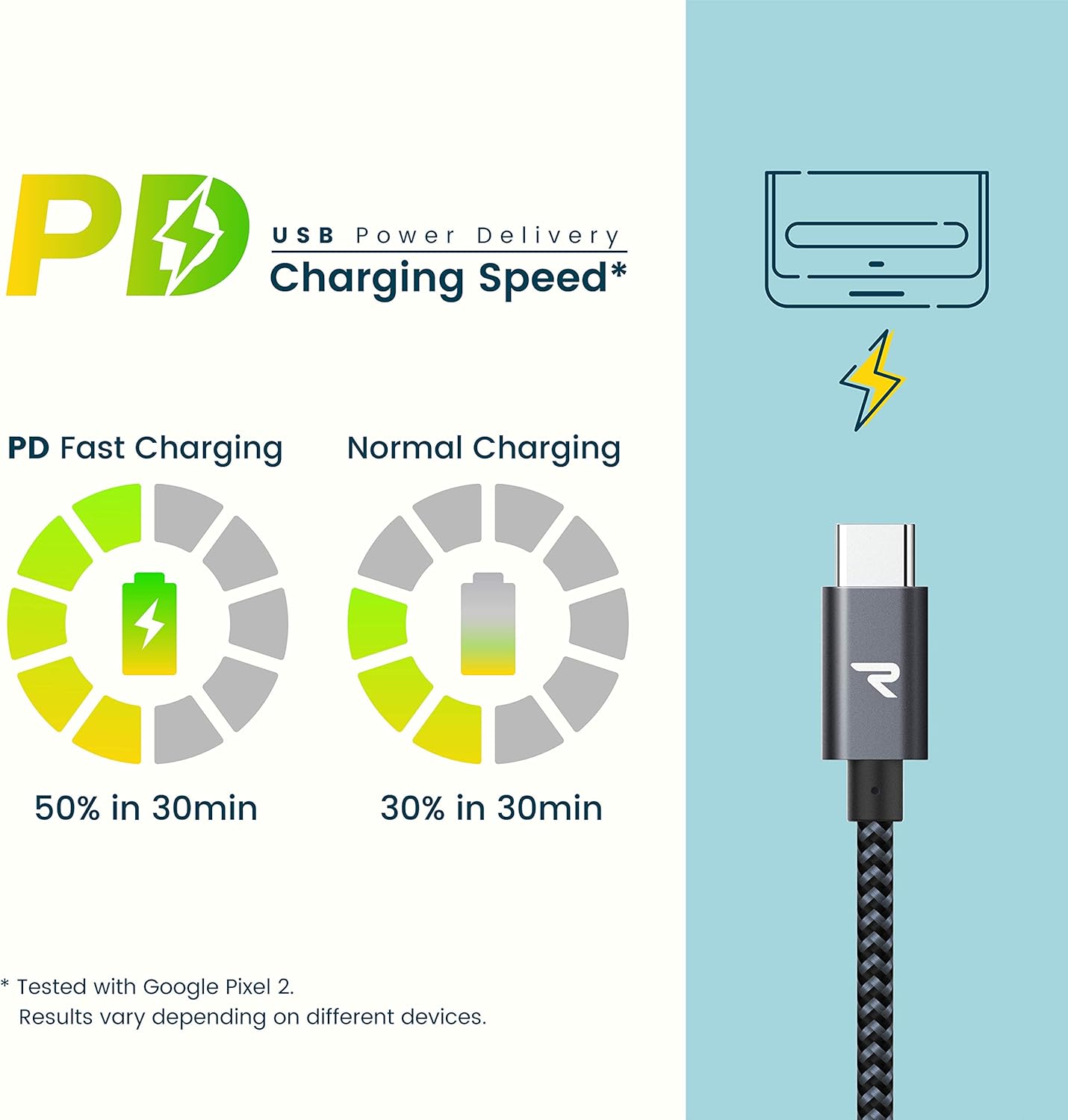
Figure 2: Comparison of PD Fast Charging versus Normal Charging speeds.
Data Transfer
The cable also facilitates data transfer between compatible USB-C devices at USB 2.0 speeds (up to 480 Mbps).
- Connect one end of the cable to your source device (e.g., computer) and the other end to your target device (e.g., smartphone).
- Ensure both devices are powered on and configured for data transfer (e.g., selecting "File Transfer" mode on a smartphone).
Maintenance and Care
To ensure the longevity and optimal performance of your RAMPOW USB C cable, follow these care guidelines:
- Avoid Extreme Bending: While the cable is designed for durability with a 20,000+ bend lifespan, avoid sharp or extreme bends, especially near the connectors, to prevent internal damage.
- Proper Storage: When not in use, coil the cable loosely. Avoid tangling or knotting, which can stress the internal wires.
- Keep Clean: Periodically wipe the cable and connectors with a dry, soft cloth to remove dust and debris. Do not use liquid cleaners directly on the connectors.
- Handle Connectors Carefully: Always grasp the connector housing when plugging or unplugging the cable, rather than pulling on the cable itself.

Figure 3: The cable's robust design supports over 20,000 bends.
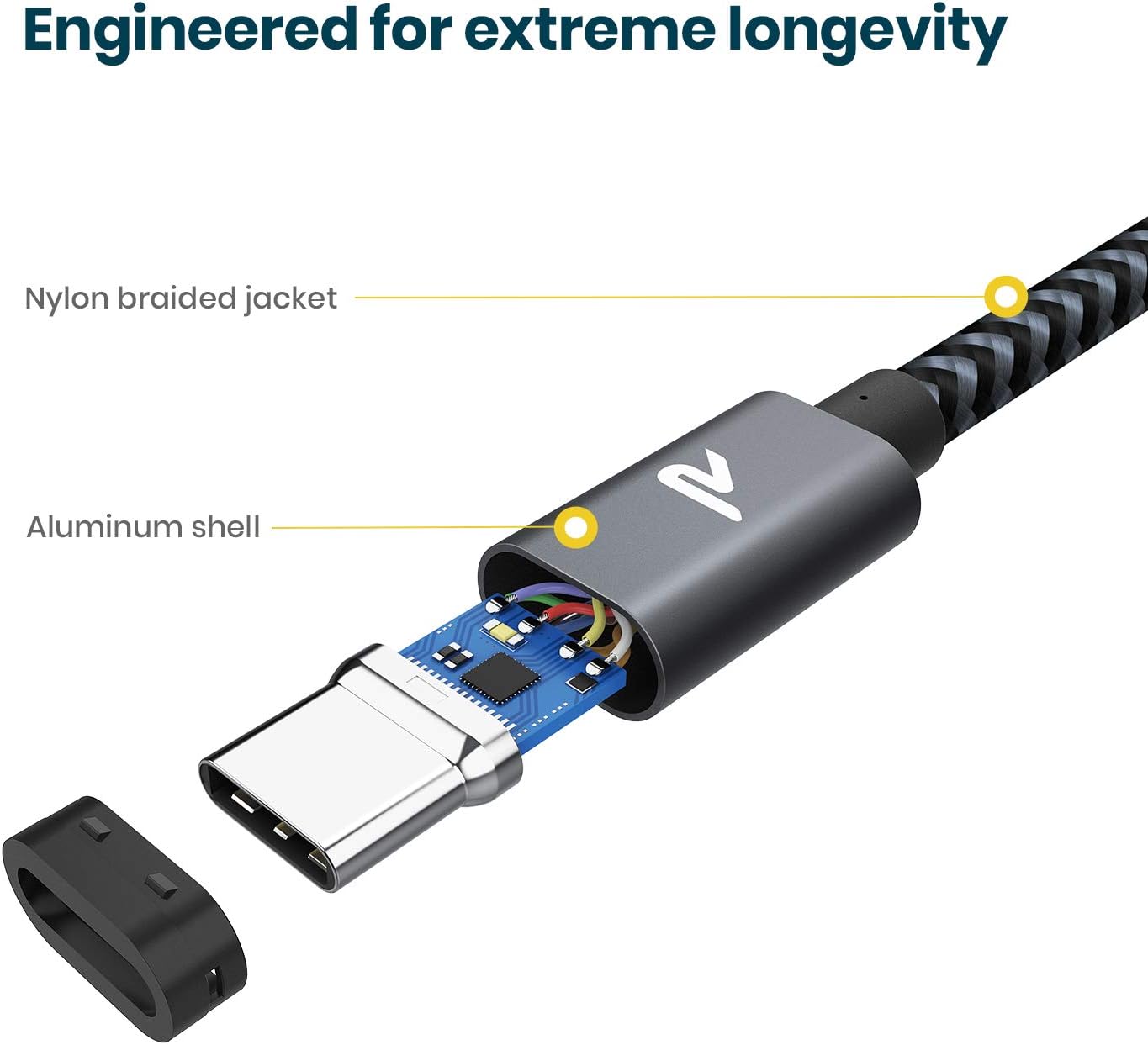
Figure 4: Internal construction highlighting the nylon braided jacket and aluminum shell for enhanced durability.
Troubleshooting
If you encounter issues with your RAMPOW USB C cable, refer to the following common troubleshooting steps:
- Device Not Charging:
- Ensure both ends of the cable are securely plugged into the power adapter and your device.
- Verify that the power adapter is functioning correctly and plugged into a live power outlet.
- Confirm that your device's charging port is clean and free of debris.
- Test the cable with a different power adapter or device to isolate the issue.
- Slow Charging:
- Ensure your power adapter supports Power Delivery (PD) or Quick Charge (QC) and provides sufficient wattage (up to 60W) for your device's fast charging capabilities.
- Some devices may charge slower if they are in active use during charging.
- Check if your device's battery health or software settings are affecting charging speed.
- No Data Transfer:
- Confirm that both connected devices support data transfer via USB-C.
- On some devices (e.g., Android phones), you may need to select "File Transfer" or "MTP" mode from the notification panel after connecting.
- Try connecting to a different USB-C port on your computer or device.
Specifications
| Feature | Detail |
|---|---|
| Brand | RAMPOW |
| Model Number | RAD08-US |
| Connector Type | USB Type C (Male-to-Male) |
| Cable Type | USB |
| Power Delivery | Up to 60W (20V/3A) |
| Data Transfer Rate | USB 2.0 (Up to 480 Mbps) |
| Cable Length | 6.6 feet (2 meters) |
| Material | Nylon Braided Jacket, Aluminum Shell |
| Color | Space Gray |
| Special Feature | Fast Charging |
| Certifications | FCC, RoHS |
Compatible Devices
This cable is compatible with a wide range of USB-C enabled devices, including but not limited to:
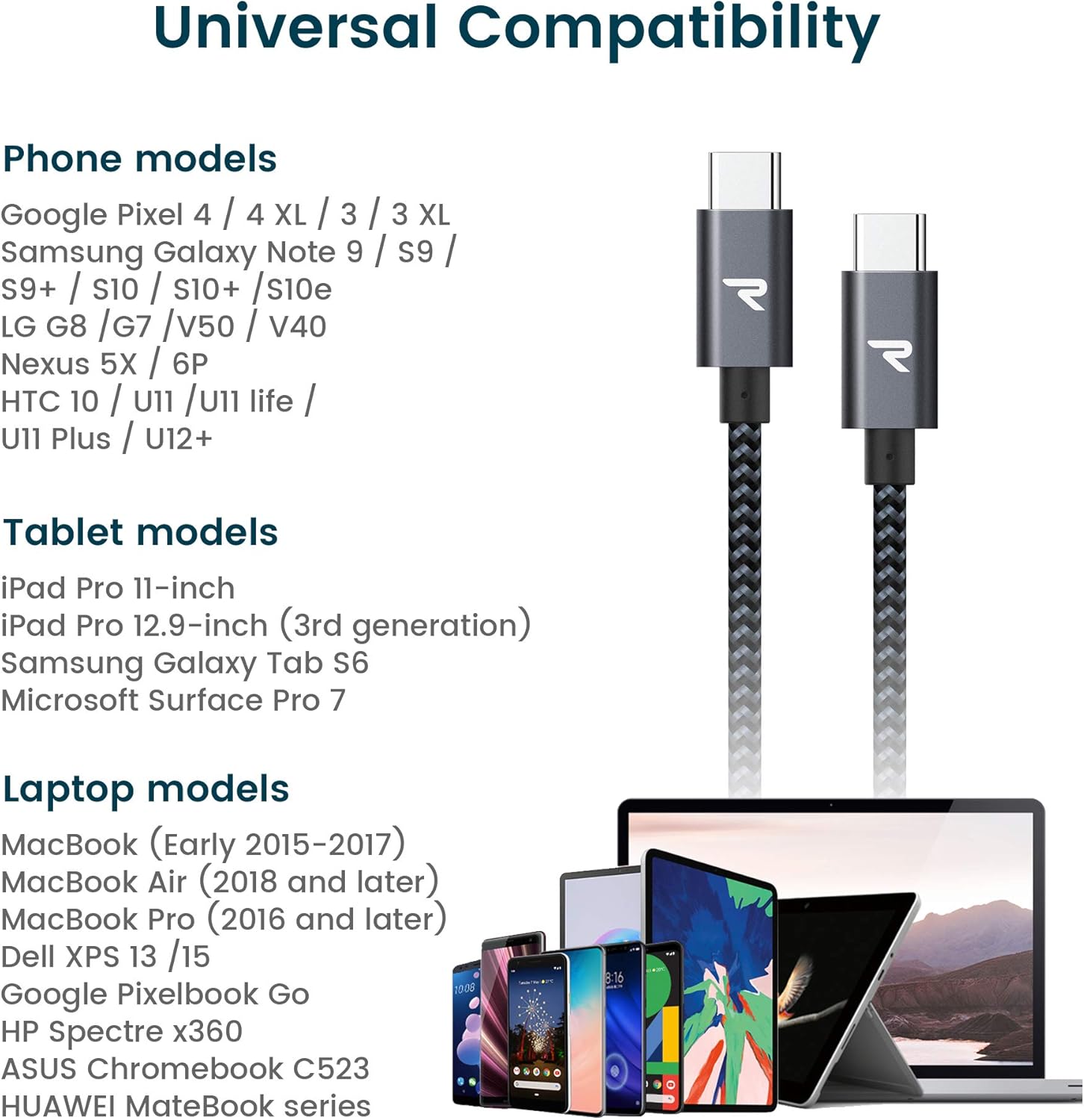
Figure 5: Universal compatibility with various USB-C devices.
- Laptops: MacBook Air/Pro 13'' (2018 and later), iPad Pro (2020/2018), Dell XPS 13/15, Google Pixelbook Go, HP Spectre x360, ASUS Chromebook C523, Huawei MateBook series.
- Smartphones: Samsung Galaxy S20/Note 20/S22, Google Pixel 2/3/4/4 XL, LG G8/G7/V50/V40, Nexus 5X/6P, HTC 10/U11/U11 life/U11 Plus/U12+.
- Tablets: iPad Pro 11-inch, iPad Pro 12.9-inch (3rd generation), Samsung Galaxy Tab S6, Microsoft Surface Pro 7.
Warranty and Support
RAMPOW products are designed for reliability and performance. For information regarding product warranty, please refer to the warranty card included with your purchase or visit the official RAMPOW website.
For technical support, troubleshooting assistance, or any inquiries about your RAMPOW 60W USB C to USB C Cable, please contact RAMPOW customer service through their official website or the retailer where the product was purchased.
You can find more information and contact details on the RAMPOW Brand Store on Amazon.


