
1. Introduction
This manual provides essential information for setting up, playing, and understanding the features of Blinx 2: Masters of Time & Space for the Xbox console. Developed by Artoon and published by Microsoft Game Studios, this action-adventure platformer allows players to control time and space to overcome challenges.
2. Setup
-
Console Preparation: Ensure your Xbox console is properly connected to your television and power supply. Turn on the console.
-
Disc Insertion: Open the disc tray of your Xbox console. Carefully place the Blinx 2: Masters of Time & Space game disc into the tray with the label side facing up. Close the disc tray.
-
Game Start: The Xbox console should automatically detect the game disc and display the game title on the screen. Select the game to begin playing.
3. Operating (Gameplay)
Blinx 2: Masters of Time & Space offers a unique gameplay experience centered around time manipulation and character abilities. Players can choose to play as Blinx, the time-sweeping cat, or a member of the Tom-Tom gang, a pig-like species.
3.1 Core Mechanics
- Time Control: Utilize time manipulation powers such as slowing down, speeding up, pausing, and reversing time to solve puzzles, defeat enemies, and navigate environments.
- Space Control: As a Tom-Tom, players can manipulate space, creating black holes and other spatial anomalies.
- Co-op Mode: Engage in two-player co-operative gameplay, allowing for combined strategies using both time and space abilities.
- Character Customization: Personalize your character's appearance, including face, body, and clothing.
3.2 Basic Controls
While specific button mappings are detailed within the game's tutorial, general controls involve:
- Movement: Left Analog Stick
- Camera Control: Right Analog Stick
- Action/Jump: A Button
- Time/Space Powers: Trigger buttons and other face buttons, depending on the selected character and power.
- Pause Menu: Start Button

Image 1: Front cover of Blinx 2: Masters of Time & Space for Xbox. The cover features Blinx, a cat-like character, and a pig-like character, both equipped with futuristic gear, against a vibrant background with the game title.
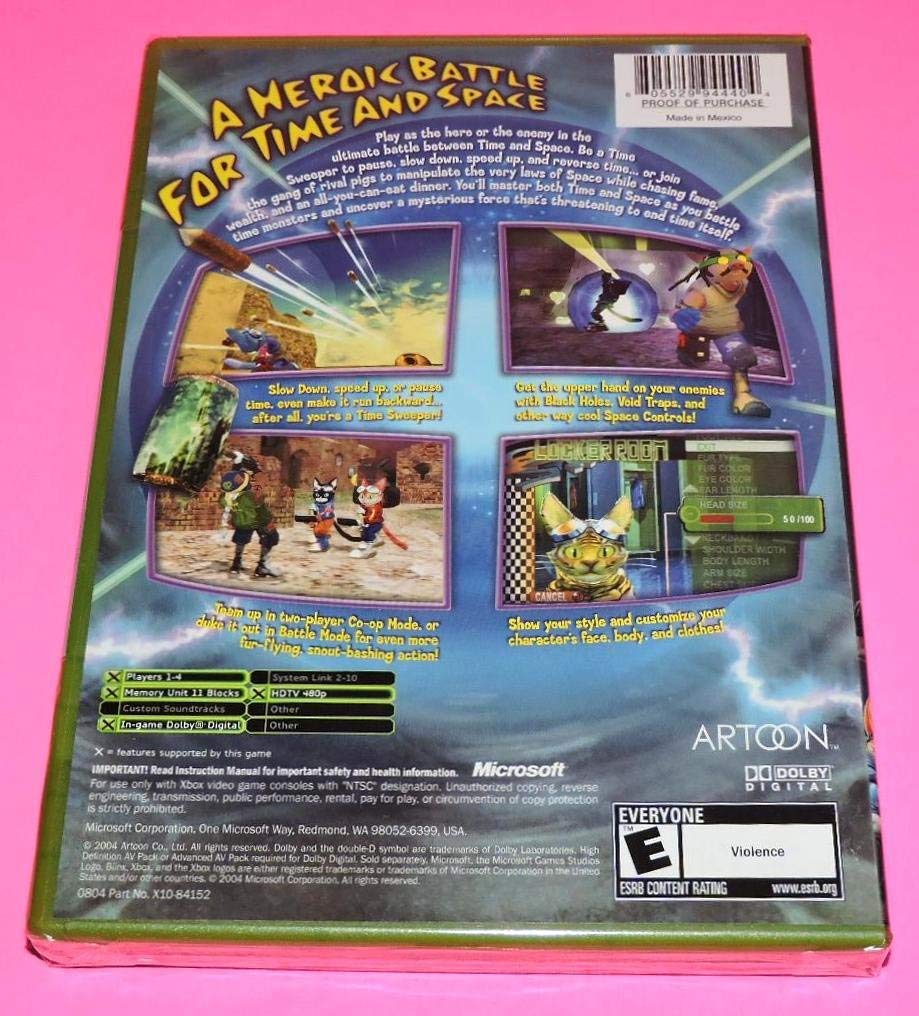
Image 2: Back cover of Blinx 2: Masters of Time & Space for Xbox. This image highlights key gameplay elements such as time manipulation, co-op mode, and character customization through screenshots and descriptive text. It also displays system requirements and ESRB rating.
4. Maintenance
To ensure the longevity and proper functioning of your game disc, follow these maintenance guidelines:
- Disc Handling: Always hold the disc by its edges. Avoid touching the reflective surface to prevent fingerprints and scratches.
- Cleaning: If the disc becomes dirty, gently wipe it with a soft, lint-free cloth from the center outwards. Do not use abrasive cleaners or solvents.
- Storage: Store the disc in its original case when not in use to protect it from dust, scratches, and direct sunlight.
- Temperature: Avoid exposing the disc to extreme temperatures or humidity.
5. Troubleshooting
If you encounter issues while playing Blinx 2: Masters of Time & Space, consider the following troubleshooting steps:
- Disc Read Error: If the console cannot read the disc, ensure the disc is clean and free of scratches. Try cleaning the disc as described in the Maintenance section.
- Game Freezing/Crashing: Ensure your Xbox console has adequate ventilation. If the issue persists, try restarting the console.
- No Audio/Video: Check all cable connections between your Xbox console and television. Ensure the TV input is set correctly.
- Controller Issues: Verify your controller is properly connected and has sufficient battery power (if wireless).
- General Issues: Consult the Xbox console's official user manual or support website for console-specific troubleshooting.
6. Specifications
| Platform | Xbox |
| ESRB Rating | E (Everyone) - Violence |
| Players | 1-4 (Co-op mode for 2 players) |
| Memory Unit Blocks | 11 Blocks |
| HDTV Support | HDTV 480p |
| Custom Soundtracks | Supported |
| In-game Dolby Digital | Supported |
| Product Dimensions | 7.5 x 5.25 x 0.75 inches |
| Item Weight | 1.6 ounces |
| UPC | 753575281106 |
| ASIN | B0883DYBY4 |
| Manufacturer | Micro-Load Press (Original Publisher: Microsoft Game Studios) |
| Date First Available | May 5, 2020 |
7. Important Safety and Health Information
Before playing, it is important to read the Xbox console's instruction manual for important safety and health information. This game is designed for use only with Xbox video game consoles with 'NTSC' designation. Unauthorized copying, reverse engineering, transmission, public performance, rental, pay for play, or circumvention of copy protection is strictly prohibited.
For detailed safety guidelines, please refer to the official Microsoft Xbox documentation. ESRB.org provides information on game ratings.
8. Warranty and Support
This product is a renewed item. For specific warranty information regarding renewed products, please refer to the seller's policy or the platform where it was purchased. Original manufacturer warranties typically do not apply to renewed items.
For technical support related to gameplay or disc issues, please consult online forums or fan communities dedicated to Blinx 2: Masters of Time & Space or the original Xbox console. Manufacturer support for legacy titles may be limited.


