
1. Product Overview
The LIPETY F9 Portable Foldable Oscillating Fan is a versatile and rechargeable fan designed for both indoor and outdoor use. It features an 8.6-inch diameter, adjustable height, remote control, and multiple wind speed settings. Its foldable design makes it highly portable.

Image: The LIPETY F9 Portable Foldable Oscillating Fan in its compact, black design.
2. Package Contents
Please check the package for the following items:
- 1 x LIPETY F9 Foldable Rechargeable Oscillating Fan
- 1 x Remote Control (with battery)
- 1 x USB to Type-C Charging Cable (1.1m)
- 1 x User Manual

Image: Visual representation of the fan, remote, USB-C cable, user manual, and package box included.
3. Setup Instructions
3.1 Unfolding the Fan
- Place the folded fan on a stable, flat surface.
- Gently push the fan head upwards from the base.
- Tilt the fan head to a 90-degree upright position.
- Adjust the telescopic pole to your desired height. The fan can extend from 4 inches (folded) to 40 inches (fully stretched).

Image: A visual guide demonstrating how to open and fold the fan, including pushing up, tilting, adjusting height, and retracting.
3.2 Charging the Fan
The fan is equipped with an 8000mAh rechargeable battery. Before first use, fully charge the fan.
- Connect the provided USB-C cable to the charging port on the fan base.
- Connect the other end of the USB-C cable to a 5V USB power adapter (not included), power bank, or computer USB port.
- The charging indicator lights will show the charging status. A full charge typically takes about 4 hours.
- The fan can be used while charging.

Image: The fan connected to a power source via its USB-C cable, illustrating the charging process and battery level indicators.
4. Operating Instructions
4.1 Power On/Off and Speed Control
The fan can be operated using the control panel on the base or the included remote control.
- On/Off: Press the power button on the base or remote to turn the fan on or off.
- Speed Adjustment: The fan has 4 wind modes: Breeze, Soft, Strong, and Natural Wind. Press the speed button on the base or remote to cycle through these settings.

Image: Displays the four wind speed intensities: Breeze, Soft, Strong, and Natural Wind, with visual representations of airflow.
4.2 Oscillation and Tilt Adjustment
- Oscillation: Press the oscillation button on the remote control to activate or deactivate the 70° automatic left and right swing function.
- Tilt Adjustment: The fan head can be manually adjusted 180° up and down to direct airflow as needed.

Image: Illustrates the fan's 70-degree automatic oscillation and 180-degree manual tilt adjustment capabilities.
4.3 Timer Function
The fan includes a timer function for automatic shut-off.
- Press the timer button on the remote control to set the desired operating duration (e.g., 1 hour, 2 hours, 4 hours).
- The fan will automatically turn off after the set time.
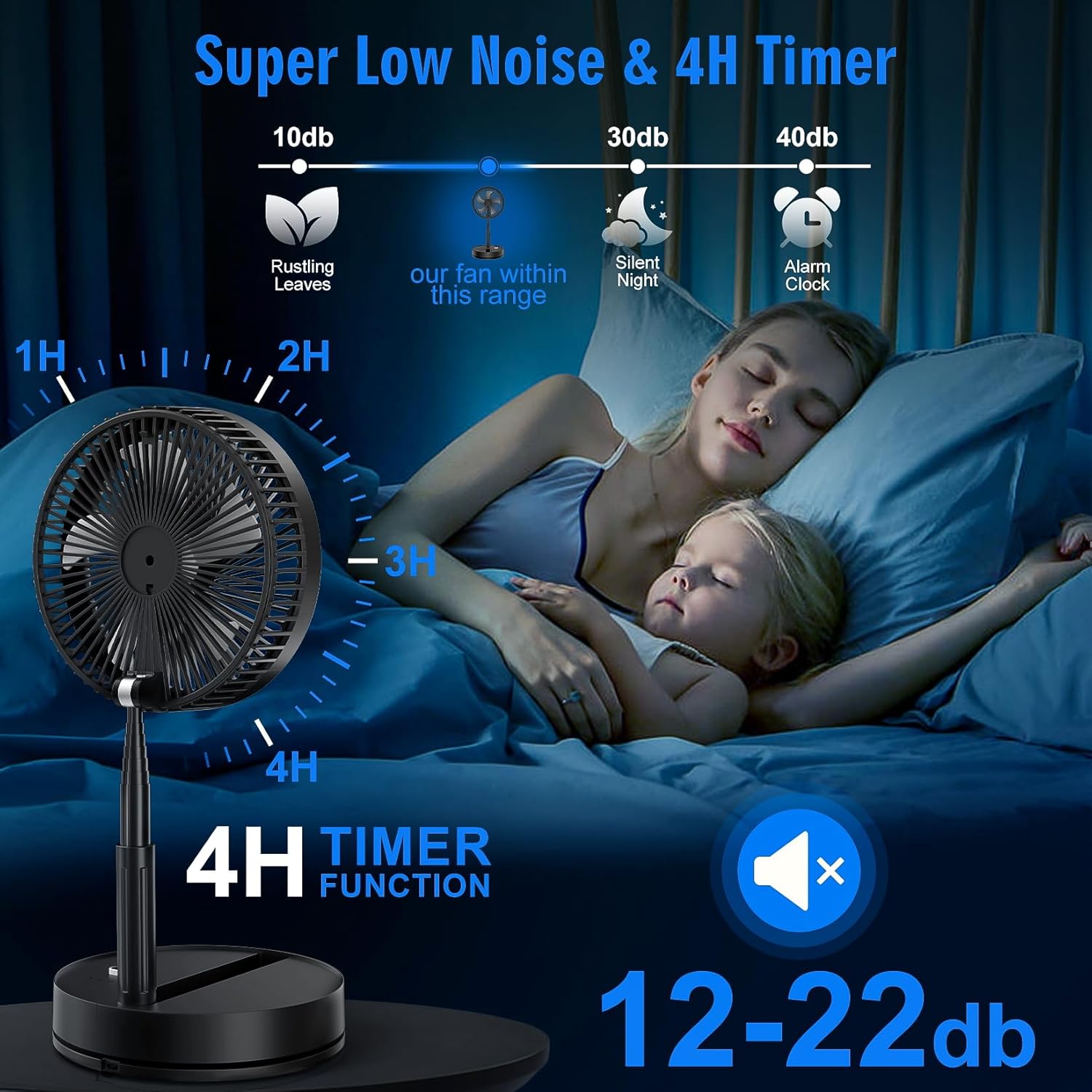
Image: Shows the fan with a 4-hour timer function and highlights its super low noise operation, suitable for quiet environments.
4.4 Remote Control Usage
The remote control allows convenient operation from a distance. Ensure the clear plastic tab is removed from the battery compartment before first use.
- Buttons include: Power, Timer, Oscillation, and Speed levels.
- Point the remote control towards the fan's base for optimal response.
Video: Demonstrates the features and operation of the LIPETY F9 Portable Foldable Rechargeable Oscillating Fan in black, including remote control use.
5. Maintenance
5.1 Cleaning the Fan
Regular cleaning helps maintain optimal airflow and fan performance.
- Ensure the fan is turned off and unplugged before cleaning.
- The front grille is detachable for easy cleaning. Gently twist or unclip the grille as indicated in the product diagram to remove it.
- Wipe the fan blades and grille with a soft, damp cloth. For stubborn dust, a mild soap solution can be used.
- Ensure all parts are completely dry before reassembling and using the fan.

Image: Illustrates the detachable front grille of the fan, making it easy to clean the blades and maintain airflow.
6. Troubleshooting
If you encounter issues with your LIPETY F9 fan, please refer to the following common solutions:
| Problem | Possible Cause | Solution |
|---|---|---|
| Fan does not turn on | Low battery or not charged; Power button not pressed correctly; Remote control battery dead or tab not removed. | Charge the fan fully; Press the power button firmly; Replace remote battery or remove protective tab. |
| Weak airflow | Fan blades are dirty; Fan is on a low-speed setting. | Clean the fan blades and grille; Increase the fan speed setting. |
| Oscillation not working | Oscillation function not activated; Obstruction. | Press the oscillation button on the remote; Ensure no objects are blocking the fan's movement. |
| Fan makes unusual noise | Fan blades are dirty or obstructed; Fan not on a stable surface. | Clean the fan blades and check for obstructions; Place the fan on a flat, stable surface. |
| Remote control not responding | Remote battery is dead or tab not removed; Remote is too far or not pointed at the fan. | Replace remote battery or remove protective tab; Move closer to the fan and point directly at the base. |
If the problem persists after trying these solutions, please contact customer support.