1. Product Overview
The Momax Pills Wireless Earbuds (Model: BT1M) are designed for a seamless audio experience, offering true wireless freedom and high-quality sound. This package includes the earbuds and a portable charging case.

This image displays the Momax Pills Wireless Earbuds in orange, positioned next to their open charging case. The earbuds are designed to fit snugly within the case's compartments, which also feature charging pins. The case itself is compact and oval-shaped, indicating portability.

This image shows the Momax Pills Wireless Earbuds charging case in its closed state. The top surface of the case features the 'MOMAX' brand logo prominently. The case has a smooth, rounded design, emphasizing its portability and ergonomic feel.
2. Setup Guide
2.1 Unboxing and Initial Charge
Upon opening the package, ensure all components are present:
- Momax Pills Wireless Earbuds (Left and Right)
- Charging Case
- USB Charging Cable
- User Manual (this document)
Before first use, fully charge the earbuds and the charging case. Place the earbuds into the charging case. Connect the USB charging cable to the charging port on the case and to a compatible USB power source. The indicator lights on the case will show charging status.
2.2 Bluetooth Pairing
To pair your earbuds with a device:
- Ensure the earbuds are fully charged and placed inside the charging case.
- Open the charging case lid. The earbuds will automatically enter pairing mode, indicated by flashing lights on the earbuds.
- On your device (e.g., smartphone, tablet), go to Bluetooth settings and turn Bluetooth on.
- Search for available devices. Select "Momax Pills" or "BT1M" from the list.
- Once connected, the indicator lights on the earbuds will stop flashing, and your device will confirm the connection.
If pairing fails, close the case, wait a few seconds, and repeat the steps. For subsequent use, the earbuds will automatically connect to the last paired device when removed from the case.
3. Operating Instructions
3.1 Wearing the Earbuds
Gently insert each earbud into your ear canal. Rotate them slightly to find a comfortable and secure fit. A proper fit ensures optimal sound quality and noise isolation.
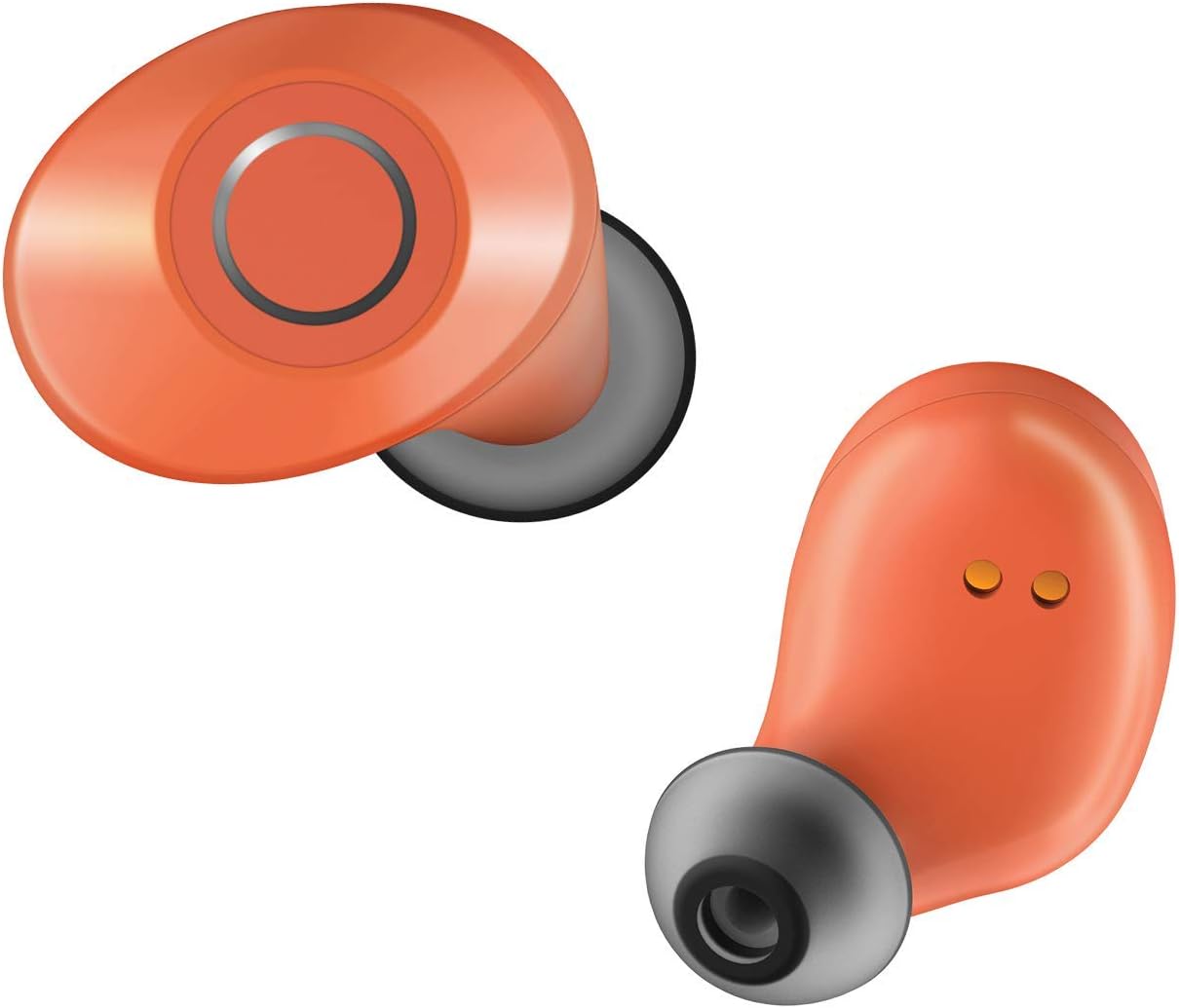
This image provides a detailed close-up of a single Momax Pills Wireless Earbud. The earbud features a smooth, orange outer surface with a circular touch control area. The silicone ear tip is visible, designed for in-ear comfort and sound isolation.
3.2 Touch Controls
The Momax Pills Earbuds feature intuitive touch controls on each earbud:
| Action | Left Earbud | Right Earbud |
|---|---|---|
| Play/Pause | Single Tap | Single Tap |
| Next Track | Double Tap | Double Tap |
| Previous Track | Triple Tap | Triple Tap |
| Answer/End Call | Single Tap | Single Tap |
| Reject Call | Long Press (2s) | Long Press (2s) |
| Activate Voice Assistant | Long Press (3s) | Long Press (3s) |
4. Maintenance
4.1 Cleaning the Earbuds
Regular cleaning helps maintain sound quality and hygiene:
- Use a soft, dry, lint-free cloth to wipe the earbuds and charging case.
- For earwax buildup, gently clean the earbud mesh with a small, soft brush or cotton swab. Do not use sharp objects.
- Avoid using abrasive materials, alcohol, or chemical cleaners.
4.2 Storage and Battery Care
When not in use, store the earbuds in their charging case to protect them and keep them charged. Store in a cool, dry place away from extreme temperatures. To prolong battery life, avoid fully discharging the earbuds and case frequently. Charge them regularly, even if not used for extended periods.
5. Troubleshooting
5.1 Common Issues and Solutions
| Problem | Possible Cause | Solution |
|---|---|---|
| Earbuds not pairing | Low battery, out of range, pairing mode not active | Charge earbuds, ensure device Bluetooth is on and close, reset earbuds by placing in case and closing/opening lid. |
| No sound from one earbud | Low battery, earbud not connected, earwax blockage | Charge earbud, re-pair, clean earbud mesh. |
| Charging case not charging | Faulty cable/adapter, dirty charging port | Try a different USB cable and power adapter. Clean the charging port gently. |
| Poor sound quality | Improper fit, earwax, interference | Adjust fit, clean earbuds, move closer to the connected device. |
6. Specifications
| Feature | Detail |
|---|---|
| Brand | Momax |
| Model Name | i.R. (BT1M) |
| Connectivity Technology | Wireless (Bluetooth) |
| Color | Orange |
| Ear Placement | In-Ear |
| Headphones Form Factor | In-Ear |
| Noise Control | Active Noise Cancellation |
| Included Components | Protective Case |
| Product Dimensions | 3.7 x 2.8 x 6 cm; 38 grams |
| First Available Date | May 4, 2020 |
7. Warranty and Support
Momax products are manufactured to high-quality standards. For information regarding warranty coverage and terms, please refer to the warranty card included in your product packaging or visit the official Momax website. For technical support or service inquiries, please contact Momax customer service through their official channels.