
1. Introduction
Thank you for choosing the Eono Eonobuds 1 Wireless Earbuds. This manual provides essential information for setting up, operating, maintaining, and troubleshooting your new earbuds. Please read it thoroughly to ensure optimal performance and longevity of your device.
2. Package Contents
Before you begin, please verify that all items listed below are included in your package:
- 2 x Wireless Earbuds
- 1 x Charging Case
- 1 x USB-C Charging Cable
- 3 x Pairs of Eartips (S/M/L)
- 1 x User Manual
- 1 x Quick Guide

Image: Eono Eonobuds 1 Wireless Earbuds in their charging case, showcasing the product and its primary accessory.

Image: The interior of the Eonobuds 1 charging case with the earbuds removed, showing the charging pins and model information.
3. Setup
3.1 Initial Charging
For the first time use, please fully charge both the earbuds and the charging case. The charging case features a handy LED display to indicate the battery level.
- Connect the USB-C cable to the charging port on the case and to a power source.
- Place the earbuds into the charging case.
- The LED display on the case will show the charging progress.
- A full charge provides up to 4.5 hours of listening time for the earbuds, and the charging case extends total playtime to over 24 hours.
- A quick 15-minute charge can provide up to 1.5 hours of listening time.

Image: The Eonobuds 1 charging case displaying its battery level via an LED indicator, showing the charging status.
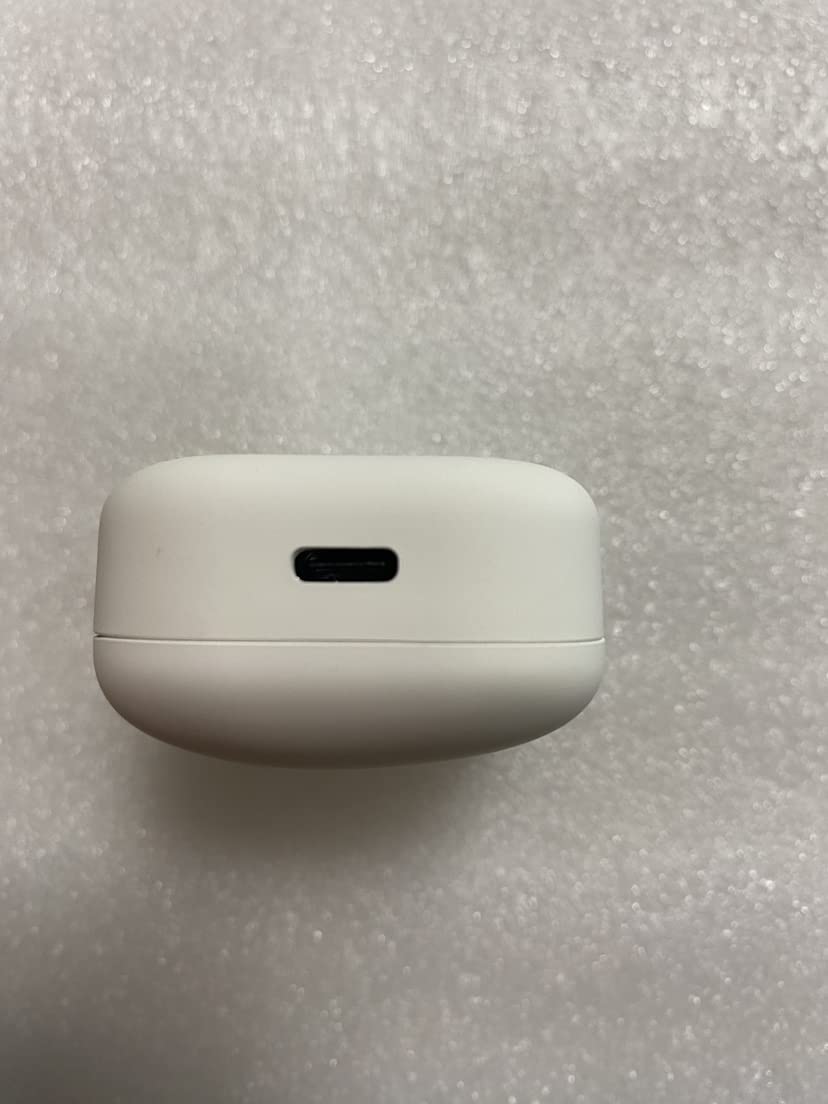
Image: A close-up view of the USB-C charging port located on the side of the Eonobuds 1 charging case.
3.2 Pairing with Your Device
The Eonobuds 1 feature instant connection for seamless pairing.
- Ensure your device's Bluetooth is turned on.
- Open the charging case and take out the earbuds. They will automatically enter pairing mode.
- On your device, search for Bluetooth devices and select "Eonobuds 1" from the list.
- Once connected, the earbuds will automatically connect to the last paired device when taken out of the case.

Image: The Eonobuds 1 earbuds being taken out of their case, illustrating the instant connection feature with a phone's Bluetooth settings.
4. Operating Instructions
4.1 Basic Controls
The Eonobuds 1 feature touch controls for easy management of calls and music.
- Play/Pause: Single tap on either earbud.
- Next Track: Double tap the right earbud.
- Previous Track: Double tap the left earbud.
- Answer/End Call: Single tap on either earbud.
- Reject Call: Press and hold either earbud.
- Activate Voice Assistant: Triple tap on either earbud.
4.2 Audio Features
Experience superior audio quality with advanced technology.
- Bluetooth 5.0: Provides a stable and fast connection up to 15 meters, ensuring smooth audio transmission with strong anti-interference technology.
- Deep Stereo Bass: The unique stereo design delivers high-quality sound with rich, deep bass.
- Advanced Graphene Drivers: Create a wider soundstage for pitch-perfect, crystal-clear music.
- CVC Noise Reduction: Built-in high-quality microphones with CVC noise cancelling technology ensure clearer calls and a smoother, better sound quality, allowing you to enjoy clear moments during conversations.

Image: A man wearing an Eonobuds 1 earbud, highlighting the advanced graphene drivers for superior sound quality.

Image: A phone screen displaying an active call, with an Eonobuds 1 earbud nearby, illustrating the CVC Noise Reduction feature for clear calls.
4.3 Battery Life and Charging
The Eonobuds 1 are designed for extended listening.
- Earbud Playtime: Up to 4.5 hours on a single charge.
- Total Playtime with Case: Over 24 hours.
- Fast Charging: 15 minutes of charging provides approximately 1.5 hours of listening time.
- LED Battery Display: The charging case features an LED display to show the current battery level, so you always know when it's time to recharge.

Image: The Eonobuds 1 earbuds and charging case alongside a phone, illustrating the extended battery life and quick charging capabilities.
5. Maintenance
5.1 Cleaning
To maintain optimal performance and hygiene, regularly clean your earbuds and charging case.
- Use a soft, dry, lint-free cloth to wipe the earbuds and charging case.
- Gently remove any earwax or debris from the eartips and speaker mesh using a small, soft brush or cotton swab.
- Do not use abrasive materials, alcohol, or chemical cleaners.
5.2 Water Resistance (IPX7)
The Eonobuds 1 are IPX7 waterproof, meaning they can resist sweat and rain with ease. This makes them suitable for workouts and outdoor activities.
- IPX7 rating means the earbuds can be submerged in up to 1 meter of water for 30 minutes.
- Important: Do not put the charging case into water, as it is not waterproof.
- After exposure to water or sweat, ensure the earbuds are completely dry before placing them back into the charging case to prevent damage to the charging contacts.

Image: The Eonobuds 1 earbuds being splashed with water, demonstrating their IPX7 waterproof capability.
5.3 Storage
When not in use, store your earbuds in their charging case to protect them and keep them charged.
- Store in a cool, dry place away from extreme temperatures.
- Avoid prolonged exposure to direct sunlight.
6. Troubleshooting
If you encounter any issues with your Eonobuds 1, please refer to the following common solutions:
| Problem | Possible Solution |
|---|---|
| Earbuds not pairing | Ensure earbuds are charged. Turn off and on Bluetooth on your device. Forget the device in your Bluetooth settings and re-pair. |
| No sound from earbuds | Check volume levels on both earbuds and your device. Ensure earbuds are properly connected. Try playing different audio. |
| One earbud not working | Place both earbuds back into the charging case, close the lid, wait a few seconds, then take them out again. Ensure both are charged. |
| Charging case not charging | Check the USB-C cable and power adapter. Ensure the cable is securely connected. Try a different cable or power source. |
| Poor audio quality | Ensure earbuds are clean. Move closer to your device to reduce interference. Check for obstacles between earbuds and device. |
7. Specifications
| Feature | Detail |
|---|---|
| Model Name | Eonobuds 1 |
| Model Number | CCX-W1S-white |
| Connectivity Technology | Wireless (Bluetooth) |
| Bluetooth Version | 5.0 |
| Bluetooth Range | Up to 15 Metres |
| Earphone Battery Capacity | 45mAh (each) |
| Charging Case Battery Capacity | 500mAh |
| Earbud Playtime | Up to 4.5 hours |
| Total Playtime (with case) | Over 24 hours |
| Charging Time | Approx. 4.5 hours (full charge for case) |
| Water Resistance Level | IPX7 (Earbuds only) |
| Control Method | Touch Control |
| Microphone Format | Built-In |
| Earphone Dimensions | 23 x 15.6 x 21 mm |
| Charging Case Dimensions | 60 x 37.3 x 28 mm |
| Item Weight | 59 g |
| UPC | 793811281699 |
8. Warranty and Support
Eono provides comprehensive support for your product:
- Warranty: Enjoy 12 months of worry-free warranty from the date of purchase.
- Customer Support: Dedicated 24-hour email support is available for any queries or assistance you may need.
- Customer Satisfaction: We are committed to 100% customer satisfaction.
For support, please refer to the contact information provided with your product packaging or visit the official Eono store page on Amazon.
