1. Product Overview
The Wipro Azure LED Rechargeable Lantern is a versatile and dependable illumination device designed for various lighting needs. It features 360-degree light distribution, ensuring comprehensive lighting in any environment. The lantern offers a tunable white light feature, allowing users to switch between soft, warm white (2700K) and bright, cool white (6500K) to suit different preferences and moods. Equipped with an 1800mAh Li-Ion battery, it serves as a reliable emergency light source with extended operating time.

Image 1.1: The Wipro Azure LED Rechargeable Lantern, showcasing its compact design.
2. Key Features
- 360-Degree Light Distribution: Provides uniform illumination across the entire area.
- Color Tunable: Adjustable color temperature from 2700K (warm white) to 6500K (cool white).
- Rechargeable Battery: Integrated 1800mAh Li-Ion battery for up to 3 hours of backup.
- Flexible Handle: Designed for easy portability and secure handling.
- Durable Design: Constructed from high-quality ABS material for reliability.
- Easy Operation: Simple knob control for turning on/off and adjusting light.
Image 2.1: Visual representation of the lantern's key features including portability, color tunability, and 360-degree light distribution.
3. What's in the Box
- 1 x Wipro Azure LED Rechargeable Lantern
4. Setup and Charging
Before initial use, fully charge the Wipro Azure LED Rechargeable Lantern. The lantern is equipped with a rechargeable lithium-ion battery. Charging typically takes 6-8 hours for a full charge.
- Locate the charging port on the lantern.
- Connect the provided charging cable to the lantern and a suitable power source (e.g., USB wall adapter, power bank, or laptop USB port).
- The charging indicator light will illuminate to show that the device is charging.
- Once fully charged, the indicator light may change color or turn off, depending on the model. Disconnect the charging cable.
Image 4.1: The Azure Lantern can be charged using a power bank or laptop.
5. Operating Instructions
The Wipro Azure LED Rechargeable Lantern is designed for simple and intuitive operation.
- Power On/Off: Rotate the knob located on the top of the lantern clockwise to turn it on. Continue rotating to increase brightness. Rotate counter-clockwise to decrease brightness and turn off.
- Adjusting Color Temperature: The lantern features a color tunable function. As you rotate the knob, the light color will transition between warm white (2700K), neutral white (4000K), and cool white (6500K). Adjust the knob until you reach your desired color temperature and brightness.
- Using the Flexible Handle: The integrated flexible handle allows for easy carrying or hanging of the lantern. Adjust the handle to your preferred position for portability.
Image 5.1: The top knob controls power, brightness, and color temperature.
Image 5.2: The lantern offers color temperatures from 2700K (warm white) to 6500K (cool white).
6. Maintenance and Care
- Cleaning: Wipe the lantern with a soft, dry cloth. Do not use abrasive cleaners or solvents.
- Storage: Store the lantern in a cool, dry place when not in use. If storing for an extended period, ensure the battery is partially charged and recharge it every 3-6 months to maintain battery health.
- Water Resistance: This product is not water resistant. Avoid exposure to water or high humidity.
7. Troubleshooting
| Problem | Possible Cause | Solution |
|---|---|---|
| Lantern does not turn on. | Battery is depleted. | Charge the lantern fully (refer to Section 4). |
| Light is dim or flickers. | Low battery or improper knob setting. | Recharge the battery. Adjust the knob to increase brightness. |
| Cannot change light color. | Knob not rotated sufficiently. | Rotate the knob slowly and fully to cycle through color temperatures. |
8. Specifications
| Feature | Detail |
|---|---|
| Model Number | E10008 |
| Light Source Type | LED |
| Color Temperature | 2700K (Warm White) - 6500K (Cool White) |
| Battery Type | 1800mAh Lithium Ion (included) |
| Battery Life | Up to 3 Hours |
| Charging Time | 6-8 Hours |
| Product Dimensions | 13L x 13W x 17H Centimeters |
| Item Weight | 354 Grams |
| Material | Polycarbonate (PC) |
| Water Resistance Level | Not Water Resistant |
| Country of Origin | China |
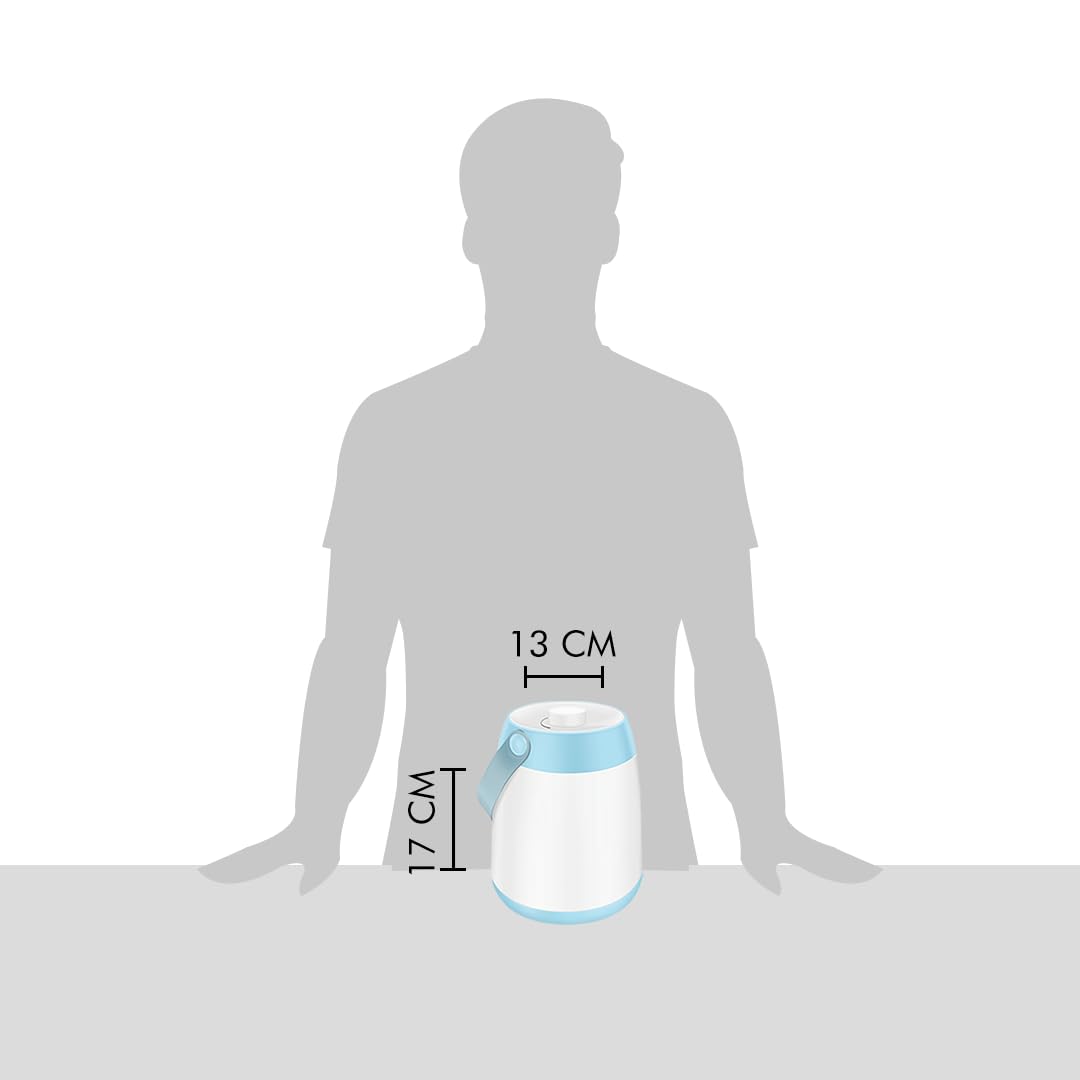
Image 8.1: Dimensions of the Wipro Azure LED Rechargeable Lantern.
9. Product Video Overview
Video 9.1: A brief overview demonstrating the features and operation of the Wipro Azure LED Rechargeable Lantern, including its color tunability and flexible handle.
10. Warranty and Support
The Wipro Azure LED Rechargeable Lantern comes with a 6-month warranty from the date of purchase.
For warranty claims, technical support, or any product-related inquiries, please contact Wipro Consumer Care directly:
- Email: feedback.wcc@wipro.com
- Toll-Free Number: 1800-425-1969
- Manufacturer Address: Wipro Consumer Care, #8, Wipro House, 80 Feet Rd, Koramangala 1A Block, 1st Block Koramangala, Koramangala, Bengaluru, Karnataka 560034, India.
Please retain your purchase receipt as proof of purchase for warranty services.


