
SOOPII WiV6 Pro
SooPii 70W 5-Port Charging Station with 15W Wireless Charger
Model: WiV6 Pro
Brand: SOOPII
Introduction
The SooPii 70W 5-Port Charging Station is designed to efficiently charge multiple devices simultaneously. It features a 15W wireless charging pad, one 25W USB-C Power Delivery (PD) port, and four USB-A charging ports. This station helps organize your charging space by consolidating multiple chargers into one compact unit.
This manual provides essential information for setting up, operating, and maintaining your charging station, along with important safety guidelines.
What's in the Box
- 1x SooPii Premium Charging Station
- 5x Short Charging Cables (2x Compatible with iPhone/iPad, 1x Micro USB, 1x Type C, 1x USB-C to USB-C)
- 1x User Manual (this document)
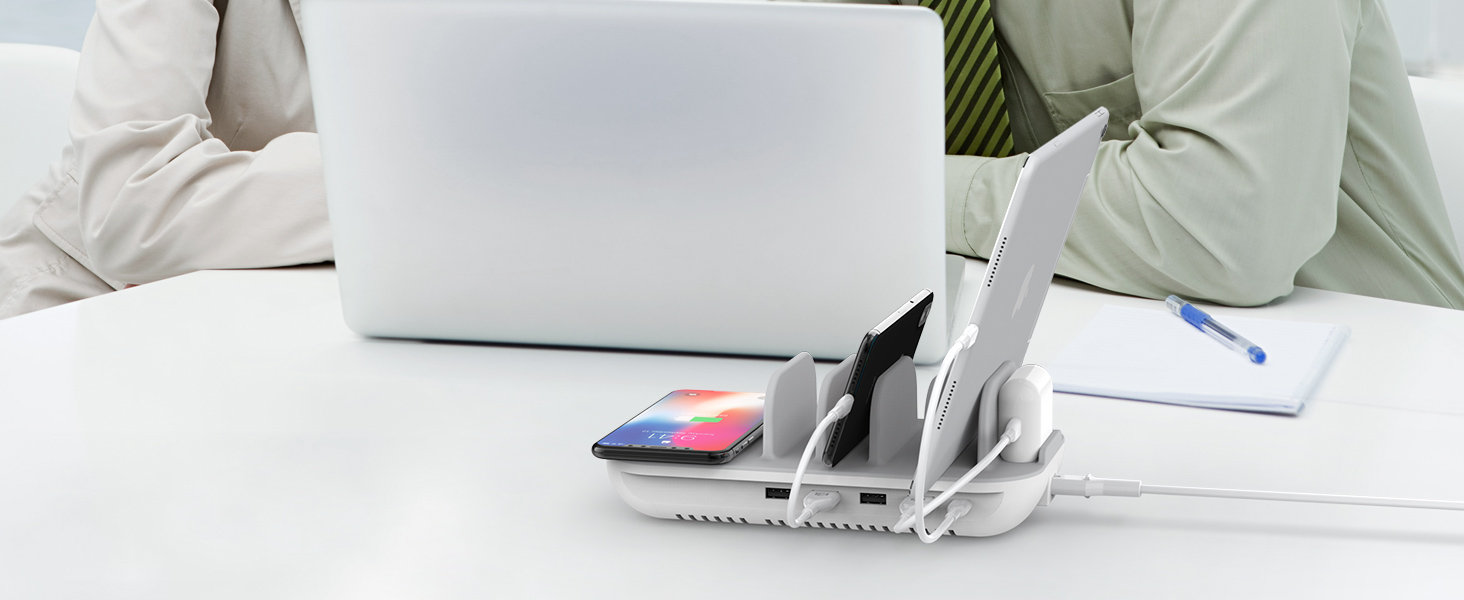
Image: The SooPii 5-Port 70W Charging Station shown with various devices and the included short charging cables.
Setup Instructions
- Unpack: Carefully remove all components from the packaging.
- Connect Power: Plug the power cable into the charging station and then into a standard 120V AC wall outlet.
- Arrange Dividers: The charging station features silicone dividers to hold your devices upright. Adjust them as needed to accommodate your phones, tablets, and other gadgets.
- Organize Cables: Use the provided short charging cables to connect your devices to the appropriate USB ports. Route cables neatly through the station's design to maintain an organized appearance.

Image: A top-down view of the SooPii Charging Station with various smartphones and a tablet connected and charging, demonstrating cable management.
Operating Instructions
1. Wireless Charging (15W Max)
Place your Qi-enabled device (smartphone, AirPods, etc.) on the designated wireless charging pad. Ensure the device is centered on the pad for optimal charging. The station supports 15W for LG and Google, 10W for Samsung Galaxy, and 7.5W for iPhones. It charges through protective cases up to 5mm thick (excluding cases with magnetic or metal attachments).

Image: A chart detailing wireless charging speeds and compatible devices, including LG, Google, Samsung, and iPhone models.
2. USB-C PD Fast Charging (25W)
Connect your USB-C compatible device to the 25W USB-C Power Delivery (PD) port using a USB-C to USB-C cable (one included). This port provides fast charging for compatible Type-C phones and tablets, such as iPad Pro (2018 and later), iPhone Xs Max/Xr/X/8/8 Plus, Google Pixel series, and Samsung Galaxy Note/S series.
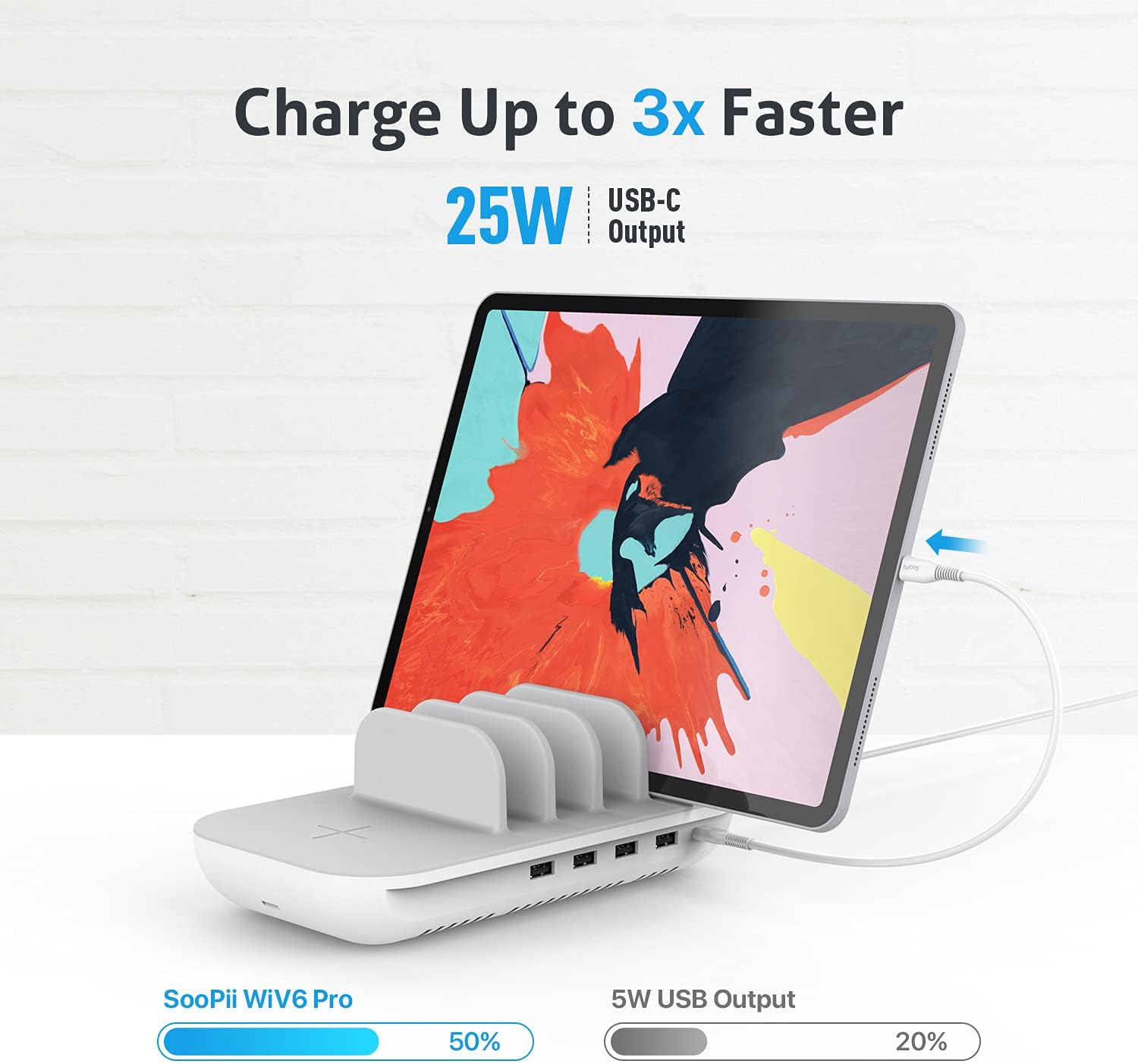
Image: An iPad charging via the 25W USB-C PD port, illustrating the faster charging capability of the SooPii WiV6 Pro.
3. USB-A Charging (4 Ports)
Utilize the four USB-A ports for charging a wide range of devices. Connect your device using the appropriate USB cable (Micro USB, Type C, or iPhone/iPad cables are included). These ports are suitable for phones, tablets, smartwatches, speakers, cameras, e-book readers, and other USB-powered devices.
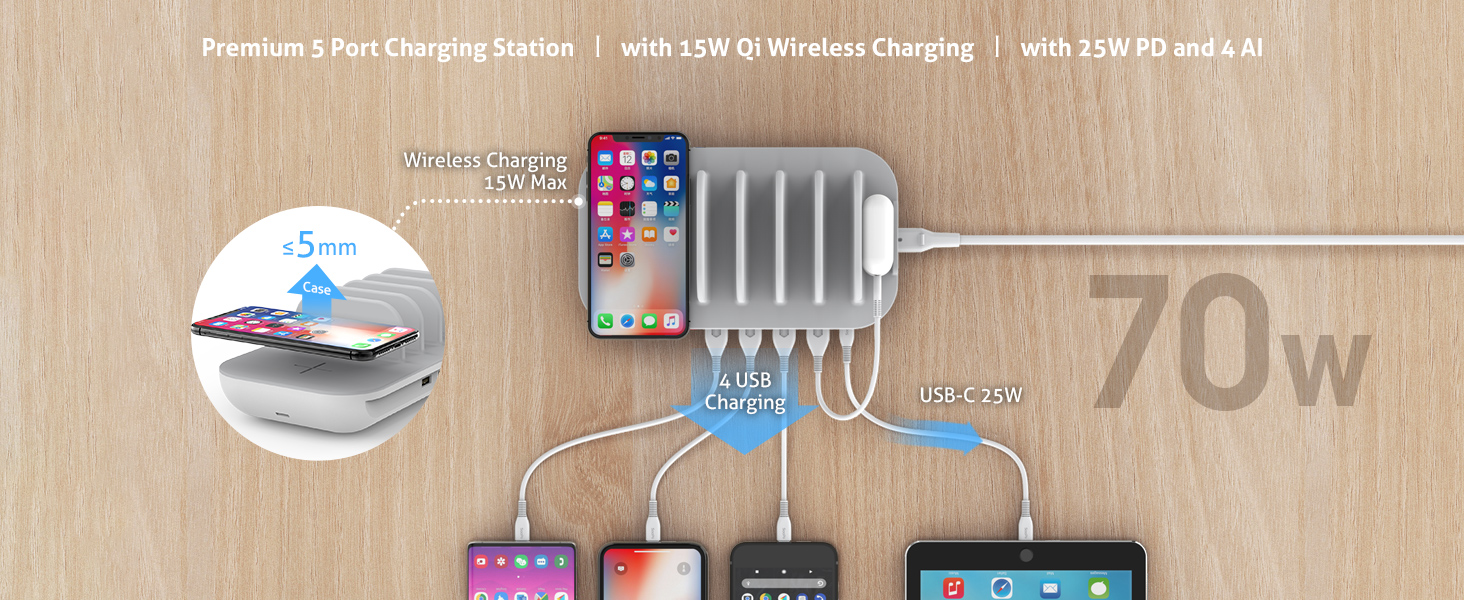
Image: A comprehensive view of the charging station with multiple devices, including phones and tablets, utilizing both USB-A ports and the wireless charging pad.
Safety Features
The SooPii Charging Station incorporates advanced safety features to protect your devices and ensure reliable operation:
- Dynamic Temperature Sensor: Monitors the internal temperature to prevent overheating.
- Power Tuner Chip: Optimizes power output for connected devices, preventing overcharging and short circuits.
- Anti-Slip Design: Features a fully covered anti-slip silicone pad on top and anti-skip rubber pads on the bottom to secure devices and the station itself.
- Bottom Cooling Vents: Designed for efficient heat dissipation to maintain optimal operating temperature.

Image: Diagram illustrating the internal safety features: Dynamic Temperature Sensor and Power Tuner Chip.
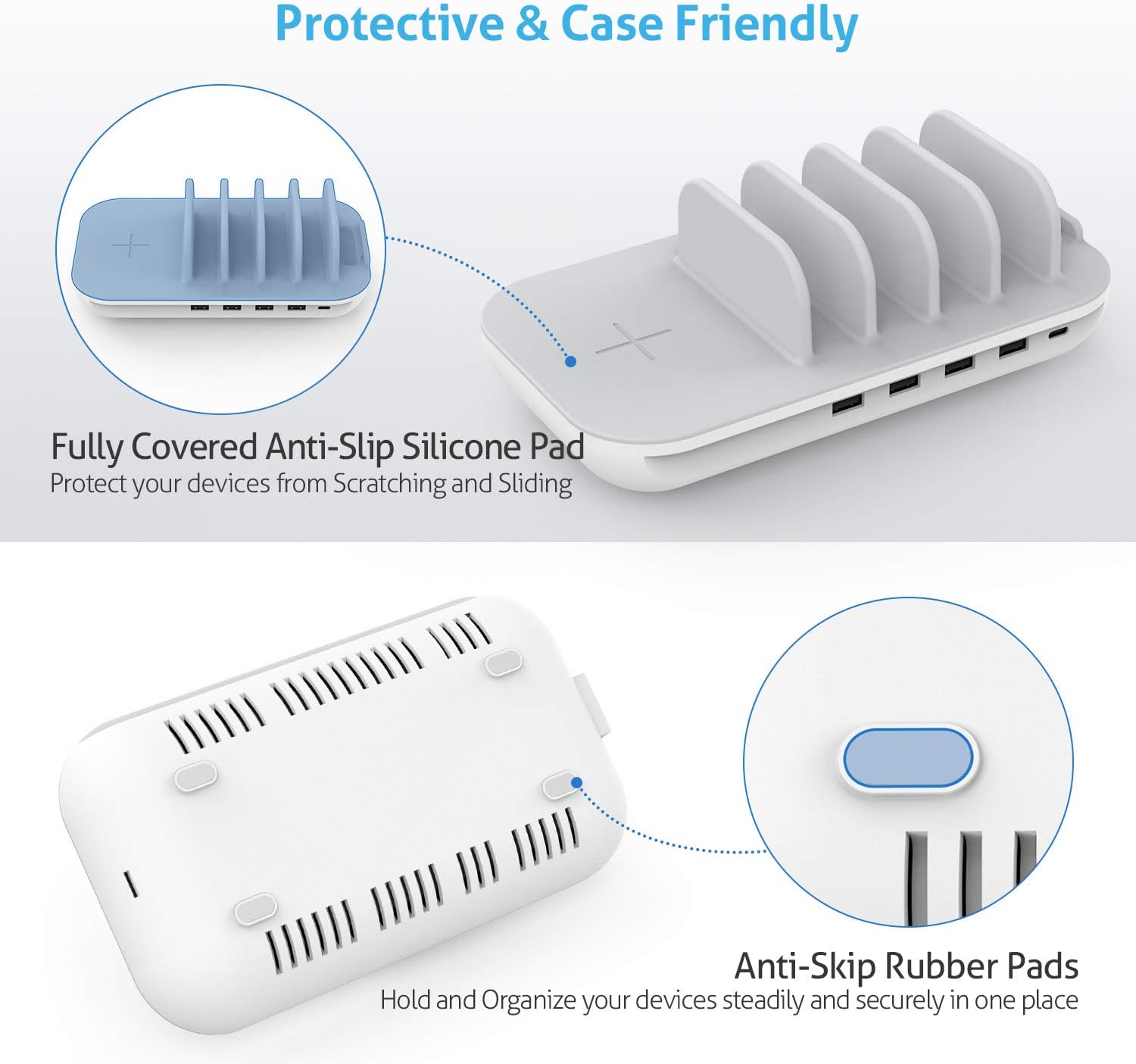
Image: Close-up views of the anti-slip silicone pad on the top surface and the anti-skip rubber pads on the bottom of the charging station.
Maintenance
- Cleaning: Disconnect the power before cleaning. Use a soft, dry cloth to wipe the surface of the charging station. Do not use liquid cleaners or aerosols.
- Storage: When not in use for extended periods, store the charging station in a cool, dry place away from direct sunlight and moisture.
- Cable Management: Regularly check and organize cables to prevent tangles and damage.
Troubleshooting
- Device not charging:
- Ensure the charging station is properly plugged into a working power outlet.
- Check if the device is correctly placed on the wireless charging pad or if the cable is securely connected to both the device and the charging port.
- Verify that your device is compatible with wireless charging or the specific fast charging port.
- Try a different cable or port to rule out a faulty connection.
- Slow charging:
- Ensure your device supports fast charging and is connected to the 25W USB-C PD port for optimal speed.
- Remove thick or metallic phone cases that might interfere with wireless charging.
- Avoid charging too many high-power devices simultaneously if you experience slower speeds on other ports.
- Overheating:
- Ensure the charging station is placed in a well-ventilated area.
- Do not cover the cooling vents on the bottom of the unit.
- If overheating persists, disconnect the power and contact customer support.
Specifications
| Feature | Detail |
|---|---|
| Brand | SOOPII |
| Model Number | WiV6 Pro |
| Total Power Output | 70 Watts |
| Wireless Charging | 15W Max (Qi-enabled devices) |
| USB-C PD Port | 1x 25W (Power Delivery) |
| USB-A Ports | 4x (Fast Charging) |
| Input Voltage | 120 Volts |
| Output Current | 15 Amps |
| Output Voltage | 5 Volts |
| Material | Plastic and Silica Gel |
| Item Weight | 18 Ounces |
| Compatible Devices | Phones, Tablets, Smartwatches, Speakers, Cameras, E-Book Readers etc. |
Official Product Video
Video: An overview of the SooPii 70W 5-in-1 Charging Station, demonstrating its features and use with various devices.
Warranty & Support
Warranty: The SooPii Charging Station comes with a 36-Month Warranty, ensuring peace of mind regarding product quality and performance.
Customer Support: For any questions, concerns, or support needs regarding product setup, usage, or if you require replacement parts or cables, please contact SooPii customer service. We are committed to providing solutions and guidance within 24 hours.
Contact Email: support@soopii.com
SooPii is dedicated to providing reliable and organized charging solutions. Your satisfaction is our priority.

Image: Customer care details including warranty information and support contact email.
Related documentsWiV6 Pro


Ask a question about this manual
Ask about setup, troubleshooting, compatibility, parts, safety, or missing instructions. Manuals+ will review the question and use this page’s manual context to help answer it.