
Introduction
This manual provides essential information for the safe and efficient use of your Amazon Basics GaN 65W USB-C 1-Port Wall Charger. Please read these instructions carefully before using the product and retain them for future reference.
Safety Instructions
- Do not expose the charger to liquids, moisture, or extreme temperatures.
- Do not disassemble, modify, or attempt to repair the charger.
- Avoid dropping or subjecting the charger to strong impacts.
- Ensure the wall outlet voltage matches the charger's input specifications (100-240V).
- Unplug the charger from the wall outlet when not in use or during electrical storms.
- Keep out of reach of children.
- Use only with compatible USB-C cables and devices.
Package Contents
- 1x Amazon Basics GaN 65W USB-C 1-Port Wall Charger
- 1x User Manual
Product Overview
The Amazon Basics GaN 65W USB-C 1-Port Wall Charger is designed for high-speed charging of compatible devices. Its compact design, enabled by GaN technology, makes it suitable for travel.

Figure 1: Front view of the charger with USB-C port and LED indicator.
Key Features:
- 65W USB Power Delivery (PD 3.0): Provides high-speed charging for compatible devices such as iPhone 11/12/13 series, iPad Pro, Samsung Galaxy 10 series, and 13-inch MacBook Pro.
- GaN Technology: Utilizes Gallium Nitride components for improved efficiency, reduced heat generation, and a more compact form factor compared to traditional silicon chargers.
- Compact Design: Small and portable, ideal for travel and everyday use.
- Safety Features: Integrated protection against over-voltage, over-temperature, and short-circuits to safeguard connected devices.
- LED Indicator: A blue LED illuminates when the charger is plugged into a power outlet, indicating power status and aiding visibility in low-light conditions.
Important Note: This charger supports fast charging but does not support ultra-fast charging requiring Programmable Power Supply (PPS), which is used by some devices like Samsung Galaxy S20, S20+, S20 Ultra, S21, S21+, S21 Ultra, Note 10, Note 10+, Note 20, and Note 20 Ultra.
Setup
- Unpack the Charger: Carefully remove the charger from its packaging.
- Inspect for Damage: Before use, check the charger for any visible damage. Do not use if damaged.
- Plug into Wall Outlet: Insert the charger's two-pin plug into a compatible wall power outlet (Type E or Type F, 100-240V AC). The blue LED indicator on the charger will illuminate.
- Connect Device: Connect a compatible USB-C charging cable (not included) to the USB-C port on the charger. Then, connect the other end of the cable to your device (laptop, tablet, or smartphone).

Figure 2: Rear view of the charger with plug and specifications.
Operating Instructions
Once properly set up, the charger will automatically detect your connected device and deliver the optimal charging power up to 65W, according to the USB Power Delivery standard.
- The blue LED indicator confirms that the charger is receiving power from the wall outlet.
- Charging will begin automatically when a compatible device is connected.
- Monitor your device's charging status on its screen.

Figure 3: Charging a smartphone.
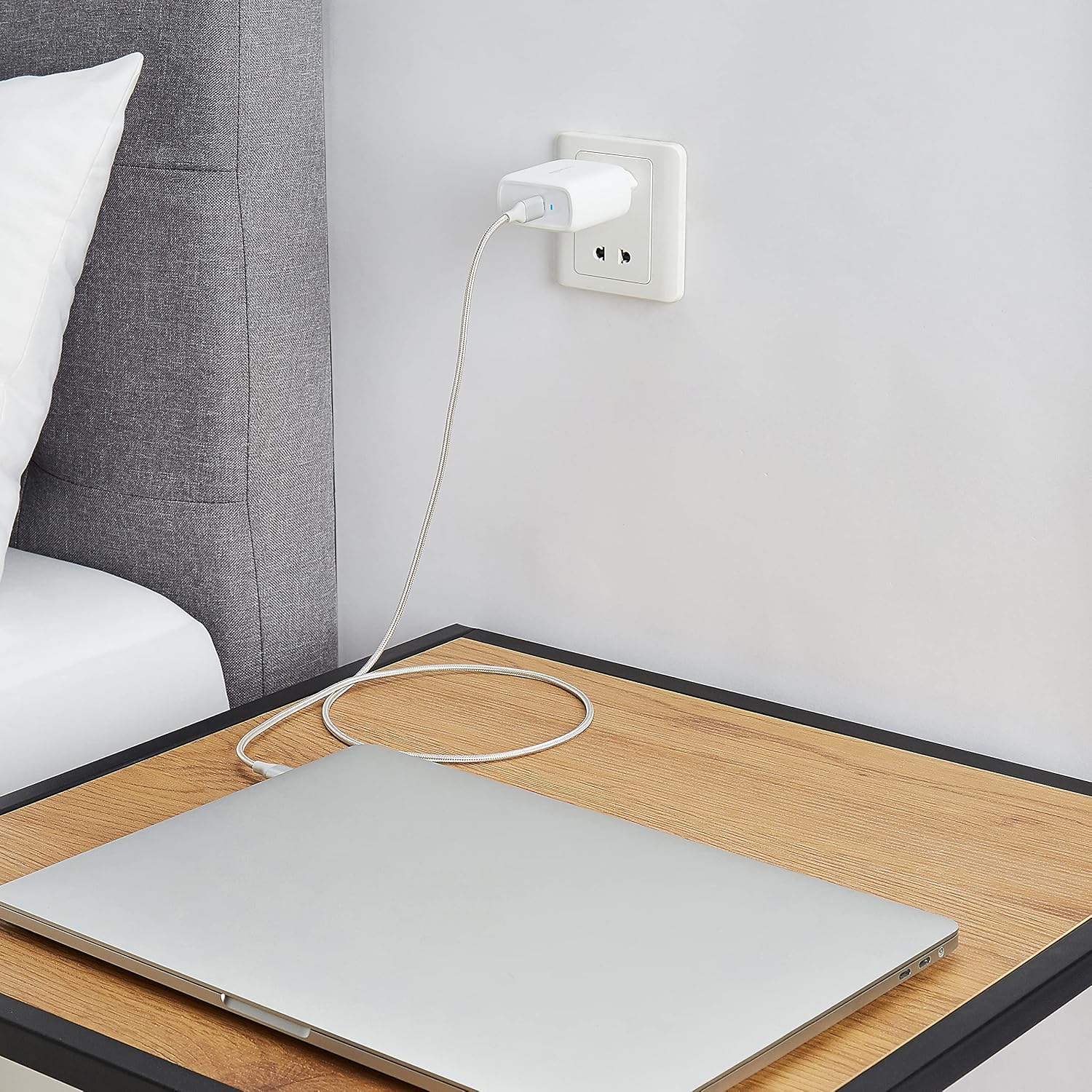
Figure 4: Charging a laptop.
Maintenance
- Cleaning: Disconnect the charger from the power outlet and your device before cleaning. Use a soft, dry cloth to wipe the surface. Do not use liquid cleaners or aerosols.
- Storage: Store the charger in a cool, dry place away from direct sunlight and extreme temperatures.
- Cable Care: Avoid bending or crimping the charging cable excessively, as this can damage the cable and affect performance.
Troubleshooting
| Problem | Possible Cause | Solution |
|---|---|---|
| Charger LED does not light up. | No power from the wall outlet. | Check the wall outlet with another device. Try a different outlet. |
Device is not charging. |
|
|
| Slow charging. |
|
|
Specifications
| Model Number | PD65E-1TGA |
| Input | 100-240V~, 50/60 Hz, max. 1.7A |
| Output | 5.0V/3.0A, 9.0V/3.0A, 12.0V/3.0A, 15.0V/3.0A, 20.0V/3.25A (max. 65.0W) |
| Total USB Ports | 1 (USB-C) |
| Connector Type | USB Type C |
| Plug Type | Type E (France), Type F (Germany and Spain) - 2 pins |
| Special Features | GaN Technology, Fast Charging, Over-voltage Protection, Over-temperature Protection, Short-circuit Protection |
| Compatible Devices | Laptops, Tablets, Mobile Phones (USB-C compatible) |
| Dimensions | 5.61 x 2.87 x 5 cm (approximate, from product title) |
| Country of Origin | China |
Warranty and Support
For warranty information and customer support, please refer to the documentation provided with your purchase or visit the official Amazon Basics website.


