
Accutime POK4238AZ
Accutime Kids Pokemon Digital LCD Quartz Watch Instruction Manual
Model: POK4238AZ
Introduction
Thank you for purchasing the Accutime Kids Pokemon Digital LCD Quartz Watch. This manual provides essential information for the proper setup, operation, and care of your watch. Please read these instructions carefully to ensure optimal performance and longevity of your product.
Product Overview

Figure 1: Front view of the Accutime Kids Pokemon Digital LCD Quartz Watch, featuring a Pikachu design on the watch face and strap.
The Accutime Kids Pokemon Digital LCD Quartz Watch (Model POK4238AZ) is a digital timepiece designed for children. It features a clear LCD display, a light-up function, and a durable plastic strap with various Pokemon characters. The watch is powered by a product-specific battery, which is included.
Setup
1. Initial Activation
Your watch comes with a battery pre-installed. If the display is not active, gently press any button to activate it. A small plastic tab might be present in the crown/button area to prevent battery drain during shipping. Remove this tab if present.
2. Setting the Time and Date
- Locate the buttons on the side of the watch. Typically, there are two or three buttons. One button is usually for display/light, and others for setting.
- Press the "Mode" or "Set" button (refer to Figure 2 for button locations) until the time display begins to flash.
- Use the "Adjust" or "Advance" button to change the flashing digits (hours, minutes, month, day).
- Press the "Mode" or "Set" button again to move to the next setting (e.g., from hours to minutes, then to month, then to day).
- Once all settings are correct, press the "Mode" or "Set" button one last time to exit the setting mode. The digits will stop flashing.

Figure 2: Side view of the watch, indicating button locations for setting time and date.
Operating Instructions
1. Displaying Time and Date
In normal mode, the watch displays the time (hours and minutes). Press the "Mode" button briefly to cycle through the display modes, which may include date (month and day) or seconds, depending on the watch model.
2. Using the Light-Up Feature
To activate the light-up feature, press the dedicated "Light" button, usually located on the side of the watch. The display will illuminate for a few seconds. This feature is useful for checking the time in low-light conditions.

Figure 3: The watch display illuminated by the LED light feature.
Maintenance
1. Cleaning
Wipe the watch clean with a soft, dry cloth. For stubborn dirt, a slightly damp cloth can be used, followed by immediate drying. Avoid using harsh chemicals or abrasive cleaners, as these can damage the watch's finish and components.
2. Water Resistance
Important: This watch is NOT water resistant. Avoid exposing the watch to water, including showering, swimming, or heavy rain, as this will cause damage and void the warranty.
3. Battery Replacement
The watch uses 1 product-specific battery (2xLR41, 1.5V). When the display dims or stops functioning, the battery may need replacement. Battery replacement should ideally be performed by a qualified watch technician to prevent damage to the watch's internal components and to ensure proper sealing. Refer to Figure 4 for the back casing details.
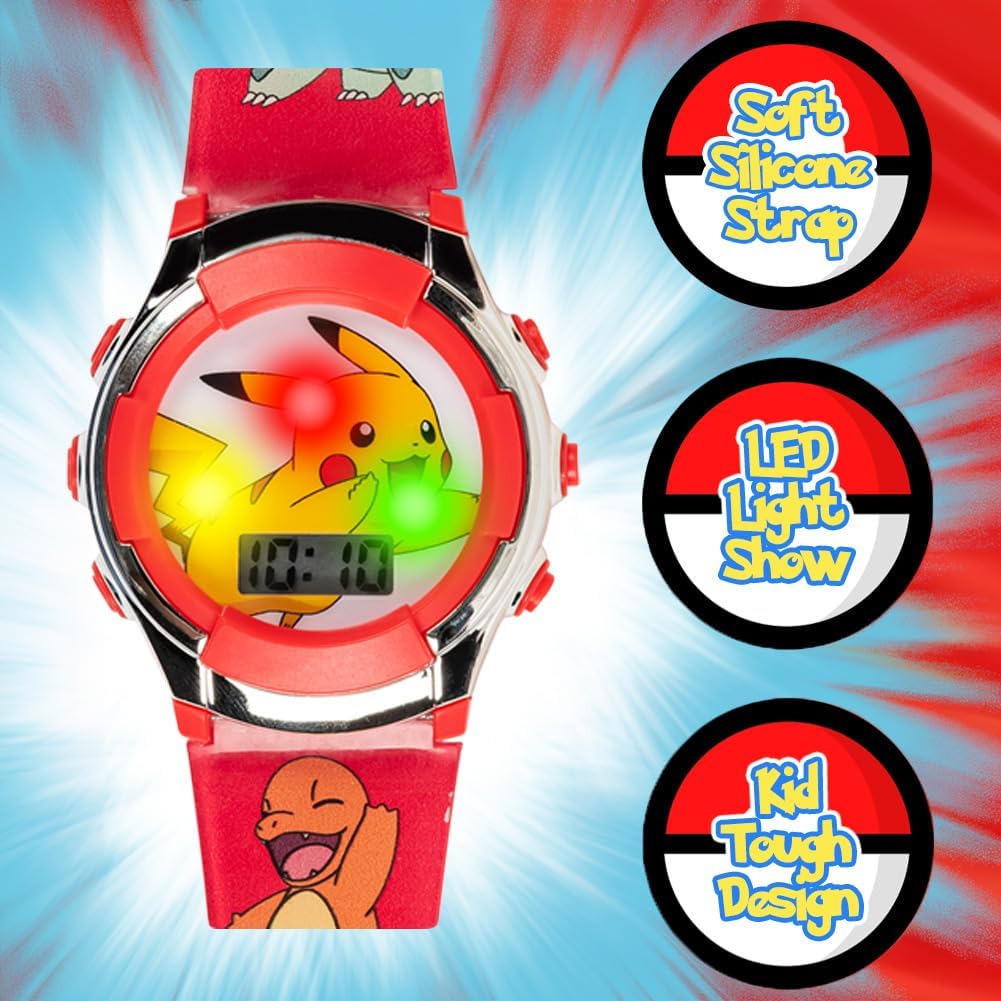
Figure 4: Back casing of the watch, displaying model number and battery type (2xLR41, 1.5V).
Troubleshooting
| Problem | Possible Cause | Solution |
|---|---|---|
| Display is blank or dim. | Low or dead battery. | Replace the battery (refer to Maintenance section). |
| Time is incorrect. | Time needs to be reset. | Follow the "Setting the Time and Date" instructions in the Setup section. |
| Light-up feature not working. | Low battery or button malfunction. | Check battery level. If battery is new and light still fails, contact customer support. |
| Watch stops working after contact with water. | Watch is not water resistant. | Water damage is irreversible and not covered under warranty. Avoid water exposure. |
Specifications
- Model Name: POK4238AZ
- Display Type: Digital LCD
- Movement Type: Quartz
- Case Material: Plastic
- Band Material: Plastic
- Case Diameter: 36 mm
- Case Thickness: 14 mm
- Band Width: 19 mm
- Band Length: 8 Inches
- Power Source: Battery Powered (1 x 2xLR41 1.5V included)
- Additional Features: Light Up
- Water Resistance: Not Water Resistant
- Manufacturer: Accutime Watch Corp.
Warranty and Support
Warranty Information
This Accutime Kids Pokemon Digital LCD Quartz Watch comes with a One Year Warranty from Accutime Watch. This warranty covers manufacturing defects under normal use. It does not cover damage resulting from misuse, accidents, unauthorized repairs, or water damage due to the watch not being water resistant.
Customer Support
For warranty claims, technical assistance, or further inquiries, please contact Accutime Watch Corp. customer service. Refer to the product packaging or the official Accutime website for current contact details.
Related documentsPOK4238AZ


Ask a question about this manual
Ask about setup, troubleshooting, compatibility, parts, safety, or missing instructions. Manuals+ will review the question and use this page’s manual context to help answer it.