
Introduction
The Nuby Digital Thermometer provides quick and accurate temperature readings for oral, underarm, and rectal use. Designed for ease of use, it features a large digital display and a tone indicator for measurement completion. This manual provides essential instructions for safe and effective operation, maintenance, and troubleshooting.
Important Safety Information
- This thermometer is not a toy. Keep it out of a child's reach when not in use.
- Do not allow children to walk or run with the thermometer.
- Do not bite or chew the thermometer.
- Do not bite the sensor tip while taking oral temperatures. Simply place the tip under the tongue.
- Avoid exposing the thermometer to direct sunlight, high temperatures, or dirt.
- Do not modify this equipment without manufacturer authorization.
- Dispose of the unit, accessories, and batteries according to national requirements.
- Cross-contamination may occur if the device is not sanitized after rectal use, or if not disinfected before use.
- Do not dismantle the thermometer for any reason other than battery replacement.
- WARNING: BATTERY IS DANGEROUS. KEEP OUT OF REACH OF CHILDREN. SWALLOWING A BATTERY COULD BE FATAL. BATTERY SHOULD NOT BE CHARGED OR PLACED INTO EXTREMELY HOT/COLD CONDITIONS, AS IT MAY EXPLODE.
Setup and Initial Use
- Battery Installation: The thermometer comes with a battery installed. If the battery symbol appears on the display, refer to the 'Replacing the Battery' section.
- Initial Cleaning: Before first use, clean the thermometer tip thoroughly with rubbing alcohol and a cotton swab.
- Power On: Press the power button. The last measured temperature will be displayed, indicated by an "M" under the degree sign. Several readings may be displayed until the thermometer is ready for use.
- Ready for Measurement: When "F/C" appears in the display, the thermometer is ready to take a reading. Note that this model primarily displays in Fahrenheit, and instructions for changing units are not provided in this manual.
Operating Instructions
Ensure the thermometer tip is clean before each use.

Image: A baby having their temperature taken orally with the Nuby Digital Thermometer.
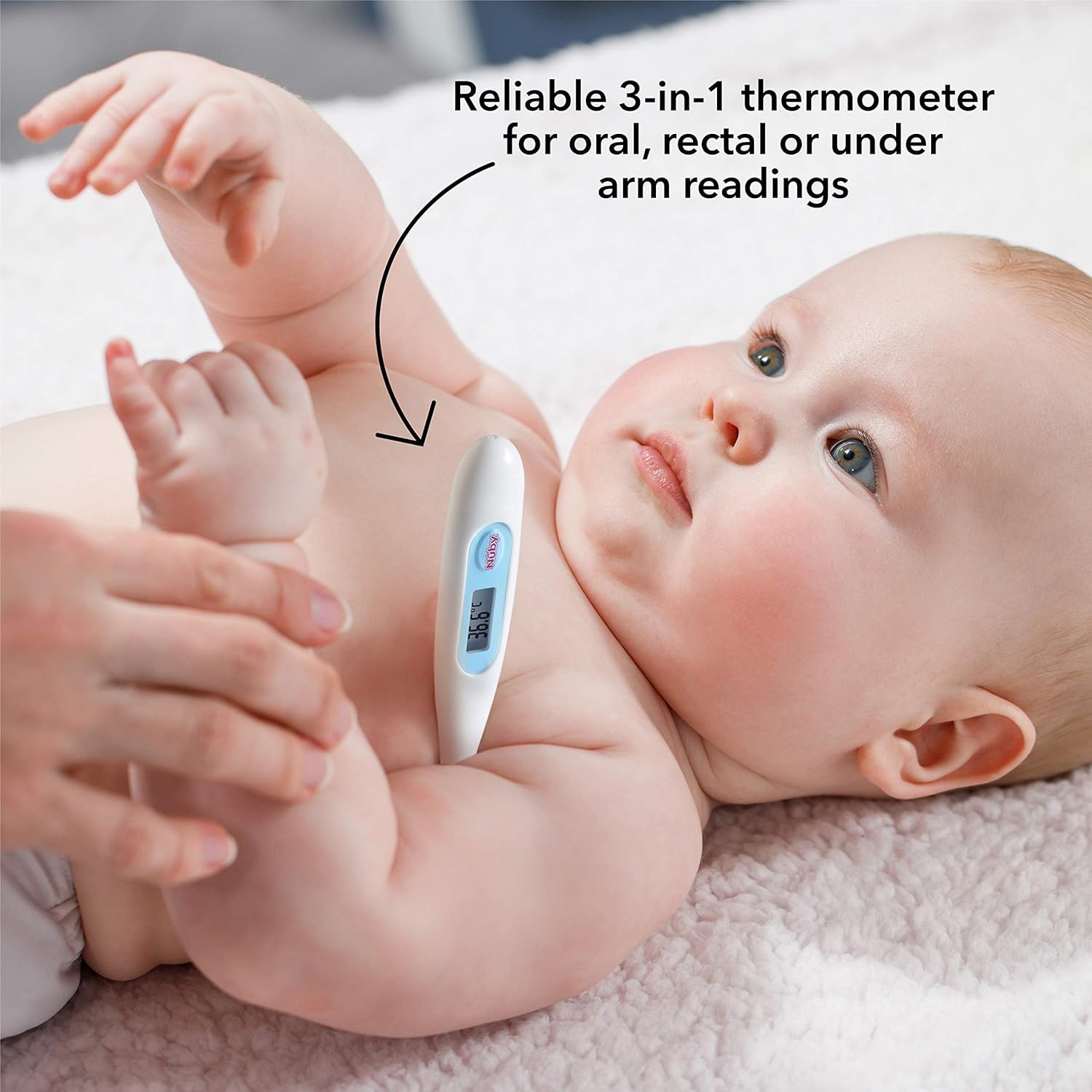
Image: A baby having their temperature taken under the arm with the Nuby Digital Thermometer.
Oral Use
- Place the sensor tip under the tongue.
- Hold the thermometer in place for approximately 60 seconds.
- When the peak temperature is reached, the "F/C" indicator will stop flashing, and a beep will sound.
- Read the final temperature displayed on the digital screen.
Underarm Use
- Place the sensor tip under the armpit and gently hold it in place.
- Hold the thermometer in place for approximately 2-4 minutes.
- When the peak temperature is reached, the "F/C" indicator will stop flashing, and a beep will sound.
- Read the final temperature displayed on the digital screen.
Rectal Use
- Apply a water-soluble jelly to the thermometer tip to ease insertion. Do not use petroleum jelly.
- Place the child across your lap and spread to expose the rectum.
- Insert the tip approximately 1/2 inch. If you detect any resistance, stop insertion immediately.
- Hold the thermometer in place for approximately 60 seconds.
- When the peak temperature is reached, the "F/C" indicator will stop flashing, and a beep will sound.
- Read the final temperature displayed on the digital screen.

Image: A close-up view of the Nuby Digital Thermometer's display showing a temperature reading.
Maintenance and Care
Cleaning
- Before and after each use, clean the thermometer tip thoroughly with rubbing alcohol and a cotton swab.
- The waterproof tip allows for easy cleaning.
- Do not immerse the entire thermometer in water or cleaning solutions.
Storage
- Store the thermometer in its hygienic cover when not in use.
- Store in a cool, dry place, away from direct sunlight and high temperatures.
Replacing the Battery
When the battery is nearly exhausted, a battery symbol will appear in the display window.
- Use a toothpick or an insulated probe to carefully remove the old battery.
- Insert a new 1.55 VDC (LR41) battery. Ensure the positive side (+) is facing up and the negative side (-) is facing down.
Troubleshooting
- "Lo" Display: If the display shows "Lo" (less than 90.0°F/32.0°C), it indicates the measured temperature is below the measurable range. This is normal if the thermometer is not in contact with a heat source.
- "Hi" Display: If the display shows "Hi" (more than 109.9°F/42.9°C), it indicates the measured temperature is above the measurable range.
- Slow Readings: Ensure proper placement and contact with the body part for the recommended duration (e.g., 60 seconds for oral/rectal, 2-4 minutes for underarm).
- Battery Symbol Displayed: Replace the battery as described in the 'Replacing the Battery' section.
- No Display/Malfunction: Ensure the battery is correctly installed and charged. If the issue persists, contact customer support.
Specifications
| Feature | Specification |
|---|---|
| Model Name | Nuby Digital Thermometer |
| Model Number | 731 |
| Battery | 1.55VDC (LR41) |
| Power Consumption | 0.2mW |
| Battery Life | More than 200 operating hours (Approx. 2 years if used 10 minutes per day) |
| Display Unit | 0.1°F / 0.1°C |
| Measuring Range | 90.0-109.9°F (32.0-42.9°C) |
| Accuracy | ±0.2°F (0.1°C) between 95-106°F (35-42°C); ±0.4°F (0.2°C) for remaining range at 71.6°F (22°C) |
| Response Time | 60 seconds (Oral/Rectal), 2-4 minutes (Underarm) |
| Operating Temperature/Humidity | 50-104°F (10-40°C) / 10-95% RH |
| Storage Temperature/Humidity | -4-131°F (-20-55°C) / 15-95% RH |
| Atmospheric Pressure | 700hPa-1060hPa |
| Dimensions | 133mm(L) x 21mm(W) x 12mm(H) |
| Weight | Approximately 11g (0.39 oz) |
Warranty and Support
For warranty information or customer support, please visit the official Nuby website or contact their customer service department. Contact details are typically found on the product packaging or the brand's official website.
Contact Information:
Luv n' Care, Ltd.
3030 Aurora Avenue
Monroe, Louisiana 71201
1-800-LuvnCare (U.S.A. only)
www.nuby.com
Electromagnetic Compatibility (EMC)
This medical electrical equipment requires special precautions regarding EMC and must be installed and put into service according to the EMC information provided in the accompanying documents. Portable and mobile RF communications equipment can affect medical electrical equipment. The use of accessories, transducers, and cables other than those specified by the manufacturer may result in increased emissions or decreased immunity of the equipment. The equipment should not be used adjacent to or stacked with other equipment. If adjacent or stacked use is necessary, the equipment should be observed to verify normal operation in the configuration in which it will be used.


