
1. Introduction
This manual provides detailed instructions for the installation, operation, and maintenance of the Focket SMC4-4-16A16B 4-Axis CNC Motion Controller. This high-performance controller is designed for carving, engraving, and milling machines, offering precise control and versatile functionality.

Figure 1: Front view of the Focket SMC4-4-16A16B 4-Axis CNC Motion Controller, showing the display screen and control buttons.
2. Key Features
- Parameter Setting: Configure processing and control parameters for optimal performance.
- Manual Operation: Supports manual jog, program zero return, mechanical zero return, and coordinate clearing.
- Program Management: Create, delete, modify, read, save, and execute programs with automatic, continuous, and pause functions.
- External Manual Functions: Customizable external functions for enhanced usability.
- Flexible Input: Limited input ports can be configured for various user requirements.
- High-Performance CPU: Equipped with a 32-bit ARM CPU for high-speed processing.
- LCD Display: 320 x 240 resolution display (60x45mm).
- Input/Output: 16 opto-isolated inputs (10MA) and 16 opto-isolated output pull-down (500MA).
- Program Storage: User machining programs can be stored on a TF card.
- Folder Support: Supports reading folders, with each folder accommodating up to 50 tool files.
3. Package Contents
Verify that all items listed below are included in your package:
- 1 x Focket SMC4-4-16A16B CNC Motion Controller
- 2 x Connection Boards
- 2 x Fixed Seats (Mounting Brackets)
- 2 x TF Cards (Memory Cards)
- 1 x USB Micro Reader (for TF cards)

Figure 2: Overview of the Focket SMC4-4-16A16B CNC Motion Controller and its included accessories, such as connection boards, mounting brackets, and memory cards.
4. Setup and Installation
Follow these steps to set up your CNC Motion Controller:
- Mounting the Controller:
Use the provided fixed seats (mounting brackets) to securely attach the CNC controller to your machine's control panel or desired location. Ensure proper ventilation around the unit.

Figure 3: Detailed view of the mounting brackets (fixed seats) used for securing the controller.
- Connecting Input/Output Boards:
Connect the provided connection boards to the appropriate ports on the back of the CNC controller. These boards facilitate the connection of external devices such as limit switches, emergency stops, and motor drivers.

Figure 4: The two connection boards included with the controller, used for wiring inputs and outputs.
- Power Connection:
Connect the power supply to the controller. Refer to your machine's electrical diagram for specific power requirements and wiring. Ensure all connections are secure before powering on.

Figure 5: Rear view of the CNC controller, displaying various connection ports for power, input/output, and communication.
- Inserting TF Card:
Insert a TF card (memory card) into the designated slot on the controller. This card will store your machining programs. Use the provided USB Micro Reader to transfer files to the TF card from a computer.

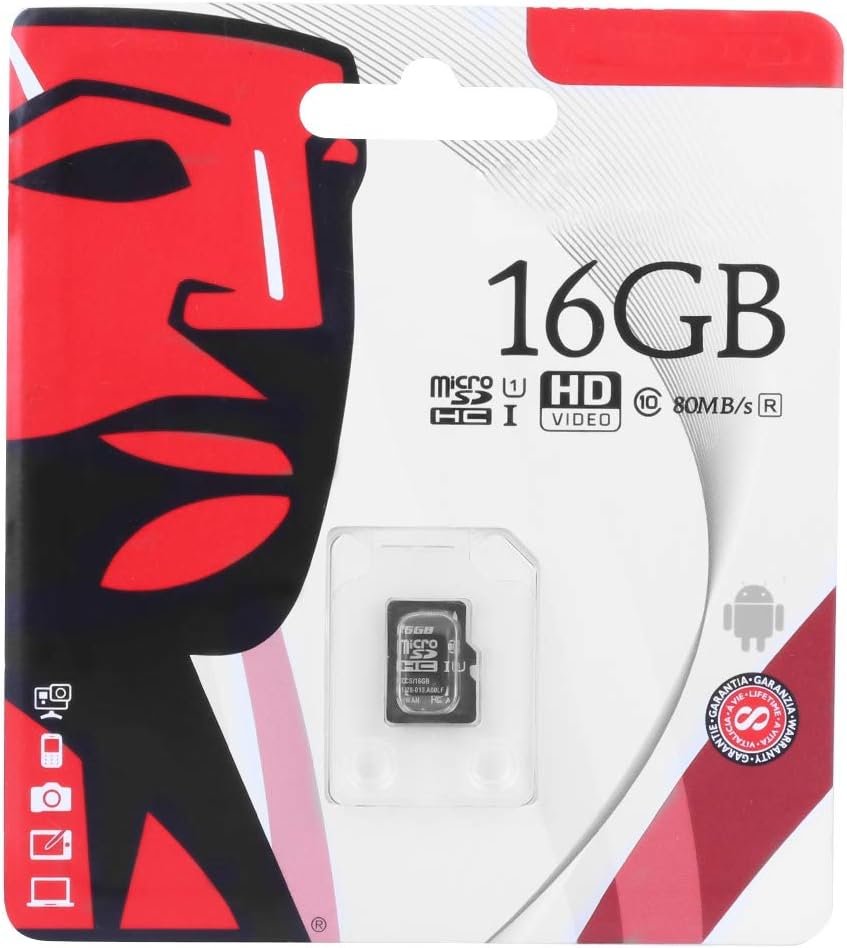
Figure 6: The USB Micro Reader and a 16GB Micro SD card, used for program storage and transfer.
5. Operating Instructions
5.1. Parameter Setting
The controller allows for precise adjustment of various operational parameters to optimize machining processes. Access the parameter settings menu to configure:
- Processing parameters (e.g., feed rates, spindle speed).
- Control parameters (e.g., acceleration, deceleration).
- System settings (e.g., units, display options).
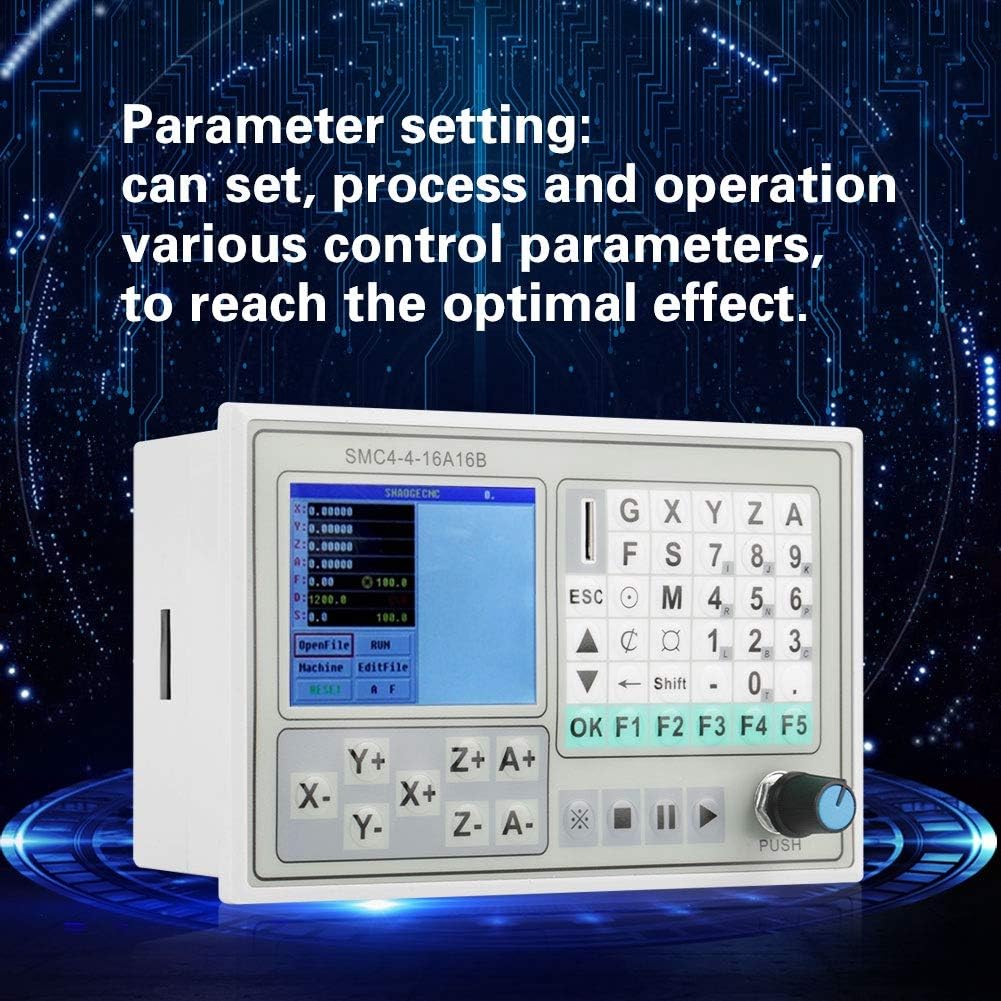
Figure 7: The controller's display screen illustrating the interface for setting and adjusting various operational parameters.
5.2. Manual Operation
The controller supports several manual operations for precise control and setup:
- Manual Jog: Move axes incrementally using the directional buttons.
- Program Zero Return: Return the machine to the defined program zero point.
- Mechanical Zero Return: Return the machine to its mechanical home position.
- Clear Coordinates: Reset current axis coordinates.
5.3. Program Management
The controller provides comprehensive program management capabilities:
- Create/Modify Programs: Develop new machining programs or edit existing ones.
- Read/Save Programs: Load programs from the TF card and save modified programs.
- Automatic Processing: Execute programs automatically.
- Continuous Operation: Run programs continuously.
- Pause Function: Temporarily halt program execution.
- Folder Support: Organize programs into folders on the TF card, with each folder supporting up to 50 tool files.
6. Maintenance
To ensure the longevity and optimal performance of your Focket SMC4-4-16A16B CNC Motion Controller, adhere to the following maintenance guidelines:
- Cleaning: Regularly clean the exterior of the controller with a soft, dry cloth. Avoid using abrasive cleaners or solvents.
- Environmental Conditions: Operate the controller within specified temperature and humidity ranges. Protect it from dust, moisture, and direct sunlight.
- Cable Management: Ensure all cables are properly routed and secured to prevent damage or accidental disconnections.
- Firmware Updates: Check the manufacturer's website periodically for any available firmware updates to improve performance or add new features.
- TF Card Care: Handle TF cards carefully to prevent data corruption. Safely eject the card before removal.
7. Troubleshooting
This section provides solutions to common issues you might encounter:
| Problem | Possible Cause | Solution |
|---|---|---|
| Controller does not power on. | No power supply; loose power connection; faulty power supply. | Check power cable connection; verify power supply output; ensure power source is active. |
| Axes do not move. | Motor drivers not connected; emergency stop engaged; incorrect parameter settings. | Verify motor driver connections; disengage emergency stop; check axis parameters. |
| Program fails to load or execute. | Corrupted TF card; incorrect file format; program errors. | Reformat TF card and re-transfer program; ensure G-code is valid; check program for syntax errors. |
| Display is blank or unreadable. | Power issue; display cable loose; display fault. | Check power connections; reseat display cable; contact support if issue persists. |
If you encounter issues not covered here, please refer to the support section for further assistance.
8. Specifications
| Feature | Detail |
|---|---|
| Model | SMC4-4-16A16B |
| Control Axes | 4 axes (X, Y, Z, A) |
| Linkage Axle Count | 4-axis linkage and four-axis multi-micro multi-line prospective interpolation control |
| Smallest Data Unit | 0.0001mm |
| Maximum Data Size | ± 99999.999mm |
| Maximum Pulse Output Frequency | 50KHz (simultaneous 50KHz per axis) |
| CPU | High-performance, high-speed 32-bit ARM CPU |
| Display | Liquid Crystal Display (LCD), Resolution: 320 x 240, Size: 60 x 45mm |
| Input/Output | 16 opto-isolated inputs (10MA), 16 opto-isolated output pull-down (500MA) |
| Program Memory | TF card storage |
| Product Dimensions | 6.69 x 4.33 x 1.97 inches |
| Item Weight | 1.3 pounds (611g) |
| Manufacturer | Focket |
9. Warranty and Support
The Focket SMC4-4-16A16B CNC Motion Controller comes with a one-year warranty for return and exchange. For any questions regarding your purchase or product operation, please contact customer support. A professional and detailed reply will be provided within 24 hours.
For further assistance, please visit the Focket Store on Amazon.