
amazon basics AB50U20PS
AmazonBasics 50-inch 4K Ultra HD Smart LED Fire TV AB50U20PS User Manual
Model: AB50U20PS
1. Important Safety Information
Please read all instructions carefully before using your new television. Keep this manual for future reference. Always follow basic safety precautions to reduce the risk of fire, electric shock, and injury to persons.
- Do not block ventilation openings.
- Do not install near any heat sources.
- Protect the power cord from being walked on or pinched.
- Only use attachments/accessories specified by the manufacturer.
- Unplug this apparatus during lightning storms or when unused for long periods of time.
- Refer all servicing to qualified service personnel.
2. What's in the Box
Verify that all components are present before proceeding with the setup.
- 1 LED TV
- 1 Table Top Stand
- 1 Wall Mount
- 1 User Manual
- 1 Remote Control
- 2 AAA Batteries
- 1 Power Cord
- 1 AV Converting cable
3. Setup
3.1 Attaching the Stand or Wall Mounting
Your AmazonBasics Fire TV can be placed on a tabletop using the included stand or mounted on a wall using the provided wall mount. Ensure the TV is placed on a stable surface or securely mounted to a wall according to the instructions.

Image: TV dimensions for placement and mounting.
3.2 Connecting Peripherals
Connect your external devices such as set-top boxes, gaming consoles, or sound systems to the appropriate ports on the TV. The TV features multiple HDMI and USB ports, an optical audio output, and an AV input.
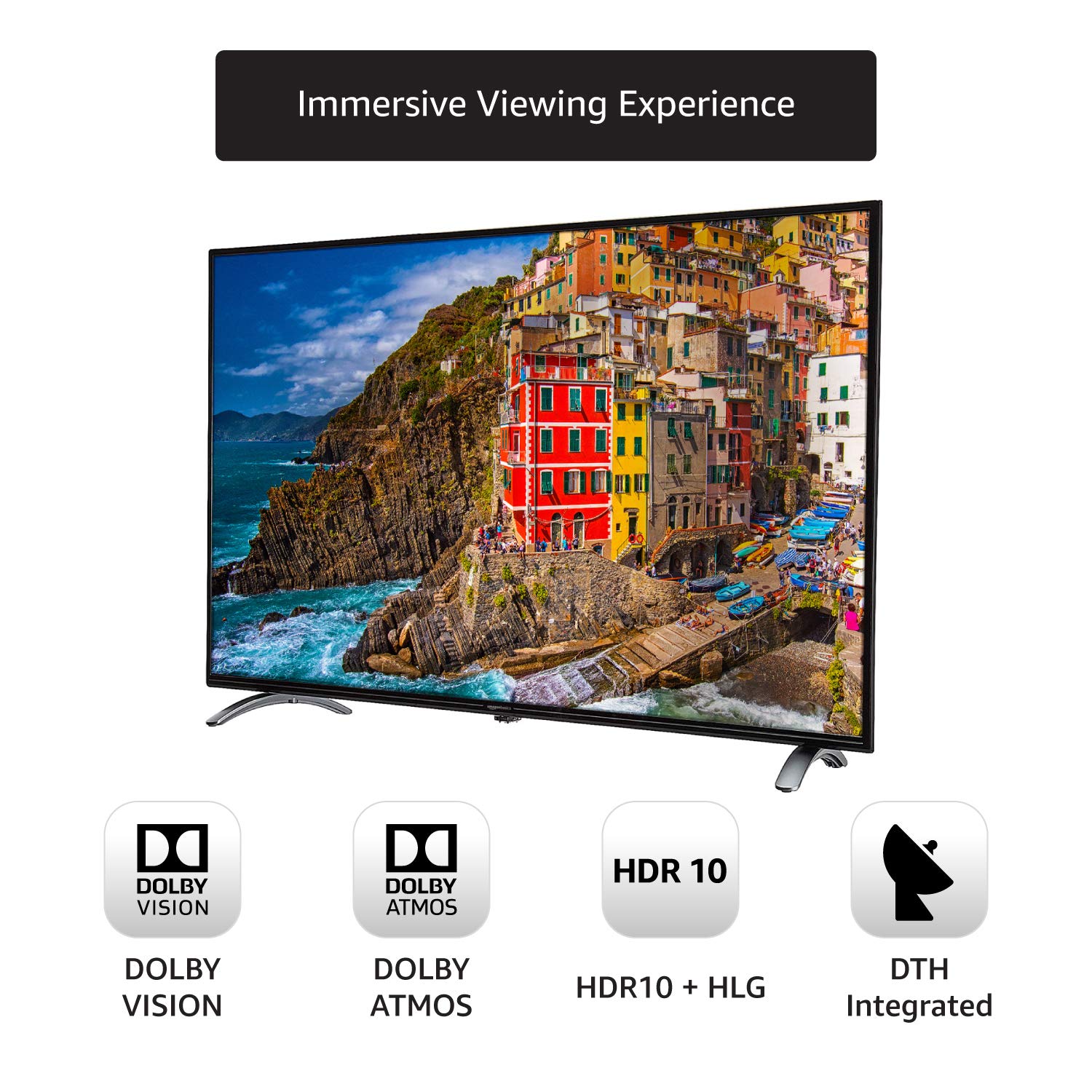
Image: Rear ports of the AmazonBasics Fire TV.
3.3 Powering On and Initial Setup
Plug the power cord into the TV and a wall outlet. Press the power button on the remote control or the TV. Follow the on-screen instructions to complete the initial setup, which includes connecting to Wi-Fi and logging into your Amazon account for Fire TV Edition features.
Video: Demonstrates the boot-up sequence and initial interface of the AmazonBasics Fire TV.
4. Operating Your TV
4.1 Remote Control and Voice Search
The included remote control features dedicated buttons for navigation and quick access to popular apps. Utilize the built-in Alexa voice search by pressing the microphone button and speaking your commands to find content, launch apps, or control smart home devices.
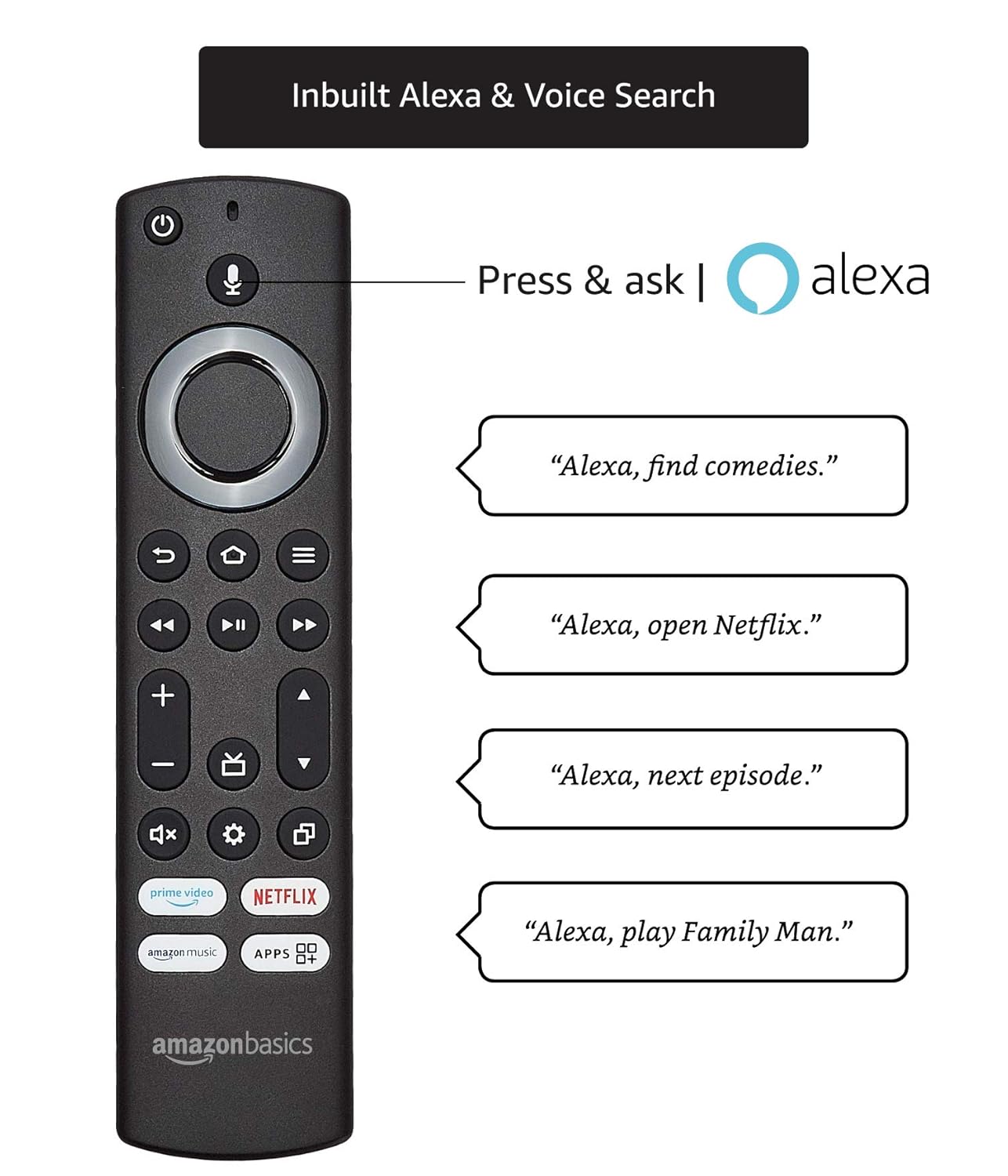
Image: Remote control with Alexa voice search.
4.2 Navigation and Smart Features
The Fire TV Edition interface provides easy access to Home, Live TV, Movies, TV Shows, Apps, and Settings. Explore a wide range of applications and streaming services available through the FireOS UI. The TV supports dual-band Wi-Fi and Bluetooth for seamless connectivity.

Image: Smart TV features overview.
4.3 Picture and Sound Settings
The 50-inch 4K Ultra HD display supports HDR10, HLG, and Dolby Vision for an immersive viewing experience with vibrant colors and enhanced contrast. The TV delivers 20W sound output and supports Dolby Atmos, Dolby Digital, and Dolby Digital Plus audio technologies for rich, clear sound.

Image: Immersive viewing experience features.
Video: Highlights key features of the AmazonBasics Fire TV, including display and audio capabilities.
5. Maintenance
To ensure the longevity and optimal performance of your TV, follow these maintenance guidelines:
- Cleaning the Screen: Gently wipe the screen with a soft, dry, lint-free cloth. For stubborn marks, lightly dampen the cloth with water or a screen cleaner specifically designed for TVs. Avoid harsh chemicals.
- Cleaning the Body: Use a soft, dry cloth to wipe the TV's frame and stand. Do not use abrasive cleaners or solvents.
- Ventilation: Ensure the ventilation openings on the back of the TV are not blocked to prevent overheating.
- Power Cord: Regularly check the power cord for any damage. If damaged, discontinue use and contact customer support.
6. Troubleshooting
If you encounter issues with your TV, refer to the following common troubleshooting steps:
- No Power: Ensure the power cord is securely plugged into both the TV and a working electrical outlet. Check if the power indicator light is on. Try a different outlet.
- No Picture/Sound: Verify that the correct input source is selected. Check all cable connections (HDMI, AV, etc.) to ensure they are secure. Restart the TV and any connected devices.
- Remote Not Working: Replace the AAA batteries in the remote control. Ensure there are no obstructions between the remote and the TV's IR sensor.
- Wi-Fi Connectivity Issues: Restart your Wi-Fi router. Ensure the TV is within range of your Wi-Fi network. Re-enter your Wi-Fi password in the TV settings.
- Poor Picture Quality: Check the resolution of the content being played. Adjust picture settings (brightness, contrast, sharpness) in the TV menu. Ensure your input source is providing a high-quality signal.
For more complex issues, please refer to the full user manual or contact customer support.
7. Specifications
| Feature | Specification |
|---|---|
| Brand | AmazonBasics |
| Model | AB50U20PS |
| Screen Size | 50 Inches (127 cm) |
| Display Technology | LED |
| Resolution | 4K (3840x2160 Pixels) |
| Refresh Rate | 60 Hz |
| Operating System | FireOS |
| RAM Memory Installed Size | 1.5 GB |
| Memory Storage Capacity | 8 GB |
| Graphics Coprocessor | MaliG31 MP2 |
| Special Features | Flat, HDR10, HLG, Dolby Vision, Alexa Voice Remote |
| Viewing Angle | 178 Degrees |
| Audio Output Mode | Surround |
| Supported Audio Formats | Dolby Digital, Dolby Digital +, Dolby Atmos, MP3_audio, WMA |
| Total USB Ports | 2 |
| Hardware Interface | HDMI (3), USB (2) |
| Connector Type | Wi-Fi (Dual-band), Bluetooth |
| Product Dimensions (LxWxH) | 112.1 x 9.2 x 66 cm |
| Item Weight | 9.1 kg |
8. Warranty and Support
For warranty information and customer support, please refer to the warranty card included with your product or visit the official AmazonBasics support website. You can also contact Amazon customer service for assistance with your Fire TV Edition television.
Related documentsAB50U20PS

Ask a question about this manual
Ask about setup, troubleshooting, compatibility, parts, safety, or missing instructions. Manuals+ will review the question and use this page’s manual context to help answer it.