
1. Introduction
This manual provides essential information for the installation, operation, and maintenance of the BUDERUS Logamatic R 4126 S 32 heating control unit. Please read these instructions carefully before using the device to ensure safe and efficient operation.

Figure 1: BUDERUS Logamatic R 4126 S 32 unit with accompanying service manual.
2. Product Overview
The BUDERUS Logamatic R 4126 S 32 is a modular digital control unit designed for wall mounting. It functions as a heating control device with a MEC 2 controller. This unit can be integrated into a Logamatic 4000 control system as a function extension or sub-station, or operate as a standalone controller in various heating systems.
Key Features:
- Temperature regulation for storage systems.
- Charging with external heat exchangers (Logalux LAP or SLP).
- Optimized temperature regulation for memory charging systems using two memory charging pumps (primary and secondary).
- Hot water preparation with dedicated time channel, offering parallel or priority modes.
- Control of a circulation pump with adjustable intervals and its own time channel.
- Capability for daily thermal disinfection of hot water heating.
- Daily temperature monitoring.
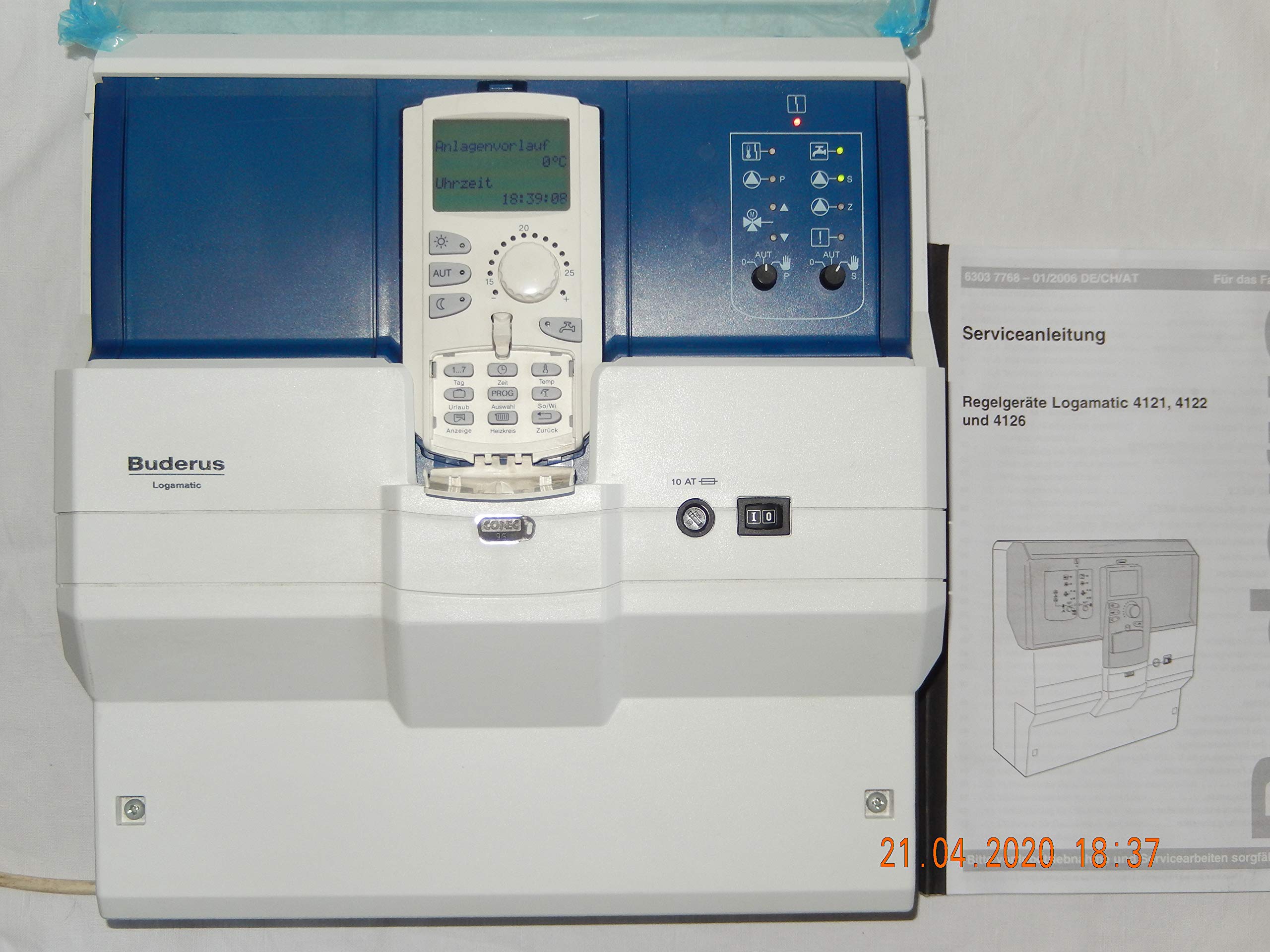
Figure 2: Front view of the control unit with its display and operational buttons.
3. Setup
The Logamatic R 4126 S 32 is designed for wall mounting. Installation should only be performed by qualified personnel in accordance with local regulations and safety standards.
3.1 Electrical Connection
The unit requires a 230 V ~ 50 Hz power supply. Ensure proper grounding and circuit protection. The device is rated for 10.0 A and has an IP40 protection class.
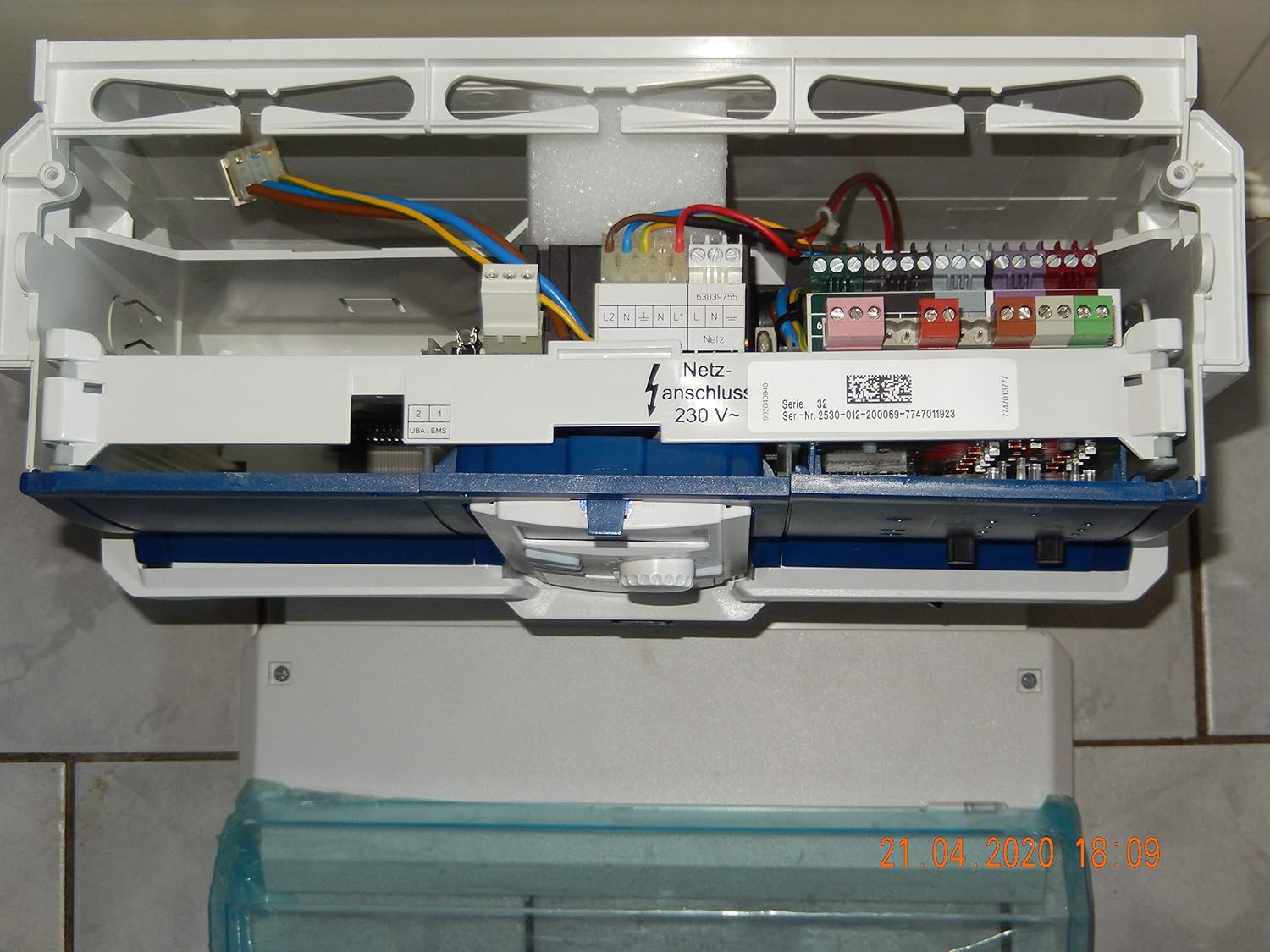
Figure 3: Internal view showing electrical connections and terminals.
3.2 System Integration
- Memory Charging Systems: For SLP memory charging systems utilizing two pumps, a signal converter is required for each pump.
- Three-Phase Pumps: If three-phase pumps are used in the primary circuit, the installation of a 3-way mixer is mandatory.
- High-Efficiency Pumps: For LAP memory charging systems with high-efficiency pumps in the primary circuit, a 3-way mixer is also necessary.
4. Operating Instructions
The Logamatic R 4126 S 32 features an intuitive control panel with a display and various buttons for setting and monitoring heating parameters.
4.1 Basic Operation
- Display: The central display shows current operating modes, temperatures, and time. Examples include 'Sommer / Winter' (Summer / Winter mode), 'Sommer ab' (Summer off), 'Raum eingestellt' (Room set), 'Automatik Tag' (Automatic Day mode), and 'Anlagenvorlauf' (System flow temperature).
- Rotary Knob: Use the central rotary knob to adjust temperature settings and navigate through menus.
- Mode Selection: Buttons are provided for selecting operating modes such as 'AUT' (Automatic), 'Tag' (Day mode), and 'Urlaub' (Holiday mode).
- Information Display: The 'Anzeige' (Display) button allows cycling through various system information.
- Heating Circuit Control: The 'Heizkreis' (Heating Circuit) button provides access to settings specific to the heating circuit.

Figure 4: Operating the control panel, showing the display indicating 'Raum eingestellt' (Room set).
5. Maintenance
To ensure the longevity and optimal performance of your Logamatic R 4126 S 32 unit, regular maintenance is recommended.
- Cleaning: Keep the exterior of the unit clean and free from dust. Use a soft, dry cloth for cleaning. Do not use abrasive cleaners or solvents.
- Professional Inspection: It is advisable to have the unit inspected annually by a qualified heating technician. This ensures all components are functioning correctly and identifies any potential issues early.
- Software Updates: Consult with your service provider for any available software updates for the controller.
6. Troubleshooting
This section provides general guidance for common issues. For detailed troubleshooting, refer to the comprehensive service manual or contact a qualified technician.
- No Display/Power: Check the main power supply and circuit breaker. Ensure the unit is properly connected to the electrical grid.
- Incorrect Temperature: Verify the set temperature and operating mode. Ensure external sensors (if applicable) are clean and correctly positioned.
- Error Messages: If an error code or message appears on the display, note it down and consult the service manual or contact customer support with the specific code.
- Heating System Not Responding: Check the status of the connected pumps and valves. Ensure there are no blockages in the heating circuit.
7. Specifications
| Feature | Specification |
|---|---|
| Model | R 4126 S 32 |
| Manufacturer | Buderus |
| Power Supply | 230 V ~ 50 Hz |
| Current Rating | 10.0 A |
| Protection Class | IP40 |
| ASIN | B087GZ58RX |

Figure 5: Product rating label with technical specifications.
8. Warranty and Support
Warranty terms for the BUDERUS Logamatic R 4126 S 32 are subject to the seller's General Terms and Conditions (GTC). Please consult your purchase documentation for specific warranty details.
Important Note: Breaking or removing the warranty seal on the product will void all warranty claims. Ensure the seal remains intact for any warranty-related services.
For technical support or service inquiries, please contact your authorized Buderus dealer or the point of purchase.


