
Introduction
The Bracketron Roadtripper Voice Car Audio Bluetooth FM Transmitter is designed to enhance your in-car audio experience by providing seamless Bluetooth connectivity, hands-free calling, and music streaming through your vehicle's FM radio. It also features convenient charging ports and voice assistant integration for a safer and more connected drive.
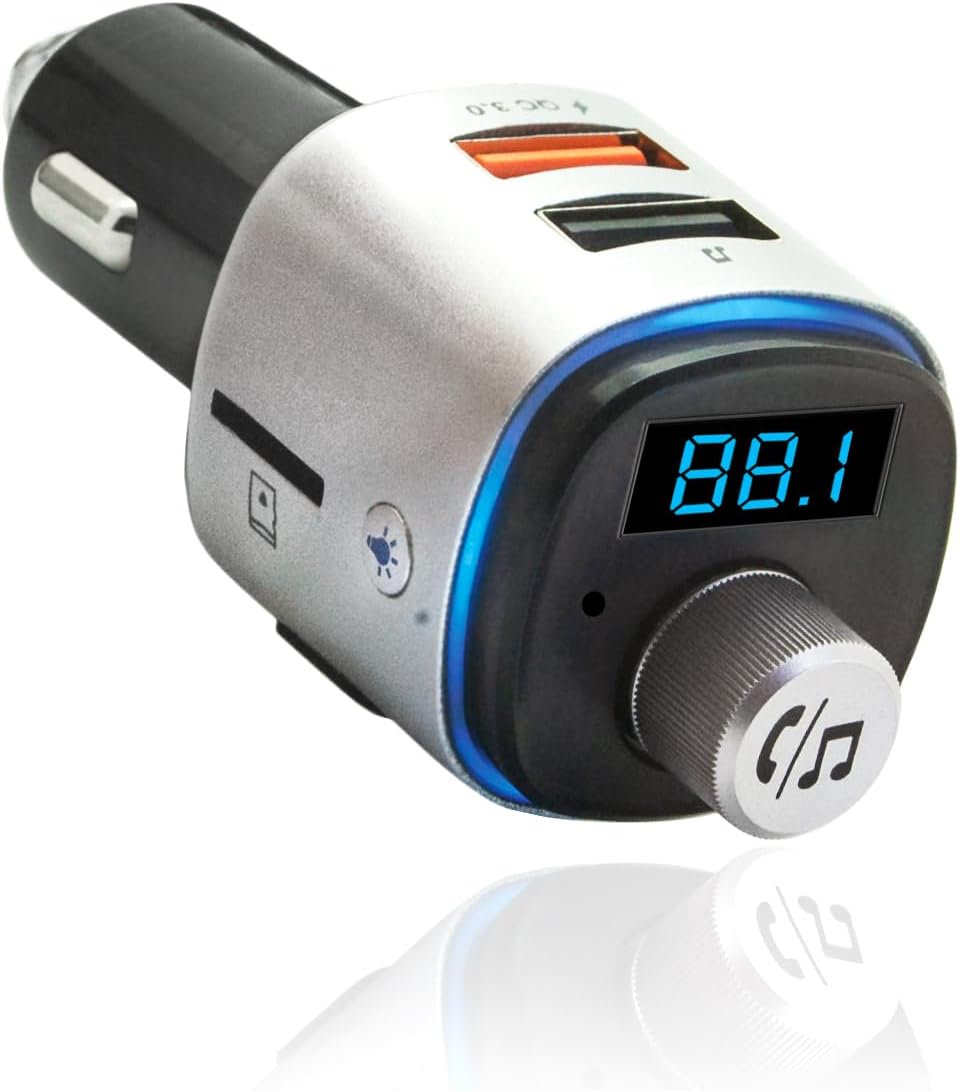
Image: The main unit of the Roadtripper Voice FM Transmitter, showing its compact design, digital display, control knob, and USB ports.
What's in the Box
- Roadtripper VOICE Car Audio Bluetooth FM Transmitter
Key Features
- Works with Siri (Apple) or Google Assistant (Android)
- To activate Siri or Google Assistant, press front round silver knob to allow you to do the following from your smartphone: Use navigation system, Stream from favorite music apps, Make hands-free calls, Activate any app with your voice
- Features 1, Quick Charge 3.0 technology USB port and 1, 1.2A charging port
- Latest Bluetooth 5.0 Technology
- Integrated noise-canceling microphone for high-quality sound
- Includes LED display with customizable lighting to match your vehicle’s interior lights
- Includes digital LED display
Safety Information
Please read and understand all safety warnings before using this product.
- Handle batteries with care.
- Avoid using near other wireless devices to prevent interference.
- Use in recommended temperature and humidity ranges.
- Do not disassemble or modify the device.
- Keep out of reach of children.
Setup Guide
- Power On: Insert the Roadtripper Voice FM Transmitter into your vehicle's 12V power outlet (cigarette lighter socket). The LED display will light up.

Image: A hand inserting the compact Roadtripper Voice FM Transmitter into a car's power socket, demonstrating its sleek design.
- Tune FM Frequency: Find an empty FM frequency on your car's radio. An empty frequency is one with static or no broadcast. Adjust the FM Transmitter to match this frequency using the control knob. The digital LED display will show the current frequency.

Image: The Roadtripper Voice FM Transmitter plugged into a car's console, illuminated by a color-changing LED light, showing the digital FM frequency display.
- Pair Bluetooth: On your smartphone or Bluetooth-enabled device, search for available Bluetooth devices and select "Roadtripper Voice" to pair. Once paired, the device will confirm the connection.

Image: The Roadtripper Voice FM Transmitter shown alongside various smartphones and tablets, illustrating its wide compatibility with Bluetooth-enabled devices and different vehicle types (sedan, SUV, pickup, van).
Operating Instructions
Hands-Free Calling
Once paired, you can make and receive calls hands-free. The integrated noise-canceling microphone ensures clear communication.
- To answer an incoming call: Press the multi-function knob (the round silver knob).
- To end a call: Press the multi-function knob again.
- To reject a call: Press and hold the multi-function knob.
- To redial the last number: Double-press the multi-function knob.

Image: A man driving, smiling and talking, with a speech bubble indicating "Hello!", demonstrating the hands-free calling feature of the Roadtripper Voice FM Transmitter.
Music Streaming
Stream music from your smartphone or Micro SD card directly through your car's FM radio.
- To play/pause music: Press the multi-function knob.
- To skip to the next track: Press the "Forward" button.
- To go to the previous track: Press the "Back" button.
- To adjust volume: Rotate the multi-function knob.
- For Micro SD card playback: Insert a Micro SD card with MP3/WMA/WAV/FLAC files into the designated slot. The device will automatically switch to Micro SD playback.

Image: The Roadtripper Voice FM Transmitter surrounded by icons of popular music streaming apps (Spotify, Apple Music, etc.), illustrating its music streaming capabilities via Siri or Google Voice controls.
Voice Assistant Activation
Activate your phone's voice assistant (Siri or Google Assistant) by pressing the multi-function knob. This allows you to use voice commands for navigation, music, calls, and app activation.
Video: An official product video demonstrating how to make your car Bluetooth enabled using the Roadtripper Voice FM Transmitter, highlighting its voice command features for calls, music, and navigation.
USB Charging
The device includes two USB charging ports: one Quick Charge 3.0 port and one 1.2A charging port, allowing you to charge multiple devices simultaneously.
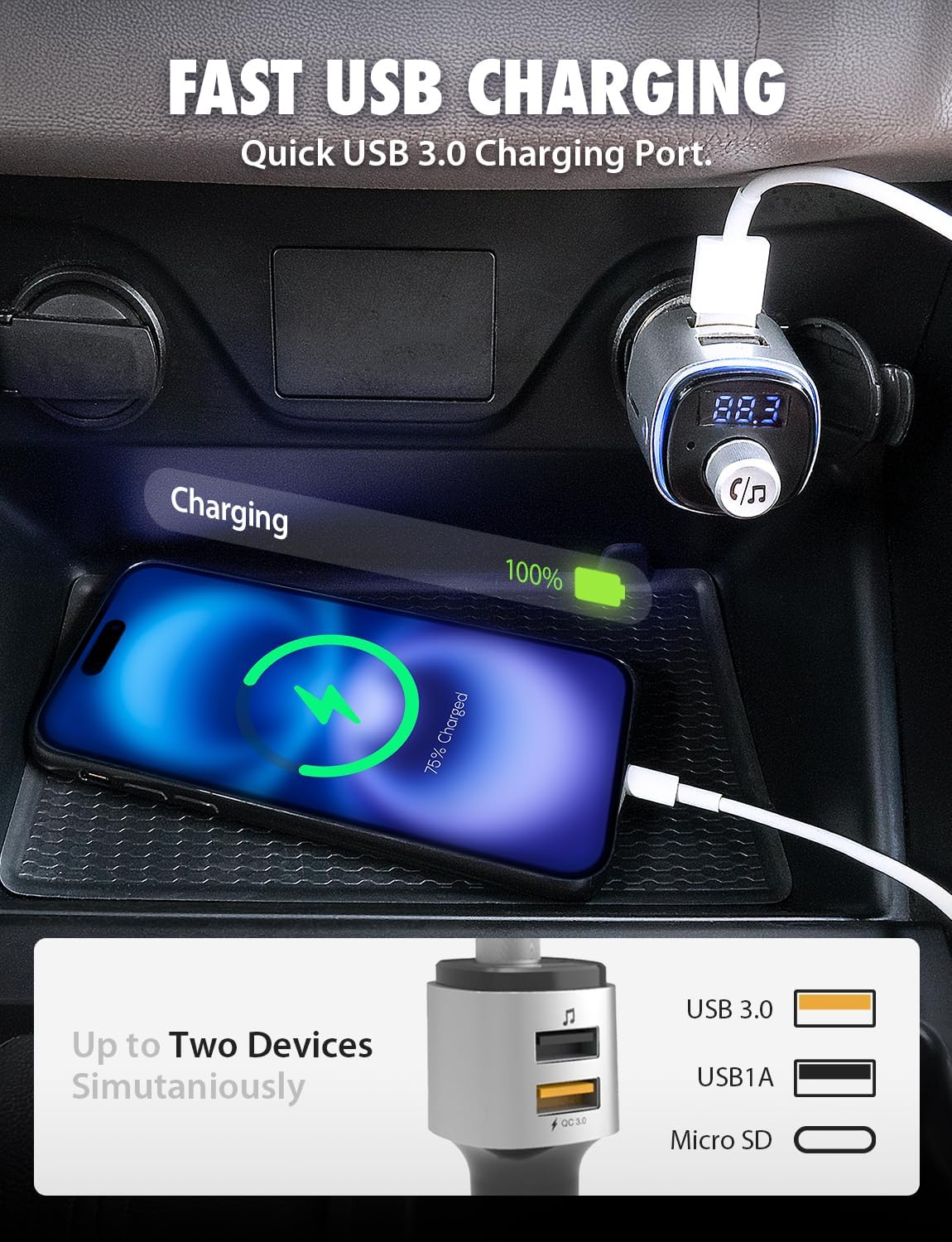
Image: A smartphone connected to the Roadtripper Voice FM Transmitter via a USB cable, showing the phone charging in a car's console, highlighting the fast USB charging capabilities.
Maintenance
- Keep the device clean by wiping it with a soft, dry cloth.
- Avoid exposing the device to extreme temperatures, direct sunlight, or moisture.
- Do not use abrasive cleaners or solvents.
- Ensure the 12V power outlet is clean and free of debris for optimal connection.
Troubleshooting
| Problem | Possible Cause | Solution |
|---|---|---|
| No power to the device. | Loose connection; vehicle's 12V outlet not working. | Ensure the device is firmly plugged in. Check if the vehicle's 12V outlet is functional with another device. Check vehicle's fuse box. |
| Cannot pair via Bluetooth. | Bluetooth not enabled on phone; device already paired; interference. | Ensure Bluetooth is enabled on your phone. Forget previous pairings on your phone. Restart both the transmitter and your phone. Move closer to the device. |
| Poor audio quality/static. | FM frequency interference; volume too low/high. | Find a clearer, unused FM frequency on your car radio and match the transmitter. Adjust volume on both the transmitter and car stereo. Avoid using near other strong wireless signals. |
| Voice assistant not responding. | Incorrect button press; phone's voice assistant settings. | Ensure you are pressing the multi-function knob correctly. Check your phone's settings to ensure Siri or Google Assistant is enabled and configured for voice commands. |
Specifications
| Feature | Detail |
|---|---|
| Product Dimensions | 3.5 x 1.31 x 1.31 inches |
| Item Weight | 1.6 ounces |
| Model Number | BT57672 |
| Connectivity Technology | Bluetooth 5.0, USB |
| Power Source | Corded Electric (12V Car Outlet) |
| USB Charging Ports | 1x Quick Charge 3.0, 1x 1.2A |
| Special Features | LED Display, Voice Control (Siri/Google Assistant), Micro SD Card Slot |
| Human Interface Input | Buttons, Rotary Knob |
Warranty and Support
Bracketron is committed to providing high-quality products. For detailed warranty information and customer support, please visit the official Bracketron website or contact their customer service department.
Official Website: www.bracketron.com


