
1. Introduction
This manual provides detailed instructions for the installation, operation, and maintenance of your KOSO Super Slim Compact Digital Tachometer, Model BA024B90. Please read this manual thoroughly before installation and use to ensure proper function and safety. This device is designed to accurately display engine RPM for motorcycles and similar vehicles.
2. Safety Information
- Electrical Safety: Ensure the vehicle's ignition is off and the battery is disconnected before performing any wiring. Incorrect wiring can cause damage to the tachometer or the vehicle's electrical system.
- Installation: If you are unsure about the installation process, consult a qualified technician. Improper installation can lead to malfunction or unsafe operation.
- Operating Environment: Do not expose the tachometer to extreme temperatures, direct sunlight for prolonged periods, or excessive moisture.
- Maintenance: Do not attempt to disassemble or modify the tachometer. This will void the warranty and may cause damage.
3. Package Contents
Verify that all items listed below are present in your package:
- KOSO Super Slim Compact Digital Tachometer Unit
- Wiring Harness
- RPM Signal Sensor
- Mounting Tape
- Wire Connectors (Red)
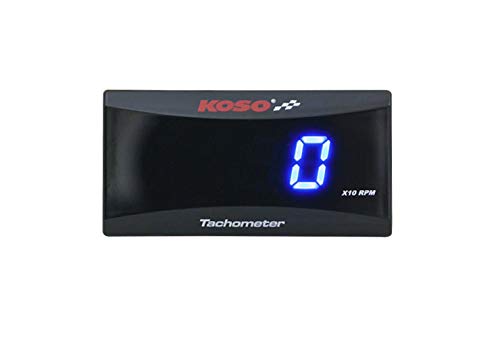
Image: KOSO Super Slim Compact Digital Tachometer package contents including the tachometer unit, wiring harness, RPM sensor, and red wire connectors.
4. Product Overview
The KOSO Super Slim Compact Digital Tachometer features a clear blue digital display for real-time engine RPM readings. Its compact design allows for flexible mounting options on various motorcycles. The display indicates RPM in increments of 10 (X10 RPM).
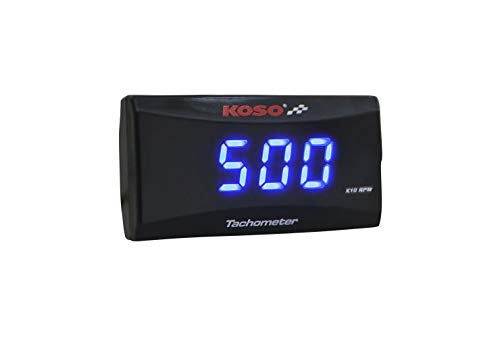
Image: KOSO Super Slim Compact Digital Tachometer with blue digital display showing '0'.
5. Setup and Installation
Follow these steps for proper installation:
- Preparation: Turn off the vehicle's ignition and disconnect the battery's negative terminal to prevent electrical shorts.
- Mounting: Choose a suitable, flat surface on your motorcycle for mounting the tachometer. Ensure it is visible to the rider and does not obstruct controls. Use the provided mounting tape to secure the unit.
- Wiring Connections:
- Power (Red Wire): Connect the red wire from the tachometer's wiring harness to a switched 12V power source on your motorcycle (e.g., ignition switch output).
- Ground (Black Wire): Connect the black wire to a reliable ground point on the motorcycle chassis or battery negative terminal.
- RPM Signal (Yellow/White Wire): Connect the RPM signal wire to the vehicle's ignition coil primary wire or a dedicated RPM signal output. Refer to your motorcycle's service manual for the exact location of the RPM signal wire.
- Sensor Installation: Install the RPM signal sensor according to your vehicle's requirements. This typically involves wrapping the sensor wire around the spark plug wire or connecting it to a specific signal point.
- Final Check: Double-check all connections for security and proper insulation. Reconnect the battery's negative terminal.
6. Operating Instructions
Once installed and wired correctly, operating the KOSO Super Slim Compact Digital Tachometer is straightforward:
- Power On: Turn the motorcycle's ignition key to the 'ON' position. The tachometer display should illuminate.
- Engine Start: Start the motorcycle engine. The tachometer will begin to display the engine's current RPM.
- Reading RPM: The displayed number represents the engine RPM multiplied by 10 (X10 RPM). For example, if the display shows '300', the actual engine RPM is 3000 RPM.
- Power Off: Turn the motorcycle's ignition key to the 'OFF' position to power off the tachometer.
7. Maintenance
The KOSO Super Slim Compact Digital Tachometer requires minimal maintenance:
- Cleaning: Use a soft, dry cloth to clean the display and casing. Do not use abrasive cleaners or solvents, as these can damage the unit.
- Inspection: Periodically check the wiring connections to ensure they remain secure and free from corrosion.
- Storage: If the motorcycle is stored for an extended period, ensure the tachometer is kept in a dry environment.
8. Troubleshooting
If you encounter issues with your tachometer, refer to the following troubleshooting guide:
- No Display:
- Check the power (red wire) and ground (black wire) connections. Ensure they are secure and receiving proper voltage.
- Verify the motorcycle's ignition is on.
- Check for any blown fuses in the motorcycle's electrical system.
- Incorrect RPM Reading:
- Ensure the RPM signal wire is correctly connected to the ignition coil or signal source.
- Verify the RPM sensor is properly installed and making good contact.
- Check for any interference from other electrical components.
- Intermittent Display:
- Inspect all wiring for loose connections or damaged insulation.
- Ensure the unit is securely mounted and not vibrating excessively.
If problems persist after following these steps, contact customer support for assistance.
9. Specifications
- Model: BA024B90
- Display Type: Digital, Blue LED
- Measurement Range: 0 - 15000 RPM (displayed as 0 - 1500 X10 RPM)
- Input Voltage: DC 12V
- Dimensions (W x H x D): 56.4mm x 27mm x 11mm
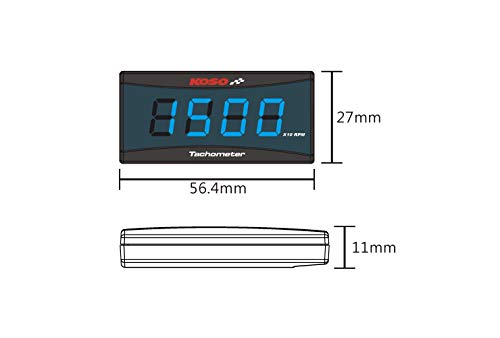
Image: Diagram illustrating the dimensions of the KOSO Super Slim Compact Digital Tachometer: 56.4mm width, 27mm height, and 11mm thickness.
10. Warranty and Support
This product comes with a standard manufacturer's warranty. Please refer to the warranty card included in your package for specific terms and conditions. For technical support, troubleshooting assistance, or warranty claims, please contact the retailer or manufacturer directly. Keep your purchase receipt as proof of purchase.