
DALY standard Lifepo4 16S 100A
DALY 16S 48V 100A BMS LifePO4 Protection Board User Manual
Model: standard Lifepo4 16S 100A | Brand: DALY
1. Introduction
This manual provides essential information for the safe and effective use of your DALY 16S 48V 100A BMS LifePO4 Protection Board. This Battery Management System (BMS) is designed to optimize the performance and extend the lifetime of your lithium battery pack by providing comprehensive protection against overcurrent, overcharge, overdischarge, short circuits, and temperature fluctuations. Please read this manual thoroughly before installation and operation.

Figure 1.1: DALY 16S 48V 100A BMS LifePO4 Protection Board with included balance wire and temperature sensor.
2. Safety Information
WARNING: Improper installation or handling of the BMS and battery pack can lead to serious injury, fire, or damage to equipment. Always follow safety guidelines and consult a qualified professional if unsure.
- Ensure all connections are correct and secure before applying power.
- Do not short-circuit the battery terminals or BMS connections.
- Wear appropriate personal protective equipment (PPE), including safety glasses and insulated gloves.
- Keep the BMS and battery pack away from water, moisture, and extreme temperatures.
- Verify voltage readings with a multimeter before connecting the BMS to the battery pack.
3. Product Overview
The DALY BMS features a robust design with double protection technology, including injection patent technology and a patent shell, ensuring waterproof, dustproof, shockproof, and anti-static properties. It incorporates high-quality components for high acquisition accuracy and durability.
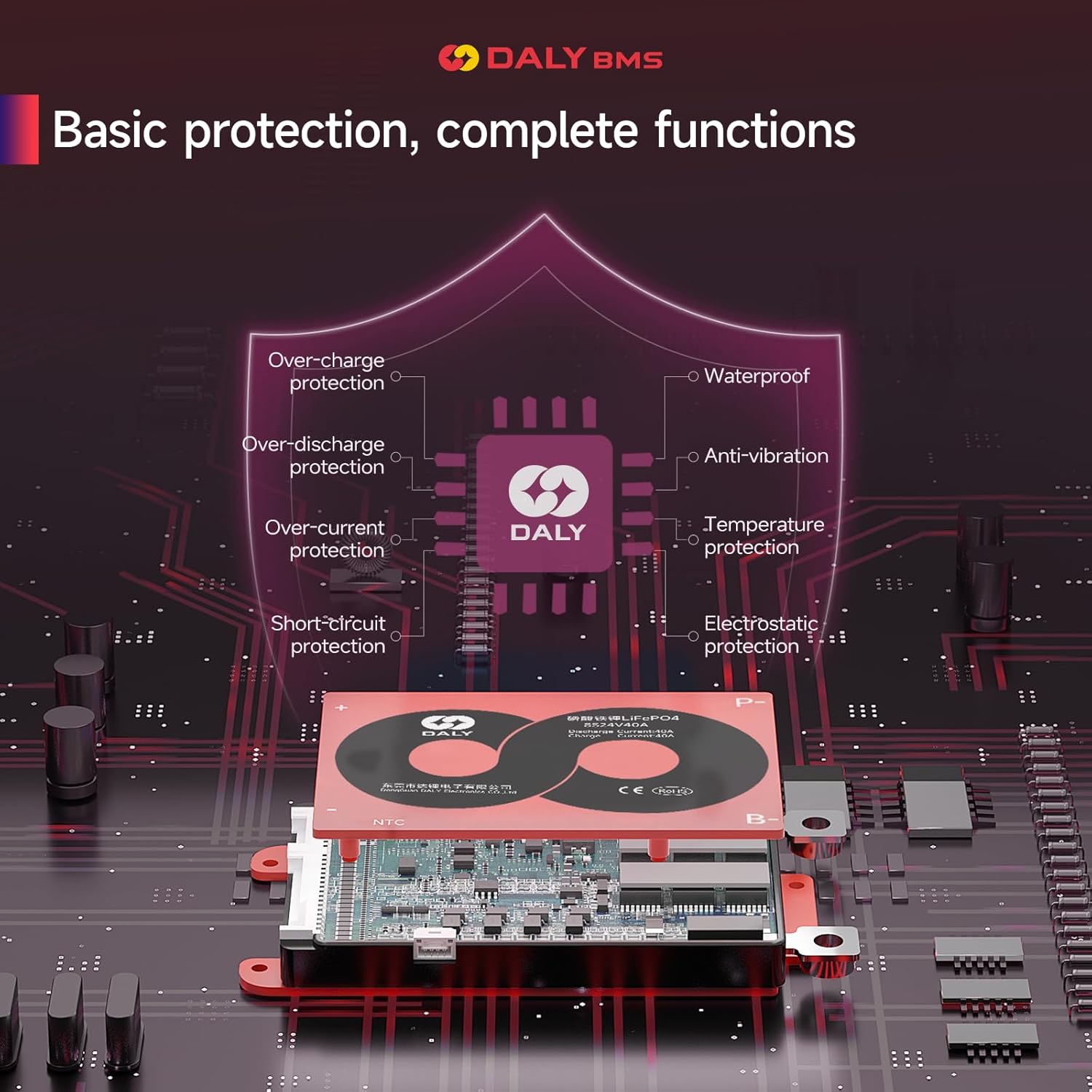
Figure 3.1: Overview of DALY BMS basic protection functions, including over-charge, over-discharge, over-current, short-circuit, anti-vibration, temperature, and electrostatic protection.

Figure 3.2: The BMS utilizes advanced technology for moisture-proof, anti-vibration, and anti-oxidation properties, enhanced by patented plastic injection technology.

Figure 3.3: The compact size of the DALY BMS saves space and features screw holes for easy installation.
4. Setup and Installation
Proper installation is crucial for the optimal performance and safety of your BMS. Follow these steps carefully. The provided video further illustrates common wiring errors to avoid.
Video 4.1: DALY BMS Wiring Tutorial - Matters Needing Attention. This video highlights common wiring errors and proper connection techniques for DALY BMS units.

Figure 4.1: Detailed wiring diagram for the DALY BMS, showing connections to the battery pack, load, and recharger.
Installation Steps:
- Step 1: Solder the sampling cables. The first cable in black in the sampling cable set is connected to the negative terminal of the battery. The second cable (red) is connected to the positive terminal of the first string of batteries, and the third cable (red) is connected to the positive terminal of the second string of batteries. Continue this process until all cables are connected to their respective positive terminals of each battery string.
- Step 2: Check the cables. After connecting the cables, measure the voltage between two adjacent cables starting from the header to make sure there are no wrong connections or missing connections. Ensure the voltage of each string is correct.
- Step 3: Connect the output wires. Connect the B- wire of the BMS to the total negative terminal of the battery pack. Then, plug the sampling cable to the BMS. After activating the BMS, make sure that the voltage (battery voltage) between B+ & B- and the voltage between P+ & P- are consistent.
5. Operating Instructions
Once properly installed, the DALY BMS operates automatically to manage and protect your battery pack. It continuously monitors voltage, current, and temperature to ensure safe and efficient operation.
- The BMS will automatically cut off charging or discharging if any protection threshold (overcurrent, overcharge, overdischarge, short circuit, temperature) is exceeded.
- Normal operation resumes once the conditions return to safe levels.
- For standard BMS models, there are no communication functions. For smart BMS models, additional monitoring and control features may be available via a dedicated app (refer to smart BMS specific documentation if applicable).

Figure 5.1: The DALY BMS is suitable for various Li-battery applications, including electric bicycles, two-wheelers, tricycles, wheelchairs, AGVs, robots, portable power supplies, and energy storage systems.
6. Maintenance
The DALY BMS is designed for durability and requires minimal maintenance. However, periodic checks can help ensure its longevity and continued performance.
- Regularly inspect all wiring and connections for any signs of wear, corrosion, or looseness.
- Keep the BMS clean and free from dust and debris.
- Avoid exposing the BMS to excessive physical shock or vibration.
- Ensure proper ventilation around the BMS, especially during high current operation.
7. Troubleshooting
If you encounter issues with your DALY BMS, refer to the following common problems and solutions. For complex issues, contact DALY customer service.
- Battery not charging/discharging:
Check all wiring connections for proper seating and continuity. Refer to the installation section and the provided video for common wiring errors. Verify that the battery voltage is within the BMS's operating range. - BMS appears damaged or burnt:
This often indicates incorrect wiring, especially inserting the BMS wiring before welding the wire to the lithium battery pack, or incorrect P-line/B-line connections. Immediately disconnect power and inspect all connections. Do not attempt to use a damaged BMS. - Electric vehicle suddenly stops working:
This can be a symptom of virtual welding or poor contact in the battery pack wiring, leading to high burden pressure and eventual damage. Inspect battery connections and wiring for integrity. - BMS not providing expected protection:
Ensure the correct BMS model is used for your battery configuration (e.g., LiFePO4 16S). Verify that the NTC sensor is properly connected for temperature protection.
8. Specifications
Key specifications for the DALY 16S 48V 100A LifePO4 BMS:

Figure 8.1: Detailed specifications for the DALY LifePO4 16S 100A BMS, including discharge current, overdischarge current, charging current, and various protection parameters.

Figure 8.2: Comprehensive table of product parameters for the standard Lifepo4 16S BMS, detailing discharge, charge, overcharge protection, balance, overdischarge protection, over current protection, short circuit protection, and temperature protection values.
General Specifications:
- Product Dimensions: 6.54 x 2.56 x 0.94 inches
- Item Weight: 1.17 pounds (530 Grams)
- Output Voltage: 48 Volts
- Manufacturer: Dongguan Daly Electronics Co., Ltd
- Certifications: ISO, FCC, RoHS, PSE, CE APPROVED
9. Packing List
The following items are included with your DALY 16S 48V 100A BMS:

Figure 9.1: Visual representation of the packing list, showing the K-BMS unit, manual, B-P-Cable (Gift), NTC sensor, and Cable.
- 3.2V Lifepo4 BMS (1 unit)
- NTC sensor (1 unit)
- Sampling cable (1 unit)
- Instruction Manual (1 unit)
10. Warranty and Support
DALY provides a quality guarantee for its products, which are ISO/FCC/RoHS/PSE/CE APPROVED. We are committed to customer satisfaction and offer comprehensive support.
- Customer Service: We offer 24-hour one-on-one customer service for any inquiries or assistance.
- Technical Support: Lifetime technical support is provided for your DALY BMS.
- Protection Plans: Additional protection plans may be available for purchase to extend coverage beyond the standard warranty.
For further assistance, please contact DALY customer service through the official channels provided at the point of purchase.
Ask a question about this manual
Ask about setup, troubleshooting, compatibility, parts, safety, or missing instructions. Manuals+ will review the question and use this page’s manual context to help answer it.