Introduction
This manual provides detailed instructions for the setup, operation, and maintenance of your Nakamichi Shockwafe Pro 7.1.4 Channel 600W Dolby Atmos/DTS:X Soundbar System. This system is designed to deliver an immersive audio experience with 7.1.4 channels of surround sound, an 8-inch wireless subwoofer, and two rear surround speakers. Please read this manual thoroughly before using the product to ensure proper installation and optimal performance.
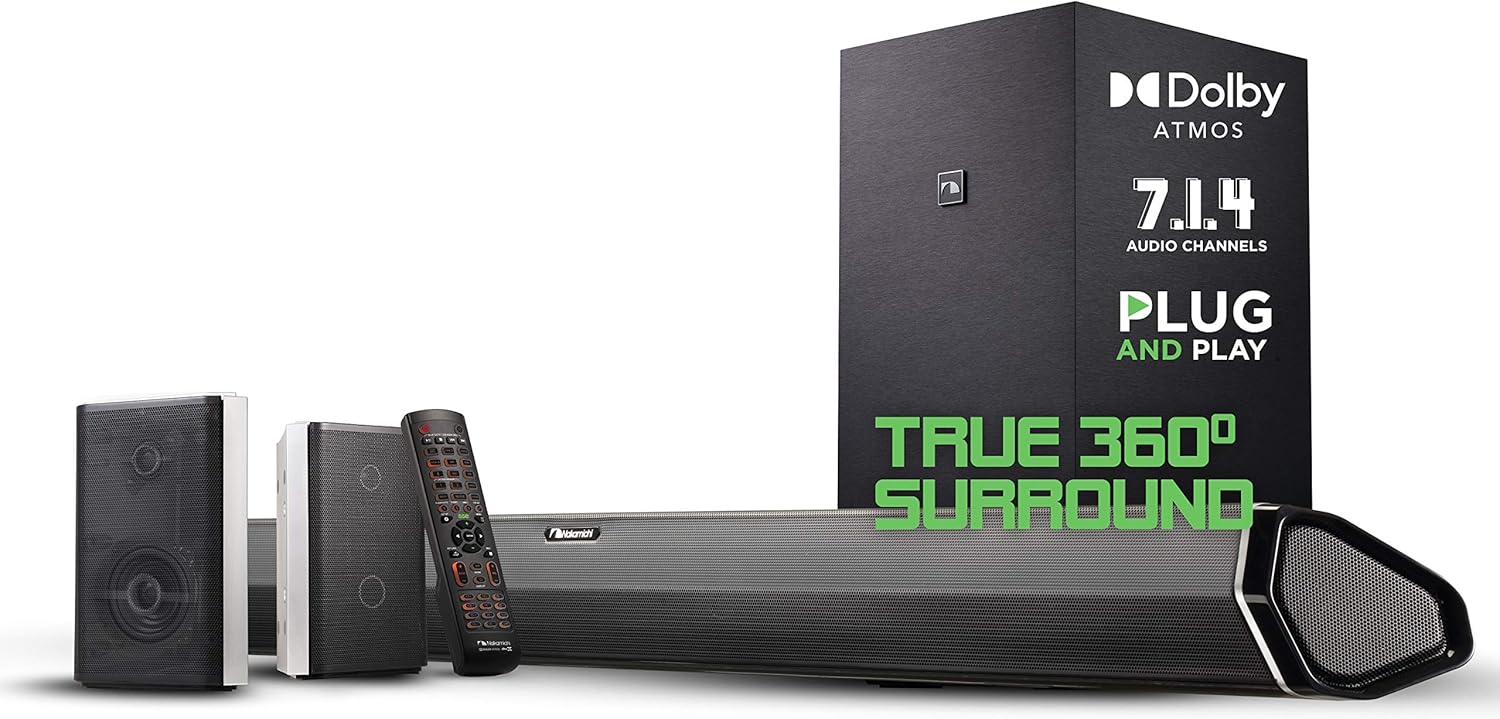
Image: The Nakamichi Shockwafe Pro 7.1.4 Soundbar System, including the soundbar, wireless subwoofer, two rear surround speakers, and remote control.
Setup
1. Unpacking and Component Identification
Carefully remove all components from the packaging. Ensure the following items are present:
- 1 x Soundbar Unit
- 1 x Wireless Subwoofer
- 2 x Rear Surround Speakers
- 1 x Remote Control (with batteries)
- Power Cables
- HDMI Cable
- RCA Cables for Rear Speakers
2. Speaker Placement
Optimal speaker placement is crucial for an immersive surround sound experience.
- Soundbar: Place the soundbar centrally below your television, ensuring it is unobstructed.
- Subwoofer: Position the wireless subwoofer on the floor, preferably in a front corner of the room or near the soundbar for optimal bass distribution.
- Rear Surround Speakers: Place the two rear surround speakers behind your primary listening position, ideally at ear level. Connect them to the subwoofer using the provided RCA cables.

Image: A diagram illustrating the recommended placement of the soundbar, subwoofer, and two rear surround speakers in a living room setup to achieve 7.1.4 surround sound.
3. Connections
Connect your devices to the soundbar using the appropriate ports.
- HDMI ARC: Connect an HDMI cable from the soundbar's HDMI ARC port to your TV's HDMI ARC port. This allows audio from your TV to play through the soundbar and enables CEC control.
- HDMI Inputs: Use the three HDMI input ports to connect external devices such as Blu-ray players, gaming consoles, or streaming devices.
- Optical/Coaxial: For devices without HDMI, use the Optical or Coaxial input ports.

Image: A visual representation of the soundbar's advanced connectivity, highlighting 4K HDR pass-through, Dolby Atmos compatibility via HDMI ARC, and three HDMI inputs for various devices.
4. Power On
Connect all components to power outlets. The soundbar, subwoofer, and rear speakers should automatically pair. If pairing issues occur, refer to the troubleshooting section.
5. Firmware Update
It is highly recommended to update the firmware before connecting the soundbar to your TV or other components. Visit the Nakamichi support website to download the latest firmware and follow the provided instructions for updating via USB.
Operating Instructions
1. Remote Control Functions
The included 52-key backlit remote control allows comprehensive management of your sound system. Key functions include power, input selection, volume control, DSP mode selection, and individual channel level adjustments.
2. Audio Modes (DSP)
The soundbar offers various Digital Signal Processing (DSP) modes to optimize audio for different content types:
- Native: Decodes audio formats directly without additional upmixing. Recommended for purist audio reproduction.
- Movie: Enhances cinematic sound effects and dialogue.
- Music: Optimizes audio for music playback.
- Game: Provides an immersive gaming audio experience.
- Clear Voice: Prioritizes dialogue clarity.
3. Sound Adjustments
Utilize the remote control to fine-tune audio settings:
- Bass/Treble: Adjust the overall bass and treble levels of the soundbar.
- Subwoofer Level: Independently control the volume of the wireless subwoofer.
- Rear Speaker Level: Adjust the volume of the rear surround speakers to balance with your listening position.
- Room Size Optimization: Configure settings based on your room dimensions for optimized sound.
4. SSE Technology
The Spatial Surround Elevation (SSE) technology utilizes three advanced audio processing engines to enhance directionality, enlarge spaciousness, and reveal additional details in any audio soundtrack, creating a 7.1.4 channel moving audio experience.

Image: A diagram showing how the custom-designed surround effects tweeters in the soundbar create a wider soundstage, separating left, center, and right channels with ambient effects.
5. Bluetooth Pairing
To pair a Bluetooth device:
- Select the Bluetooth input on the soundbar using the remote.
- Enable Bluetooth on your device and search for available devices.
- Select "Nakamichi Shockwafe" from the list to connect.
Maintenance
To ensure the longevity and optimal performance of your Nakamichi Shockwafe system, follow these maintenance guidelines:
- Cleaning: Use a soft, dry cloth to clean the surfaces of the soundbar, subwoofer, and speakers. Avoid using liquid cleaners or abrasive materials.
- Ventilation: Ensure proper ventilation around all components. Do not block any vents.
- Environment: Keep the system away from direct sunlight, heat sources, and excessive moisture.
Troubleshooting
If you encounter issues with your Nakamichi Shockwafe system, refer to the following common solutions:
- No Sound or Distorted Audio:
- Verify all cables are securely connected.
- Ensure the correct input source is selected on the soundbar.
- Check the volume levels on both the soundbar and your connected device.
- Confirm that your TV's audio output is set to the correct format (e.g., Bitstream for Dolby Atmos/DTS:X).
- Rear Speaker Audio Dropouts:
- Wireless rear speakers operate on a 5GHz channel, which can sometimes interfere with Wi-Fi routers.
- Try changing your Wi-Fi router's 5GHz channel or switching to a 2.4GHz channel if possible.
- The soundbar has a 'Direct Frequency' (DF) setting to help alleviate this issue. Consult the Nakamichi support website for specific instructions on enabling and configuring this feature.
- Remote Control Not Responding:
- Check and replace the AAA batteries in the remote control.
- Ensure there are no obstructions between the remote and the soundbar's sensor.
- CEC (Consumer Electronics Control) Issues:
- CEC functionality can vary between TV brands. Ensure CEC is enabled on both your TV and the soundbar.
- If issues persist, try disconnecting and reconnecting the HDMI ARC cable.
Specifications
| Brand | Nakamichi |
| Model Name | Shockwafe Series (7.1.4) |
| Speaker Type | Soundbar, Subwoofer, Rear Surround Speakers |
| Surround Sound Channel Configuration | 7.1.4 |
| Speaker Maximum Output Power | 600 Watts |
| Subwoofer Diameter | 8 Inches |
| Connectivity Technology | Bluetooth, HDMI ARC, HDMI, Optical, Coaxial |
| Wireless Communication Technology | Bluetooth, 5GHz Wireless (for subwoofer/rear speakers) |
| Product Dimensions | 3"D x 45.5"W x 3.6"H (Soundbar) |
| Item Weight | 22.23 Kilograms (48.9 pounds) |
| Included Components | 1 Soundbar, 1 Wireless Subwoofer, 2 Rear Surround Speakers |
| Control Method | Remote |
| Batteries | 2 AAA batteries required (included) |
Warranty and Support
Nakamichi products are covered by a limited warranty. For specific warranty terms and conditions, please refer to the warranty card included with your product or visit the official Nakamichi website. For technical assistance, troubleshooting beyond this manual, or to contact customer support, please visit the Nakamichi support portal or contact their customer service directly.


