Introduction
The ViewSonic VG1655 is a 15.6-inch portable monitor designed to enhance productivity for users on the go. This monitor serves as a secondary display for laptops, tablets, and other compatible devices, offering a Full HD 1080p resolution and versatile connectivity options. Its lightweight and ultra-slim design make it ideal for travel and flexible work environments.
What's in the Box
Verify that all components are present in the packaging:
- VG1655 Portable Monitor
- USB Type-C to Type-C cable
- USB Type-C to Type-A cable
- Mini HDMI cable
- Power Adapter

Setup
Physical Setup and Stand
The VG1655 features an integrated kickstand and a detachable magnetic cover for protection and versatile positioning. The kickstand allows for both portrait and landscape modes, providing stable viewing angles.


Connectivity
The VG1655 offers flexible connectivity for various devices:
- USB Type-C: Two USB Type-C ports enable video, audio, and power transmission with a single cable. One port supports 60W two-way power delivery, allowing the monitor to be powered by a laptop or to power a connected laptop via an external power source.
- Mini HDMI: Connect to devices using the included Mini HDMI cable for video input.
- 3.5mm Audio: For external audio output.


Powering the Monitor
The monitor can be powered directly from a compatible laptop via a single USB-C cable (60W two-way power delivery). Alternatively, it can be powered by the included AC adapter or a USB-C power bank.

Operating Instructions
Basic Display Functions
Once connected and powered, the VG1655 will automatically detect the input signal. You may need to adjust display settings on your connected device (e.g., laptop) to extend or duplicate your screen.
Dual-Display Setup
To use the VG1655 as a secondary display, connect it to your primary device using either a USB-C or Mini HDMI cable. Configure your operating system's display settings to extend your desktop onto the portable monitor, allowing for an expanded workspace.

Using with Smartphones and Gaming Consoles
The VG1655 can connect to compatible smartphones via USB-C for a larger display. For gaming consoles, use the Mini HDMI port to connect and enjoy your games on the portable screen.

Display Features
The monitor features an IPS panel for wide viewing angles (178 degrees) and consistent color reproduction. It also includes an anti-glare screen, a blue light filter, and flicker-free technology to reduce eye strain during prolonged use.

Official Product Videos
Video: An official overview of the ViewSonic VG1655 Portable Display, showcasing its features and portability.
Video: Instructions on connecting portable monitors, including the VG1655, to smartphones for extended display functionality.
Maintenance
To ensure the longevity and optimal performance of your ViewSonic VG1655 portable monitor, follow these maintenance guidelines:
- Cleaning the Screen: Use a soft, lint-free cloth slightly dampened with water or a non-abrasive, ammonia-free screen cleaner. Avoid harsh chemicals or abrasive materials that could damage the screen surface.
- Cleaning the Casing: Wipe the monitor's casing with a soft, dry cloth. Do not use liquid cleaners directly on the casing.
- Storage: When not in use, store the monitor in a cool, dry place. Utilize the magnetic cover to protect the screen from dust and scratches.
- Handling: Handle the monitor with care to avoid dropping or impacting it, which could cause internal or external damage.
Troubleshooting
If you encounter issues with your ViewSonic VG1655, consider the following common troubleshooting steps:
- No Display/Black Screen:
- Ensure all cables (USB-C or HDMI) are securely connected to both the monitor and your source device.
- Verify the monitor is receiving power. If using a power adapter, check the connection. If powered by USB-C from a laptop, ensure the laptop has sufficient power output or connect the monitor to an external power source.
- Check your source device's display settings to ensure the external monitor is detected and configured for extended or duplicated display.
- Try a different cable or port on your source device if available.
- Flickering Screen:
- Ensure the display cable is not loose or damaged.
- Adjust the refresh rate settings on your source device.
- Reduce electromagnetic interference by moving other electronic devices away from the monitor.
- No Audio:
- Check the volume settings on both the monitor and your source device.
- Ensure the correct audio output device is selected in your source device's sound settings.
- If using external speakers or headphones, ensure they are properly connected to the monitor's 3.5mm audio jack.
- Image Quality Issues (Blurry, Distorted):
- Ensure the display resolution on your source device is set to the monitor's native resolution (1920 x 1080).
- Check for any physical damage to the screen or cables.
If these steps do not resolve the issue, please refer to the support section for further assistance.
Specifications
| Feature | Specification |
|---|---|
| Brand | ViewSonic |
| Model Number | VG1655 |
| Screen Size | 15.6 inches |
| Resolution | FHD 1080p (1920 x 1080) |
| Display Technology | IPS LCD |
| Aspect Ratio | 16:9 |
| Refresh Rate | 60 Hz |
| Response Time | 6.5 milliseconds |
| Brightness | 250 cd/m² |
| Contrast Ratio | 800:1 |
| Viewing Angle | 178 degrees |
| Connectivity | 2x USB Type-C, 1x Mini HDMI, 1x 3.5mm Audio Out |
| Power Consumption | 9.6 watts |
| Item Weight | 1.8 pounds |
| Item Dimensions (D x W x H) | 0.6"D x 8.8"W x 14"H |
| Additional Features | Anti-Glare Screen, Blue Light Filter, Flicker-Free, Portable |
Warranty and Support
Warranty Information
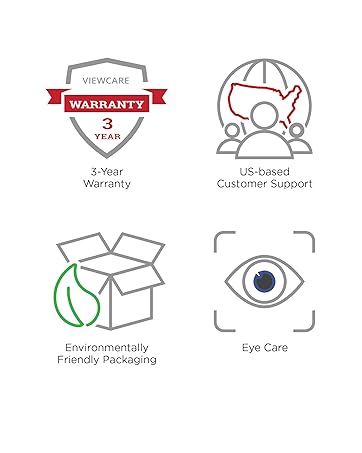
The ViewSonic VG1655 portable monitor comes with an industry-leading 3-year limited warranty. This warranty covers manufacturing defects and ensures peace of mind regarding the product's quality and reliability.
Customer Support
For technical assistance, warranty claims, or any product-related inquiries, please contact ViewSonic's US-based customer service team. Refer to the official ViewSonic website or the QuickStart Guide included in your product packaging for the most current contact information.