
Introduction
This manual provides instructions for the assembly, use, and maintenance of your Realspace 45" H 3-Shelf Bookcase. Please read all instructions carefully before beginning assembly and retain this manual for future reference.
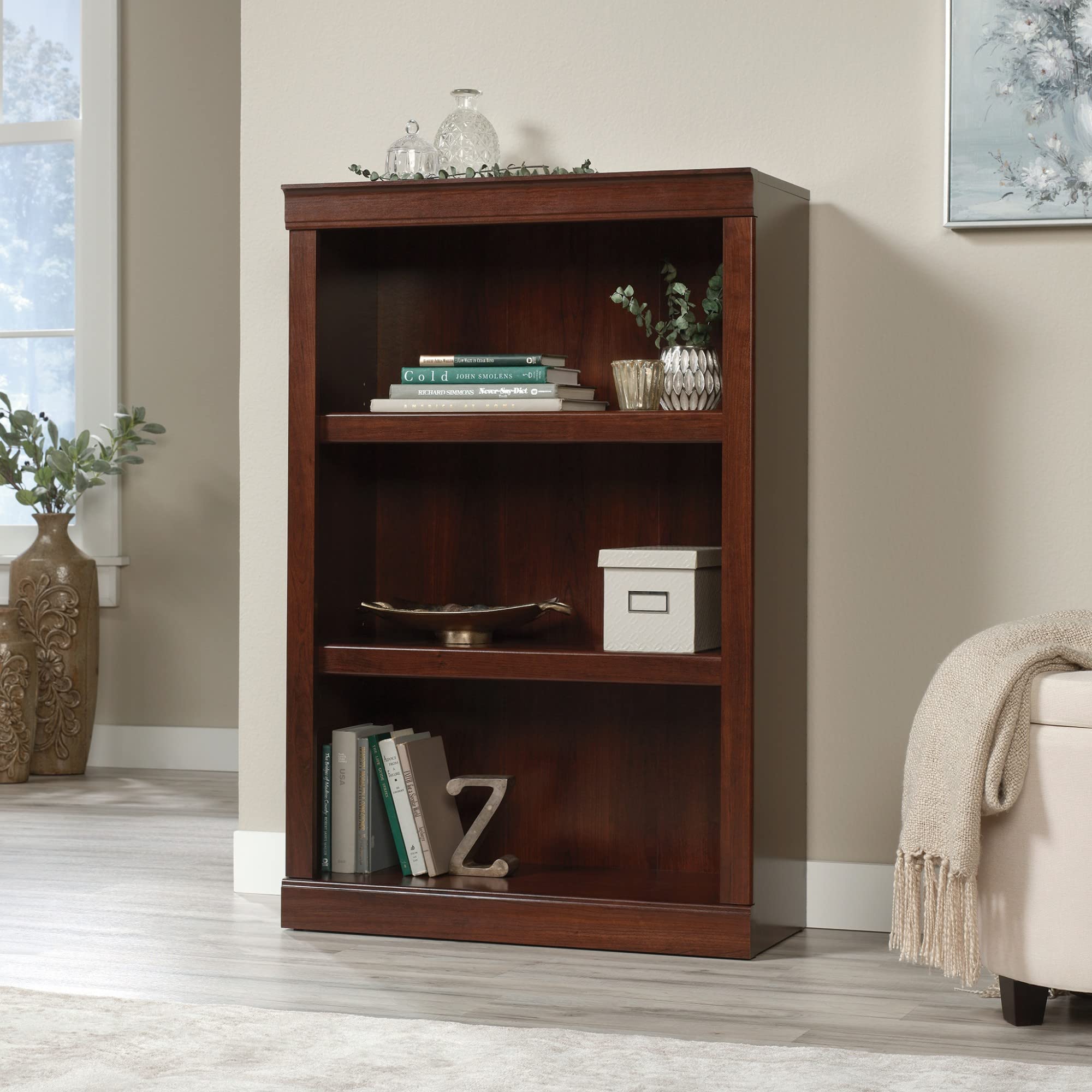
Image: The Realspace 45" H 3-Shelf Bookcase in Mulled Cherry finish, shown fully assembled and styled with books and decorative items.
Safety Information
WARNING: This product requires assembly. Be sure to follow all instructions for proper assembly to ensure stability and safety.
- The adjustable shelves have a maximum weight capacity of 25 lbs (11.3 kg) each.
- The bottom shelf has a maximum weight capacity of 35 lbs (15.9 kg).
- Do not exceed these weight limits to avoid damage to the product or potential injury.
- Always place heavier items on lower shelves to improve stability.
- Ensure the bookcase is placed on a level surface.
- If included, use wall anchor kits to secure the bookcase to a wall, especially in homes with children or pets, to prevent tipping.
Package Contents
Before beginning assembly, verify that all parts and hardware are present. Refer to the included assembly diagram for a complete list of components. If any parts are missing or damaged, do not proceed with assembly and contact customer support.
- Bookcase panels (top, bottom, sides, shelves, back panel)
- Hardware pack (screws, dowels, cam locks, shelf pins, anti-tip kit)
- Assembly instructions sheet
Assembly Instructions
Assembly typically requires two adults. A Phillips head screwdriver and a hammer may be needed (not included). Follow the numbered steps provided in the separate assembly diagram for detailed instructions.
- Unpack and Identify Parts: Carefully remove all components from the packaging. Lay them out on a clean, soft surface (like a blanket or carpet) to prevent scratches. Identify each part using the provided parts list.
- Attach Cam Locks and Dowels: Insert cam locks and wooden dowels into the pre-drilled holes on the side panels and fixed shelf. Ensure they are fully seated.
- Assemble Base and Sides: Connect the bottom panel to the side panels using the cam locks and dowels. Tighten cam locks securely.
- Install Fixed Shelf: Insert the fixed middle shelf between the side panels, aligning dowels and cam locks. Secure tightly.
- Attach Top Panel: Connect the top panel to the assembled structure using cam locks and dowels.
- Install Back Panel: Carefully align and attach the back panel to the rear of the bookcase using small nails or screws provided. Ensure the bookcase is square before securing the back panel.
- Insert Adjustable Shelves: Place shelf pins into the desired holes on the side panels for the adjustable shelves. Gently lower the adjustable shelves onto the pins.
- Apply Cam Lock Covers (Optional): If provided, apply adhesive covers over visible cam locks for a finished appearance.
- Attach Anti-Tip Kit: Secure the anti-tip bracket to the top rear of the bookcase and to a wall stud using the hardware provided. This step is crucial for safety.

Image: A close-up view of the assembled bookcase, showcasing the mulled cherry finish and decorative molding, with books and small decorative items on the shelves.
Usage and Operation
The Realspace 3-Shelf Bookcase is designed for storing books, decorative items, and office supplies. Two of the three shelves are adjustable, allowing for customized storage space.
Adjusting Shelves:
- Remove all items from the adjustable shelf you wish to move.
- Carefully lift the shelf off its support pins.
- Remove the four shelf support pins from their current holes.
- Insert the shelf support pins into the desired new holes, ensuring they are level and fully seated.
- Gently place the adjustable shelf back onto the support pins.
Important: Always distribute weight evenly across shelves. Do not overload shelves beyond their stated weight capacities (25 lbs for adjustable, 35 lbs for bottom fixed). Placing heavier items on lower shelves enhances stability.
Maintenance
To maintain the appearance and longevity of your bookcase, follow these care instructions:
- Cleaning: Wipe with a dry cloth. Avoid using harsh chemicals, abrasive cleaners, or excessive moisture, as these can damage the laminate finish.
- Spills: Immediately wipe up any spills with a soft, dry cloth to prevent staining or damage to the finish.
- Sunlight: Avoid prolonged exposure to direct sunlight, which can cause fading or discoloration of the finish.
- Heat: Do not place hot items directly on the surface. Use coasters or protective pads.
- Inspection: Periodically check all hardware connections (screws, cam locks) and tighten if necessary to ensure structural integrity.
Troubleshooting
If you encounter issues with your bookcase, consider the following:
- Wobbling/Instability:
- Ensure the bookcase is on a level surface.
- Check all assembly hardware (cam locks, screws) and tighten them securely.
- Verify the back panel is properly installed and squared.
- Confirm the anti-tip kit is correctly installed and anchored to a wall stud.
- Damaged or Missing Parts:
- Refer to the package contents list and assembly diagram.
- Contact Realspace customer support for replacement parts. Do not attempt to assemble with missing or damaged components.
Specifications
| Brand | Realspace |
| Model Number | 426408 |
| Material | Engineered Wood |
| Finish | Mulled Cherry |
| Number of Shelves | 3 (2 adjustable) |
| Adjustable Shelf Capacity | 25 lbs (11.3 kg) per shelf |
| Bottom Shelf Capacity | 35 lbs (15.9 kg) |
| Assembled Height | Approximately 45 inches |
| Item Weight | 44.4 pounds (20.1 kg) |
| Mounting Type | Floor Mount (with anti-tip kit recommended) |
| UPC | 735854817466 |
Warranty and Support
This Realspace bookcase comes with a 1-year limited manufacturer's warranty. For warranty claims, replacement parts, or further assistance, please contact Realspace customer support.
You can find more information and contact details by visiting the official Realspace store: Realspace Store on Amazon.