
Jumper Medical JPD-FR202-BL
Jumper Medical Non-Contact Forehead Thermometer User Manual
Model: JPD-FR202-BL
Introduction
The Jumper Medical Non-Contact Forehead Thermometer (Model: JPD-FR202-BL) is designed for accurate and hygienic temperature measurement of the human body (forehead) and object surfaces (such as milk or water). Utilizing passive infrared receiving technology, it provides quick and reliable readings, making it ideal for use with infants, children, and adults. Its non-contact design ensures safety and hygiene, especially when monitoring temperature during sleep.
Key Features
- Reliable Accurate Reading: Integrated with passive infrared receiving technology for high accuracy.
- Safe and Hygienic: Non-contact measurement eliminates skin contact, ideal for measuring temperature without disturbing individuals.
- Quick Measurement and Easy to Use: Provides accurate readings within 1 second, featuring a fever warning system. Simple one-button switching between Celsius and Fahrenheit, and mute/un-mute modes.
- Multiple Uses: Capable of measuring both body temperature (forehead) and object surface temperature. Stores up to 20 previous readings and includes an automatic power-off function after 10 seconds for power saving.

Figure 1: Multifunctional features of the Jumper Medical thermometer.
Package Contents
Upon unpacking, please ensure all items listed below are present:
- 1 x Jumper FR202 Infrared Thermometer
- 1 x Portable Case (Pouch)
- 1 x User Manual
- 2 x AAA Batteries (included)
Product Overview
Familiarize yourself with the components of your Jumper Medical thermometer:
| No. | Component | Description |
|---|---|---|
| 1 | IR Sensor | Infrared sensor for temperature detection. |
| 2 | Power-on / Measure Button | Activates the device and initiates temperature measurement. |
| 3 | Battery Cover | Protects the battery compartment. |
| 4 | LCD Display | Digital screen showing temperature readings and settings. |
| 5 | Mute / Un-mute Button | Toggles the sound alerts on or off. |
| 6 | Mode Button | Switches between Forehead (Body) and Object Surface measurement modes. |
| 7 | Celsius / Fahrenheit Switch Button | Changes the temperature unit between °C and °F. |
| 8 | Hand Grip | Ergonomically designed for comfortable holding. |

Figure 2: Labeled components of the Jumper Medical thermometer.
Setup
1. Battery Installation
- Locate the battery cover (Component 3) on the handle of the thermometer.
- Slide open the battery cover.
- Insert two AAA batteries, ensuring correct polarity (+/-).
- Close the battery cover securely.
2. Initial Power-On
Press the Power-on / Measure button (Component 2) to turn on the thermometer. The LCD display (Component 4) will light up, indicating the device is ready for use.
Operating Instructions
1. Measuring Forehead Temperature (Body Mode)
- Ensure the thermometer is in forehead mode. If not, press the Mode button (Component 6) until the forehead icon appears on the LCD.
- Point the IR sensor (Component 1) towards the center of the forehead.
- Maintain a distance of approximately 0.5 to 2 inches (1-5 cm) between the thermometer and the forehead.
- Press and release the Power-on / Measure button (Component 2).
- The forehead temperature will be displayed on the screen within 1 second. The backlight color will indicate the temperature status (e.g., green for normal, red for fever warning).

Figure 3: Measuring forehead temperature on an infant.

Figure 4: Non-contact measurement with color-coded backlight for normal and fever temperatures.
2. Measuring Object Surface Temperature (Object Mode)
- Press the Mode button (Component 6) until the object icon (house or similar) appears on the LCD.
- Point the IR sensor (Component 1) towards the object whose surface temperature you wish to measure.
- Press and release the Power-on / Measure button (Component 2).
- The object surface temperature will be displayed on the screen.
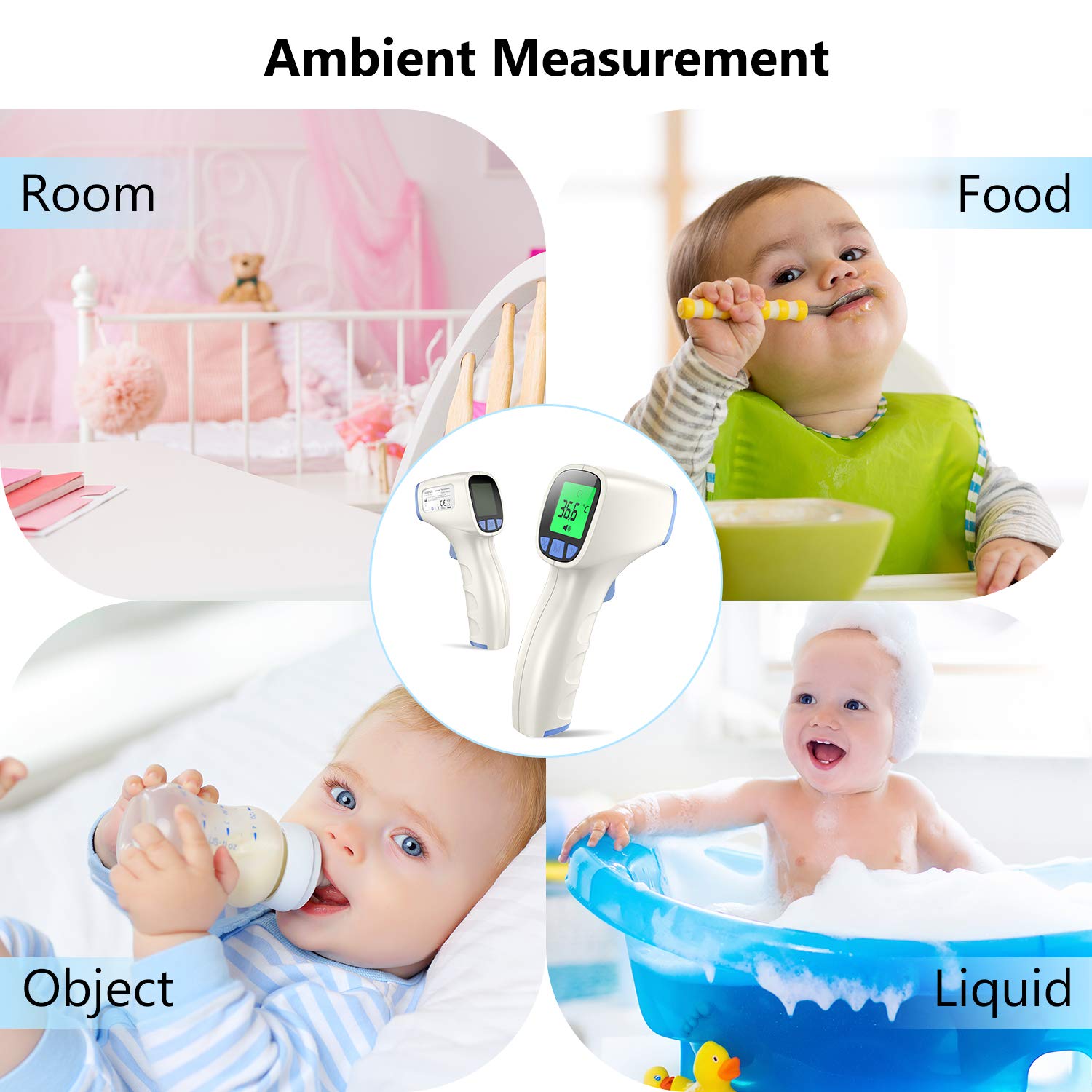
Figure 5: Examples of ambient temperature measurement for various objects and liquids.
3. Switching Temperature Units (°C/°F)
To switch between Celsius (°C) and Fahrenheit (°F), press the Celsius / Fahrenheit Switch button (Component 7) located on the front panel below the LCD.
4. Mute/Un-mute Function
To toggle the sound alerts (beeps) on or off, press the Mute / Un-mute button (Component 5) located on the front panel below the LCD.
5. Memory Recall
The thermometer can store up to 20 previous readings. To access these, use the navigation buttons (likely the left and right buttons next to the Mode button, though not explicitly labeled in the input as memory buttons, this is a common feature for "20 readings recalled").
Maintenance
- Cleaning: Wipe the thermometer body with a soft, dry cloth. For the IR sensor, use a cotton swab lightly moistened with alcohol. Ensure no liquid enters the device.
- Storage: Store the thermometer in its portable case in a cool, dry place, away from direct sunlight, extreme temperatures, and humidity.
- Battery Replacement: Replace batteries when the low battery indicator appears on the LCD. Remove batteries if the device will not be used for an extended period.
- Avoid Impact: Do not drop the thermometer or subject it to strong shocks.
Troubleshooting
If you encounter issues with your thermometer, please refer to the following common problems and solutions:
| Problem | Possible Cause | Solution |
|---|---|---|
| No display / Device won't turn on | Dead or incorrectly installed batteries. | Check battery polarity or replace with new AAA batteries. |
| Inaccurate readings | Incorrect measurement distance, dirty IR sensor, or extreme ambient temperature. | Ensure proper distance (0.5-2 inches), clean the IR sensor, and use in a stable room temperature environment. |
| "Lo" or "Hi" displayed | Temperature is outside the measurable range. | Ensure the temperature is within the specified range (32.0°F - 212.0°F for forehead mode). |
For further assistance, please contact customer support.
Specifications
- Model Number: JPD-FR202-BL
- Measuring Range (Forehead Mode): 32.0°F - 212.0°F (0°C - 100°C)
- Power Source: 2 x AAA batteries (included)
- Automatic Power-off: 10 seconds
- Memory Storage: 20 previous readings
- Package Dimensions: 6.65 x 4.17 x 2.13 inches
- Item Weight: 6.38 ounces
- Manufacturer: Shenzhen Jumper Medical Equipment Co., Ltd
- Country of Origin: China
Safety Information
Proposition 65 Warning: This product may contain chemicals known to the State of California to cause cancer and birth defects or other reproductive harm. For more information, go to www.P65Warnings.ca.gov.
Always consult a healthcare professional for interpretation of temperature readings, especially for infants and young children. This device is intended for household use and should not replace professional medical advice.
Warranty and Support
For warranty information or technical support, please contact Jumper Medical customer service at 86-755-26696279. Please have your model number (JPD-FR202-BL) and purchase date available when contacting support.
Related documentsJPD-FR202-BL


Ask a question about this manual
Ask about setup, troubleshooting, compatibility, parts, safety, or missing instructions. Manuals+ will review the question and use this page’s manual context to help answer it.