
Introduction
Thank you for choosing the XQISIT 41358 T400 True Wireless Active Noise Cancelling Headphones. These earbuds are designed to provide a high-quality audio experience with the convenience of wireless connectivity and active noise cancellation. This manual provides essential information for setting up, operating, and maintaining your headphones.
Package Contents
- XQISIT 41358 T400 True Wireless Earbuds (Left and Right)
- Charging Case
- USB Charging Cable
- User Manual
Product Overview
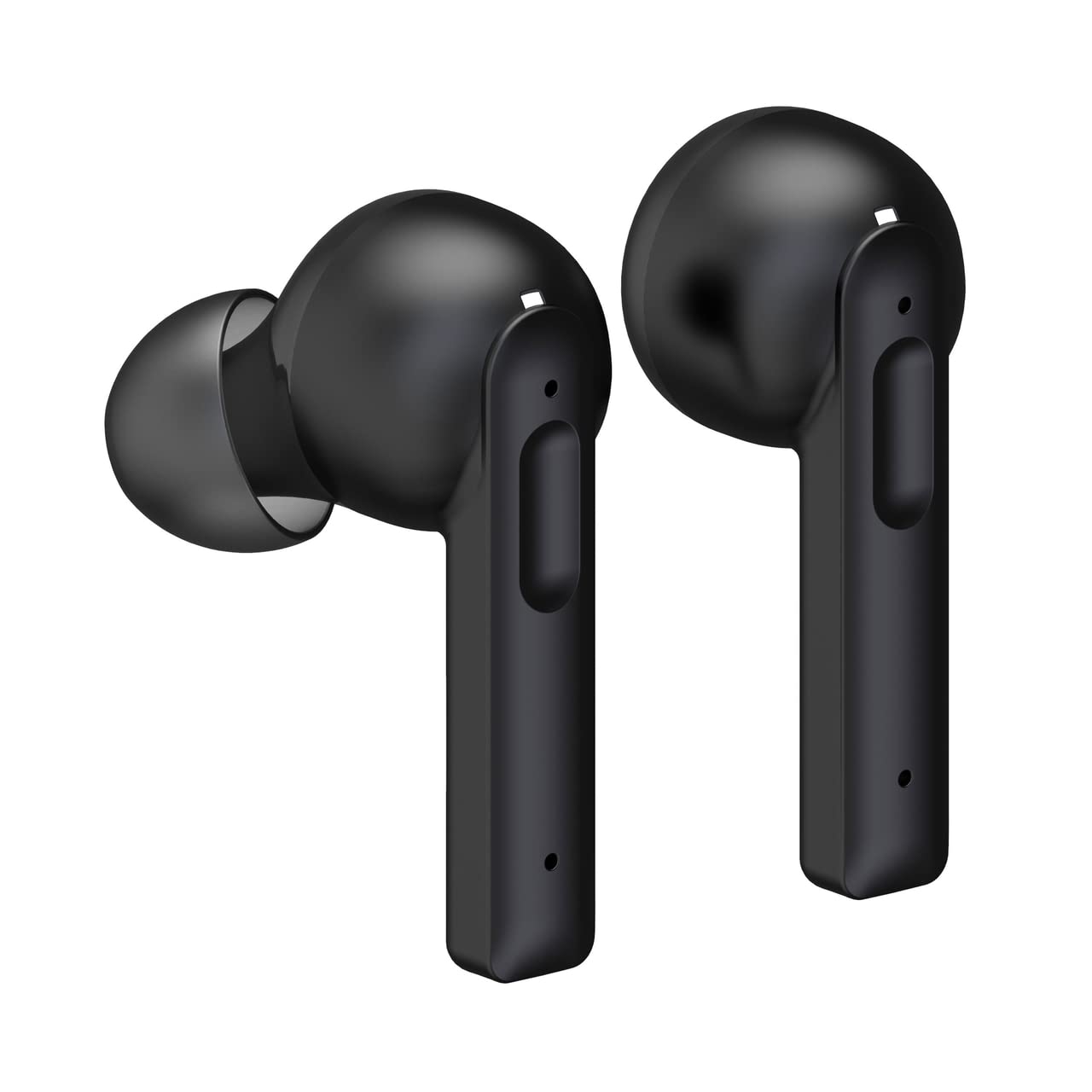
Image: The XQISIT 41358 T400 True Wireless Earbuds are shown inside their open black charging case. The earbuds are black with a stem design, and the charging case features the 'XQ' logo on the front.
Components:
- Earbuds: Left and Right earbuds with integrated microphones and touch control areas.
- Charging Case: Portable case for charging and storing the earbuds. Features a charging port and LED indicator.
- LED Indicators: Located on both earbuds and the charging case to show battery status and pairing mode.
- Touch Control Area: Located on the outer surface of each earbud for managing playback, calls, and ANC.
Setup
1. Charging the Headphones
- Charge the Case: Connect the provided USB charging cable to the charging port on the case and to a USB power source. The LED indicator on the case will show charging status.
- Charge the Earbuds: Place the earbuds into the charging case. Ensure they are correctly seated. The earbuds will automatically begin charging. The LED indicators on the earbuds will show their charging status.
- A full charge provides up to 24 hours of total playtime with the charging case.
2. Pairing with a Device
- Initial Pairing: Open the charging case. The earbuds will automatically enter pairing mode, indicated by flashing LED lights on the earbuds.
- Activate Bluetooth: On your smartphone or audio device, enable Bluetooth.
- Select Device: Search for "XQISIT T400" (or similar name) in the list of available Bluetooth devices and select it to connect.
- Confirmation: Once connected, the LED indicators on the earbuds will stop flashing or change to a solid light, and you may hear an audible confirmation.
- Reconnection: After initial pairing, the earbuds will automatically connect to the last paired device when removed from the case and within range.
Operating Instructions
Power On/Off
- Power On: The earbuds power on automatically when removed from the charging case.
- Power Off: Place the earbuds back into the charging case to power them off automatically.
Music Playback
- Play/Pause: Tap the touch control area on either earbud once.
- Next Track: Double-tap the touch control area on the right earbud.
- Previous Track: Double-tap the touch control area on the left earbud.
Call Management
- Answer/End Call: Tap the touch control area on either earbud once.
- Reject Call: Press and hold the touch control area on either earbud for 2 seconds.
Active Noise Cancelling (ANC)
- Activate/Deactivate ANC: Triple-tap the touch control area on the left earbud to cycle through ANC modes (ANC On, Ambient Sound, ANC Off).
Voice Assistant
- Activate Voice Assistant: Triple-tap the touch control area on the right earbud to activate your device's voice assistant (e.g., Siri, Google Assistant).
Maintenance
Cleaning
- Use a soft, dry, lint-free cloth to clean the earbuds and charging case.
- Do not use abrasive cleaners, alcohol, or chemical solvents.
- Ensure charging contacts on both earbuds and case are clean and dry for optimal charging.
Storage
- Store the earbuds in their charging case when not in use to protect them and keep them charged.
- Avoid storing in extreme temperatures or high humidity.
Troubleshooting
No Sound or Intermittent Connection
- Ensure earbuds are charged.
- Check that Bluetooth is enabled on your device and the earbuds are connected.
- Try unpairing and re-pairing the earbuds with your device.
- Ensure the earbuds are within the Bluetooth range of your device (typically 10 meters).
Earbuds Not Charging
- Verify the charging case has power.
- Ensure the earbuds are correctly seated in the charging case and the charging contacts are clean.
- Try a different USB charging cable or power adapter.
Active Noise Cancelling Not Working
- Ensure ANC is activated by triple-tapping the left earbud.
- Check for proper fit of the earbuds in your ears to ensure an effective seal.
Specifications
| Brand | XQISIT |
| Model Name | 41358 |
| Colour | Black |
| Form Factor | In-Ear (Earbuds) |
| Noise Control | Active Noise Cancellation (25dB) |
| Connectivity Technology | Wireless |
| Wireless Communication | Bluetooth 5.0 |
| Waterproof Rating | IPX4 (Sweat-proof) |
| Total Playtime | Up to 24 hours (with charging case) |
| Material | Plastic |
Warranty and Support
For warranty information and customer support, please refer to the warranty card included in your product packaging or visit the official XQISIT website. Keep your proof of purchase for any warranty claims.