
1. Introduction
Thank you for choosing the Tribit FlyBuds C1 True Wireless Earbuds (Model BTH91). This manual provides essential information for setting up, operating, and maintaining your new earbuds. Please read it thoroughly to ensure optimal performance and longevity of your device.

Image: Tribit FlyBuds C1 Wireless Earbuds and Charging Case.
2. Safety Information
To prevent damage to your earbuds or injury to yourself, please observe the following safety precautions:
- Do not disassemble or modify the earbuds or charging case.
- Keep the device away from extreme temperatures, direct sunlight, and open flames.
- Avoid exposing the earbuds to water for prolonged periods, despite their IPX8 rating. Ensure the charging port cover is securely closed before exposure to liquids.
- Do not use abrasive cleaners or harsh chemicals to clean the device.
- Listen at moderate volume levels to prevent hearing damage.
- Keep out of reach of children and pets.
3. Package Contents
The Tribit FlyBuds C1 package includes:
- Tribit FlyBuds C1 Earbuds (Model BTH91)
- Charging Case
- USB-C Charging Cable
- Lanyard
- 6 Pairs of Silicone Ear Tips (various sizes)
- User Manual
- 18-Month Warranty Card
Image: All items included in the Tribit FlyBuds C1 retail package.
4. Setup
4.1. Charging the Earbuds and Case
Before first use, fully charge the earbuds and charging case.
- Place the earbuds into the charging case. Ensure they are correctly seated in their respective slots.
- Connect the USB-C charging cable to the charging port on the case and to a power source. The LED indicators on the case will show charging status. A full charge takes approximately 1.5 hours.
- The charging case also supports wireless charging. Simply place the case on a compatible wireless charging pad.
The earbuds provide up to 5 hours of playback on a single charge, and the charging case extends total playtime to up to 100 hours.
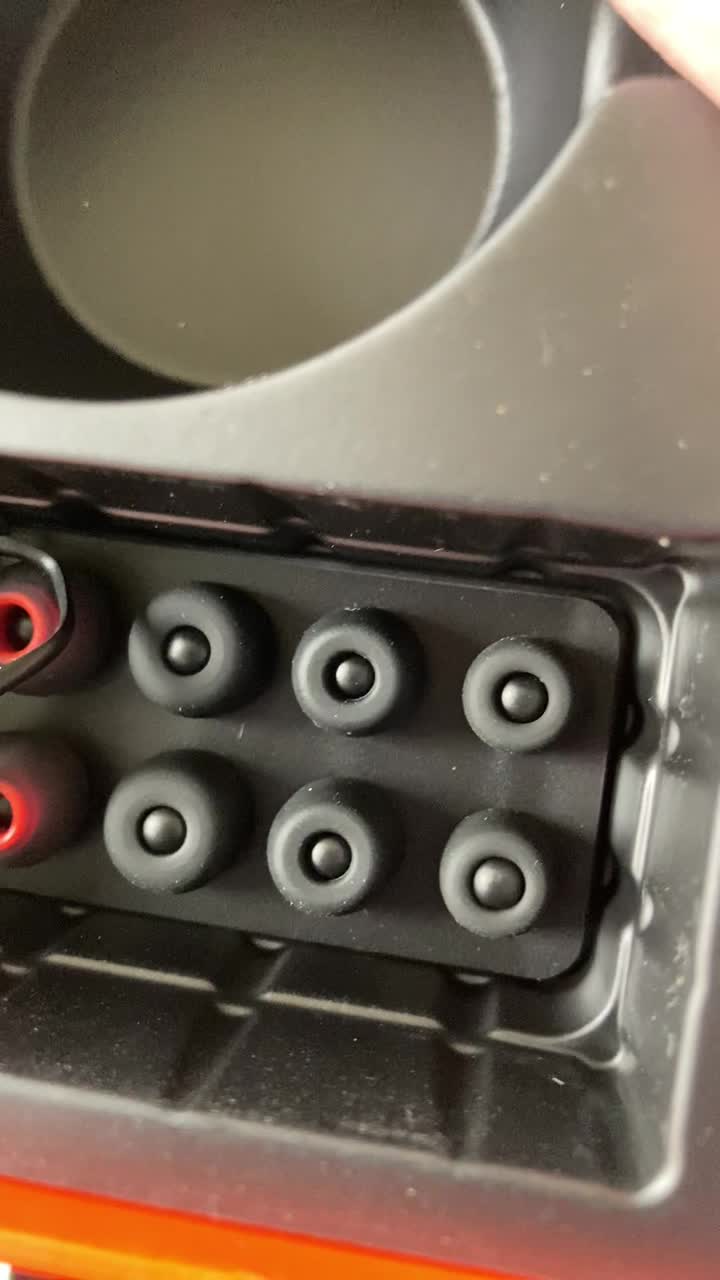
Image: Tribit FlyBuds C1 earbuds charging inside their case, with battery indicator lights visible.
4.2. Pairing with Your Device
The Tribit FlyBuds C1 feature one-step pairing for convenience.
- Open the charging case. The earbuds will automatically enter pairing mode.
- On your device (smartphone, tablet, laptop), enable Bluetooth and search for available devices.
- Select "Tribit FlyBuds C1" from the list of devices. Once connected, a voice prompt will confirm successful pairing.
- The earbuds will automatically connect to the last paired device when the case is opened. To unpair, press and hold the button on the charging case.
4.3. Fitting the Earbuds
For optimal sound quality and comfort, choose the correct size ear tips.
- Experiment with the 6 included pairs of silicone ear tips to find the best fit for your ears. A snug fit ensures better bass response and noise isolation.
- Gently insert the earbuds into your ear canal and twist slightly to secure them.
Image: Selection of silicone ear tips for personalized fit.
5. Operating Instructions
5.1. Power On/Off
- Power On: Open the charging case, and the earbuds will automatically power on.
- Power Off: Place the earbuds back into the charging case and close the lid. They will automatically power off and begin charging.
5.2. Music Playback
The Tribit FlyBuds C1 feature physical buttons for control:
- Play/Pause: Press the button on either earbud once.
- Next Track: Double-press the button on the right earbud.
- Previous Track: Double-press the button on the left earbud.
Note: Volume control is not directly available on the earbuds. Please adjust volume via your connected device.
5.3. Call Management
- Answer/End Call: Press the button on either earbud once.
- Reject Call: Press and hold the button on either earbud for 2 seconds.
- Activate Voice Assistant (Siri, Google Assistant): Triple-press the button on either earbud.
The earbuds feature 4 microphones with CVC 8.0 Call Noise Reduction for clear calls.
5.4. Single Earbud Mode
Either earbud can be used independently. Simply take one earbud out of the case, and it will automatically connect to your device. The other earbud can remain in the case or be used later.
5.5. IPX8 Waterproofing
The Tribit FlyBuds C1 are IPX8 rated, offering protection against sweat, splashes, and submersion in water up to 1 meter for 30 minutes. This makes them suitable for sports and exercise in various weather conditions.
- Ensure the USB-C charging port cover is securely closed before exposing the earbuds to water.
- Do not charge the earbuds if they are wet. Dry them thoroughly before placing them back in the charging case.
6. Maintenance
Proper maintenance ensures the longevity and performance of your Tribit FlyBuds C1.
- Cleaning: Regularly clean the earbuds and charging case with a soft, dry, lint-free cloth. For ear tips, remove them and wash with mild soap and water, then dry completely before reattaching.
- Storage: When not in use, store the earbuds in their charging case to protect them and keep them charged. Store in a cool, dry place away from extreme temperatures.
- Avoid Damage: Do not drop, puncture, or expose the device to strong impacts.
7. Troubleshooting
If you encounter issues with your Tribit FlyBuds C1, try the following solutions:
| Problem | Solution |
|---|---|
| Earbuds not pairing |
|
| No sound or low volume |
|
| Earbuds not charging |
|
| Intermittent connection |
|
8. Specifications
| Feature | Detail |
|---|---|
| Model Name | BTH91 (FlyBuds C1) |
| Connectivity Technology | Wireless (Bluetooth) |
| Bluetooth Version | 5.2 |
| Bluetooth Range | 10 Meters |
| Battery Life (Earbuds) | Up to 5 hours per charge |
| Total Playtime (with Charging Case) | Up to 100 hours |
| Charging Time | Approx. 1.5 hours (case) |
| Water Resistance Level | IPX8 (Waterproof) |
| Noise Control Features | CVC 8.0 Call Noise Reduction, Sound Isolation |
| Control Method | Physical Button |
| Charging Port | USB-C, Wireless Charging (Qi-compatible) |
| Item Weight | 2.4 ounces |
| Product Dimensions | 2.4 x 2.4 x 1.2 inches |
9. Warranty & Support
Tribit provides an 18-month warranty for the FlyBuds C1 (Model BTH91) from the date of purchase. This warranty covers manufacturing defects and ensures your product is free from material and workmanship flaws under normal use.
For warranty claims, technical support, or any questions regarding your product, please contact Tribit customer service:
- Email: support@tribitaudio.com
- Support Ticket: Visit tribitaudio.com/support
- Phone: 1-888-232-3138 (Mon-Fri, 9:00-6:00 PST [US])
Please have your purchase receipt and product model number (BTH91) ready when contacting support.


