
1. Important Safety Information
Please read this instruction manual carefully before using the Kyvol E30 robot vacuum cleaner and keep it for future reference. Failure to follow these instructions may result in electric shock, fire, or serious injury.
General Safety Precautions
- This appliance can be used by children aged 8 years and above and persons with reduced physical, sensory or mental capabilities or lack of experience and knowledge if they have been given supervision or instruction concerning use of the appliance in a safe way and understand the hazards involved.
- Children should be supervised to ensure that they do not play with the appliance.
- Cleaning and user maintenance shall not be made by children without supervision.
- Only use the charging dock and power adapter provided by the manufacturer.
- Do not use the appliance in environments with open flames or explosive materials.
- Do not use the appliance to pick up large or sharp objects, liquids, or burning/smoking materials.
- Ensure the robot is turned off and unplugged before cleaning or performing maintenance.
2. Product Overview
The Kyvol E30 is an intelligent robot vacuum cleaner designed to simplify your home cleaning routine. It features powerful suction, smart navigation, and multiple cleaning modes to effectively clean various floor types.
Key Features:
- Powerful Suction: Up to 2800Pa for deep cleaning on hard floors and carpets.
- Smart Navigation: Gyro sensor for systematic, bow-shaped cleaning paths.
- Long Battery Life: 3200mAh battery provides up to 150 minutes of continuous cleaning.
- Automatic Recharging: Returns to the charging dock automatically when battery is low or cleaning is complete.
- Slim Design: Approximately 7cm height allows cleaning under furniture.
- App & Voice Control: Control via smartphone app, Amazon Alexa, and Google Home.
- Multi-functional Modes: Includes Auto, Edge, Spot, and Silent cleaning modes.
- Boundary Tape: Use to define no-go zones.
Product Components:
The following components are included with your Kyvol E30 robot vacuum cleaner:
- Kyvol E30 Robot Vacuum Cleaner
- Charging Dock
- Power Adapter
- Remote Control (with AAA batteries x2)
- Side Brushes x2 pairs
- HEPA Filter Set
- Cleaning Tool
- Boundary Tape (2m)
- User Manual
3. Setup
3.1 Unboxing and Initial Preparation
Carefully remove all components from the packaging. Ensure all protective strips and packing materials are removed from the robot vacuum cleaner.
3.2 Installing Side Brushes
Attach the two side brushes to the pegs on the bottom of the Kyvol E30. Push until they click into place. Ensure the 'L' and 'R' markings on the brushes match the corresponding markings on the robot.

Image Description: A person installing side brushes onto the underside of the Kyvol E30 robot vacuum cleaner. The brushes are pushed onto designated pegs until they click.
3.3 Positioning the Charging Dock
Place the charging dock against a wall on a flat surface. Ensure there is approximately 1 meter (3 feet) of clear space on both sides of the dock and 2 meters (6 feet) in front of it, free from obstacles.

Image Description: The Kyvol E30 robot vacuum cleaner positioned in a modern living room, illustrating its compact design and ability to blend into home environments.
3.4 Initial Charging
Before first use, place the robot vacuum cleaner on the charging dock and allow it to charge continuously for 4-6 hours. The indicator light on the robot will turn off when fully charged.
Image Description: A person placing the robot vacuum cleaner onto its charging dock. Text overlays indicate the recommended clear space around the dock and the initial charging duration.
3.5 App Connection (2.4GHz Wi-Fi only)
Download the Kyvol app from your smartphone's app store. Ensure your smartphone is connected to a 2.4GHz Wi-Fi network and enter the correct Wi-Fi password. Turn on the power switch on the right side of the robot vacuum cleaner. Log in to the Kyvol app, tap "Add Device" or "+", select your robot model (e.g., E30), and follow the on-screen instructions to connect. The app will automatically connect to the network.

Image Description: A smartphone displaying the Kyvol app interface for controlling the robot vacuum cleaner, showing various cleaning modes and settings. The robot is visible on the floor.
Video Description: This video, provided by the seller, demonstrates the initial setup process including side brush installation, charging dock placement, and connecting the robot vacuum cleaner to the smartphone app. While the video mentions 'P20', the steps are generally applicable to similar robot vacuum models like the Kyvol E30.
4. Operating Instructions
The Kyvol E30 offers various cleaning modes to suit your needs. You can control the robot via the smartphone app, remote control, or directly using the buttons on the robot.
4.1 Cleaning Modes
- Automatic Cleaning: The robot starts cleaning and follows a zigzag route, then cleans along the edges of the room. You can adjust the movement speed and suction power via the app.
- Edge Cleaning: The robot detects the wall on its right side and cleans automatically along the wall.
- Spot Cleaning: The robot plans a cleaning route in a spiral pattern within a 150x150cm area, cleaning with maximum suction.
- Silent Mode: Operates at a lower noise level for quiet cleaning.
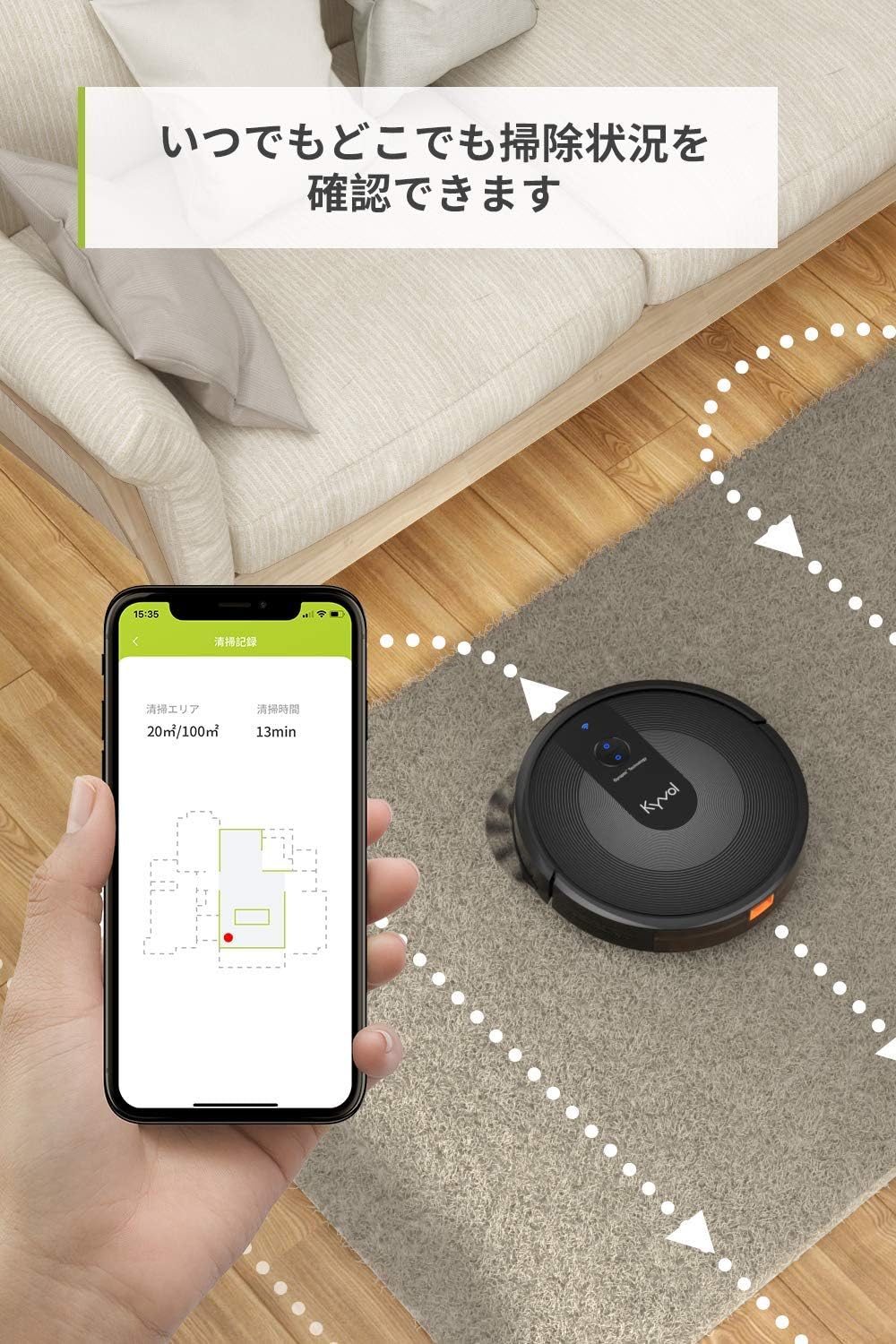
Image Description: A smartphone displaying the Kyvol app, showing a real-time map of the cleaning area and the robot's progress. The robot vacuum cleaner is visible on a carpeted floor.
4.2 Remote Control Operation
The remote control allows you to start/stop cleaning, adjust suction, change modes, and send the robot back to the charging dock. Refer to the remote control diagram for button functions.
Video Description: This video, provided by the seller, demonstrates various operating modes (Auto, Edge, Spot) and remote control functions. While the video mentions 'P20', the operations are generally applicable to similar robot vacuum models like the Kyvol E30.
4.3 Manual Control
You can also operate the robot directly using the buttons on its top panel. Press the power button to start automatic cleaning. Press the home button to send the robot back to the charging dock.
5. Maintenance
Regular maintenance ensures optimal performance and extends the lifespan of your Kyvol E30 robot vacuum cleaner.
5.1 Cleaning the Main Brush
Press the buttons on the main brush cover to remove it. Use the provided cleaning tool to remove any hair or debris tangled around the main brush.
5.2 Cleaning the Dustbin and HEPA Filter
Remove the dustbin from the robot. Open the dustbin and remove the HEPA filter. Empty the dustbin. Use the cleaning tool to clean the HEPA filter and ensure it is not clogged with dust. The HEPA filter should be rinsed with water and reinstalled only after it is completely dry. It is recommended to replace the HEPA filter every 6 months.
Video Description: This video, provided by the seller, demonstrates how to clean the main brush, dustbin, and HEPA filter of the robot vacuum cleaner. While the video mentions 'P20', the maintenance steps are generally applicable to similar robot vacuum models like the Kyvol E30.
6. Specifications
| Feature | Specification |
|---|---|
| Brand | KYVOL |
| Model Name | E30 |
| Product Dimensions | 42.7 x 34.7 x 11.8 cm |
| Item Weight | 2.7 kg |
| Color | Black |
| Suction Power | Up to 2800Pa |
| Battery Capacity | 3200mAh |
| Continuous Operation Time | Approx. 150 minutes |
| Charging Time | Approx. 5-6 hours |
| Connectivity | Wi-Fi (2.4GHz only), Alexa, Google Home |
| Dustbin Capacity | 600ml |
| Obstacle Climbing Ability | Max 15mm |
| Drop Prevention | Automatic detection for drops over 80mm |
7. Troubleshooting & FAQ
Common Issues and Solutions:
- Robot does not return to charging dock: Ensure the battery level is sufficient (above 14%). Check that the charging dock is powered on and has 1-2 meters of clear space around it.
- Can it be used on tatami mats? Yes, it can be used on tatami mats.
- Is main brush cleaning difficult? No, removing the main brush is easy, and the cleaning tool's cutter part can be used to cut tangled hair, making cleaning simple.
- Is the noise level bothersome? The robot operates quietly. In silent mode, it is comparable to turning pages in a library (50dB).
- Can it clean multiple rooms? Yes, if the height difference between rooms is within the climbing range, it can clean multiple rooms by opening the doors.
Important Notes:
- Wi-Fi supports 2.4GHz only (not 5GHz).
- Before using the robot vacuum cleaner, ensure the main power switch is ON.
- When the robot vacuum cleaner determines cleaning is complete, it will automatically return to the charging station.
- If you are not using the robot vacuum cleaner, turn the power switch OFF.
- Place the charging station against a wall on a flat floor. Do not place obstacles within a 1-2 meter radius around the charging station. Keep the charging station powered on to prevent the robot from failing to find it when the battery is low.
8. Warranty and Support
The Kyvol E30 comes with a 2-year free warranty. In the unlikely event of initial defects or malfunctions, please contact us. We will respond promptly.
Contacting Support:
If you have any questions or issues, please feel free to contact us using one of the following methods:
- Go to "Account Service" > "Order History" > "Seller" > "Ask a Question".
- Use the email address provided in the instruction manual.


