
Introduction
This manual provides comprehensive instructions for the Easytry replacement infrared remote control, designed for use with various Fujitsu air conditioner models. This remote offers essential functions to control your air conditioning unit. Please read this manual carefully before use to ensure proper operation and compatibility.
Compatibility
This Easytry remote control is a direct infrared replacement for specific Fujitsu air conditioner remotes. It is designed to be compatible with the following Fujitsu air conditioner models:
- ASG17RSF-W
- ASB12ASCCW
- ASB12ASACW
- ASB12ASBCW
- ASZ12ASCCW
- ASA12ASECW
- FAS34ASAW
Important: Before use, please visually compare this replacement remote with your original Fujitsu air conditioner remote control to ensure they are identical in appearance and button layout. If your specific air conditioner model is not listed above, or if your original remote differs significantly, this replacement remote may not be fully compatible or may not offer all original functions.
Setup: Battery Installation
The remote control requires two (2) AAA alkaline batteries for operation. Follow these steps to install the batteries:
- Locate the battery compartment cover on the back of the remote control.
- Slide the battery compartment cover downwards or in the direction indicated by an arrow to open it.
- Insert two new AAA alkaline batteries, ensuring the positive (+) and negative (-) terminals match the diagrams inside the compartment.
- Slide the battery compartment cover back into place until it clicks securely.
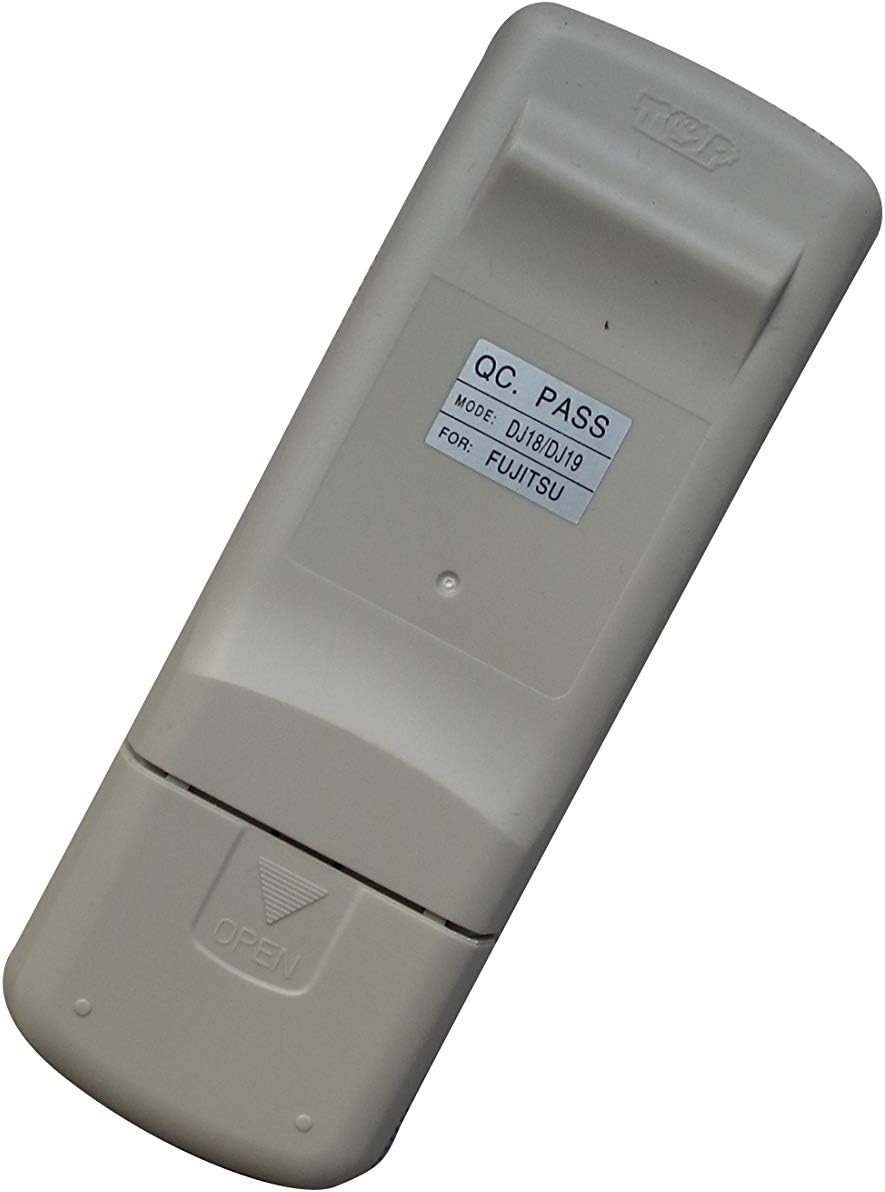
Image: Back of the Easytry remote control, illustrating the battery compartment location and the model identification label.
Note: Always replace both batteries at the same time with new ones. Do not mix old and new batteries, or different types of batteries. Remove batteries if the remote will not be used for an extended period.
Operating Instructions
This remote control operates your Fujitsu air conditioner via infrared signals. Point the remote directly at the air conditioner's receiver when pressing buttons. The effective range is typically up to 8 meters (26 feet) without obstructions.
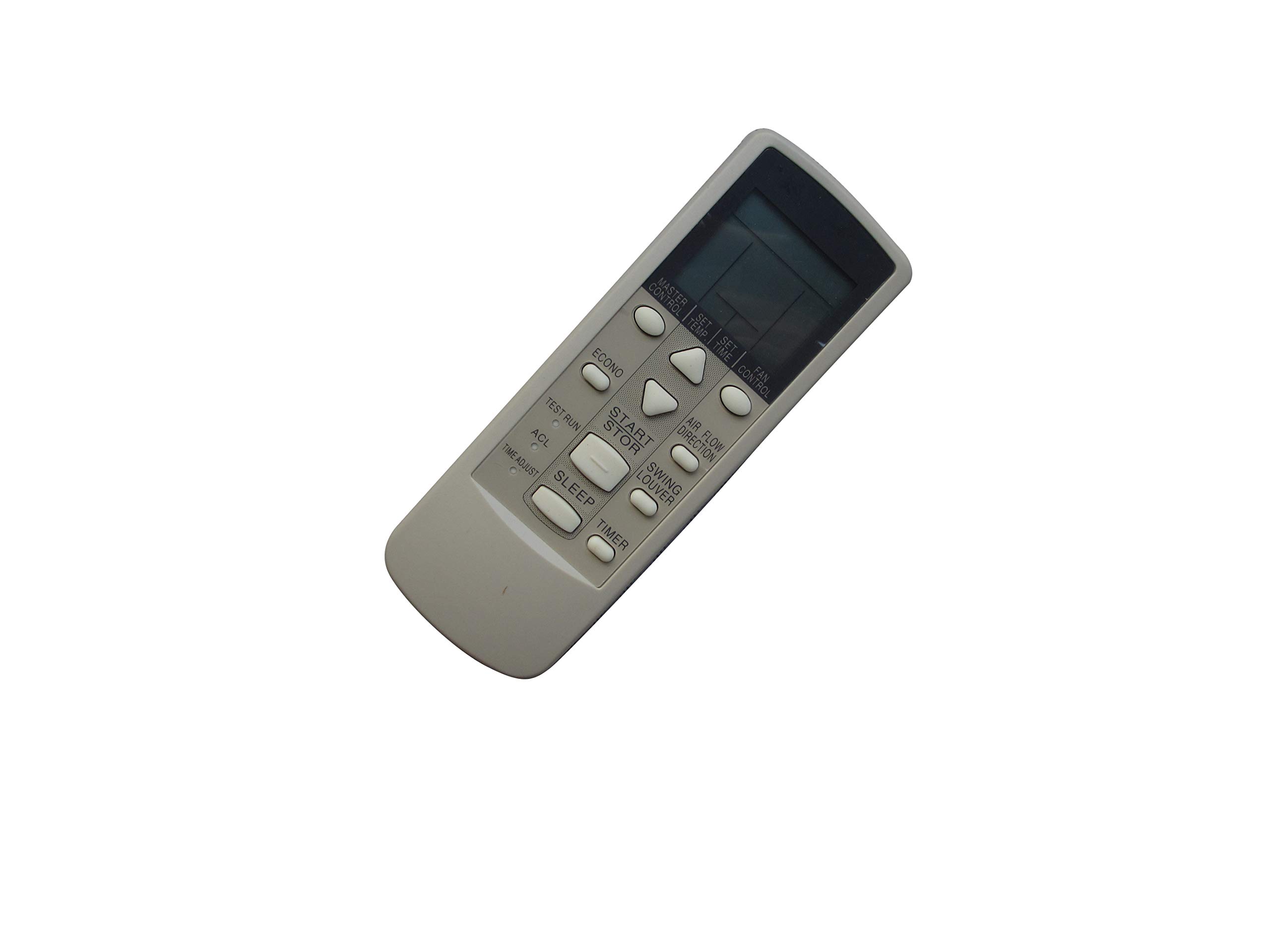
Image: Front view of the Easytry remote control, displaying its buttons for various air conditioner functions.
Basic Functions:
- POWER Button: Press to turn the air conditioner ON or OFF.
- MODE Button: Cycles through operating modes such as Cool, Heat, Fan, Dry, Auto.
- TEMP ▲ / ▼ Buttons: Adjusts the desired temperature setting.
- FAN Button: Selects fan speed (e.g., Low, Medium, High, Auto).
- SWING Button: Controls the louver swing function for air direction.
Advanced Functions (if available on your specific unit and remote):
- TIMER Button: Sets the ON/OFF timer for scheduled operation. Refer to your air conditioner's original manual for specific timer programming instructions.
- SLEEP Button: Activates or deactivates sleep mode, which often adjusts temperature and fan speed for comfortable sleep.
- ECONO/ECO Button: Engages energy-saving mode.
For detailed instructions on specific functions or advanced settings, please refer to the original user manual of your Fujitsu air conditioner unit.
Maintenance
- Cleaning: Wipe the remote control with a soft, dry cloth. Do not use liquid cleaners or abrasive materials.
- Battery Replacement: Replace batteries when the remote's range decreases or if the air conditioner does not respond consistently. Always use new AAA alkaline batteries.
- Storage: Store the remote in a cool, dry place away from direct sunlight and extreme temperatures.
Troubleshooting
- Remote not responding:
- Check if the batteries are inserted correctly with the correct polarity.
- Replace old batteries with new AAA alkaline batteries.
- Ensure there are no obstructions between the remote and the air conditioner's receiver.
- Confirm the remote is pointed directly at the air conditioner.
- Limited range:
- Replace batteries.
- Ensure no strong light sources (like direct sunlight or fluorescent lights) are interfering with the infrared signal.
- Some functions not working:
- This replacement remote may not support all advanced functions of your original air conditioner remote. Refer to the "Compatibility" section and your air conditioner's original manual.
- Ensure your air conditioner model is listed as compatible.
Specifications
| Brand: | Easytry123 |
| Model Number: | Easytry9823 |
| Connectivity Technology: | Infrared |
| Compatible Devices: | Fujitsu Air Conditioners (specific models listed in Compatibility section) |
| Controller Type: | Button Control |
| Batteries Required: | 2 x AAA Alkaline Batteries |
| Special Feature: | Ergonomic, Replacement |
Warranty and Support
This Easytry remote control comes with a 90-day quality warranty. For any issues or questions regarding the product, please contact the seller directly through your purchase platform for hassle-free returns or support. Please have your order details and product model number (Easytry9823) ready when contacting support.