
Introduction
This manual provides comprehensive instructions for the E-YIIVIIL LCD Touch Screen Display Assembly, specifically designed for the Xiaomi Redmi Note 8 Pro. It covers essential information regarding compatibility, installation procedures, and maintenance guidelines to ensure proper function and longevity of your new display.
Compatibility
This LCD screen assembly is precisely engineered to be compatible with the following Xiaomi Redmi Note 8 Pro models:
- Xiaomi Redmi Note 8 Pro M1906G7I
- Xiaomi Redmi Note 8 Pro M1906G7G
It is crucial to verify your specific phone model before purchasing and proceeding with the installation to ensure proper fit and function.

Image: Visual representation of the LCD screen's compatibility with the Xiaomi Redmi Note 8 Pro.
Package Contents
Upon opening your package, you should find the following items:
- 1 x LCD Touch Screen Display Assembly
- 1 x Set of Installation Tools
- 2 x 3M Adhesive Tapes
Setup and Installation
Important: Professional installation is highly recommended for this product. Improper handling or installation may lead to damage to the screen assembly or your device. The manufacturer is not responsible for any damages incurred due to incorrect installation procedures.
Before proceeding with full installation, it is crucial to perform a test of the screen functionality. Connect the flex cables of the new display to your device's motherboard without fully adhering the screen. Power on the device to verify that the display functions correctly and the touch response is accurate across the entire screen area.
This package does not include printed installation instructions. However, numerous detailed instructional videos are available on platforms such as YouTube. Searching for terms like "Xiaomi Redmi Note 8 Pro LCD replacement" can provide visual, step-by-step guidance for the installation process.

Image: The E-YIIVIIL LCD Touch Screen Display Assembly.
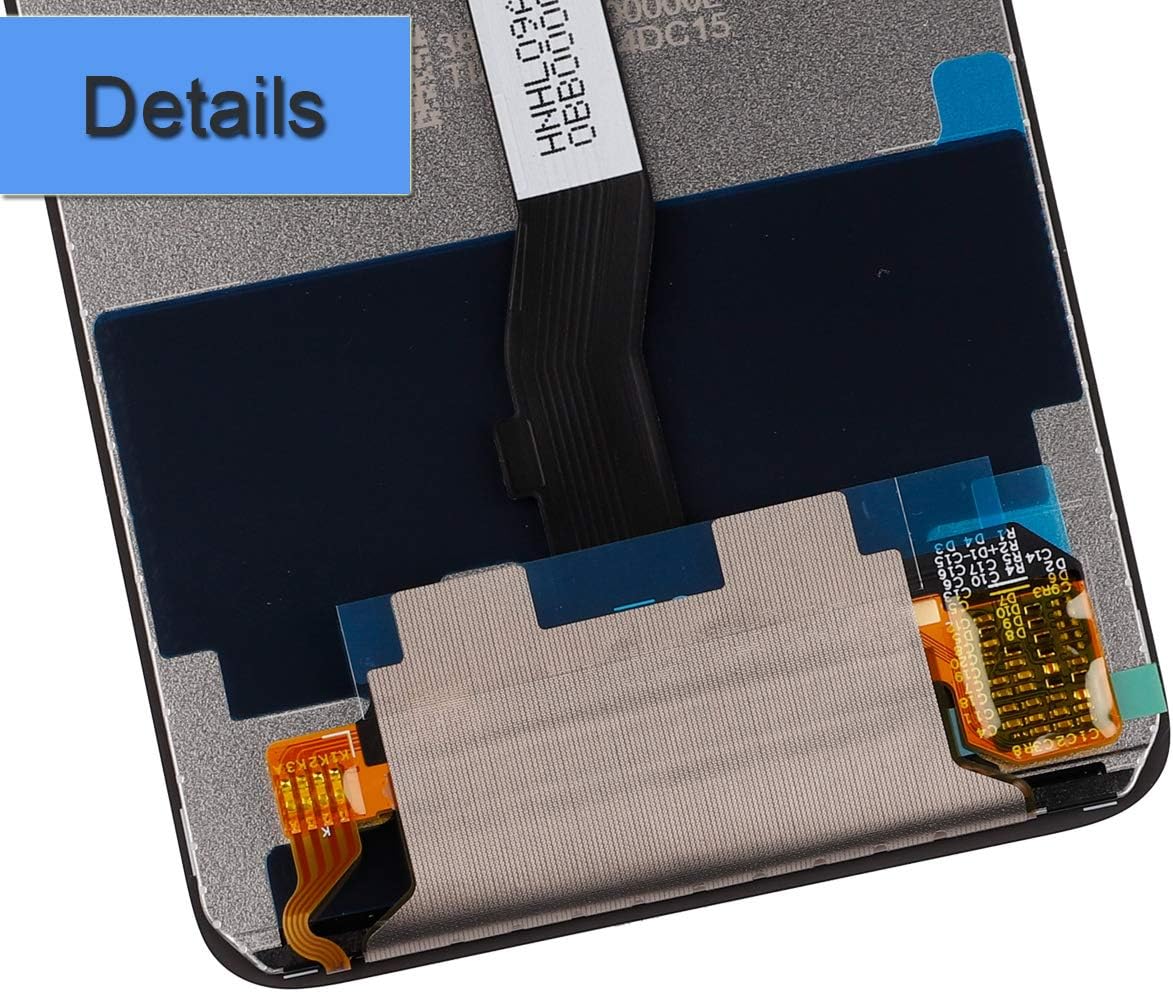
Image: Detailed view of the flex cables and connectors for installation.
Operating the Display
Once correctly installed, the LCD screen assembly will serve as the primary visual output and touch input interface for your Xiaomi Redmi Note 8 Pro. It is designed to provide a clear, high-resolution display and responsive multi-touch capabilities, restoring your device's full functionality.
Maintenance
To ensure the longevity and optimal performance of your new LCD screen, follow these maintenance guidelines:
- Gentle Cleaning: Clean the screen regularly with a soft, lint-free microfiber cloth. Avoid using abrasive materials or harsh chemical cleaners, which can damage the display coating.
- Avoid Pressure: Do not apply excessive pressure to the screen, as this can cause internal damage to the LCD panel.
- Protection: Protect the screen from sharp objects to prevent scratches. Consider using a screen protector for added defense.
- Environmental Conditions: Avoid exposing your device to extreme temperatures, direct sunlight for prolonged periods, or high humidity, as these can negatively impact screen performance and lifespan.
Troubleshooting
If you encounter any issues after installing the LCD screen, consider the following troubleshooting steps:
- No Display or Flickering: Power off your device, then carefully recheck all flex cable connections to ensure they are securely and correctly seated. A loose connection is a common cause for display issues.
- Touch Not Responding: Verify the touch screen flex cable connection. Ensure there is no dust, debris, or damage to the connector or the flex cable itself.
- Display Anomalies (Lines, Dead Pixels): If lines, discolored areas, or unresponsive pixels appear immediately after installation, this may indicate a defective unit or damage during the installation process. Re-test the screen before full adhesion.
- Screen Not Turning On: Ensure your phone's battery is adequately charged. Double-check all internal connections, including the battery connector.
If problems persist after attempting these steps, please contact customer support for further assistance.
Specifications
| Feature | Detail |
|---|---|
| Compatible Models | Xiaomi Redmi Note 8 Pro M1906G7I, M1906G7G |
| Screen Size | 6.53 inches |
| Display Type | LCD Touch Screen Assembly |
| Package Dimensions | 7 x 4 x 1 inches |
| Item Weight | 3.2 ounces |
| Date First Available | April 8, 2020 |
Warranty and Support
The product is covered by a warranty. Please be aware that any abuse, improper installation, or leaving negative feedback without first contacting customer support may void the warranty. We encourage you to reach out to us directly to resolve any issues.
For any questions, concerns, or technical support, please contact E-YIIVIIL customer support. We are committed to providing assistance and aim to respond to all inquiries within 24 hours to ensure your satisfaction.
You can find additional information and contact details on the official E-YIIVIIL store page on Amazon: E-YIIVIIL Store